
Virtual Master - Android Clone is a free utility application developed by VM Space Tech, offering users a unique way to experience Android emulation directly on their Android devices. Unlike other emulators primarily designed for PCs, such as Leapdroid or KoPlayer, Virtual Master provides a self-contained Android environment running parallel to the device’s core operating system. This innovative approach offers several advantages, but also presents some challenges. This comprehensive review will explore the features, benefits, drawbacks, and overall user experience of Virtual Master - Android Clone.
The Appeal of Android Emulation on Android
The widespread popularity of Android stems from its versatile feature set and expansive app ecosystem. This caters to a vast range of user needs, from productivity tools to immersive gaming experiences. While PC-based Android emulators have long existed, Virtual Master - Android Clone breaks new ground by bringing this capability directly to Android devices themselves. This presents several distinct advantages:
Multi-Account Management: Streamlining Productivity and Gaming
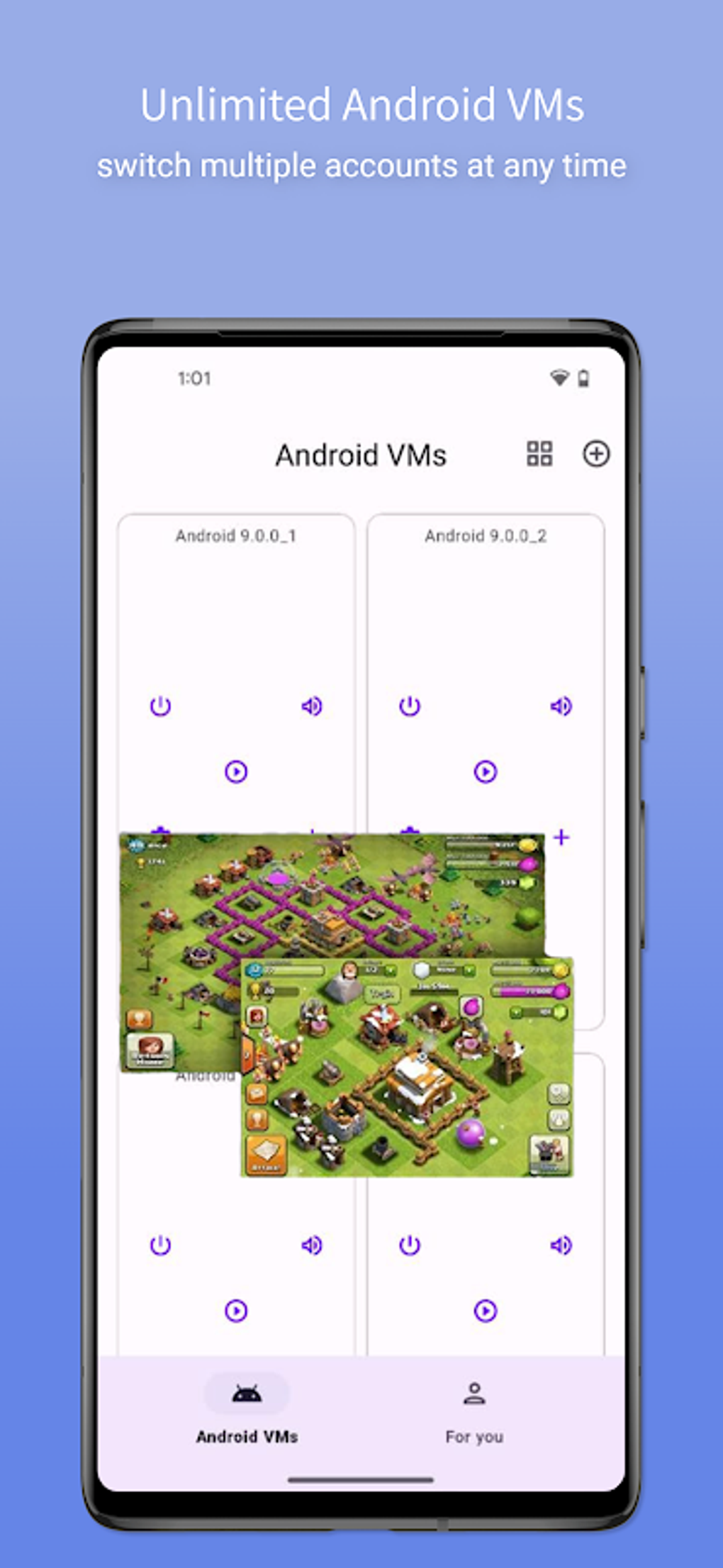
One of the most compelling reasons to utilize Virtual Master is the ability to manage multiple accounts simultaneously on a single device. This is particularly beneficial for individuals who use multiple accounts for messaging services or mobile games. By creating separate Android instances, users can seamlessly switch between personal and professional accounts, or manage multiple gaming profiles without the hassle of constant login and logout procedures. This enhances productivity and provides a more organized digital experience.
Enhanced Gaming Performance: Leveraging Vulkan API Support
For gamers, Virtual Master - Android Clone offers a significant advantage through its built-in support for the Vulkan API. Vulkan is a modern graphics and compute API that can significantly improve performance and frame rates in games that utilize it. By leveraging Vulkan, Virtual Master provides a smoother and more responsive gaming experience compared to emulating games directly on the device’s main operating system, potentially reducing lag and improving overall gameplay. This is a substantial benefit for users who enjoy graphically demanding mobile games.
Legacy App Compatibility: Accessing Older Software
The availability of multiple Android versions within Virtual Master - Android Clone is another crucial feature. This allows users to run legacy apps that are no longer compatible with their device’s current operating system. Many older applications may not be optimized for the latest Android versions, leading to incompatibility issues. Virtual Master addresses this by providing a compatible environment for these older apps, preserving access to potentially valuable or sentimental software.
Enhanced Data Security and Privacy: The Sandbox Environment
Running a separate instance of Android within Virtual Master creates a sandbox-like environment, enhancing data security and privacy. This isolation protects sensitive personal data, such as contact information, SMS messages, and other private files, from potential threats or unauthorized access. This feature is particularly beneficial for users concerned about data security and privacy, offering an additional layer of protection beyond the device’s inherent security measures.
User Experience and Limitations
While Virtual Master - Android Clone offers many compelling advantages, it’s important to acknowledge the limitations of the current version. The most significant drawback reported by users is the app’s tendency to crash frequently. This instability significantly detracts from the overall user experience, interrupting tasks and potentially leading to data loss. It is hoped that future updates will address this issue effectively and provide a more stable and reliable experience for all users.
Alternative Applications and Comparative Analysis
Several alternative Android emulators exist, each with its strengths and weaknesses. A comparison with other notable emulators helps contextualize Virtual Master - Android Clone’s position in the market:
-
PC-Based Emulators: Leapdroid and KoPlayer are popular choices for PC users seeking Android emulation. However, they lack the mobile-centric convenience and the security advantages of a self-contained Android instance within the user’s existing device.
-
Parallel Space Apps: While apps like Parallel Space allow for running multiple accounts, they do not provide the full functionality and flexibility of a complete Android OS emulation, limiting their use for specific applications, rather than running legacy applications or providing enhanced game performance.
Conclusion: Weighing the Pros and Cons
Virtual Master - Android Clone presents a unique and potentially powerful solution for managing multiple accounts, enhancing gaming performance, and ensuring data security. The ability to run a separate Android instance directly on an Android device is a significant innovation. However, the current instability of the application, manifested in frequent crashes, significantly hinders its usability. If the developers address these stability issues, Virtual Master - Android Clone could become a leading Android emulator on mobile devices.
The ease of setup and the availability of multiple Android versions are definite strengths. The Vulkan API support for enhanced gaming performance is another significant draw for gamers. The sandbox environment for enhanced security and privacy is also a considerable advantage. However, the frequent crashes are a major drawback that needs immediate attention.
Until the stability issues are resolved, users should carefully weigh the potential benefits against the risks of frequent crashes before using Virtual Master - Android Clone. The potential is certainly there for a highly useful and innovative app, but improvements in stability are crucial for a positive and productive user experience.
Frequently Asked Questions (FAQs)
Q: Is Virtual Master - Android Clone safe to use?
A: While the app itself is considered safe by many security services, the frequent crashes could potentially lead to data loss if not managed appropriately. Always back up important data before using emulators.
Q: Does Virtual Master - Android Clone consume a lot of battery power?
A: Running a second instance of Android will naturally consume more battery power than using a single operating system. The extent of the battery drain depends on the usage, including the apps running within the emulated environment.
Q: What happens to my data if Virtual Master - Android Clone crashes?
A: Data within the emulated Android instance should remain unaffected. However, it is advisable to regularly back up any sensitive data to prevent potential loss due to unforeseen crashes.
Q: Can I install any Android app within Virtual Master - Android Clone?
A: Generally, yes. However, the compatibility of certain apps might depend on the chosen Android version within the emulator.
Q: Is Virtual Master - Android Clone compatible with all Android devices?
A: Compatibility may vary depending on the device’s specifications and Android version. It’s best to check the app’s requirements before installing.
Q: How do I report bugs or issues to the developers?
A: PhanMemFree’s review section allows you to submit a review that may highlight issues. Contact information for the developer (VM Space Tech) may be found within the app itself or on PhanMemFree.org.
This expanded review aims to provide a comprehensive understanding of Virtual Master - Android Clone, its capabilities, and its limitations, empowering potential users to make an informed decision. Remember to always download software from trusted sources like PhanMemFree.org to minimize the risk of malware.
File Information
- License: “Free”
- Latest update: “August 7, 2025”
- Platform: “Android”
- OS: “Android 13.0”
- Language: “English”
- Downloads: “41.8K”
- Download Options: “Google Play”


