
Visual BCD Editor is a powerful and versatile graphical user interface (GUI) tool designed to manage and modify the Windows Boot Configuration Data (BCD) store. Unlike simpler utilities that offer limited functionality, Visual BCD Editor provides comprehensive access and control over all aspects of the BCD, making it invaluable for advanced users and system administrators alike. This detailed guide will explore the features, capabilities, and uses of Visual BCD Editor, clarifying its role in advanced Windows boot management.
Understanding the Windows Boot Configuration Data (BCD)
Before diving into the specifics of Visual BCD Editor, it’s crucial to understand the role of the Boot Configuration Data (BCD) store. The BCD is a database that contains all the necessary information for Windows to boot correctly. This includes details about operating systems installed on the computer, boot options, device drivers, and other crucial startup parameters. Traditionally, modifying the BCD required using the command-line utility bcdedit, a process that can be complex and prone to errors if not handled carefully. Visual BCD Editor simplifies this process by providing a user-friendly interface for manipulating the BCD store.
Key Features of Visual BCD Editor
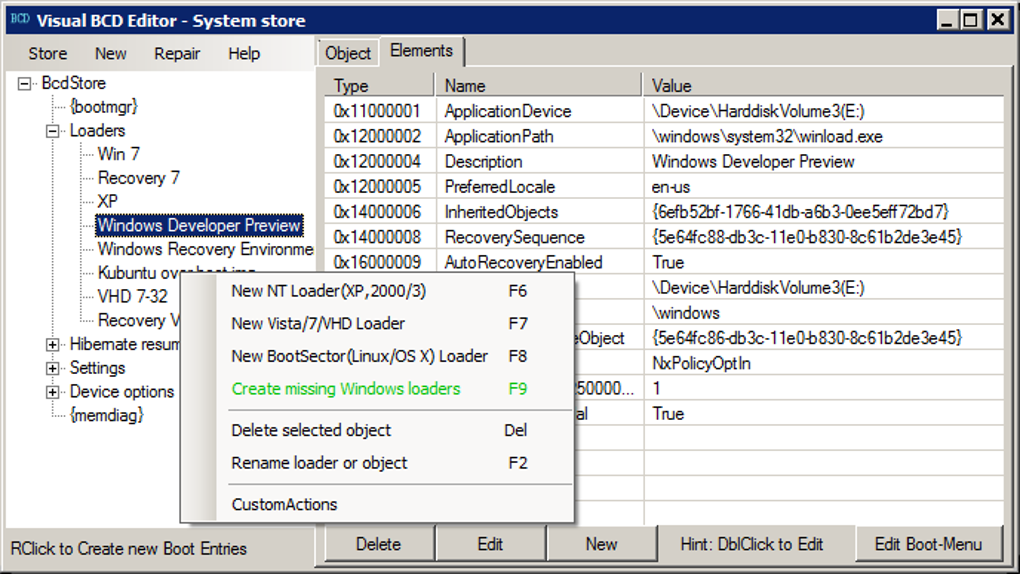
Visual BCD Editor offers a range of features catering to both novice and experienced users. Its intuitive design allows beginners to perform essential tasks with ease, while its comprehensive functionality provides advanced users with the tools needed for sophisticated boot configuration management. Key features include:
-
GUI-Based Interface: Unlike the command-line
bcdedit, Visual BCD Editor offers a graphical user interface, making it significantly easier to navigate and use. This visual representation simplifies complex tasks, reducing the likelihood of accidental errors. -
Complete BCD Store Access: Unlike some competitor tools that only offer partial access to the BCD, Visual BCD Editor provides complete control over the entire BCD store. This allows for comprehensive customization and management of boot options.
-
Windows Boot Loader Creation: The program automates the creation of Windows boot loaders, simplifying the process of adding new operating systems or repairing existing ones. This one-click functionality significantly reduces the time and effort involved in setting up a dual-boot or multi-boot system.
-
Easy Editing of Boot Properties: Every property within the BCD store is editable through Visual BCD Editor’s intuitive interface. Users can modify settings such as boot order, device paths, boot parameters, and more, allowing for precise control over the boot process.
-
Creation of Boot Time Keyboard Shortcuts: Visual BCD Editor facilitates the creation of custom keyboard shortcuts for boot loaders, enhancing convenience and accessibility. This is particularly useful in multi-boot environments where quickly selecting a specific operating system is crucial.
-
Support for Multiple Operating Systems: The application supports booting a variety of operating systems, including popular distributions of Linux (like Ubuntu and Fedora), as well as Mac OS X. This broad compatibility makes it a valuable tool for users with diverse computing environments.
-
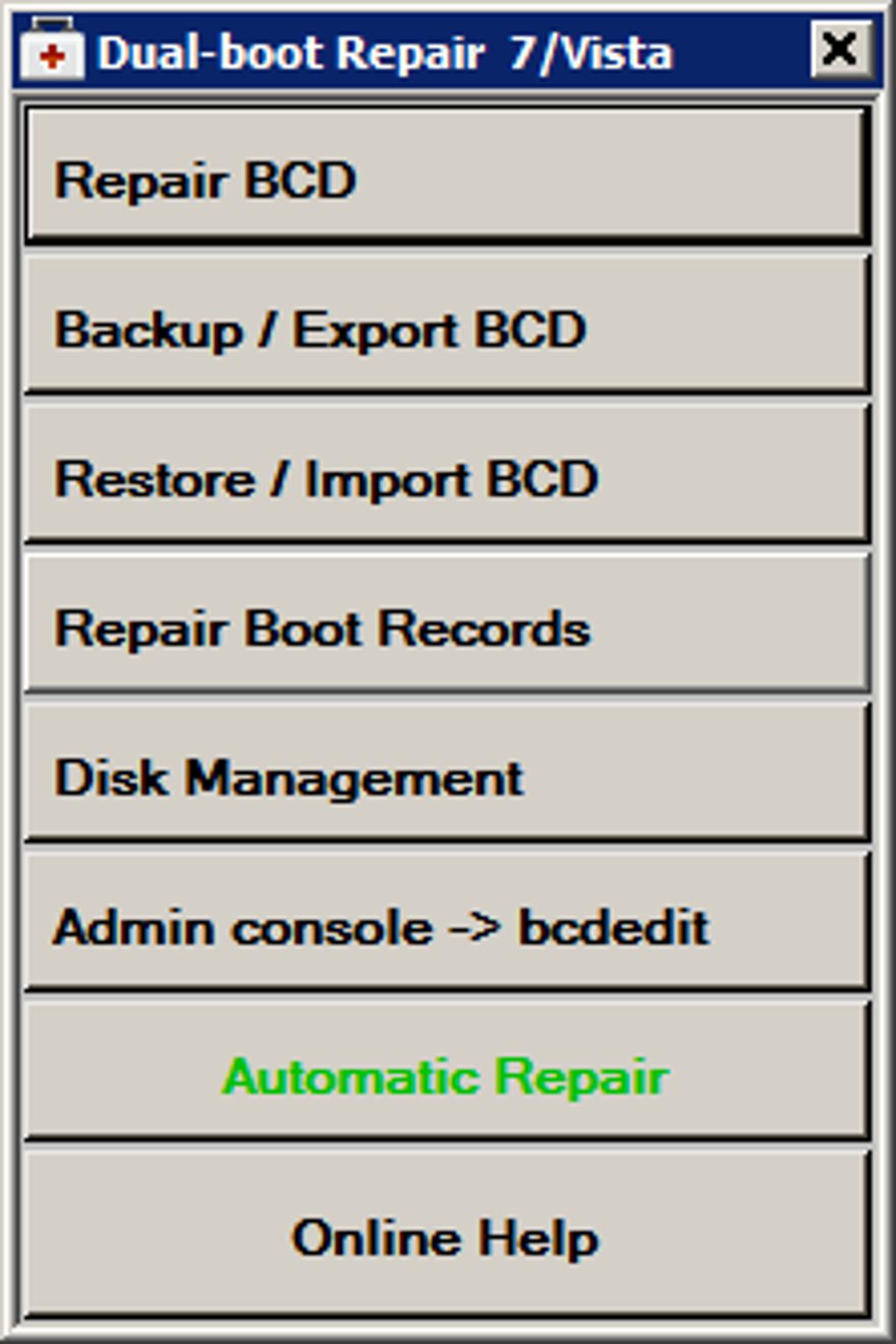
Automatic Dual-Boot Repair: Visual BCD Editor offers an automatic repair function for multi-boot systems based on Windows 7/Vista. This feature can automatically diagnose and fix common boot problems, saving users significant time and effort in troubleshooting.
-
Standard Definitions List: Adding new elements to the BCD is simplified through a readily available list of standard definitions. This feature ensures that users select appropriate and compatible entries when configuring the BCD store.
-
Comprehensive Implementation of Windows BCD Definitions: Visual BCD Editor is a full-fledged implementation of the Windows BCD definitions, ensuring compatibility and accuracy in its operations. It is not a simplified or partial version, providing complete and reliable management of the boot configuration.
How Visual BCD Editor Simplifies Boot Management
Visual BCD Editor streamlines several complex boot management tasks. For instance, setting up a dual-boot system—installing and configuring multiple operating systems on a single computer—is a task that typically requires significant technical expertise using command-line tools. With Visual BCD Editor, this process is simplified considerably. The user can create new boot entries, configure boot options, and manage the boot order all through a user-friendly graphical interface.
Repairing a damaged or corrupted BCD is another significant challenge that Visual BCD Editor addresses. When the BCD is damaged, the computer may fail to boot correctly. Manually repairing the BCD through bcdedit can be extremely difficult and requires a thorough understanding of the BCD structure. Visual BCD Editor offers an automated repair feature that simplifies this process, providing a solution for users without extensive command-line experience.
The creation of boot time keyboard shortcuts is another area where Visual BCD Editor excels. Multi-boot systems can become cumbersome if selecting the correct operating system requires navigating through multiple menus. The ability to assign keyboard shortcuts for instant access to different operating systems significantly improves the user experience.
Advanced Usage Scenarios
While Visual BCD Editor’s ease of use benefits novice users, its comprehensive capabilities also cater to advanced users and system administrators. Here are some advanced usage scenarios:
-
Customizing Boot Parameters: Advanced users can fine-tune boot parameters to optimize system performance or troubleshoot specific boot issues. This level of control allows for precise adjustment of the boot process, adapting to unique system requirements.
-
Managing Multiple Boot Environments: Visual BCD Editor can manage complex multi-boot configurations involving multiple versions of Windows, Linux distributions, and other operating systems, allowing for seamless switching between different environments.
-
Troubleshooting Complex Boot Problems: The application’s detailed view of the BCD store allows for identification and resolution of complex boot-related issues that might not be easily addressed using simpler tools.
-
Creating Custom Boot Menus: While the software provides standard options, advanced users can manipulate the BCD to create custom boot menus, tailored to their specific preferences and system configurations.
-
Integration with Scripting: Though not directly supported, experienced users could potentially integrate Visual BCD Editor’s functionality with scripting languages for automated management of large numbers of systems or for complex, repeated tasks.
Comparison with Alternative Tools
Several alternative tools exist for managing the Windows BCD, but Visual BCD Editor distinguishes itself through its comprehensive feature set and user-friendly interface. Some competitor tools might offer limited functionality or a more complex user experience, restricting access to certain BCD parameters or requiring significant technical expertise.
User Reviews and Feedback
User reviews of Visual BCD Editor highlight its ease of use and effectiveness in managing Windows boot configurations. While some users have reported issues, these are often related to specific system configurations or misunderstandings of the software’s capabilities. Overall, the feedback suggests that Visual BCD Editor provides a valuable tool for streamlining boot management in Windows.
Conclusion
Visual BCD Editor offers a significant improvement over traditional command-line methods for managing the Windows BCD. Its intuitive GUI, coupled with its comprehensive feature set, makes it an ideal tool for both novice and experienced users. Whether you’re setting up a simple dual-boot system or troubleshooting a complex boot problem, Visual BCD Editor provides the tools and functionality to efficiently and effectively manage your Windows boot configuration. Its ease of use, combined with its powerful capabilities, makes it a valuable asset for anyone working with advanced Windows boot management.
File Information
- License: “Free”
- Version: “0.9.3”
- Latest update: “February 12, 2019”
- Platform: “Windows”
- OS: “Windows Vista”
- Language: “English”
- Downloads: “66.8K”
- Size: “958.98 KB”


