
Visual C++ 2010 Express, a free integrated development environment (IDE) from Microsoft, provides developers with a powerful yet accessible toolkit for creating Windows applications. While a stripped-down version compared to the full Visual Studio suite, it remains a valuable resource for beginners, hobbyists, and even experienced programmers tackling smaller projects or learning the intricacies of C++. This review explores its capabilities, limitations, and overall suitability for various development needs.
A User-Friendly Introduction to C++ Development
Visual C++ 2010 Express excels in its user-friendliness, especially for those new to C++ programming. The IDE boasts a clean and intuitive interface, far more visually appealing than its predecessors. The streamlined start page simplifies navigation, ensuring users can quickly access essential tools and resources. The improved code editor incorporates features designed to enhance productivity, such as code colorization for improved readability and syntax checking to catch potential errors early in the development process. IntelliSense, a code completion feature, significantly accelerates the coding process by suggesting relevant keywords, functions, and variables based on the context. This intelligent assistance is invaluable for both novice and experienced programmers, minimizing typos and accelerating development workflows.
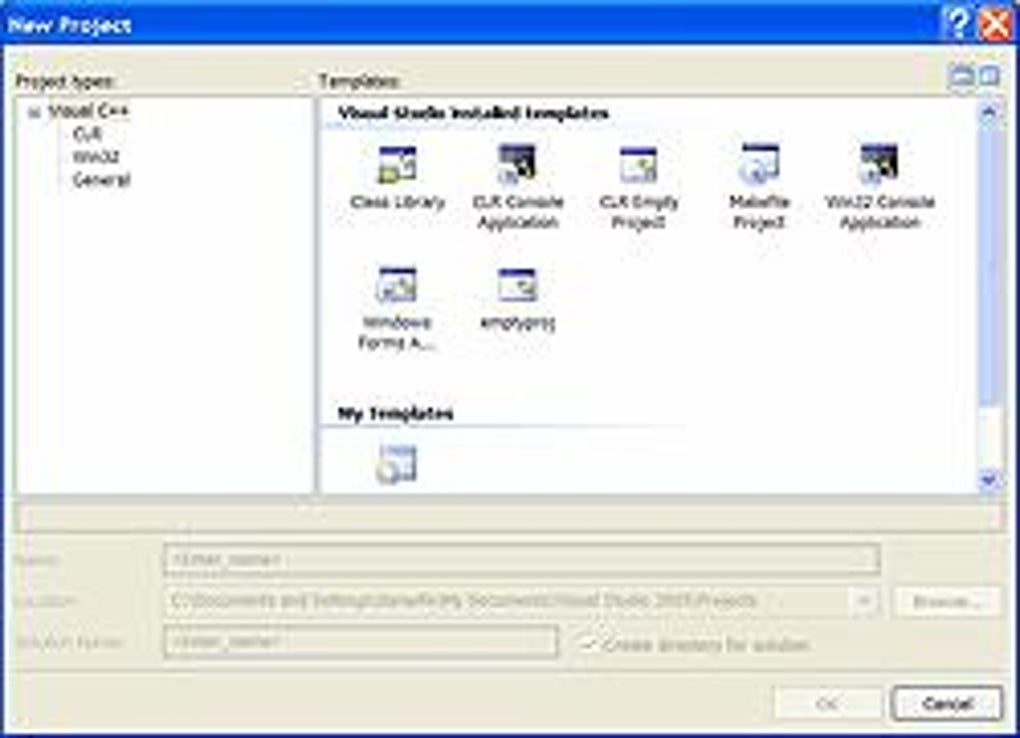
The Express edition, while lacking some of the advanced features found in the full Visual Studio version, still provides a robust environment for building both native Windows applications (using COM+) and managed .NET Framework applications. This versatility makes it suitable for a wide range of projects, from simple console applications to more sophisticated GUI applications leveraging the .NET framework. For .NET Framework application development, visual designers allow for drag-and-drop creation of user interfaces, a significant advantage for developers less familiar with manual UI coding. This visual approach simplifies the development process, allowing developers to focus on the application’s core logic rather than getting bogged down in the intricacies of UI design.
Strengths and Limitations of the Express Edition
One of the primary advantages of Visual C++ 2010 Express is its accessibility. Being completely free, it removes the financial barrier to entry often associated with professional IDEs. This makes it an ideal choice for students, hobbyists, and individuals exploring C++ programming without significant upfront investment. The intuitive interface and helpful features further enhance its accessibility, making it easier for beginners to learn and use.
However, the “Express” designation reflects certain limitations. Compared to the full Visual Studio suite, Visual C++ 2010 Express lacks some advanced features, particularly in the areas of compiling and debugging. While the included compiler and debugger are perfectly adequate for many projects, experienced developers might find themselves missing the more powerful tools and advanced debugging capabilities found in the professional versions. The absence of more sophisticated debugging tools can sometimes prolong the troubleshooting process for complex projects. Furthermore, some advanced libraries and extensions supported by the full version are not available in the Express edition, potentially limiting the scope of some projects.
Building Applications: Native and Managed Code
Visual C++ 2010 Express offers developers the flexibility to create two main types of applications: native Windows applications and managed .NET Framework applications. Native applications, built using the Windows Platform SDK, interact directly with the operating system, providing optimal performance and control over system resources. This makes them ideal for applications requiring high performance or direct access to hardware. However, native development generally requires a more in-depth understanding of Windows system programming concepts.
On the other hand, .NET Framework applications offer a higher-level, managed environment, simplifying development and improving cross-platform compatibility to some extent. The managed nature of .NET applications improves memory management and reduces the risk of memory leaks, common issues in native development. This makes .NET development often quicker and simpler, especially for those less familiar with lower-level system programming. Visual C++ 2010 Express provides excellent support for both approaches, catering to different development styles and project requirements. The inclusion of advanced features within the .NET framework, such as robust support for data access, networking, and built-in printing capabilities, enhances the speed and ease of application development.
Community Support and Resources
While Microsoft no longer actively supports Visual C++ 2010 Express, a wealth of online resources remains available. Numerous tutorials, forums, and online communities dedicated to C++ and Visual Studio provide valuable assistance for users encountering problems or seeking guidance on specific development tasks. These online resources offer a rich source of knowledge, allowing developers to learn from experienced programmers and solve common development challenges. While official support from Microsoft is no longer available, the vibrant community surrounding C++ development ensures that users can still find answers to their questions and receive assistance with their projects. This continued community support mitigates the lack of formal support from Microsoft, providing a vital resource for users of Visual C++ 2010 Express.
However, users should be aware that reliance on community-based support may lead to less timely responses and varied levels of expertise. While the majority of community members are helpful and knowledgeable, users need to approach online resources with a discerning eye and critically evaluate the information provided. Additionally, the lack of official updates and security patches presents a potential vulnerability. Therefore, using Visual C++ 2010 Express for sensitive projects or applications requiring high security should be carefully considered. Modern IDEs such as Visual Studio’s more recent versions incorporate up-to-date security features and are subject to ongoing security updates, representing a safer option for critical projects.

Conclusion: A Valuable Tool for Specific Needs
Visual C++ 2010 Express, despite its age and lack of active support, remains a valuable tool for specific programming needs. Its free accessibility and intuitive interface make it an excellent entry point for aspiring C++ programmers. The ability to create both native and managed applications broadens its appeal, making it suitable for a range of projects. However, its limitations, particularly the absence of advanced features present in newer versions of Visual Studio, should be considered. For serious projects demanding cutting-edge tools and robust support, a more modern IDE would be a preferable choice. Ultimately, Visual C++ 2010 Express serves as a solid, albeit outdated, option for developers who appreciate its ease of use and the freedom of a free development environment, particularly for learning or smaller-scale projects. The vibrant community surrounding C++ continues to offer support and resources, mitigating the absence of official updates and support from Microsoft. However, the security implications of running an unsupported application should be carefully evaluated before deploying any projects built with it in production environments.
File Information
- License: “Free”
- Latest update: “May 24, 2023”
- Platform: “Windows”
- OS: “Windows 2000”
- Language: “English”
- Downloads: “1.8M”
- Size: “3.32 MB”


