
VITA - Video Editor & Maker is a free mobile video editing application developed by SNOW INC. Designed for Android devices, it aims to provide users with a user-friendly platform for creating professional-looking videos, even without prior video editing experience. This review delves into its features, usability, performance, and overall effectiveness, comparing it to other applications in the same category.
Feature Overview: A Rich Toolkit for Video Creation
VITA offers a robust set of features aimed at empowering both novice and experienced video editors. Its intuitive interface simplifies the process of creating compelling videos, making it accessible to a broad audience. The app provides a comprehensive suite of tools, including:
-
Basic Editing Tools: VITA includes all the fundamental editing tools expected in a modern video editor. Users can easily crop and trim video clips, merge multiple segments, and adjust video speed. These core functions form the foundation for any video editing project, and VITA executes them smoothly and efficiently. The ease of use in these basic functions is a significant strength, making the app accessible to those new to video editing.
-
Special Effects and Filters: Beyond the basics, VITA offers a library of special effects that add visual flair to videos. These effects range from subtle enhancements to more dramatic additions, such as falling leaves, rising fog, and smoke effects. This expands the creative possibilities significantly, allowing users to achieve cinematic-like results. The inclusion of a variety of filters further enhances the customization options, enabling users to adjust the overall mood and aesthetic of their videos.
-
Templates and Presets: VITA includes a collection of ready-made templates, providing users with pre-designed video structures and styles. These templates can serve as a starting point for beginners or as a source of inspiration for more experienced users. They streamline the creation process by offering pre-arranged elements, transitions, and effects, enabling quick and effective video generation.
-
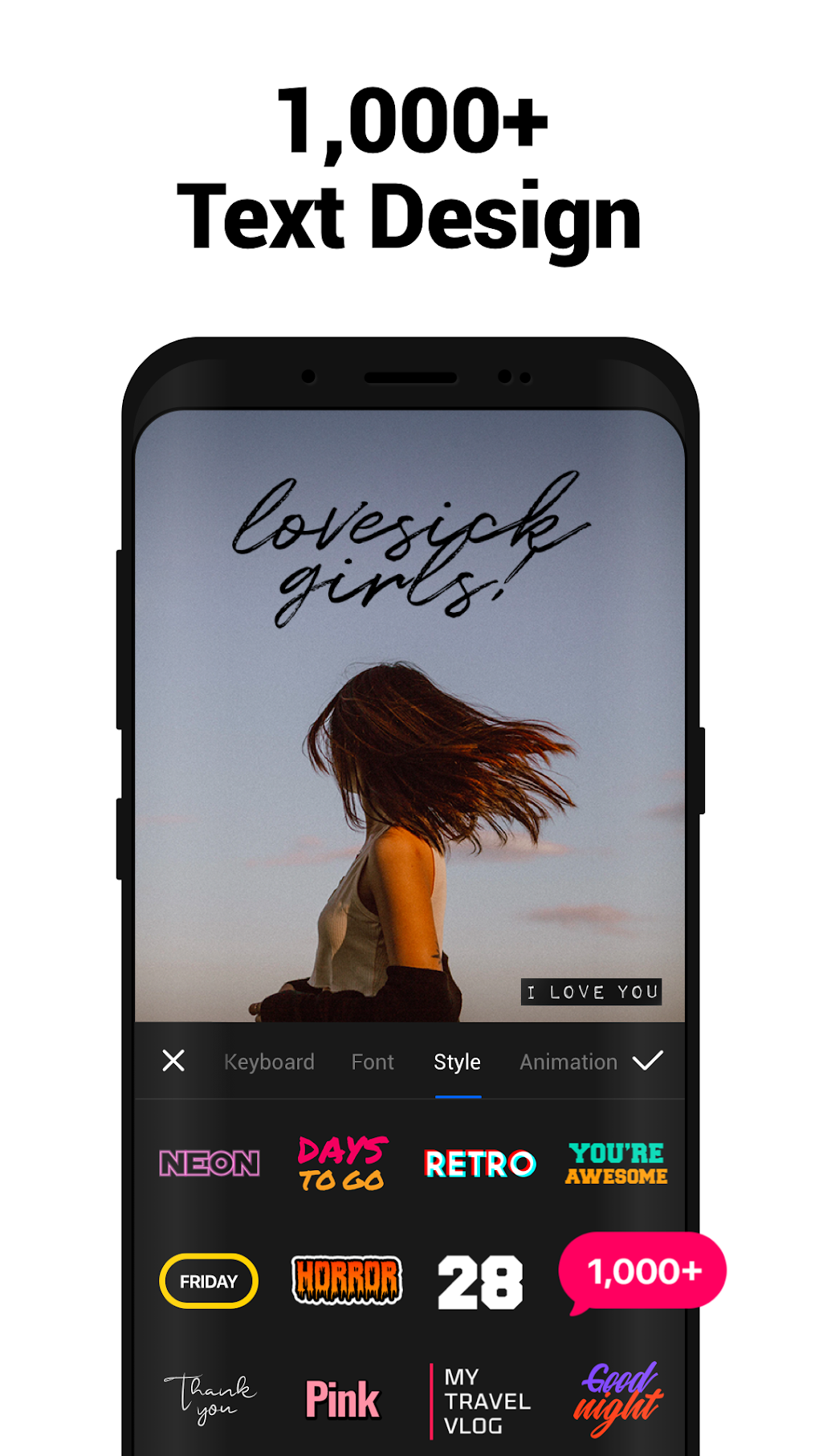
Text and Typography: The app provides various text fonts and design options, offering significant control over the textual elements within the videos. The inclusion of customizable animations for text further enhances the creative flexibility, allowing users to add dynamic and visually engaging captions or titles. This level of customization is crucial for adding personality and context to videos.
-
Audio Enhancements: VITA doesn’t limit its focus solely to visuals. It includes an extensive library of sound effects and music tracks that can be incorporated into videos to enhance the audio experience. This feature is crucial for creating immersive and engaging content, as audio plays a vital role in the overall impact of a video.
-
High-Definition Export: Users can export their finished videos in full HD resolution, ensuring that the final product maintains a high level of visual quality. This is essential for sharing videos on various platforms and maintaining a professional look and feel. The ability to export in high definition caters to users who prioritize visual fidelity.
-
Multilingual Support: VITA boasts support for multiple languages, including English, Korean, Japanese, Chinese, Spanish, and Portuguese. This feature significantly increases its accessibility to a global audience, fostering inclusivity and broadening its user base.
User Interface and Experience: Simplicity Meets Functionality
VITA’s user interface is designed for simplicity and ease of use. The app’s layout is intuitive and uncluttered, allowing users to easily navigate the various tools and features. Even those unfamiliar with video editing software will find the interface easy to grasp and navigate. The straightforward design avoids overwhelming users with complex menus or options, ensuring a smooth and efficient editing experience.
However, this simplicity comes at a potential cost. While the interface is easy to learn, it may lack the depth and granularity offered by some more advanced video editing applications. Power users accustomed to intricate controls and detailed customization may find some limitations in the app’s streamlined approach.
Performance and Stability: A Note on Occasional Issues
While VITA generally performs well, some users have reported instances of lagging and freezing, particularly when multiple effects or complex edits are applied. These performance issues can significantly disrupt the workflow and frustrate users. The frequency and severity of these issues vary among users, suggesting that they may be linked to specific device configurations or the complexity of the projects being undertaken.
The developers should prioritize addressing these performance issues to ensure a consistently smooth and reliable user experience. Optimizations to the app’s code and algorithms could significantly improve stability and reduce the occurrence of lagging and freezing.
Comparison with Alternatives: Navigating the Competitive Landscape
VITA competes with several other video editing apps available on the Android platform. Popular alternatives include InShot Video Editor & Video Maker and VN Video Editor, both of which offer similar functionalities. While VITA’s features are comparable to these alternatives, its performance issues may put it at a slight disadvantage. The frequency of lagging and freezing reported by some users could lead users to seek out more stable alternatives. The presence of these issues prevents VITA from standing out decisively in a crowded market.
Pros and Cons: Weighing the Advantages and Disadvantages
Pros:
- User-friendly interface: The intuitive design makes it accessible to users of all skill levels.
- HD export: Allows for high-quality video output.
- Extensive sound and music library: Provides a rich selection of audio elements to enhance videos.
- Multilingual support: Cates to a diverse user base.
- Special effects and filters: Expand creative possibilities.
Cons:
- Frequent freezing and lagging: A significant drawback affecting user experience.
- Potential lack of advanced features: May not meet the needs of advanced video editors.
Conclusion: A Promising App with Room for Improvement
VITA - Video Editor & Maker presents a compelling option for users seeking a straightforward and user-friendly video editing application. Its intuitive interface, extensive features, and high-definition export capabilities make it an attractive choice for creating engaging videos. However, the reported performance issues, including frequent freezing and lagging, significantly detract from the overall user experience. Addressing these stability issues is crucial for VITA to compete effectively within the crowded mobile video editing market and fully realize its potential. With improvements to its performance, VITA could become a leading contender in the mobile video editing space. Until then, users should carefully consider its limitations before choosing it over more stable alternatives.
File Information
- License: “Free”
- Latest update: “March 24, 2025”
- Platform: “Android”
- OS: “Android 13.0”
- Downloads: “411.4K”
- Download Options: “Google Play”


