
Vivaldi is a relatively new browser that’s quickly gaining popularity among users seeking a highly customizable and feature-rich browsing experience. Unlike mainstream browsers that prioritize simplicity and a streamlined interface, Vivaldi embraces complexity, offering a vast array of options to tailor the browser to individual preferences. This in-depth review will explore Vivaldi’s strengths and weaknesses, delving into its core features, customization options, performance, and overall user experience.
A Familiar Yet Flexible Interface
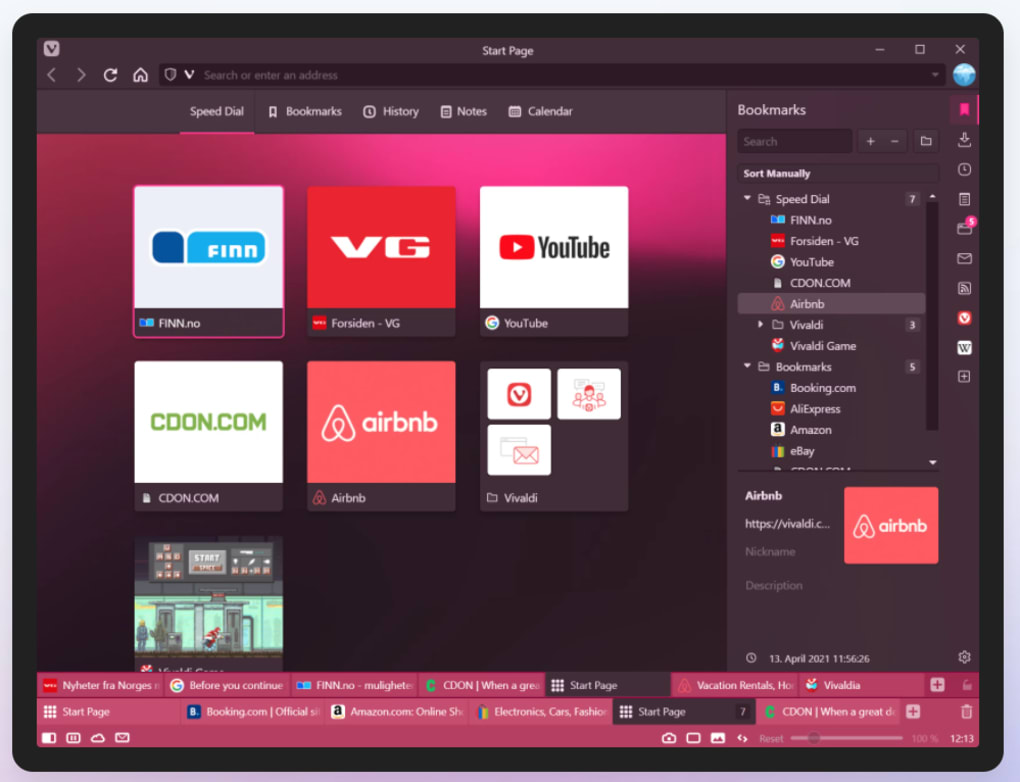
Vivaldi’s interface will feel instantly familiar to users of Chrome or Firefox. The standard layout includes a navigation bar, tab bar, and the main browsing window. A Speed Dial panel, similar to Chrome’s New Tab page, provides quick access to frequently visited websites. This familiar structure forms a strong foundation, ensuring ease of transition for users switching from other popular browsers.
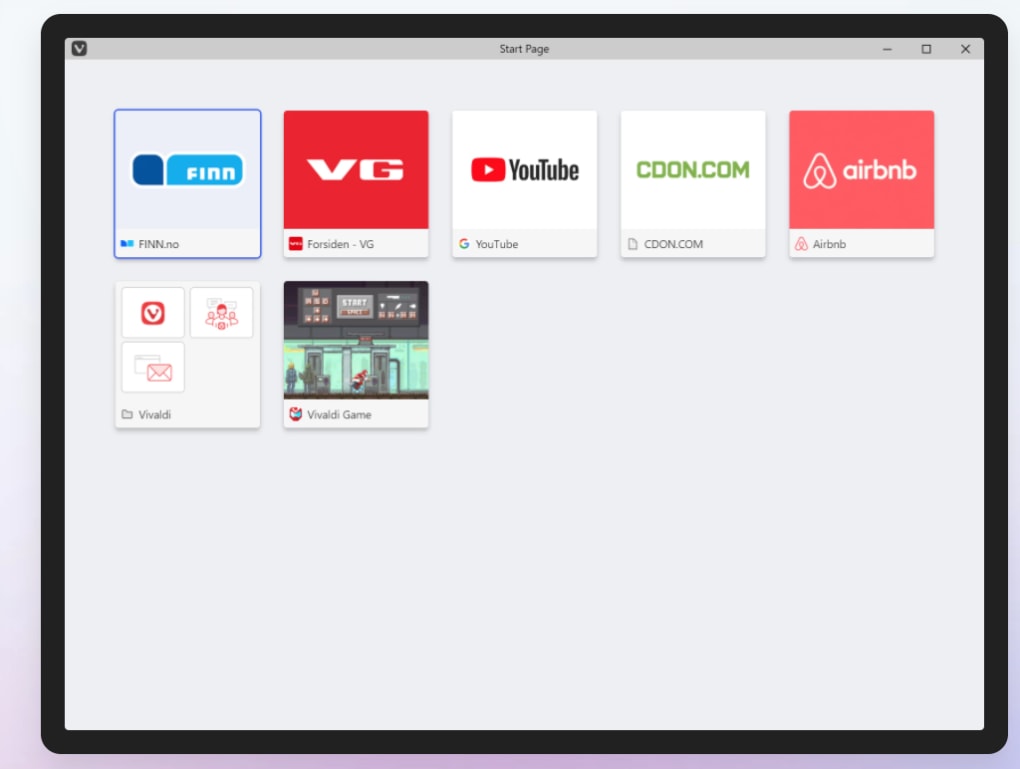
However, Vivaldi’s true power lies in its customization capabilities. The browser boasts a highly adaptable sidebar, reminiscent of Opera (its creator was formerly CEO of Opera), but with significant enhancements. The sidebar integrates essential features such as Bookmarks, Downloads, and a remarkably useful Notes panel. The Notes feature allows users to jot down quick memos or snippets of information directly within the browser, eliminating the need to switch to a separate note-taking application and streamlining workflow.
Further enhancing its flexibility, Vivaldi incorporates Web Panels. These panels allow users to embed specific web pages within the browser window, effectively creating persistent sidebars for ongoing tasks. For instance, users can keep a Facebook chat window or a reference document constantly visible without needing to juggle multiple tabs. This multitasking feature significantly boosts productivity for users who frequently reference specific websites or applications while browsing.
The seamless integration of Chrome extensions adds another layer of functionality. Vivaldi’s compatibility with this vast library of extensions grants users access to an immense range of tools and add-ons, enriching the browsing experience even further. This broad compatibility allows users to personalize their Vivaldi setup beyond the built-in options, extending functionality to match their specific workflow requirements.
Unparalleled Customization: Tailoring Vivaldi to Your Needs
Vivaldi’s unparalleled level of customization distinguishes it from the competition. This extends beyond simple theme changes; it permeates almost every aspect of the browser’s functionality. Users can meticulously adjust the position of the tab bar, placing it at the top, bottom, or even the side of the screen. Furthermore, tabs can be stacked and grouped, a powerful feature for organizing multiple related tabs during complex research or multitasking. This granular control over tab management significantly enhances productivity and reduces visual clutter, making complex browsing sessions far easier to navigate.
Keyboard shortcuts are another area where Vivaldi shines. The browser allows for extensive customization of keyboard shortcuts for virtually any function. Users can create their own custom shortcuts or modify existing ones, enabling mouse-free navigation and rapid access to specific features. This level of keyboard control is particularly beneficial for power users who prefer keyboard-driven navigation.
Adding to the visual customization, Vivaldi offers an adaptive interface. This dynamic feature subtly changes the browser’s color scheme to match the dominant color of the currently active webpage. While primarily an aesthetic feature, it creates a more immersive browsing experience for those who appreciate visual cohesion. Although optional, this adaptive interface reflects Vivaldi’s attention to detail and its commitment to providing users with options catering to both functionality and aesthetics.
Performance and Stability: A Balancing Act
While Vivaldi’s extensive customization is a significant strength, it also presents a potential drawback. With numerous open tabs, extensions, and complex configurations, performance can sometimes suffer. The browser might slow down, especially when handling a large number of simultaneously open tabs. This is a trade-off inherent in the nature of Vivaldi’s highly customizable architecture.
However, the development team actively addresses performance issues through regular updates and optimizations. The browser’s performance has significantly improved over the years, and future updates promise further enhancements. Users should be aware that heavy usage might impact speed but rest assured that the developers continue to invest in optimization to minimize this effect.
User Reviews and Feedback: A Mixed Bag
User reviews of Vivaldi offer a mixed perspective. While many praise its customization options and unique features, some express concerns about stability and performance issues. Reports of crashes and tab loss are not uncommon, particularly in situations with a large number of open tabs. These reports highlight the challenge of balancing extensive customization with robust stability, an ongoing area of development for Vivaldi.
Negative reviews often focus on the browser’s instability, particularly when managing a high volume of tabs. Users have reported frequent crashes, resulting in significant data loss. While Vivaldi’s development team actively works on stability improvements, these issues continue to be a source of frustration for many users, highlighting a trade-off between extensibility and stability. The lack of a built-in troubleshooter further exacerbates the problem, leaving users to resolve issues independently, which can be time-consuming and frustrating.
Positive feedback consistently centers around the extensive customization and unique features. Users appreciate the flexibility of tab management, the usefulness of the sidebar features (particularly the Notes feature), and the ability to customize keyboard shortcuts. This suggests that Vivaldi successfully caters to a specific niche of users who prioritize highly customizable features over pure simplicity and streamlined functionality.
Conclusion: Vivaldi’s Niche Appeal
Vivaldi is not a browser for everyone. Its highly customizable nature requires a degree of technical proficiency and willingness to navigate a more complex interface. Users seeking a simple and straightforward browsing experience might find Vivaldi overwhelming. However, for users who demand a high level of control over their browser’s functionality and appearance, Vivaldi offers a unique and rewarding experience.
The trade-off between extensive customization and potential performance issues remains a key consideration. While performance has improved significantly, users should be prepared for occasional slowdowns, especially under heavy load. The ongoing development and regular updates indicate the team’s commitment to improving stability and performance, which is crucial for expanding the browser’s appeal beyond its dedicated user base.
In summary, Vivaldi is a powerful and highly customizable browser that caters to a specific type of user—one who prioritizes extensive customization and feature richness over utmost simplicity. While stability and performance remain areas for improvement, Vivaldi’s unique capabilities and dedicated development team suggest a promising future for this distinctive browser.
File Information
- License: “Free”
- Latest update: “January 31, 2025”
- Platform: “Windows”
- OS: “Windows 8.1”
- Language: “English”
- Downloads: “61.5K”
- Size: “117.17 MB”


