
VivaVideo is a free, mobile multimedia application developed by QuVideo Inc., designed as a user-friendly video editing tool catering to both beginners and experienced users. Its intuitive interface simplifies the editing process for newcomers, while its comprehensive feature set appeals to professionals seeking advanced capabilities. Leveraging cutting-edge AI algorithms, VivaVideo streamlines video enhancement, offering automated features like auto-caption generation, GIF and slideshow creation, and background removal or alteration, setting it apart from many competitors in the mobile video editing market. This review will delve into the app’s features, ease of use, and overall performance.
Getting Started: Importing and Basic Editing
The initial steps in VivaVideo involve selecting your video clips. You can either import existing footage from your device’s gallery or directly record new clips within the app itself. Once your footage is imported, the intuitive interface allows for straightforward editing of clip length, adjusting start and end points with precision. The app also enables resizing and repositioning of the frame, allowing you to focus on specific areas of interest within your video. This granular control over basic elements provides a solid foundation for more advanced editing tasks.
Enhancing Your Videos: Filters, Effects, and More
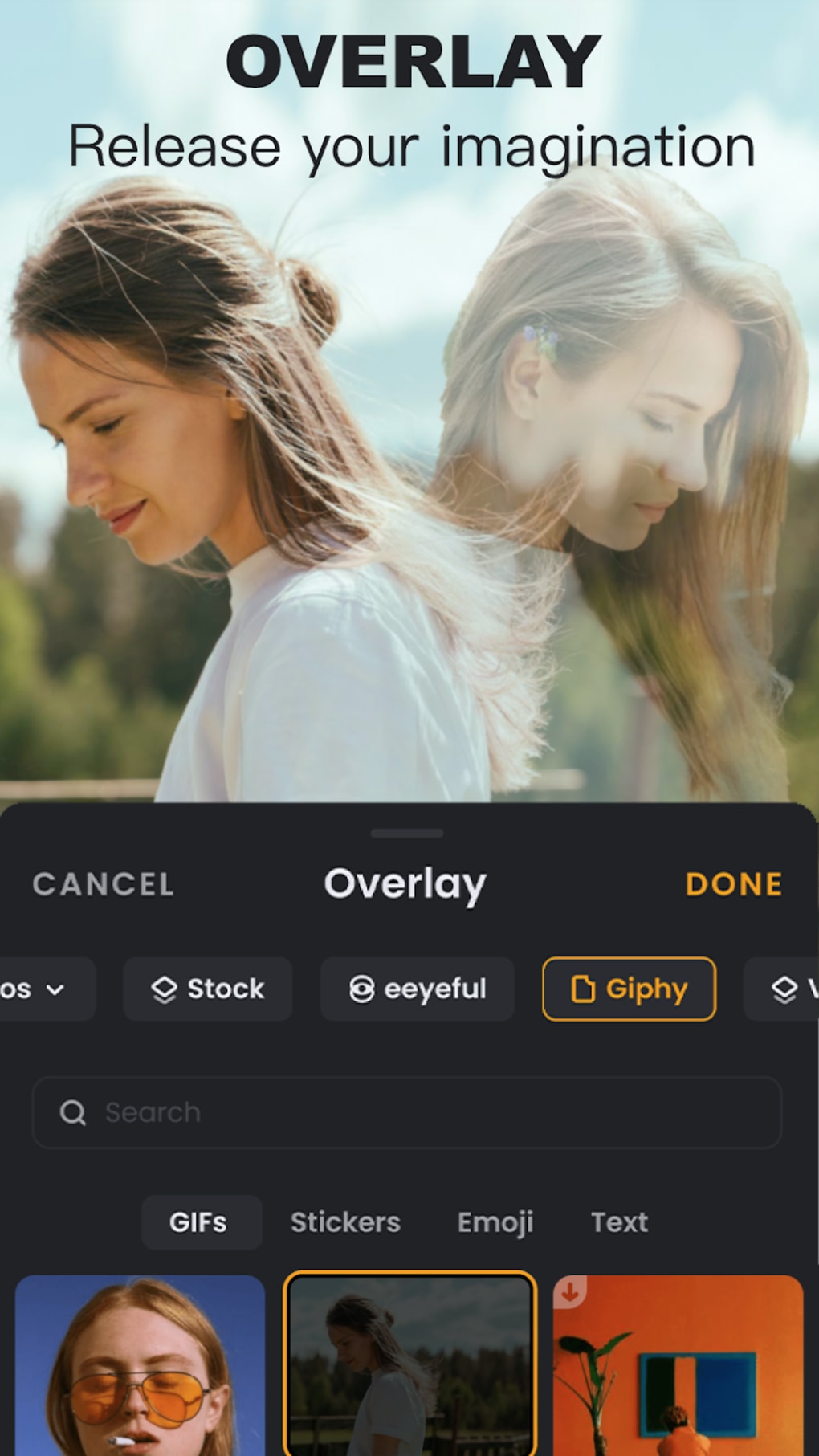
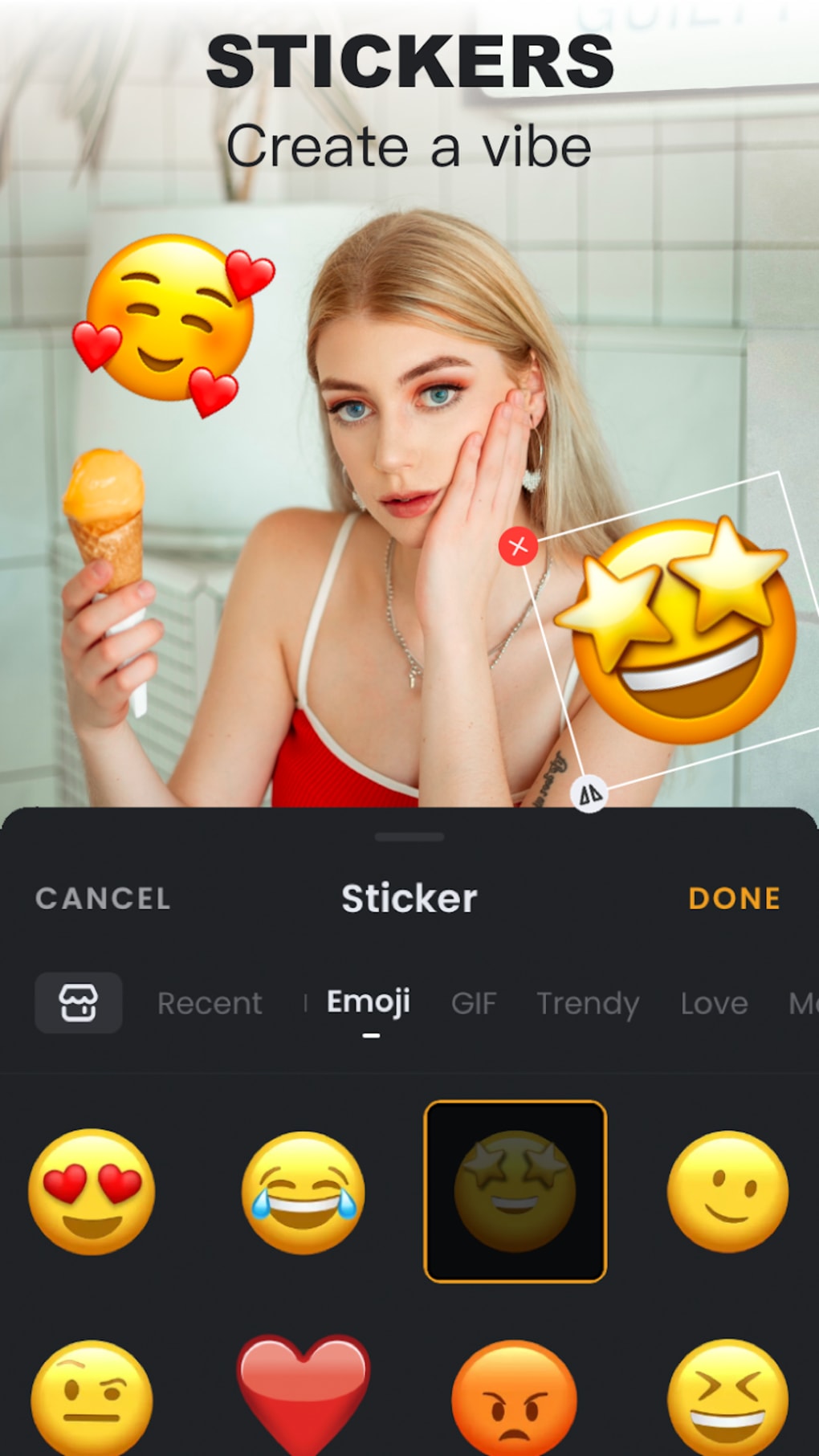
Beyond basic clip manipulation, VivaVideo provides a wealth of tools to enhance your videos creatively. A wide range of filters are available, allowing you to adjust the mood and aesthetic of your footage with a simple tap. The app also offers a library of text styles, stickers, and special effects (FX) to add personality and visual interest. You can incorporate background music from its integrated library or add your own tracks. Furthermore, the option to add voice dubbing allows for customized audio narration and sound effects. VivaVideo allows for the creation of professional-looking intros and outros, adding a polished touch to the beginning and end of your videos. The picture-in-picture feature enables the simultaneous display of two videos, creating visually striking layered effects. Although this requires separate recording of each video, the outcome can produce unique and engaging short clips.
Creating Video Montages from Photos
VivaVideo extends beyond video editing, offering functionality for creating video montages from your photo collections. By selecting images from your gallery, the app automatically generates a video by smoothly transitioning between the images. The transitions are customizable and readily adjustable. As with video edits, you can personalize the slideshow further by applying stickers, adding captions, or incorporating music to accompany the visual flow. This feature offers a fast and efficient method for transforming static photos into dynamic visual stories.
Sharing and Exporting Your Creations
Once your video is ready, VivaVideo simplifies the sharing process through seamless integration with a variety of social media platforms. You can instantly share your work on Facebook, YouTube, WhatsApp, and other supported networks. Alternatively, you can easily save the finished video to your device’s storage for later sharing or offline viewing. The exporting options are straightforward, allowing you to rapidly share your creative work with a wide audience.
The Power of AI Integration
A defining feature of VivaVideo is the integration of AI technology. This AI enhancement speeds up the editing process, delivering superior quality results with greater efficiency. The AI automation reduces guesswork, simplifying complex tasks by automating many of the processes. By setting a few parameters, you can allow the AI to optimize your video for quality and enhancement. This streamlined workflow makes the app accessible even for users with limited video editing experience.
VivaVideo’s Strengths and Weaknesses
Pros:
- Ease of Use: VivaVideo is remarkably user-friendly, making it ideal for beginners in video editing. The intuitive interface and straightforward tools enable even novice users to create impressive videos.
- Abundant Effects and Features: The app boasts a vast library of filters, effects, stickers, text styles, and music options, allowing for highly personalized and creative video enhancements.
- AI-Powered Enhancements: The incorporation of AI streamlines the video enhancement process, boosting both speed and quality. Automated features simplify complex tasks, providing professional-looking results without extensive technical expertise.
- Social Media Integration: Sharing your finished videos is effortless with seamless integration across multiple social media platforms. This feature encourages rapid dissemination of your work and facilitates content sharing among your audience.
- Versatile Functionality: Beyond video editing, VivaVideo offers photo montage creation, further enhancing its versatility and appeal as an all-in-one multimedia tool.
Cons:
- Watermark in Free Version: The free version of VivaVideo adds a watermark to your exported videos, which can be distracting and may impact the professional appearance of your work. Removing the watermark requires a paid upgrade.
- Limited Resolution Options: The app lacks control over video resolution. This limitation can restrict the quality of exported videos, particularly for users who require high-resolution output.
- Five-Minute Video Limit (Free Version): The free version imposes a five-minute video length limit. This restriction might prove insufficient for longer projects or users requiring extended video durations.
Alternatives to VivaVideo
While VivaVideo offers a compelling set of features, several alternative video editing applications exist. These include:
- KineMaster: Known for its powerful features and user-friendly interface, KineMaster provides a comprehensive video editing experience, although some features are locked behind a paid subscription.
-
VN - Video Editor & Maker: This free video editor prioritizes ease of use and the removal of watermarks, offering a user-friendly experience with many creative tools.
-
InShot: Another popular choice known for its simplicity and wide range of features, offering a combination of basic and more advanced video editing capabilities.
Conclusion
VivaVideo stands out as a robust and accessible video editing application, particularly for users seeking a user-friendly and AI-powered experience. Its intuitive interface and comprehensive feature set make it suitable for both beginners and more experienced users. While the watermark and video length restrictions in the free version might deter some, the app’s strength lies in its ease of use and the quality of its AI-powered enhancements. The app’s versatility extends to photo montage creation, further reinforcing its position as a valuable multimedia tool. Considering its strengths and weaknesses, VivaVideo remains a compelling option within the competitive landscape of mobile video editing apps. Ultimately, the decision of whether to use VivaVideo depends on individual needs and preferences concerning ease of use, advanced features, and budgetary constraints.
File Information
- License: “Free”
- Latest update: “July 28, 2025”
- Platform: “Android”
- OS: “Android 13.0”
- Language: “English”
- Downloads: “1.8M”
- Download Options: “Google Play”


