
VIVID Car Launcher is a free utility application developed by VIVIDTeam, designed as a custom launcher for Android-based car infotainment systems. It offers a streamlined and user-friendly interface for accessing favorite apps, navigation tools, and driving aids while on the road. This review will delve into its features, usability, pros, cons, and overall effectiveness as an alternative to built-in systems and other similar applications.
A Modern Alternative to In-Vehicle Systems
The increasing integration of Android technology into vehicles has revolutionized the in-car experience. However, not all vehicles come equipped with native Android Auto support. This leaves many drivers relying on third-party solutions and aftermarket devices to enhance their in-car entertainment and information systems. VIVID Car Launcher emerges as a compelling alternative, providing a seamless and accessible experience for users regardless of their vehicle’s built-in capabilities. Its design mirrors the clean and intuitive interface of Android Auto, ensuring a familiar and comfortable user journey for those already accustomed to Google’s platform. This familiarity reduces the learning curve, allowing drivers to quickly adapt and efficiently utilize the app’s features without significant distraction.
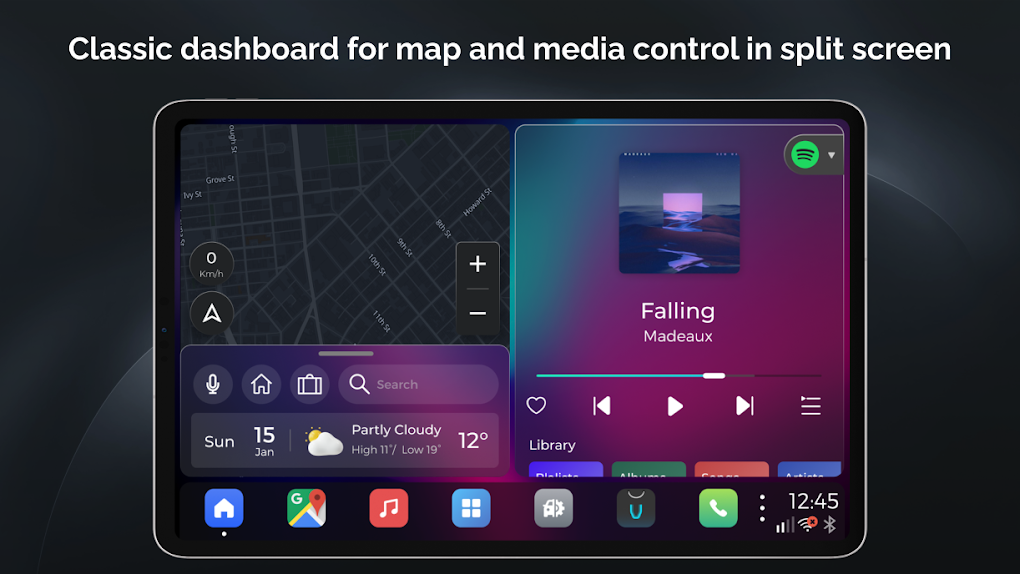
Unlike some aftermarket solutions that require complex installations or hardware modifications, VIVID Car Launcher is a simple-to-use application downloadable directly to a compatible Android device. This ease of installation and access is a major advantage, eliminating the need for specialized technical knowledge or costly professional installation. The application’s intuitive interface further enhances this accessibility, making it suitable for a wide range of users with varying levels of technological proficiency. Drivers can focus on the road while enjoying the benefits of enhanced in-car functionality, without the complexity often associated with integrating external devices.
Key Features and Functionality
VIVID Car Launcher boasts an impressive array of features designed to enhance the driving experience. At its core, the app provides a customizable launchpad for frequently used applications. The intuitive dock allows for quick access to essential apps, eliminating the need to navigate through multiple menus while driving. The split-screen functionality enables simultaneous operation of two applications—a particularly useful feature for drivers who need to utilize navigation while listening to music or podcasts. This multitasking capability significantly improves efficiency and minimizes the need to switch between apps, thereby enhancing safety.
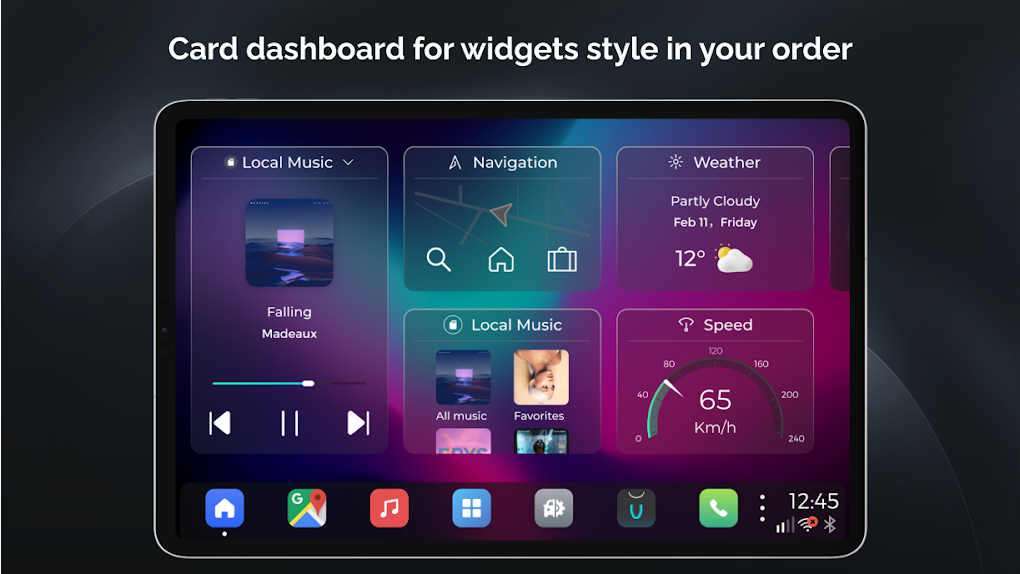
Beyond app launching, VIVID Car Launcher incorporates widget support for crucial information at a glance. Widgets providing real-time updates on weather, news headlines, and other pertinent data are displayed directly on the main interface, keeping drivers informed without requiring extensive interaction with the device. This efficient information delivery is a significant advantage for users who need quick access to crucial real-time data without diverting their attention from the road.
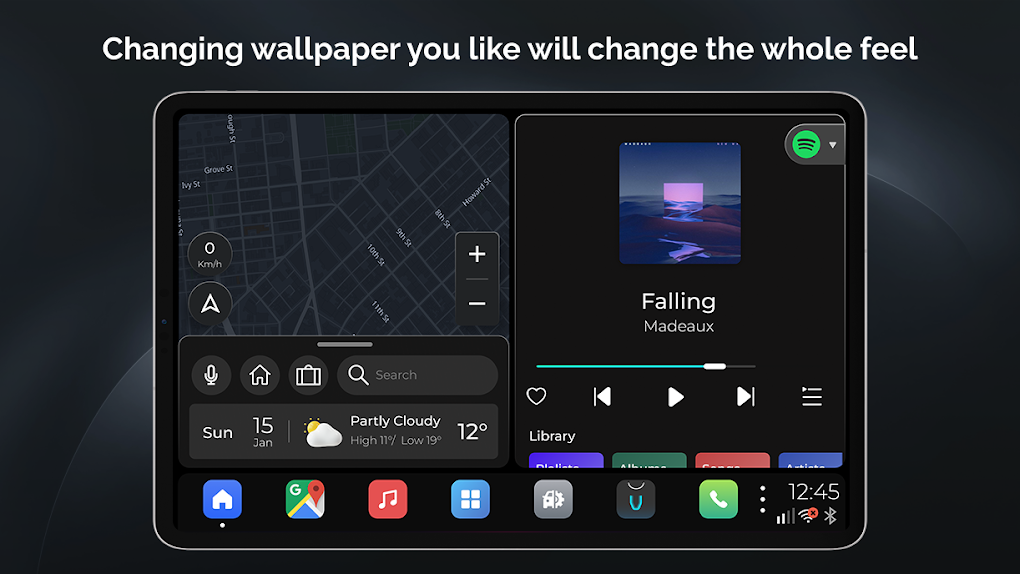
The app also emphasizes personalization, allowing users to tailor their experience to their preferences. Customizable options for blur effects, wallpapers, and a custom splash screen enable users to personalize the application’s aesthetic appeal. This level of customization allows users to tailor the application to their personal style and preferences, ensuring a comfortable and enjoyable user experience. Furthermore, the inclusion of a Valet Lock feature provides an extra layer of security, preventing unauthorized access to the device and its applications.
Integration with Google Voice Assistant further enhances the user experience. Voice commands allow for hands-free operation of various functions, reducing driver distraction and promoting safety. This seamless integration streamlines the user experience by providing access to a wide range of functionalities through voice commands, further minimizing the need for manual interaction with the device.
The app also incorporates convenient over-the-air (OTA) updates, ensuring users always have access to the latest features and security enhancements. This feature provides ongoing improvements and bug fixes, ensuring the application’s functionality and security remain at optimal levels. This regular updating mechanism keeps the application secure and up-to-date with the latest features and improvements.
Communication Capabilities and Limitations
VIVID Car Launcher incorporates both messaging and calling functionalities. Users can send and receive text messages and, depending on hardware capabilities and regional network support, make and receive phone calls directly through the app. However, it’s crucial to acknowledge that the availability of these communication features is contingent upon hardware compatibility and network support. Not all network bands are universally supported, meaning functionality may vary based on the user’s device and location. This limitation is important to note to avoid disappointment or unexpected functionality issues. Users should carefully check their device specifications and network availability before relying on these features.
Pros and Cons of VIVID Car Launcher
Pros:
- Sleek and Familiar UI: The intuitive interface, similar to Android Auto, provides a seamless and easy-to-learn user experience.
- Feature-Rich: The app offers a comprehensive set of features, including app launching, split-screen functionality, widget support, personalization options, and Google Voice Assistant integration.
- Call and Text Functionality: The ability to send and receive messages and make calls directly from the app enhances convenience. (Hardware and regional limitations apply).
- OTA Updates: Regular updates ensure the app remains current and secure.
- Valet Lock: A security feature that prevents unauthorized access.
- Ease of Installation: Simple download and installation process, eliminating complex technical requirements.
Cons:
- Hardware and Regional Dependence: Phone call and messaging functionality may be limited depending on the device and network availability.
- Potential for Compatibility Issues: While aiming for broad compatibility, some devices may experience minor compatibility issues.
Conclusion: A Worthy Alternative
VIVID Car Launcher stands as a robust and viable alternative to built-in car infotainment systems and other similar apps. Its user-friendly interface, comprehensive feature set, and emphasis on personalization make it an attractive option for drivers seeking to enhance their in-car experience. While limitations exist regarding call and messaging functionality based on hardware and regional factors, the app’s overall performance and extensive features outweigh these drawbacks for many users. Before downloading, users should verify their device’s compatibility and network support to fully leverage the app’s capabilities. For drivers seeking a user-friendly and feature-rich Android-based car launcher, VIVID Car Launcher is undoubtedly worth considering.
File Information
- License: “Free”
- Version: “6.4.5”
- Latest update: “May 21, 2025”
- Platform: “Android”
- OS: “Android 13.0”
- Language: “English”
- Downloads: “14.3K”
- Size: “45.98 MB”
- Download Options: “APK, Google Play”
- Filename: “com-telenav-launcher-60400005-67419882-61955300d91e053188d837fea7887c4e.apk”


