
Vividl Video Downloader is a free, open-source video downloading tool developed by indie developer Bluegrams. This Windows application acts as a user-friendly graphical interface (GUI) for the powerful command-line downloader, youtube-dl. While simple in its design, Vividl effectively bridges the gap between the technical complexities of youtube-dl and the average user, providing a streamlined experience for downloading videos from a vast array of online streaming platforms. This review will delve into its functionality, ease of use, strengths, and limitations, comparing it to similar software and exploring its overall value proposition.
Ease of Use and Interface
Vividl Video Downloader boasts an intuitive and minimalist interface designed for ease of use. The program eschews unnecessary complexities, focusing on a core set of features delivered with straightforward clarity. The main window presents a clean layout, prioritizing essential functions without overwhelming the user with numerous options. To initiate a download, users simply need to click the “+” button, paste the video URL from their preferred streaming site, and select the desired download options from the conveniently located dropdown menus.
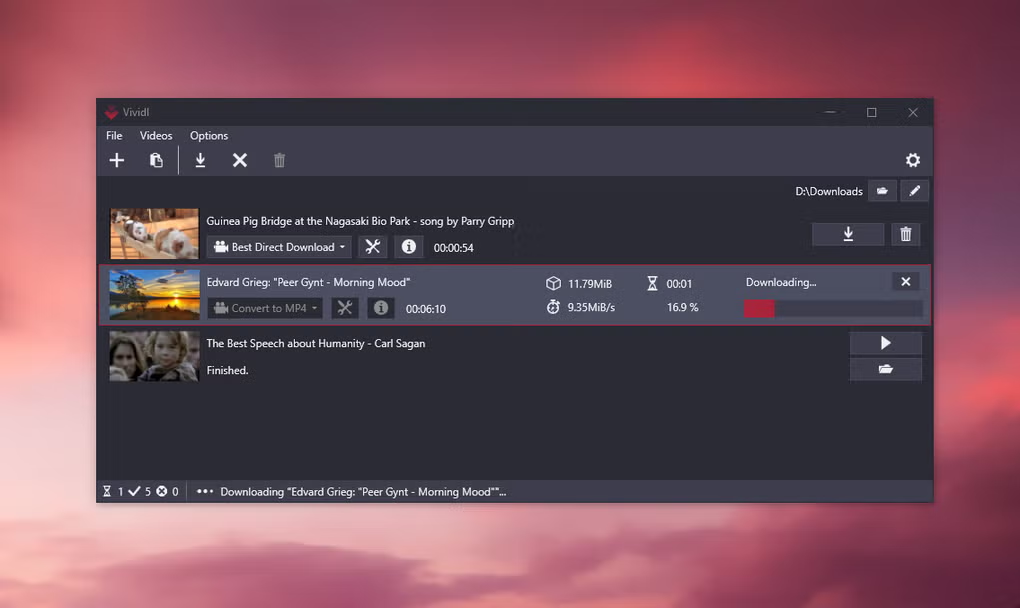
The dropdown menus offer customizable settings such as video format, resolution, and audio extraction. This allows users to tailor their downloads to their specific needs and device capabilities, optimizing file size and quality based on their preferences. The ability to extract audio tracks alone is a valuable feature for users who only require the soundtrack of a video.
The program also supports batch downloads, allowing users to queue multiple videos for simultaneous downloading. This feature significantly enhances efficiency for users needing to download several videos at once, saving considerable time and effort. Metadata retrieval further complements the user experience, providing valuable information about the downloaded videos, such as title, description, and other relevant details directly within the application. This eliminates the need to manually search for this information elsewhere.
The overall user experience is remarkably smooth and efficient. The absence of excessive features, while potentially limiting to power users, significantly enhances the accessibility and usability of the application for casual users.
Supported Websites and Functionality
Vividl Video Downloader leverages the extensive capabilities of youtube-dl, inheriting its broad support for numerous online video platforms. While the exact number of supported sites is dynamic due to constant updates in youtube-dl, users can expect access to hundreds of popular video-streaming services, ensuring compatibility with a wide range of content sources.
This broad compatibility is a major advantage, differentiating Vividl from many competitors that limit themselves to a smaller selection of websites. This versatility extends to various video formats and resolutions, catering to various bandwidth constraints and device compatibility requirements. Whether users require high-definition downloads for their large screens or smaller files for mobile devices, Vividl provides the flexibility to accommodate different needs. The simple addition of audio extraction capabilities further diversifies the program’s functional scope, adding value for users focused on audio content alone.
Performance and Speed
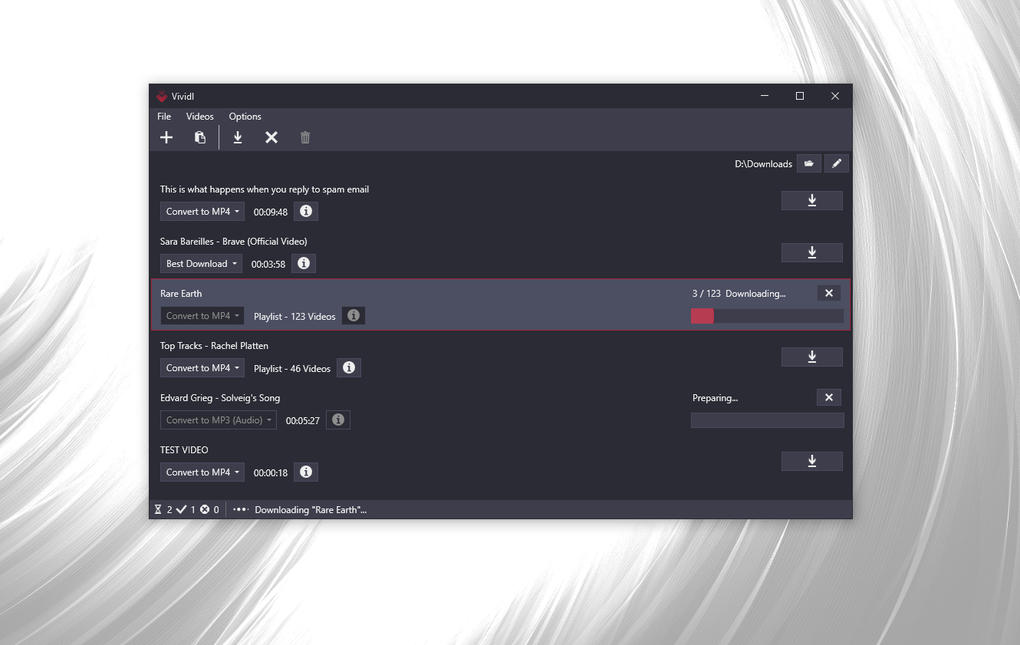
The speed of video downloads using Vividl is largely dependent on several factors, including the user’s internet connection speed, the size of the video file, and the server load of the hosting website. However, based on user reports and testing, Vividl consistently delivers download speeds comparable to other popular video downloaders. The application efficiently manages downloads, utilizing available bandwidth effectively without compromising system performance.
The program’s relatively small size contributes to its efficient operation, requiring minimal system resources and ensuring that downloads do not impact the overall functionality of the computer. The streamlined design, focusing on core download functionalities, prevents the program from becoming resource-intensive, promoting smooth operation even during simultaneous downloads.
Comparison with Alternative Video Downloaders
Several alternative video downloaders exist, each with its own strengths and weaknesses. Some notable competitors include JDownloader, 4K Video Downloader, and Ummy Video Downloader. Compared to these options, Vividl distinguishes itself primarily through its open-source nature, ease of use, and minimalist design.
While some alternatives offer more advanced features such as built-in video converters or support for additional platforms, Vividl maintains a considerable advantage in its intuitive user interface. Its simplicity makes it far easier for novice users to learn and use effectively. The open-source nature of Vividl also fosters transparency and community involvement, allowing users to review the code and potentially contribute to its development.
Strengths and Weaknesses
Strengths:
- Free and Open-Source: Vividl is completely free to use and its open-source nature allows for community scrutiny and contributions.
- Ease of Use: The program’s intuitive interface makes it exceptionally user-friendly, even for users with limited technical expertise.
- Wide Compatibility: Supports hundreds of video-sharing websites, offering broad content access.
- Efficient Downloads: Handles downloads effectively, utilizing available bandwidth efficiently.
- Lightweight: Small program size and minimal resource consumption ensure smooth system operation.
- Supports Bulk Downloads: Enables simultaneous downloading of multiple videos, significantly enhancing efficiency.
- Audio Extraction: Allows users to download audio tracks separately from video content.
Weaknesses:
- Limited Advanced Features: Lacks some advanced features found in other downloaders, such as built-in conversion tools or more sophisticated download scheduling.
- Dependence on
youtube-dl: Its functionality is inherently linked toyoutube-dl, so any limitations or issues with that backend will affect Vividl. - No Built-in Video Conversion: While it supports various download formats, it doesn’t offer on-the-fly conversion capabilities.
Conclusion
Vividl Video Downloader offers a compelling solution for users seeking a simple, effective, and free video downloader. Its straightforward interface, extensive website support, and efficient download management make it an excellent choice for casual users. While it may lack some advanced features found in more comprehensive applications, its ease of use and open-source nature compensate for these limitations. Overall, Vividl is a valuable tool for anyone needing a reliable and user-friendly method to download videos from a wide range of online sources. Its strengths lie in its simplicity and accessibility, making it a great option for those prioritizing ease of use over an abundance of advanced, sometimes confusing, features.
File Information
- License: “Free”
- Version: “0.5.1”
- Latest update: “July 15, 2022”
- Platform: “Windows”
- OS: “Windows 8.1”
- Language: “English”
- Downloads: “12.5K”
- Size: “29.00 MB”


