
VLC Media Player has long reigned supreme as the undisputed champion of multimedia playback. Renowned for its unparalleled versatility, comprehensive codec support, and open-source ethos, it has become an indispensable tool for millions of users across Windows, Mac, Linux, and mobile platforms. Yet, even a titan like VLC is in constant evolution, pushing the boundaries of what a media player can achieve. This continuous development is most vividly showcased in its “nightly” builds – experimental, pre-release versions that offer an exciting peek into the features and refinements destined for future stable releases. The VLC Media Player Nightly, particularly the versions highlighting early Blu-ray capabilities and interface redesigns, represents a significant milestone, previewing a more polished and capable media experience.
For years, the one notable omission from VLC’s otherwise immaculate feature set was native support for Blu-ray discs. While third-party plugins and workarounds existed, the seamless integration of Blu-ray playback remained a highly requested, yet elusive, feature for many users. The nightly builds tackle this head-on, delivering a crucial advancement that promises to broaden VLC’s appeal even further. Beyond Blu-ray, these nightly iterations introduce a refreshed visual aesthetic, enhanced navigation, and improved connectivity options, signaling a comprehensive overhaul designed to keep VLC at the forefront of media technology. This deep dive explores the significance of the VLC Media Player Nightly, examining its groundbreaking features, inherent instability, and what it signals for the future of multimedia consumption.
What is VLC Media Player Nightly?
Before delving into the specifics of its features, it’s crucial to understand the concept of a “nightly build.” In software development, a nightly build refers to a version of a program that is automatically compiled and released daily (or sometimes multiple times a day). These builds are not intended for general public consumption but serve as a crucial testing ground for developers and adventurous users. They incorporate the very latest code changes, bug fixes, and feature implementations, often before they have undergone extensive quality assurance or stabilization.
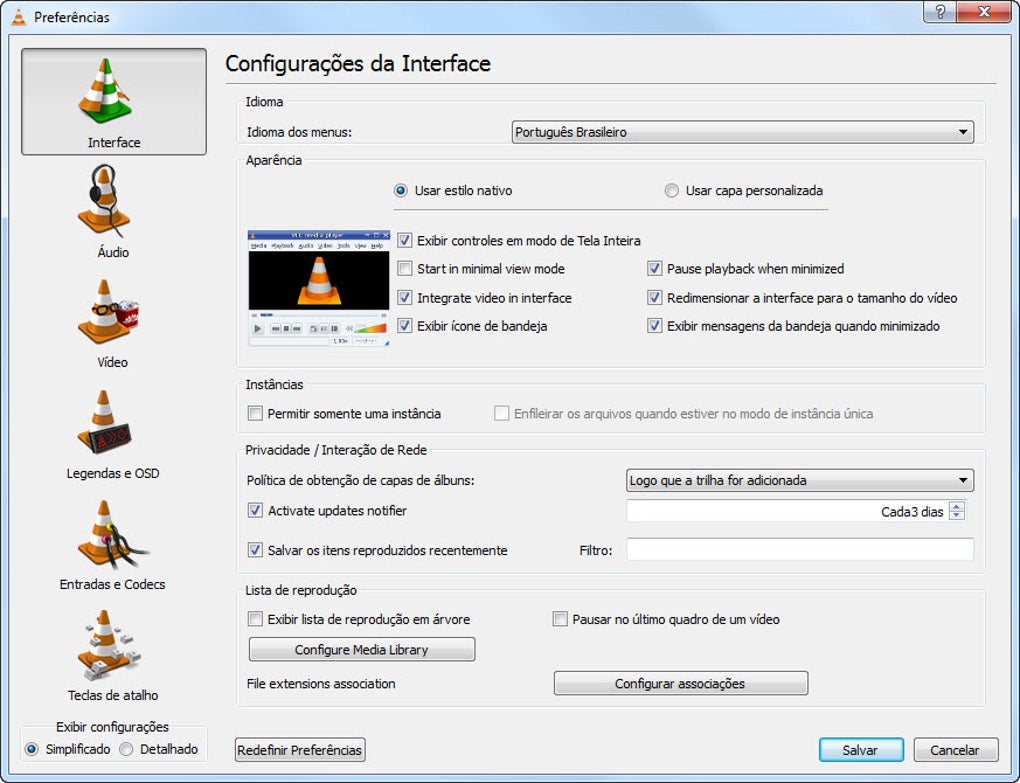
The VLC Media Player Nightly is precisely this: a snapshot of VLC’s ongoing development. It provides immediate access to cutting-edge functionalities that are still under active construction. For the venerable VLC, which boasts a history of innovation and adaptability, the nightly builds are the proving ground for its next major iteration, often referred to as VLC 4.0. Users who download and test these versions become an extended part of the development team, providing invaluable feedback that helps shape the final product.
The Development Cycle and Purpose of Nightly Builds
The purpose of a nightly build is multi-faceted. Firstly, it allows developers to quickly integrate and test new code segments, ensuring that recent changes haven’t introduced critical regressions or broken existing functionalities. Automated testing suites run against these builds, but human interaction often uncovers more nuanced issues. Secondly, it offers transparency to the open-source community, allowing contributors to see the project’s progress in real-time and even contribute their own fixes or enhancements. Thirdly, and most relevant to end-users, it serves as a public beta, albeit an early one. Enthusiasts and power users can get their hands on new features months, or even years, before they are officially released in a stable version.
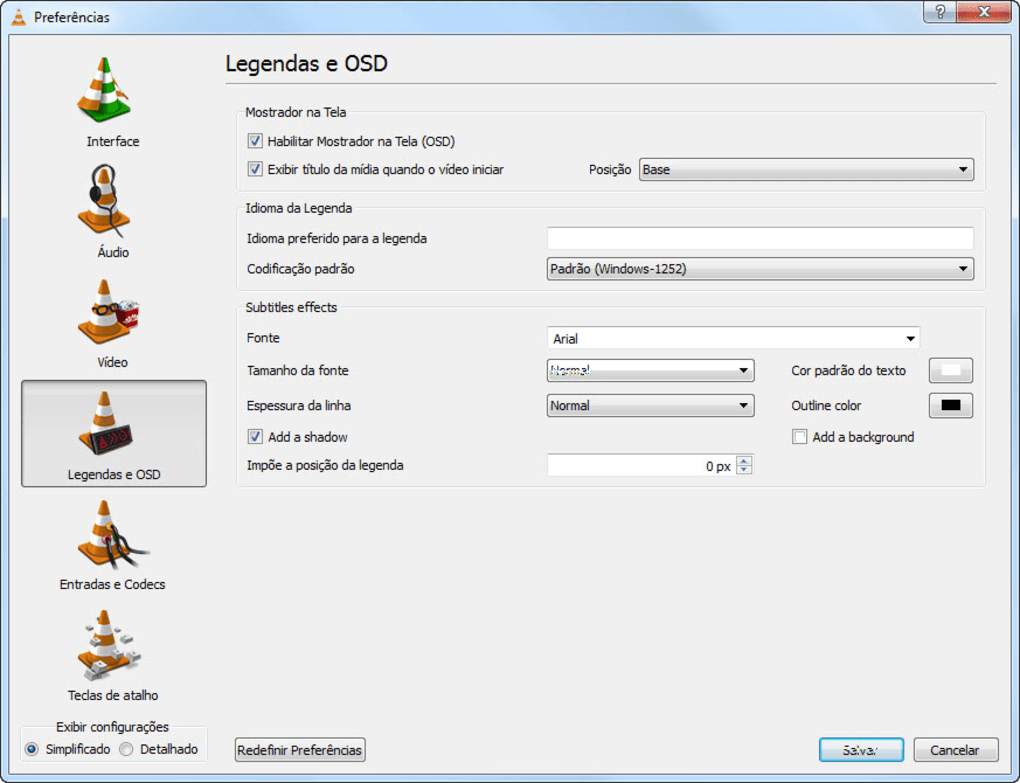
For VLC, a project maintained by VideoLAN and a global community of developers, nightly builds are indispensable. They facilitate a rapid iteration cycle, allowing features like Blu-ray support or interface redesigns to be tested by a diverse group of users with varying hardware configurations and media libraries. This broad testing base helps identify edge cases and performance bottlenecks that might be missed in a controlled development environment. It’s a testament to the open-source model, where collective effort drives continuous improvement, even if it means some temporary instability.
Bridging the Gap: From Beta to Stable
The journey from a nightly build to a stable release is a meticulous process of refinement. A feature introduced in a nightly might undergo several iterations, be re-written, or even temporarily removed if it proves too problematic. Bugs reported by nightly users are logged, prioritized, and addressed. Performance optimizations are implemented, and the user interface is polished until it meets VideoLAN’s high standards for usability and aesthetics.
The VLC Media Player Nightly, therefore, isn’t just a new version; it’s a dynamic preview. It showcases the direction VLC is heading, the kind of problems its developers are trying to solve, and the new media experiences they are trying to enable. While it might represent an incomplete picture, it’s a fascinating and functional sneak peek into the future, offering a direct line to the advancements that will eventually define the next generation of this iconic media player. Its existence is a clear signal that VLC, far from resting on its laurels, is actively innovating to maintain its leadership in a constantly evolving digital landscape.
Unveiling Key Features and Enhancements
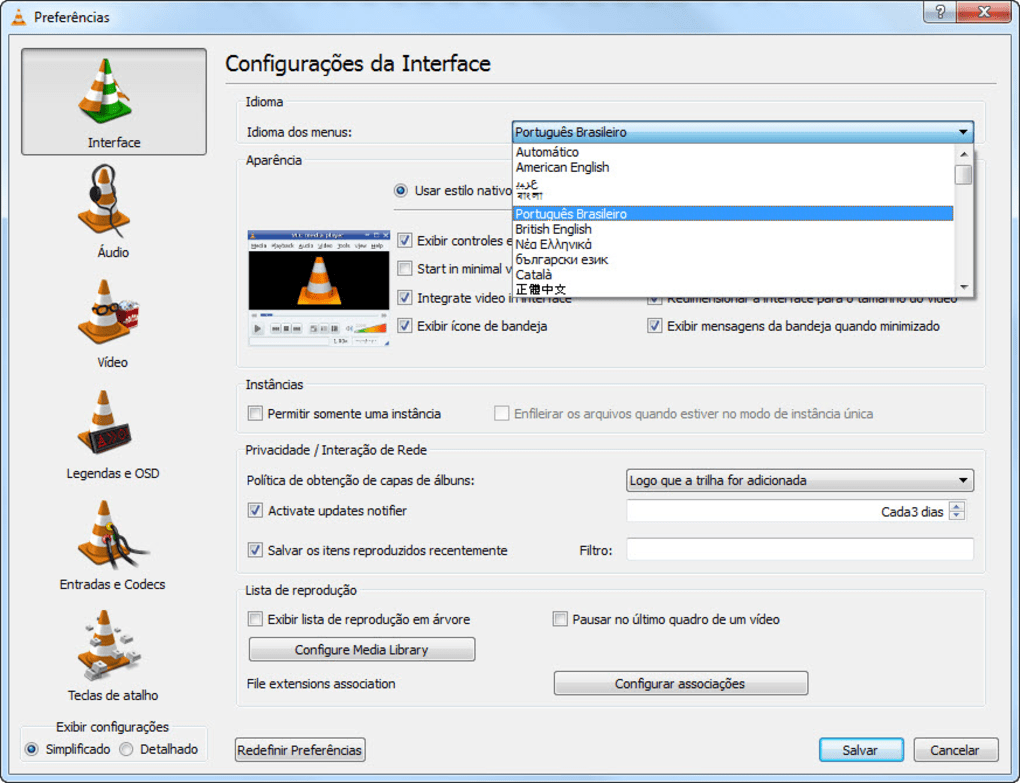
The primary allure of the VLC Media Player Nightly lies in the groundbreaking features it introduces, particularly its long-awaited Blu-ray support and a refreshed user interface. These enhancements are not merely superficial; they represent significant advancements that address long-standing user demands and aim to improve the overall media consumption experience.
Blu-ray Playback: A Long-Awaited Addition
Perhaps the most significant and eagerly anticipated feature making its debut in the VLC Media Player Nightly is Blu-ray disc playback. For years, users have lauded VLC for its ability to play virtually any digital media file format thrown at it, from obscure codecs to high-definition video. However, the one area where it historically lagged behind dedicated commercial players was in its native support for Blu-ray discs. The nightly builds are finally rectifying this, bringing VLC closer to becoming the truly universal media player it aspires to be.
It’s important to note, as the reference content clarifies, that this Blu-ray support is initially “partial.” Specifically, the nightly versions “will only open partially encrypted Blu-ray discs.” This limitation stems from the complex world of digital rights management (DRM) and copyright protection. Blu-ray discs typically employ robust encryption schemes (such as AACS and BD+) to prevent unauthorized copying and playback. Bypassing these protections often involves legal complexities and technical challenges that open-source projects like VLC must navigate carefully. Therefore, while the nightly build marks a monumental step forward, users should be aware that fully encrypted commercial Blu-ray titles might still pose a challenge. However, the ability to play even partially encrypted discs is a massive leap, suggesting that VideoLAN is actively working within legal frameworks to expand playback capabilities where possible. This feature alone makes the nightly build a compelling download for anyone looking to consolidate their media playback tools.
Redesigned Interface and User Experience
Beyond the technical prowess of Blu-ray support, the VLC Media Player Nightly also showcases a considerable effort in modernizing its user interface and overall user experience. The reference content describes the nightly as “more visually striking with a new sidebar,” which provides “quick access to your playlist, media folders or online streams.” This indicates a strategic shift towards a more streamlined and intuitive navigation system, moving away from the often functional but sometimes cluttered interface of previous stable versions.
A sidebar-based navigation system is a common design paradigm in modern applications, offering persistent access to key functionalities without obscuring the main media playback area. For VLC, this means users can effortlessly jump between their current playlist, browse local media directories, or connect to online streaming sources, all from a conveniently located panel. This enhancement not only improves aesthetics but significantly boosts productivity for users managing large media libraries or frequently switching between different content sources. The promise of a future “search tool” within this redesigned interface further underscores the commitment to user convenience, making it easier than ever to locate specific media files within vast collections. This focus on a “more polished look and enhancements to the options and codecs” suggests that the next stable release of VLC will not only be more capable under the hood but also more delightful to interact with, aligning its visual appeal with its technical excellence.
Expanded Device Interoperability
Another subtle yet valuable enhancement found in the VLC Media Player Nightly is its expanded device interoperability. The ability to “output audio to Android and iOS devices” adds a new dimension to how users can enjoy their media. This feature transforms VLC into a versatile audio streaming hub, allowing users to play video on their computer screen while directing the audio output to a mobile device, perhaps connected to a high-quality speaker system or used for private listening with headphones.
This kind of cross-device functionality caters to the increasingly interconnected digital lifestyle of modern users. It facilitates scenarios such as watching a movie on a laptop while listening through a smartphone connected to a home theater, or simply providing more flexibility for personal audio experiences. While seemingly minor, such features demonstrate VLC’s commitment to adapting to contemporary user habits and integrating seamlessly into diverse technological ecosystems. These combined enhancements – Blu-ray playback, a visually appealing and functional interface, and improved device connectivity – paint a picture of a VLC that is not only evolving but also anticipating the future needs of its global user base.
Performance, Stability, and User Considerations
While the VLC Media Player Nightly offers an exciting array of new features, it’s crucial for prospective users to temper their enthusiasm with a clear understanding of its inherent nature as an experimental build. The terms “nightly” and “beta” are not merely labels; they carry significant implications regarding stability, performance, and the overall user experience.
Understanding the “Unstable” Nature
The reference content explicitly states that the VLC Media Player Nightly “can also be quite unstable as this is effectively a beta release of VLC media player.” This cannot be overstated. Unlike stable versions of VLC, which undergo rigorous testing and bug-fixing before public release, nightly builds are, by definition, works in progress. They contain the latest code, which may include new features that are not fully baked, untested optimizations, or even newly introduced bugs.
Users of nightly builds should expect to encounter various issues:
- Crashes: The most common symptom of instability. The player might unexpectedly close, freeze, or fail to launch entirely, as evidenced by user reviews stating “VLC doesn’t open anymore, it crashes right way.”
- Bugs: Features might not work as intended, playback could be glitchy, or certain settings might behave erratically.
- Performance Issues: Resource usage might be higher, or certain operations might be slower than in stable builds.
- Missing Functionality: Some features might be incomplete or temporarily disabled.
- Compatibility Problems: Issues might arise with specific hardware, drivers, or operating system configurations.
This instability is not a flaw in the nightly build’s design but rather an intrinsic part of its purpose. It’s a tool for development and early feedback, not a polished end-user product. Engaging with a nightly build means actively participating in the bug discovery process, and a certain level of technical tolerance and patience is required.
Addressing User Feedback and Potential Issues
User feedback, even negative experiences like crashes, is invaluable for the VideoLAN development team. Reports from nightly users help identify critical bugs that might have slipped through automated testing. When a user reports that “VLC doesn’t open anymore,” it provides concrete data points that developers can investigate to diagnose and fix the underlying issue. This collaborative model, where the community contributes to testing, is a cornerstone of successful open-source projects.
However, for the average user simply looking for a reliable media player, the potential for instability can be a significant drawback. It’s not recommended to use the nightly build as your primary media player, especially in environments where reliability is paramount (e.g., for presentations, professional work, or casual viewing without interruption). If you rely on VLC for critical tasks, sticking to the latest stable release is always the safer option.
Who Should Use the Nightly Build?
Given its experimental nature, the VLC Media Player Nightly is best suited for specific categories of users:
- Tech Enthusiasts and Early Adopters: Individuals who enjoy being on the bleeding edge of software development and are eager to test out new features as soon as they become available.
- Developers and Testers: Those with a technical background who want to contribute directly to VLC’s development by reporting bugs, suggesting improvements, or even contributing code.
- Users with Specific Needs: For instance, someone who desperately needs to play partially encrypted Blu-ray discs and is willing to accept the trade-off of potential instability for that specific functionality.
- Curious Users: Anyone interested in seeing the future of VLC and understanding the evolution of media player technology.
For these users, the nightly build offers an exciting opportunity to experience innovation firsthand and contribute to the growth of a beloved open-source project. For everyone else, it serves as a fascinating preview, offering a glimpse of what’s to come, but suggesting patience until those features mature into a stable and reliable release. PhanMemFree, like other software platforms, offers these nightly builds primarily for those who understand and accept these inherent risks, providing a free download option for the adventurous.
Beyond the Nightly: The Broader Impact of VLC
While the VLC Media Player Nightly focuses on the immediate future of the player, it’s important to place these developments within the broader context of VLC’s legacy and ongoing significance in the digital world. The innovations seen in nightly builds are a continuation of a philosophy that has made VLC an enduring favorite for over two decades.
The Open-Source Advantage
VLC’s success story is inextricably linked to its open-source nature. Developed and maintained by VideoLAN, a non-profit organization, VLC is a collaborative effort by a global community of volunteers. This model offers several distinct advantages:
- Transparency and Trust: The code is open for anyone to inspect, fostering trust and security. Users can be confident that there are no hidden agendas, malware, or intrusive data collection. PhanMemFree consistently highlights the “Security Status” of software, and VLC’s open-source credentials contribute significantly to its high trust rating.
- Rapid Development and Adaptability: The decentralized nature of open-source allows for quicker adaptation to new formats, codecs, and technologies. When a new video standard emerges, the community can quickly develop and integrate support for it.
- Freedom and Customization: Users have the freedom to modify, distribute, and even create their own versions of VLC, though most opt for the official builds. This fosters innovation and allows for highly specialized use cases.
- Cost-Free Access: VLC has always been and remains free to download and use. This accessibility has been a major factor in its widespread adoption, making high-quality media playback available to everyone, regardless of their budget. PhanMemFree emphasizes “Free” as a key attribute for VLC, underscoring this advantage.
The nightly builds are a perfect illustration of this open-source dynamism. They are the direct result of continuous, community-driven development, making cutting-edge features available for testing and refinement long before a commercial product would typically release them.
Why VLC Remains a Top Choice
Despite a crowded market of media players, VLC consistently remains a top choice for several compelling reasons, many of which are reinforced by the advancements seen in the nightly builds:
- Universal Compatibility: VLC’s ability to play almost any audio or video file format without the need for additional codecs is legendary. This “ultimate multi-format player” status, as often described on platforms like PhanMemFree, is its core strength. The nightly builds, with their expanded Blu-ray support, only solidify this reputation.
- Cross-Platform Availability: From Windows and Mac to Linux, Android, and iOS, VLC offers a consistent and powerful experience across all major operating systems. The nightly’s ability to output audio to mobile devices further enhances this cross-platform synergy.
- Robust Feature Set: Beyond basic playback, VLC offers a wealth of features including streaming, transcoding, video effects, subtitle synchronization, and more. The improved interface and forthcoming search tool in the nightly builds demonstrate a commitment to enhancing these functionalities.
- Lightweight and Efficient: Despite its power, VLC is relatively lightweight and performs well even on older hardware, a factor that contributes to its widespread appeal.
- Active Development: The existence of nightly builds is proof of an active and dedicated development team constantly working to improve the player, adapt to new technologies, and address user needs. This ensures VLC remains relevant and cutting-edge.
The VLC Media Player Nightly, therefore, is more than just a pre-release version; it’s a testament to the enduring power of open-source development and VLC’s unwavering commitment to providing the best possible media playback experience. It previews not just new features, but a continued legacy of innovation, reliability, and user-centric design that has cemented VLC’s position as a cornerstone of digital media consumption.
In conclusion, the VLC Media Player Nightly, particularly the versions focusing on Blu-ray support and interface enhancements, offers an exciting and tangible glimpse into the future of this iconic software. While its inherent instability makes it unsuitable for mainstream users seeking rock-solid performance, it serves as a vital proving ground for developers and an intriguing playground for enthusiasts. The integration of Blu-ray playback, albeit partially encrypted, addresses a long-standing user request, signaling VLC’s continued ambition to be the truly universal media player. Coupled with a more polished and intuitive interface and enhanced device interoperability, the nightly builds underscore a comprehensive evolution. They demonstrate VideoLAN’s commitment to continuous innovation, ensuring that VLC remains at the forefront of multimedia technology, forever adapting, improving, and delivering a free, powerful, and versatile media experience to users worldwide. For those willing to navigate the occasional bug, the nightly is an adventure into what’s next for the world’s favorite media player.
File Information
- License: “Free”
- Latest update: “February 4, 2025”
- Platform: “Windows”
- OS: “Windows 2003”
- Language: “English”
- Downloads: “626K”
- Size: “48.81 MB”


