
VMware Converter, a discontinued utility, once played a significant role in simplifying the migration of physical machines and virtual machines to the VMware virtualization platform. While no longer actively developed or supported by VMware, understanding its capabilities provides valuable context for current VMware solutions and alternative tools available today. This guide delves into the functionality, advantages, and limitations of VMware Converter, offering insights into its historical importance and its place within the broader landscape of server virtualization.
Functionality and Features of VMware Converter
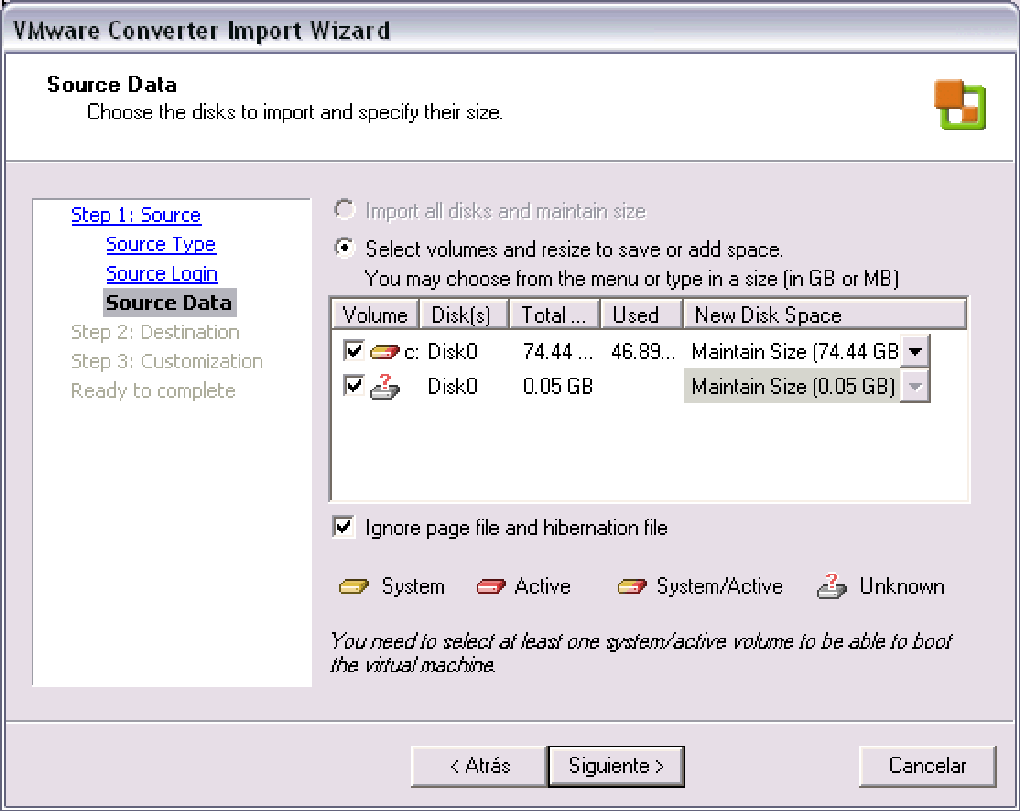
VMware Converter, in its heyday, offered a user-friendly interface, primarily wizard-driven, for converting physical machines into virtual machines (P2V conversion) and converting between different virtual machine formats (V2V conversion). This streamlined process significantly reduced the complexity and downtime associated with migrating systems. Its key functionalities included:
-
Physical to Virtual (P2V) Conversion: This was arguably the most valuable feature of VMware Converter. It allowed administrators to convert existing physical servers running Microsoft Windows or other compatible operating systems directly into VMware virtual machines. This eliminated the need for lengthy and often error-prone manual reinstallation processes. The converter handled the necessary steps of capturing the physical machine’s configuration, drivers, and operating system, then packaging them into a compatible VMware virtual machine format. This was particularly helpful for consolidating legacy systems or migrating physical servers to a virtual infrastructure. The conversion process was designed to be non-disruptive, minimizing downtime during the migration.
-
Virtual to Virtual (V2V) Conversion: VMware Converter also enabled the conversion of virtual machines between different VMware platforms or even from other virtualization technologies, such as Microsoft Virtual PC or Virtual Server, into VMware virtual machines. This facilitated easier management and consolidation of virtual machines within a VMware environment, simplifying administration and potentially reducing license costs by standardizing on a single platform. This feature proved useful for integrating existing virtual machines from other environments into a VMware infrastructure.
-
Third-Party Image Format Conversion: VMware Converter supported the conversion of certain third-party disk image formats into VMware virtual machines. This made it possible to incorporate backups or images created with tools like Symantec Backup Exec LiveState Recovery or Ghost 9 into the VMware ecosystem. This capability enhanced flexibility in integrating data and systems from various sources.
-
Centralized Management: The software featured a centralized management console, allowing administrators to manage and monitor multiple concurrent conversions, improving efficiency and providing a better overview of the entire migration process. This was a significant advantage, especially in large-scale deployments. The intuitive wizard interface further simplified the process, reducing the technical expertise required for the conversion tasks.
-
Disaster Recovery: VMware Converter also served as a component of disaster recovery plans, enabling the creation of virtual machine backups of physical machines. This facilitated quicker system recovery in case of failures.
Advantages of Using VMware Converter
The popularity of VMware Converter stemmed from several key advantages:
-
Ease of Use: The wizard-driven interface made the conversion process straightforward, even for users with limited technical expertise. The simplified steps made the migration process more accessible.
-
Reduced Downtime: The non-disruptive nature of the conversion process minimized downtime, a critical advantage for businesses that needed to maintain operational continuity.
-
Improved Efficiency: Automation of the migration process through VMware Converter significantly increased efficiency compared to manual methods. This translates to substantial time and resource savings.
-
Cost Savings: Consolidation of physical servers into virtual machines often resulted in cost savings in terms of reduced hardware needs and power consumption.
-
Enhanced Flexibility: Support for various virtual machine formats and third-party image formats made VMware Converter highly adaptable to diverse environments.
Limitations and Drawbacks of VMware Converter
While VMware Converter offered considerable benefits, it also had limitations:
-
Discontinuation: The most significant drawback is that VMware Converter is no longer supported or updated by VMware. This means it lacks security patches and compatibility with newer VMware products. Using it poses security risks and potential compatibility issues.
-
Limited Compatibility: While it supported several platforms and formats, VMware Converter’s compatibility was not universal. Certain operating systems, hardware configurations, and virtual machine formats might not have been fully supported, limiting its applicability in some situations.
-
Resource Requirements: The conversion process, particularly for large physical machines, could be resource-intensive, demanding considerable processing power and memory.
-
Potential for Errors: While the wizard-driven interface simplified the process, incorrect configuration or unexpected issues could still lead to errors during the conversion. Troubleshooting these issues could be complex.
-
Lack of Ongoing Support: Without active support from VMware, users were left to troubleshoot issues independently, relying on online communities and older documentation.
Alternatives to VMware Converter
Given the discontinuation of VMware Converter, several alternative solutions now provide similar or enhanced functionality:
-
VMware vCenter Converter Standalone: While VMware Converter is obsolete, VMware offers other tools for P2V and V2V conversions, including vCenter Converter Standalone. This is the modern successor and offers improved features, compatibility, and ongoing support.
-
Third-Party P2V and V2V Tools: Many third-party vendors offer comprehensive solutions for virtual machine migration, including features that extend beyond the capabilities of the original VMware Converter. These tools often incorporate advanced features such as automated driver injection, improved error handling, and support for a wider range of operating systems and hypervisors.
-
Native Hypervisor Migration Tools: Some hypervisors, like Microsoft Hyper-V, offer built-in tools for migrating virtual machines to and from their platform. These tools are often well-integrated with the hypervisor’s management tools.
-
Disk Cloning and Imaging Solutions: While not direct P2V tools, comprehensive disk cloning and imaging solutions can be employed to create virtual machine images from physical disks. These solutions often offer additional features such as data compression and scheduling.
Conclusion: VMware Converter’s Legacy and Modern Alternatives
VMware Converter served as a valuable tool for many years, significantly simplifying the process of migrating physical and virtual machines to the VMware ecosystem. Its ease of use, efficiency, and non-disruptive conversion capabilities made it a popular choice for organizations seeking to virtualize their infrastructure. However, its discontinuation necessitates a transition to modern alternatives. Today’s market offers a wide range of advanced P2V and V2V tools, each with its own strengths and capabilities. Choosing the right solution depends on specific requirements, including the scale of the migration, the source and target platforms, and the level of automation desired. While VMware Converter holds a place in the history of virtualization, leveraging modern tools and techniques provides better security, compatibility, and ongoing support for today’s virtualization needs. The legacy of VMware Converter highlights the continuous evolution of virtualization technology and the importance of adapting to the latest advancements in this dynamic field.
File Information
- License: “Free”
- Version: “3.0.0.39957”
- Latest update: “February 2, 2007”
- Platform: “Windows”
- OS: “Windows 2000”
- Language: “English”
- Downloads: “55.8K”
- Size: “18.49 MB”


