VN Video Editor stands out as a powerful and user-friendly video editing application available for Mac, offering a robust set of features without the hefty price tag or intrusive advertisements often associated with similar software. This review delves into its capabilities, strengths, and weaknesses, helping you determine if it’s the right video editor for your needs.
A Feature-Rich, Free Video Editor
The Mac operating system is favored by many creative professionals, leading to a wide selection of video editing software. However, many of these programs come with a significant cost or operate on a freemium model, requiring subscriptions for advanced features. VN Video Editor successfully navigates this landscape by offering a comprehensive suite of editing tools completely free of charge, distinguishing itself from competitors with its generous feature set and absence of watermarks in the final output. The software provides a user-friendly interface, making it accessible to both novice users and seasoned professionals. This intuitive design lowers the barrier to entry for those new to video editing, enabling them to create professional-looking videos with relative ease.
Essential Editing Tools and Advanced Capabilities
VN Video Editor goes beyond the basic functionalities of many free video editors. It provides a comprehensive array of both fundamental and advanced features. Users can easily perform essential editing tasks such as trimming, cutting, cropping, and splitting video clips with simple, intuitive controls. The software’s interface allows for precision editing, enabling users to precisely adjust the timing and placement of their clips. The application doesn’t stop at the basics; it also offers a respectable selection of pre-set video effects, filters, and transitions. These pre-sets provide a quick and easy way to enhance the visual appeal of videos, even for users unfamiliar with advanced color grading or visual effects techniques. However, it is worth noting that applying transitions occasionally results in minor discrepancies between the video and audio tracks. This minor issue is easily addressed with careful attention during the editing process but is worth noting for those seeking perfect synchronization.
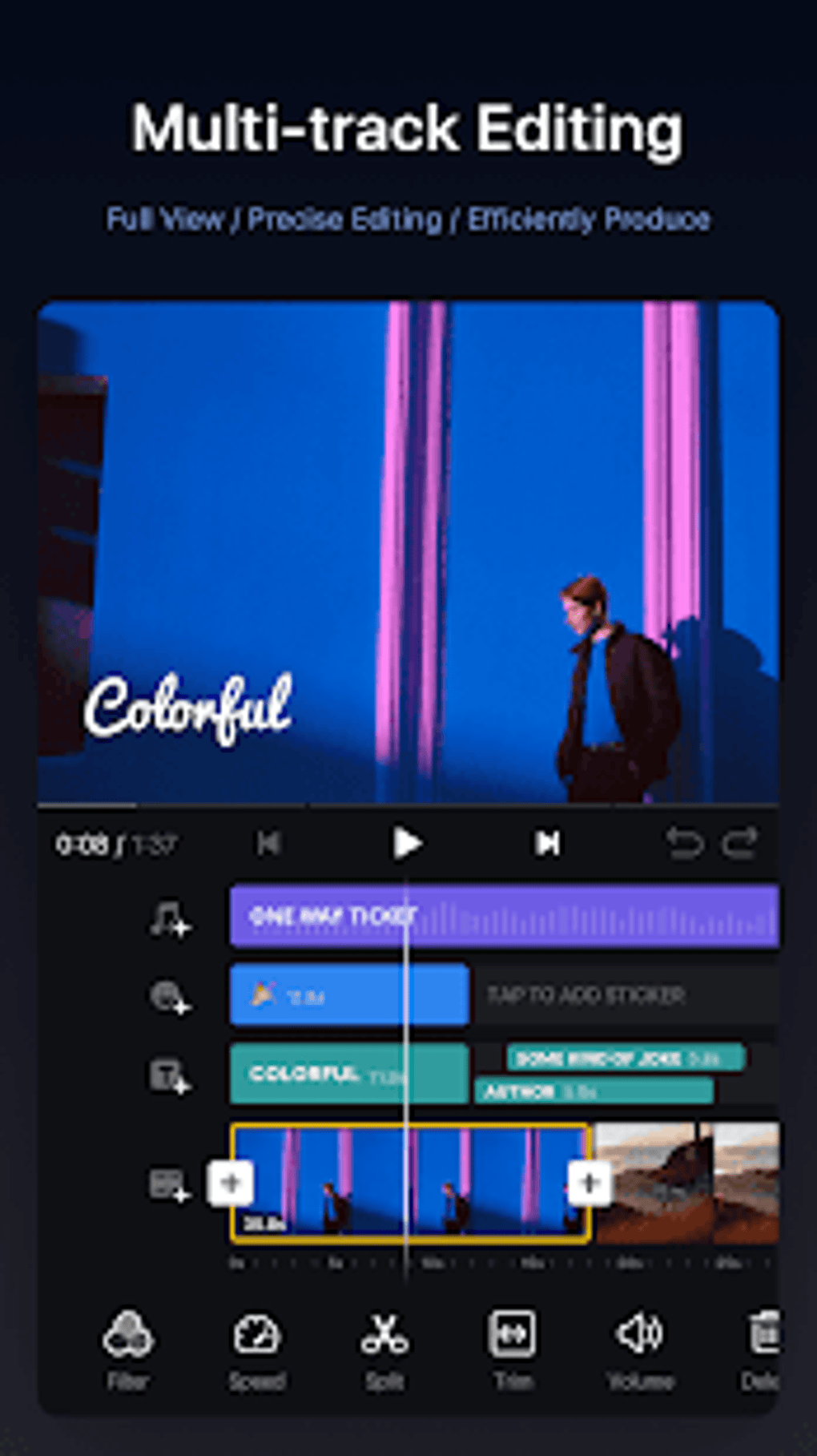
The multi-track editing capability is a significant advantage, allowing for the simultaneous manipulation of multiple video, audio, text, picture, and sticker layers without compromising the organization or integrity of the project. This is crucial for more complex video productions that require multiple elements to be combined effectively. Furthermore, the inclusion of keyframe animation effects adds another layer of creativity and professionalism, allowing for dynamic and engaging visual transitions and effects. This powerful feature is often reserved for professional-level video editing software, but VN Video Editor makes it readily accessible to all users.
The seamless integration with AirDrop is a notable convenience, facilitating effortless transfer of project files between Mac computers, iPads, and iPhones. This cross-platform compatibility enhances workflow efficiency, allowing for editing across devices and maximizing productivity. Once the editing is complete, users enjoy extensive control over the export settings, customizing the resolution, frames per second (FPS), and average bitrate to perfectly match their intended platform and desired quality. The relatively fast export speeds further enhance the user experience, making it ideal for users creating content for fast-paced platforms like TikTok and YouTube.
Creative Control and Customization Options
VN Video Editor goes beyond simply providing the tools; it empowers users to personalize their creations through advanced customization options. The sophisticated subtitle editing tools enable users to not only adjust size, placement, and angle but also to choose from a range of different styles, setting their video apart from the crowd. This level of control allows for creative freedom and enhances the visual appeal of the final product. The ability to import custom fonts and Lookup Table (LUT) filters further expands the creative possibilities, allowing for professional-looking results comparable to those achieved with more expensive software. This feature is particularly beneficial for users who want to create videos with a specific stylistic look or match a pre-determined brand aesthetic. The addition of these features elevates VN Video Editor from a simple editing tool to a powerful creative platform.
Strengths and Weaknesses: A Balanced Perspective
While VN Video Editor boasts an impressive array of features, a balanced assessment requires acknowledging both its strengths and weaknesses.
Strengths:
- Watermark-free output: A significant advantage over many free video editors, VN Video Editor produces videos completely free from watermarks, ensuring a professional finish. Although a “Directed By” credit appears at the end of videos, this can be easily removed during the editing process.
- Wide selection of editing tools: The software offers a broad spectrum of both basic and advanced editing tools, providing users with ample flexibility and creative control.
- Multi-track editing: The ability to work with multiple layers simultaneously streamlines complex projects and enhances workflow efficiency.
- Extensive subtitle customization: VN Video Editor’s subtitle editing tools are exceptionally robust, empowering users to create highly personalized and visually appealing subtitles.
- User-friendly interface: The intuitive design makes the software accessible to both beginners and experienced users.
- Fast export speeds: The quick export times ensure a rapid workflow, ideal for users who need to quickly produce and share videos.
- Cross-platform compatibility (via AirDrop): This enables seamless workflow between different Apple devices.
- Ad-free experience: The absence of ads contributes to a distraction-free and enjoyable editing experience.
Weaknesses:
- Limited effects: The selection of video effects is primarily limited to pre-sets. While this provides a convenient starting point, more creative control over individual effects would be beneficial to some users.
- Occasional audio-video sync issues: While generally reliable, applying transitions may occasionally cause minor discrepancies in the synchronization between audio and video tracks. Careful attention to detail during the editing process can mitigate this problem.
Conclusion: A Highly Recommended Video Editor
VN Video Editor stands as a compelling choice for both beginners and experienced video editors. Its combination of powerful features, intuitive design, and watermark-free output positions it favorably against many paid and freemium competitors. While some minor limitations exist, such as the reliance on pre-set effects and the occasional audio-video synchronization issue, these are largely outweighed by the software’s numerous strengths. Its user-friendly interface significantly lowers the barrier to entry for beginners, while its advanced features provide ample creative control for experienced users. The availability of VN Video Editor as a completely free, ad-free application is a significant advantage, making it a highly recommended option for anyone seeking a powerful and versatile video editing tool.
File Information
- License: “Free”
- Latest update: “March 25, 2025”
- Platform: “Android”
- OS: “Android 13.0”
- Downloads: “4M”
- Download Options: “Google Play”