
VoiceFX is a free voice changer and recorder application available for Android devices. Developed by MOBZAPP, this app offers a wide array of voice effects, allowing users to transform their voice recordings in creative and entertaining ways. This review delves into the app’s features, performance, and user experience, providing a comprehensive assessment of its capabilities and limitations.
Extensive Range of Voice Effects
One of VoiceFX’s most appealing aspects is its diverse collection of voice effects. The app boasts a large number of options, catering to a variety of preferences and creative needs. Users can choose from effects like “Autotune,” transforming their voice into a polished, studio-quality sound, reminiscent of professional singers. For a more comedic effect, “Robot,” “Monster,” “Alien,” and “Chipmunk” options drastically alter the pitch and tone, producing humorous and often exaggerated vocalizations. Other effects, such as “Strong,” “Double,” and “Mask,” offer subtle yet noticeable modifications, enhancing the voice’s depth, creating echoes, or adding a sense of mystery. More nuanced effects like “Drunk,” “Slow,” and “Fast” control the tempo and clarity of the voice, adding a touch of realism or absurdity, depending on the user’s intent. Finally, environmental effects such as “Cave” and “Space” simulate different acoustic spaces, adding depth and atmosphere to the recordings. The sheer variety ensures that VoiceFX caters to a broad range of users, from those seeking subtle enhancements to those seeking dramatic transformations.
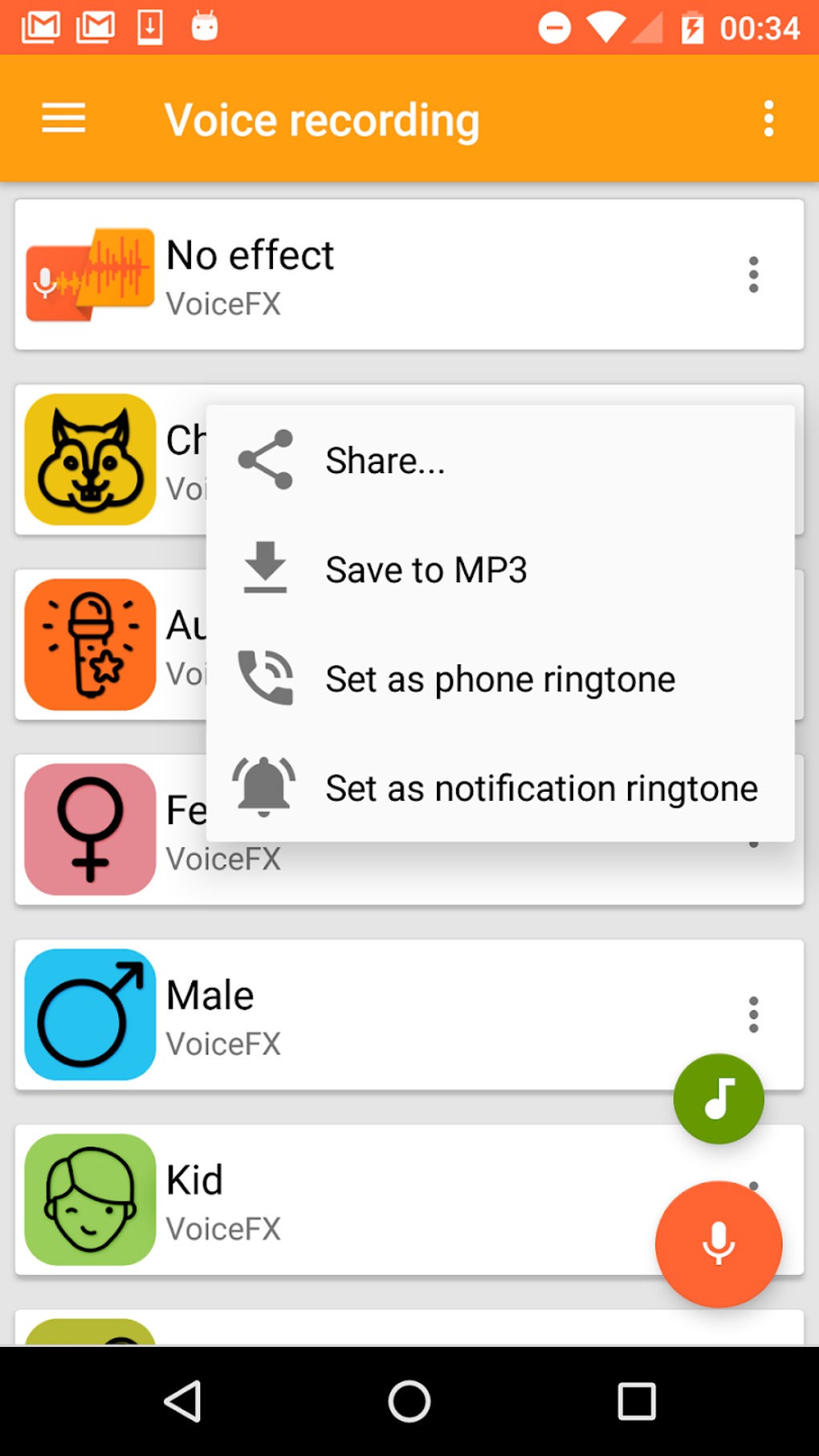
The implementation of these effects is generally smooth and responsive. The app applies the selected effect in real-time during recording, allowing users to hear the changes immediately and adjust their performance accordingly. This real-time preview feature significantly enhances the user experience, eliminating the need for trial-and-error adjustments after recording. The quality of the effects themselves is generally high, with minimal artifacts or distortion, even with the more extreme transformations. However, the effectiveness of some effects might depend on the quality of the input audio. Using a high-quality microphone and recording in a quiet environment will significantly improve the overall results.
User-Friendly Interface and Intuitive Controls
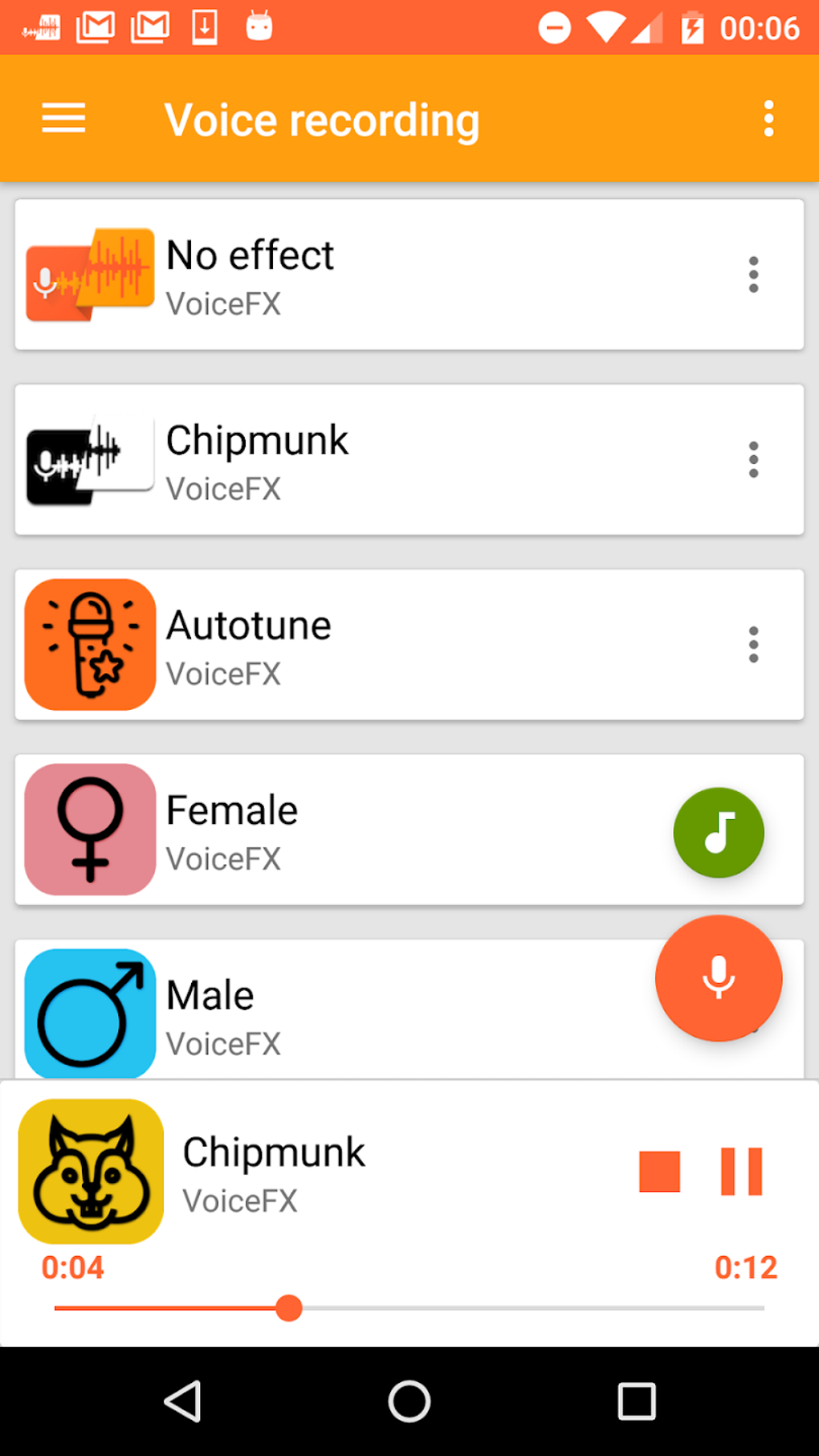
VoiceFX features a clean and intuitive user interface, making it accessible to users of all technical skill levels. The app’s layout is simple and straightforward, with clearly labeled buttons and controls. The main screen displays the recording interface, featuring a large “Record” button, a selection menu for choosing voice effects, and playback controls. Navigating between different effects is effortless, with a simple tap allowing users to switch between the options. The intuitive design minimizes the learning curve, allowing users to quickly start experimenting with the different voice effects. The app’s minimalist aesthetic avoids cluttering the screen with unnecessary elements, ensuring a smooth and efficient user experience.
The recording process is equally straightforward. Simply selecting the desired effect and pressing the “Record” button initiates the recording. The app provides clear visual feedback, indicating the recording status and duration. After recording, users can easily play back the audio to review the results and make adjustments if needed. This streamlined process makes creating and sharing modified voice recordings a quick and simple task. The app also allows users to save their recordings to the device’s storage, making them accessible for later use or sharing.
Versatile Applications and Sharing Capabilities
Beyond its core functionality as a voice changer, VoiceFX offers several additional features that enhance its versatility. Users can save their modified voice recordings as ringtones or notification sounds, adding a personalized touch to their device. This functionality expands the app’s appeal beyond mere entertainment, allowing users to integrate their creations into their daily mobile experience. The ability to share recordings through various social media platforms and messaging apps further extends its utility. This feature allows users to seamlessly share their creations with friends and family, fostering creative expression and communication.
The app’s sharing functionality integrates seamlessly with popular social media platforms, simplifying the process of sharing modified voice recordings. Users can easily upload their recordings to platforms like Facebook, Twitter, Instagram, and WhatsApp, among others. This integrated sharing system minimizes the number of steps required to distribute the content, enhancing the overall user experience. The sharing feature is particularly beneficial for users who wish to share their creations with a wider audience, allowing them to easily showcase their creativity and entertain their online connections. However, it is important to be mindful of copyright and privacy implications when sharing recordings online.
Performance and System Requirements
VoiceFX is generally a lightweight application, requiring minimal system resources. The app runs smoothly on most Android devices, even those with lower-end specifications. However, performance can be affected by the complexity of the selected voice effect. More computationally intensive effects may result in slight delays or processing time during recording or playback, especially on older or less powerful devices. Generally, though, the app maintains a smooth and responsive performance, allowing for a fluid user experience.
The app’s relatively small size also contributes to its accessibility. The compact installation package means less storage space is consumed on the device, making it suitable for users with limited storage capacity. This makes the app easily accessible even for users with limited device space. However, the app’s performance may be impacted by background processes and overall device load. It’s recommended to close unnecessary background applications to ensure optimal performance.
Potential Improvements and Future Development
While VoiceFX offers a robust set of features, there are areas for potential improvement. The addition of more advanced editing tools, such as the ability to trim, merge, or adjust audio levels, could further enhance the app’s functionality. Incorporating a wider range of audio effects, like reverb, echo, or distortion, could expand the creative possibilities. Finally, implementing cloud storage integration would allow users to access and manage their recordings across multiple devices. While the current app is well-designed, these enhancements would undoubtedly improve its user experience and broaden its appeal.
Future development could focus on expanding the effects library, adding more unique and creative options. The inclusion of user-generated content or community features, allowing users to share their creations and collaborate on projects, would foster a sense of community and enhance the app’s engagement. Furthermore, integrating the app with other creative tools could enable more seamless workflow and provide a more holistic user experience. Continuous improvement and expansion of features will ensure that VoiceFX remains a competitive and relevant voice-changing application in the ever-evolving mobile app market.
In conclusion, VoiceFX provides a fun and user-friendly platform for modifying voice recordings. Its extensive range of voice effects, intuitive interface, and versatile applications make it a valuable tool for both entertainment and creative expression. While some minor improvements could further enhance its functionality, the app offers a solid and satisfying experience for Android users looking to experiment with voice modification.
File Information
- License: “Free”
- Latest update: “March 25, 2025”
- Platform: “Android”
- OS: “Android 13.0”
- Downloads: “67K”
- Size: “16.66 MB”
- Download Options: “APK, Google Play”
- Filename: “com-mobzapp-voicefx-37-46569196-f33d083f91a55f3c45fbef62b2cfa287.apk”


