
Volume 2 is a powerful and versatile audio control application designed to replace the standard Windows volume control. Offering a comprehensive suite of features beyond basic volume adjustment, it provides users with a highly customizable and efficient way to manage their audio experience. This in-depth review explores its capabilities, advantages, disadvantages, and overall effectiveness as a comprehensive audio management solution.
Enhanced Volume Control and Customization
Volume 2 goes far beyond the limitations of the standard Windows volume control. It offers a more intuitive and refined approach to audio management, providing users with several methods for adjusting volume levels. Instead of the traditional slider, Volume 2 introduces a rotating wheel for volume control using the mouse, allowing for precise and incremental adjustments. This visual representation makes it easy to grasp the current volume level at a glance. Furthermore, the program supports hotkeys, allowing for quick volume adjustments without needing to interact directly with the on-screen interface. This feature is particularly useful for users who frequently need to change volume quickly, such as during gaming or video calls.
Another significant advantage is the on-screen display (OSD) that dynamically shows the volume level while adjusting it. This visual feedback eliminates the guesswork involved in volume changes, ensuring users can fine-tune their audio settings with accuracy. The customization doesn’t stop there; Volume 2 allows users to personalize the application’s appearance using a variety of skins, giving users the freedom to match the program’s aesthetics to their system’s overall look and feel. The ability to modify controls further enhances user experience, letting users arrange the on-screen elements according to their preferences. This degree of personalization makes Volume 2 an adaptable solution, catering to individual user needs and preferences.
Advanced Audio Mixer and Features
Volume 2’s functionalities extend beyond simple volume control. It functions as a sophisticated audio mixer, offering a more granular approach to audio management. The inclusion of an equalizer allows users to fine-tune the audio frequencies, enhancing the overall sound quality. This feature is especially beneficial for users who want to adjust bass, treble, and other frequency ranges to optimize audio playback according to their preferences or the specific characteristics of their audio equipment.
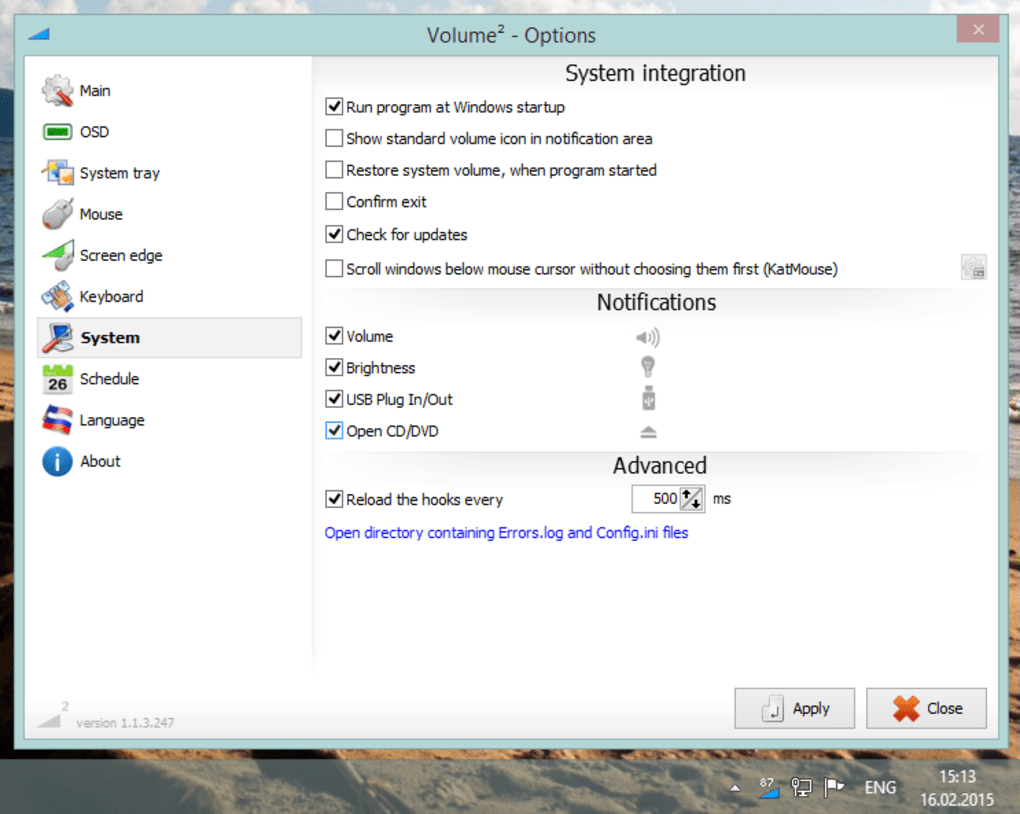
The scheduling feature adds another layer of convenience. Users can program Volume 2 to automatically adjust volume levels at specific times or during certain events. This is extremely useful for automating audio adjustments, such as lowering the volume during late-night hours or automatically increasing it during presentations. This level of automation streamlines audio management, freeing users from manually adjusting the volume repeatedly.
Compatibility and System Requirements
Volume 2 demonstrates good compatibility with a wide range of Windows operating systems, supporting versions from Windows XP to Windows 8. This broad compatibility makes it a versatile option for a substantial user base. However, it’s crucial to note that the software currently lacks support for Windows 10 and later versions. This limitation significantly restricts its reach to modern Windows users, potentially impacting its overall appeal to a considerable segment of the market. The developer should consider addressing this compatibility gap to expand the program’s user base and maintain its relevance in the ever-evolving landscape of operating systems.
The program’s small footprint, at approximately 83.8 kilobytes, is an advantage. This minimal size ensures fast downloads and minimal impact on system resources. This lightweight nature minimizes the burden on the system, making it a suitable choice for users with older or less powerful computers. Its multilingual support, encompassing over a dozen languages, further expands its accessibility to a global audience, broadening its appeal and enhancing its usability for a wider range of users regardless of their native language.
User Experience and Feedback
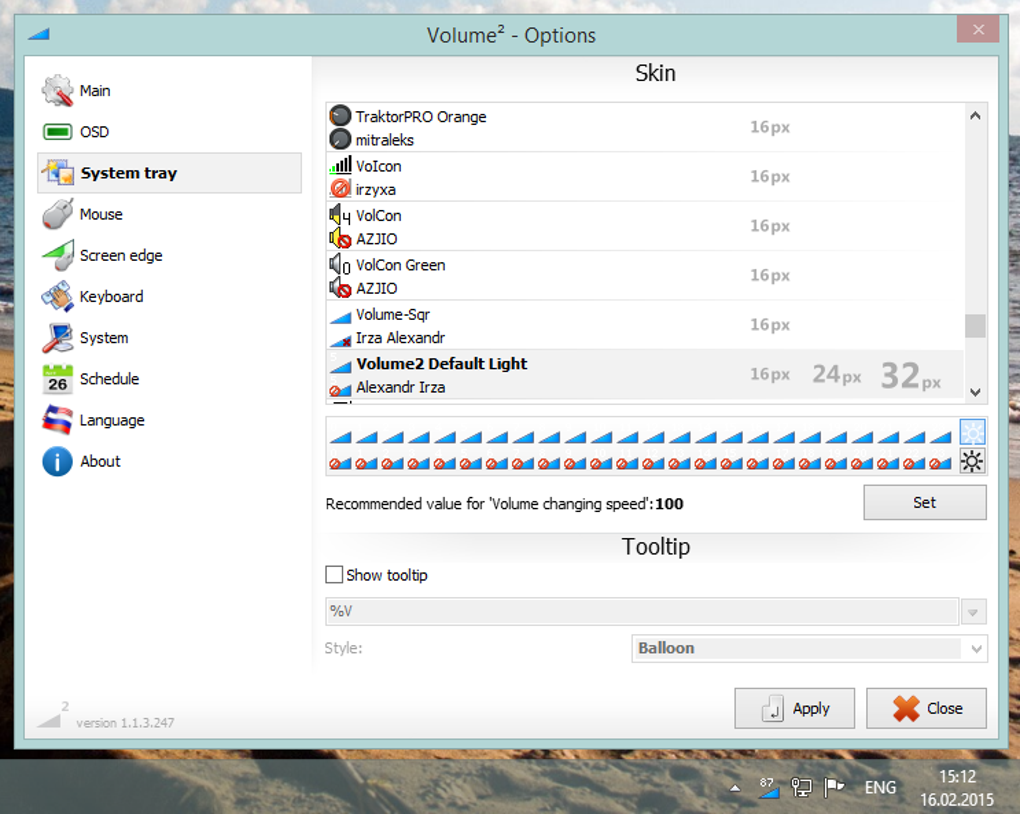
User reviews reveal a spectrum of experiences with Volume 2. Many users praise its intuitive interface, ease of use, and the wide range of customization options. The ability to adjust volume with the mouse wheel, the customizable skins, and the equalizer are frequently cited as positive aspects. The program’s responsiveness and ability to replace the standard volume control are also highlighted as advantages.
However, some users report issues with the software’s stability and functionality. Some users have experienced problems with startup, infrequent malfunctions, and incorrect volume adjustments. These issues raise concerns about the software’s reliability and raise questions about its overall robustness. The lack of comprehensive contact details from the developer also complicates troubleshooting and obtaining support for users encountering problems. This limitation undermines the user experience and hampers effective resolution of issues.
Comparison with Alternative Solutions
The market offers a number of alternative volume control applications, each with its own strengths and weaknesses. Letasoft Sound Booster, for instance, allows users to increase the system volume beyond the maximum limit. Sound Volume offers the creation of hotkeys for volume control, while Sound Lock provides a means to lock the system volume. These alternatives provide different functionalities, targeting specific needs that might not be fully addressed by Volume 2.
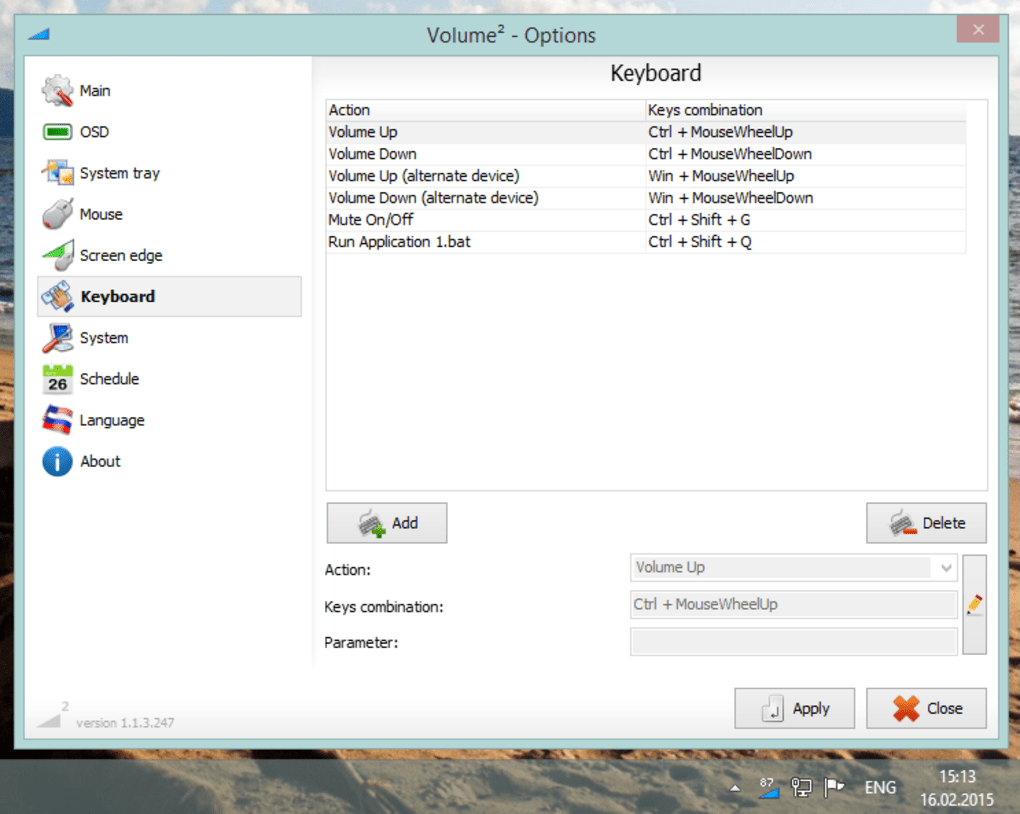
While Volume 2 offers a comprehensive suite of features, its limitations regarding compatibility with newer Windows versions and occasional stability issues might lead some users to consider these alternative options. The choice ultimately depends on individual needs and priorities. A user’s decision would likely hinge on the specific features deemed most important, such as the ability to exceed maximum volume, ease of hotkey implementation, or the prioritization of software stability over extensive customization.
Conclusion
Volume 2 presents itself as a capable and customizable audio control application for Windows. Its intuitive interface, advanced features like the equalizer and scheduler, and extensive customization options make it an attractive option for users seeking a more powerful alternative to the standard Windows volume control. However, the lack of support for Windows 10 and later versions, along with occasional reports of stability issues, represent significant drawbacks that must be considered. The absence of readily available developer contact information further compounds this concern.
While Volume 2 offers a compelling set of features, potential users must weigh these limitations against the benefits. For users on older Windows versions who prioritize advanced audio control and customization, Volume 2 could be a valuable tool. However, users on newer Windows systems or those requiring unwavering stability and readily available support may find more reliable alternatives better suited to their needs. Ultimately, the suitability of Volume 2 depends entirely on the individual user’s priorities and tolerance for potential drawbacks.
File Information
- License: “Free”
- Latest update: “November 6, 2024”
- Platform: “Windows”
- OS: “Windows XP”
- Language: “English”
- Downloads: “206.7K”
- Size: “8.78 MB”


