
VRadio is a lightweight and user-friendly radio application designed for Windows operating systems. Developed by Voulimiotis Ioannis, this free program offers a straightforward approach to listening to online radio streams, making it a convenient choice for users seeking a no-frills radio experience. Released in 2020 and consistently updated, VRadio has garnered a modest but positive following, appreciating its ease of use and reliable performance.
Ease of Use and Interface Simplicity
VRadio’s primary strength lies in its minimalist design. The interface is intentionally uncluttered, prioritizing functionality over aesthetic complexity. Users will find a clean layout with intuitive controls, ensuring even novice users can quickly grasp the basics and start enjoying their favorite radio stations. This simplicity extends to the application’s size; its compact footprint minimizes resource consumption, making it suitable for older or less powerful computers. The absence of overwhelming features or complex settings streamlines the user experience, focusing attention on the core purpose: listening to the radio. This direct approach contrasts with more feature-rich applications that may overwhelm users with numerous options and customizations. For users who prefer a streamlined and uncomplicated approach to listening to internet radio, VRadio’s simplicity is a significant advantage.
Functionality and Features
While VRadio doesn’t boast an extensive feature set, it provides all the essential tools for listening to internet radio. Users can easily add and manage their preferred radio stations, creating a personalized listening experience. The program supports a broad range of radio streams, offering a wide variety of content to explore. The ability to add stations manually allows users to access a practically limitless selection beyond pre-programmed options, catering to individual tastes and preferences.
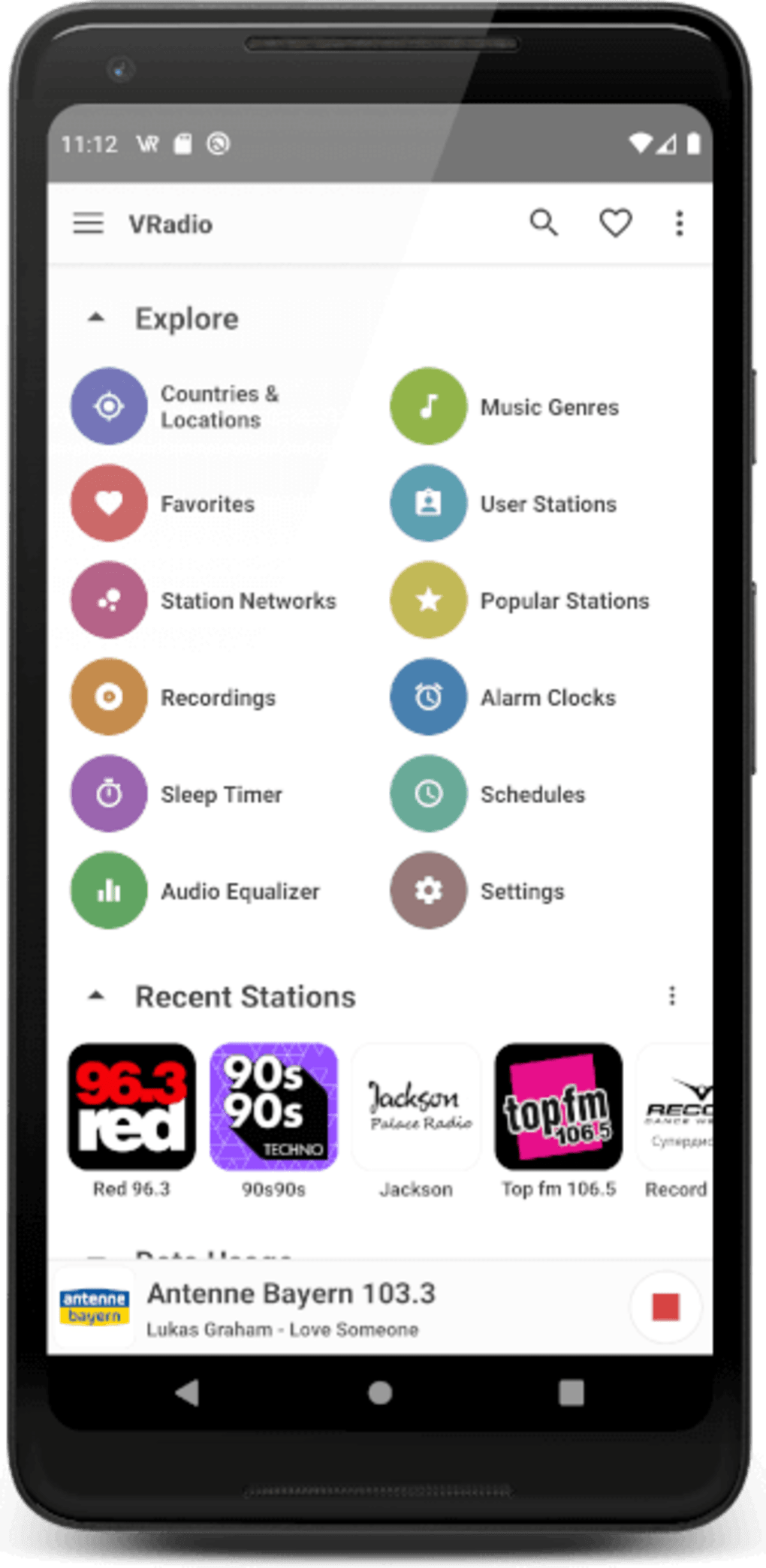
However, the lack of advanced features is also a notable aspect. VRadio doesn’t include features like recording capabilities, station search functionality, or integration with music streaming services. These omissions are intentional, reflecting the design philosophy of prioritizing simplicity and avoiding unnecessary complexities. While some users might find these absences limiting, others will appreciate the streamlined focus on basic radio playback. The program successfully delivers on its core function—providing a reliable means to listen to online radio—without the bloat of superfluous features that might detract from the core experience.
Performance and Reliability
VRadio’s performance is consistently praised by users. The application is generally responsive and stable, providing a smooth listening experience without frequent interruptions or glitches. Its lightweight nature contributes to efficient resource management, making it suitable for users with older hardware or limited system resources. While it doesn’t offer advanced buffering options or sophisticated audio processing, its fundamental function – reliable streaming – remains consistently strong. The consistent performance, even on less powerful machines, reflects a commitment to efficient code and optimized resource usage.
System Requirements and Compatibility
VRadio is designed for Windows operating systems, with compatibility extending back to Windows XP, demonstrating its adaptability across different versions of the operating system. This broad compatibility range makes it accessible to a wider user base. The low system requirements ensure VRadio can operate effectively on a variety of hardware configurations, from older machines to newer, more powerful computers, widening its appeal and accessibility. The compatibility with older Windows versions is a noteworthy aspect, as many modern applications lack support for older systems. VRadio’s compatibility underscores a design philosophy that aims for inclusiveness, reaching a wider range of users and devices.
Security and Privacy
As with any software, security and privacy concerns are paramount. VRadio, being a free application, warrants some scrutiny. The software is available from reputable sources like Phanmemfree, which provides security scans and ratings. However, users should exercise caution and only download the software from verified sources. The application itself does not appear to collect excessive user data, but the nature of internet radio streaming inherently involves some data transmission, including user IP address, which is common practice for such applications. The program’s reliance on established radio streaming protocols also contributes to the overall security of the platform. However, while the application itself may not pose a significant security risk, users should be mindful of the potential security implications of using any internet-connected applications.
Comparison with Alternative Applications
VRadio competes with a variety of alternative radio applications, ranging from simple players to comprehensive suites with extensive features. Some alternatives offer advanced features like recording capabilities, playlist creation, and integration with social media, features VRadio lacks. However, VRadio’s primary advantage lies in its simplicity and streamlined interface. Compared to alternatives with a complex feature set, VRadio’s minimalist design appeals to users who prioritize ease of use and a clutter-free experience. While applications like VirtualDJ, Radio-FM AM, and RadioZilla offer more extensive functionality, VRadio’s targeted focus on simple radio playback makes it a compelling option for users who only require basic radio listening capabilities. Therefore, the choice between VRadio and its alternatives depends largely on the user’s needs and priorities.
User Reviews and Feedback
User reviews for VRadio consistently highlight its simplicity and reliable performance. Many users appreciate its straightforward interface and the ease with which they can add and listen to their favorite radio stations. While some users request additional features, the overall feedback is positive, affirming the program’s effectiveness in meeting its primary goal of providing a simple and reliable radio listening experience. The lack of extensive negative feedback suggests a high level of satisfaction among its users, validating the design choices that prioritize simplicity over advanced functionality. The overwhelmingly positive user response reinforces the value proposition of VRadio: a reliable and uncomplicated way to listen to online radio.
Conclusion
VRadio is a well-executed application that fills a specific niche in the crowded market of internet radio players. Its strength lies in its remarkable simplicity, offering a clean, uncluttered interface and reliable performance without the bloat of unnecessary features. While it lacks the advanced capabilities of more feature-rich alternatives, its ease of use and minimal resource consumption make it a compelling option for users who prioritize simplicity and efficiency. VRadio is a solid choice for users who simply want to listen to internet radio without navigating complex settings or dealing with resource-intensive software. Its consistent performance and positive user reviews reinforce its position as a reliable and effective solution for straightforward internet radio listening.
File Information
- License: “Free”
- Version: “2.7.4”
- Latest update: “July 15, 2022”
- Platform: “Windows”
- OS: “Windows 8”
- Language: “English”
- Downloads: “7K”
- Size: “374.58 KB”


