
VueScan is a widely-used scanning software application renowned for its simplicity, broad compatibility, and ease of use. It boasts support for a vast array of scanners and digital cameras, making it a popular choice among photographers, home users, and corporations alike. While its feature set is deliberately minimalist, this streamlined approach contributes significantly to its user-friendly interface and efficient performance, particularly benefiting users unfamiliar with complex scanning software. This review delves into the strengths and weaknesses of VueScan, examining its functionality, ease of use, and overall value proposition.
Ease of Use and Installation: A Seamless Scanning Experience
One of VueScan’s most compelling features is its remarkably straightforward installation and user interface. The installation process is exceptionally quick, with minimal waiting time, allowing users to begin scanning almost immediately after launching the application. This speed and efficiency stem from the software’s relatively lightweight design. Unlike many scanning applications that burden the system with numerous unnecessary features and options, VueScan prioritizes simplicity. The core functionalities are readily accessible, making it intuitive for both novice and experienced users. The developers claim it’s the world’s most widely used scanning software, and while verifying this claim is difficult, its popularity certainly reflects its simple and effective approach. The clear and uncluttered interface eliminates the steep learning curve often associated with professional-grade scanning software, ensuring a smooth user experience from the initial setup. The user will spend less time wrestling with the software and more time digitizing their documents, photos, and negatives.
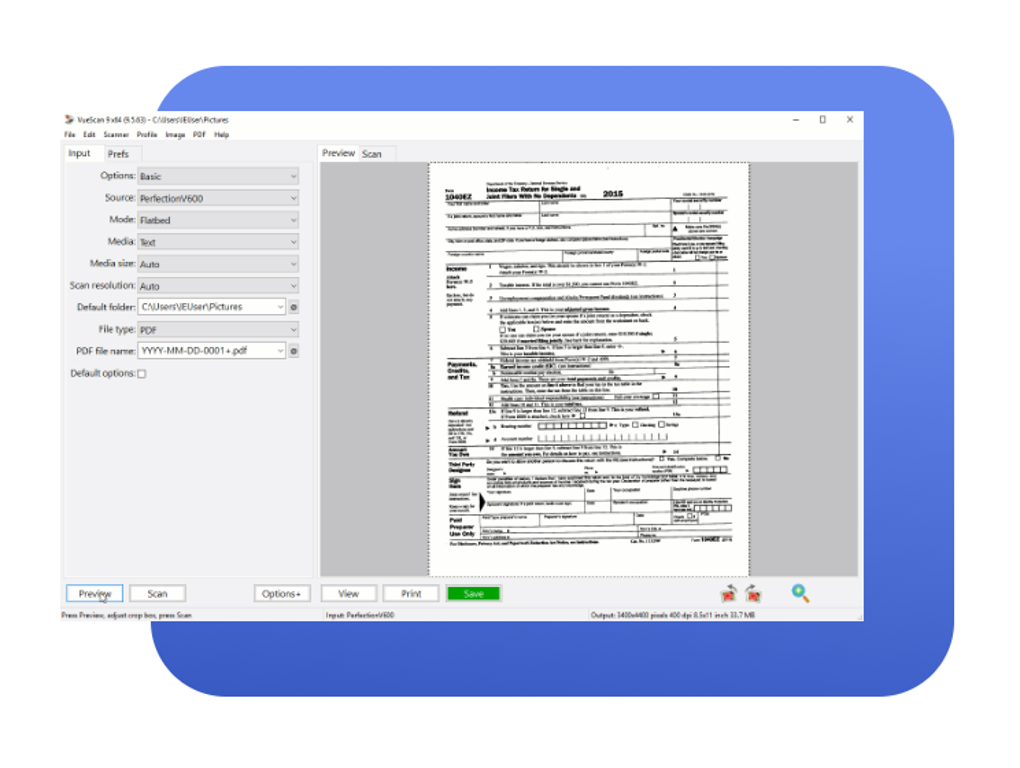
Even users without prior experience with scanning software can quickly connect to their scanner and begin the scanning process within minutes. The software’s intuitive design guides users through the process, minimizing the need for extensive tutorials or manuals. This ease of use is a significant advantage for casual users who may only need to scan occasionally, as it eliminates the frustration of navigating a complex interface. VueScan’s ability to immediately support a wide range of scanners, upon installation, is a significant plus. There’s no need for extensive configuration or driver installation for most users.
Extensive Scanner and Camera Compatibility: A Broad Reach
VueScan’s compatibility is a major selling point. The developers claim support for over 400 scanners and 185 digital camera raw files, drastically reducing the likelihood of incompatibility issues. This extensive support ensures that users with a wide range of scanning hardware can seamlessly integrate VueScan into their workflow. This compatibility extends across various scanner brands and models, making it a versatile solution for users who may switch scanners over time. Unlike some scanner-specific software that may become obsolete with a change in hardware, VueScan’s wide compatibility ensures continued functionality even with upgrades or changes in equipment. This longevity is valuable for both home users and professional settings where scanner upgrades might occur regularly.
Feature Set: A Deliberate Minimalist Approach
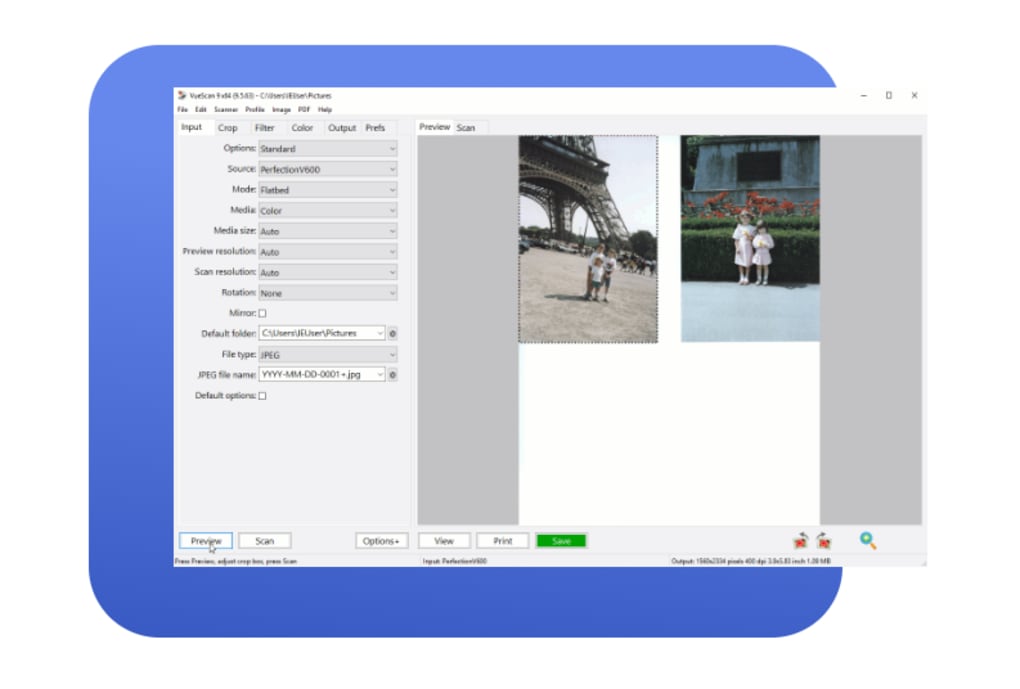
While VueScan’s extensive compatibility is a considerable advantage, its comparatively limited feature set might be a drawback for some users. The software prioritizes ease of use and essential scanning functionalities over advanced features. This minimalist approach, while contributing to its speed and simplicity, may disappoint users seeking advanced editing tools or specific image manipulation capabilities. While it offers core scanning functions effectively, it lacks the extensive editing options present in more comprehensive image editing software. Users seeking advanced features like sophisticated color correction tools, advanced batch processing, or specialized film scanning profiles will likely need to integrate VueScan with other applications.
Performance and System Resource Usage: Lightweight and Efficient
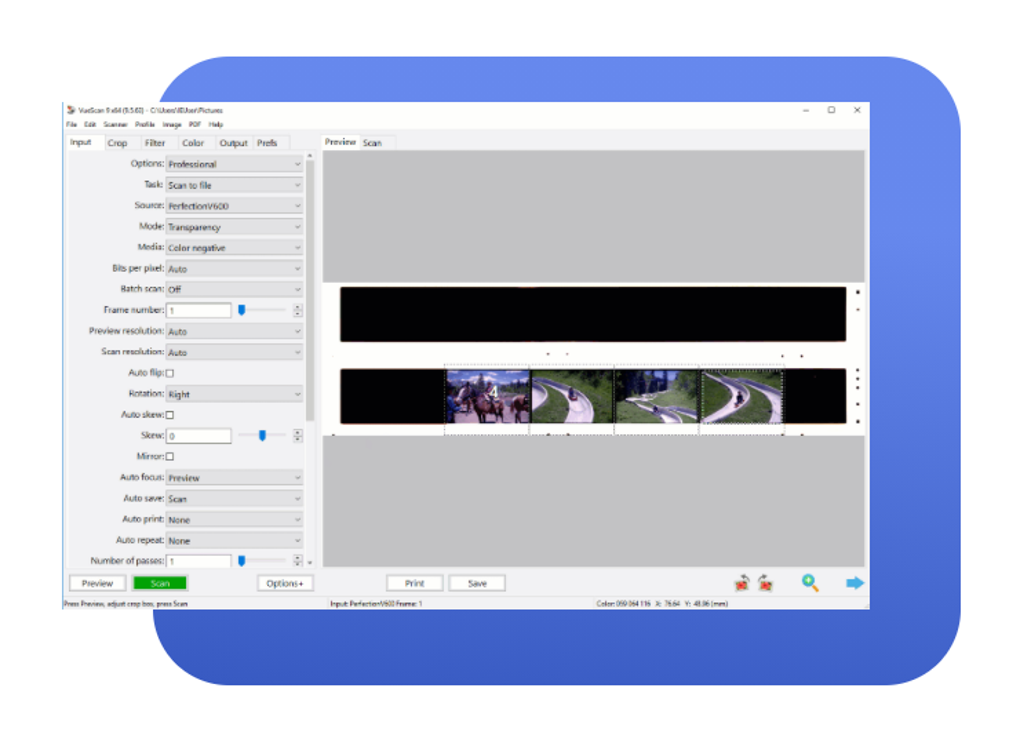
VueScan’s efficiency in terms of system resource usage is another significant strength. Its lightweight design minimizes its impact on system performance, ensuring smooth operation even on less powerful machines. This efficiency translates to faster scanning speeds and quicker processing times. The software’s responsiveness minimizes waiting periods, allowing for a more productive workflow, especially when dealing with large volumes of scans. This is a critical aspect for professional users who need to scan numerous documents or images in a short period. The low system demands also benefit users with older hardware or less powerful systems, ensuring satisfactory performance without compromising functionality.
Saving Scans: A Minor Area for Improvement
One area where VueScan could benefit from improvement is its scan-saving process. While the scanning process itself is straightforward, the options for saving scanned images are relatively basic. The lack of extensive customization options for file formats, compression levels, and naming conventions may prove inconvenient for some users. However, this is a minor drawback, easily overcome by using external image editing software for additional organization and post-processing after the scanning is complete.
Recent Updates and Improvements: Addressing User Feedback
VueScan undergoes continuous updates, demonstrating the developers’ commitment to improving the software and addressing user feedback. Recent updates have included fixes for various issues, such as problems with rotated pages in PDF files, issues with flatbed scans on specific scanner models (like the Epson GT-1500), and improved performance on multi-processor systems. These regular updates underscore the developers’ dedication to providing a stable and efficient application. The incorporation of user feedback into these updates further demonstrates responsiveness to user needs and improvement of the user experience. The addition of support for new scanners and cameras in these updates also reinforces VueScan’s position as a leading choice across a wide range of hardware.
User Reviews: A Mixed Bag of Positive and Negative Experiences
User reviews of VueScan offer a diverse range of experiences, reflecting the software’s strengths and weaknesses. Many users praise its simplicity, ease of use, and broad compatibility. Others highlight the software’s speed and efficient handling of various scanner types. Conversely, some users express disappointment with the limited feature set and the relative complexity of achieving specific scanning results, especially for more advanced applications like film scanning. The presence of watermarks in the trial version has also garnered negative feedback, although this is standard for trial software. Overall, the user feedback illustrates VueScan’s suitability for a wide audience, while also acknowledging its limitations for users seeking more advanced features.
Conclusion: A Solid Choice for Simplicity and Compatibility
VueScan is a robust and effective scanning solution, especially for users who prioritize ease of use and wide hardware compatibility. Its streamlined interface, lightweight design, and extensive scanner/camera support make it an excellent choice for both novice and experienced users. While its minimalist feature set might be a limitation for users seeking advanced editing capabilities, the software’s speed, efficiency, and reliable performance outweigh this drawback for many. If your primary need is a reliable and easy-to-use scanner application with broad compatibility, VueScan is certainly worth considering. Regular updates and ongoing improvements further support its long-term value proposition.
File Information
- License: “Trial version”
- Latest update: “May 24, 2023”
- Platform: “Windows”
- OS: “Windows 8”
- Language: “English”
- Downloads: “58.7K”
- Size: “12.49 MB”


