
Wallpaper Downloader, a Windows-based application, offered a straightforward method for acquiring and setting Bing’s daily background images as desktop wallpapers. While no longer actively maintained, its legacy provides a useful case study in simple, yet effective, software design. This review explores its functionality, pros and cons, and places it within the context of similar applications available today.
Functionality and Ease of Use
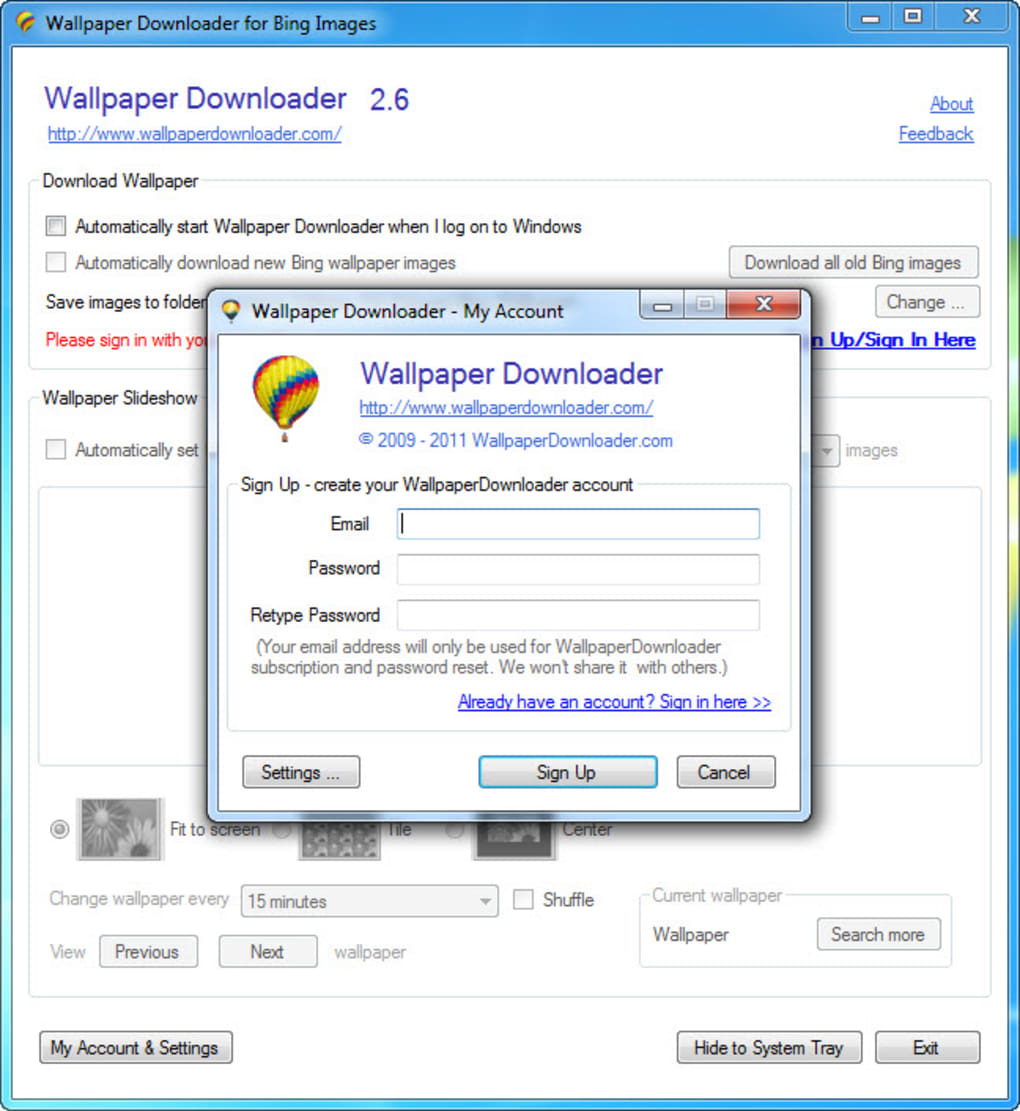
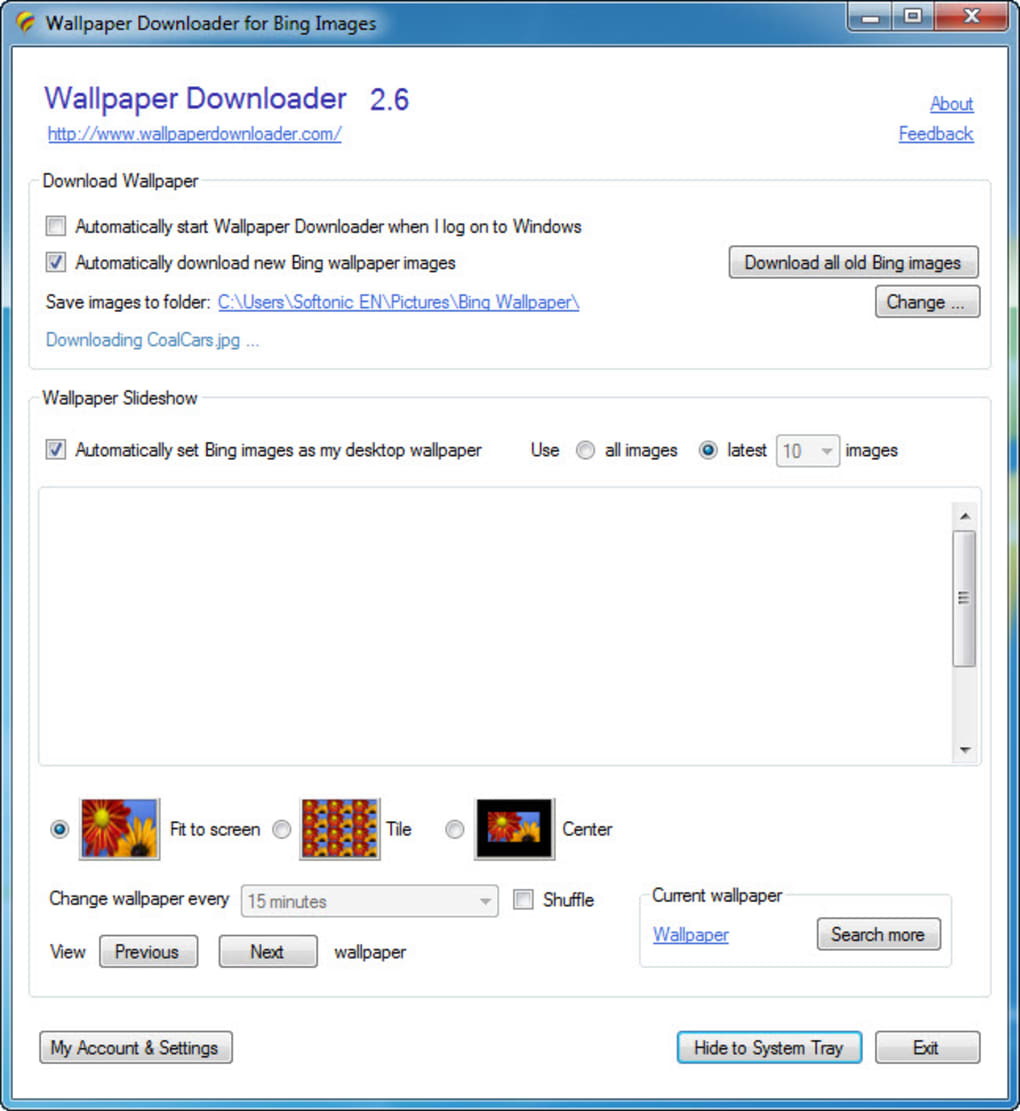
Wallpaper Downloader’s primary function was, as its name suggests, the downloading of Bing’s daily wallpapers. The process was remarkably simple. After registering a free account using an email address and password (a requirement that might raise privacy concerns for some users, which will be addressed later), users could initiate the download process. The software defaulted to downloading the ten most recent Bing images, but this number was customizable, allowing users to select up to 50 images at a time.
A unique feature, albeit one limited to users who made a donation to the developers, offered the capability to download the entire archive of Bing wallpapers. This represented a significant time-saving feature for users who desired a large collection of images. The application also provided options to control the wallpaper layout, allowing users to choose between “fit to screen,” “tile,” and “center” options. Furthermore, Wallpaper Downloader facilitated automated wallpaper rotation, with adjustable intervals ranging from 10 seconds to 12 hours. This automatic rotation ensured a constantly refreshed desktop aesthetic, avoiding visual monotony. The software’s overall interface was clean and intuitive, demanding minimal technical expertise from its users. The simplicity of its design was one of its greatest strengths, appealing to casual users seeking an uncomplicated solution for their wallpaper needs.
Image Quality and Resolution Limitations
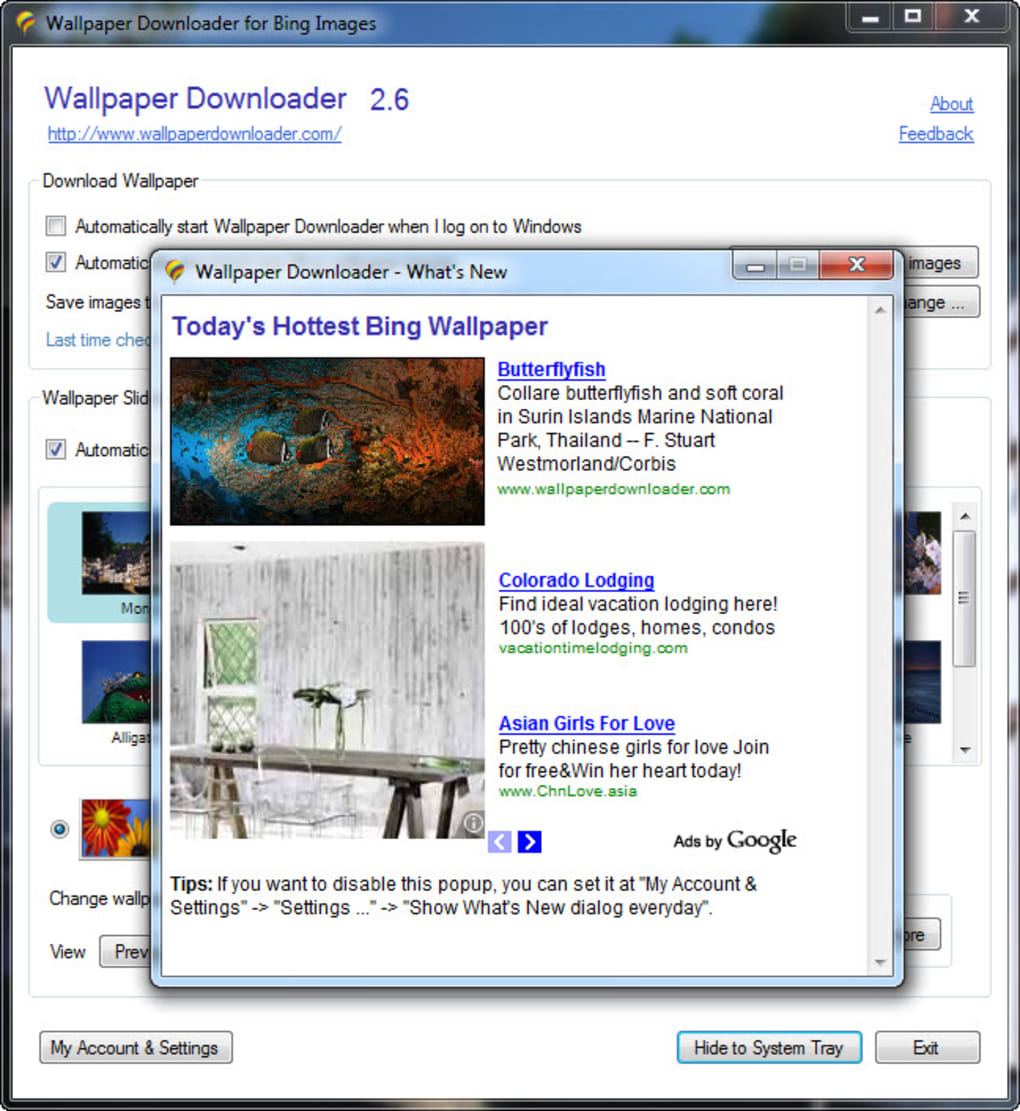
A significant drawback of Wallpaper Downloader was the relatively low resolution of the downloaded Bing images – capped at 958 x 512 pixels. While adequate for older monitors or lower-resolution displays, these images would likely appear pixelated and somewhat small on modern high-resolution screens. This limitation directly impacts the visual appeal of the application’s core functionality, a considerable disadvantage in an era of high-resolution displays becoming increasingly ubiquitous. This constraint prevented Wallpaper Downloader from fully leveraging the potential of modern hardware, thus diminishing its overall effectiveness for many contemporary users. Users with high-resolution monitors were likely to find better alternatives offering higher-resolution wallpapers.
Alternatives and the Modern Landscape
The discontinuation of Wallpaper Downloader leaves a gap in the market for a simple, yet effective, Bing wallpaper downloader. While several alternatives existed during its active period, and many more exist today, they often lack the streamlined simplicity that characterized Wallpaper Downloader. Many modern options integrate with various platforms and offer far more than just wallpaper downloads. Some incorporate features such as user-generated content integration, curated collections, or advanced customization tools, significantly expanding the scope of available wallpapers beyond Bing’s daily images.
The evolution of the digital wallpaper landscape has also brought about a multitude of new sources for high-resolution images. Stock photography websites, online image communities, and even dedicated wallpaper apps offer vast libraries of images at various resolutions, catering to diverse tastes and preferences. While these alternatives may not always replicate the simplicity of Wallpaper Downloader, they compensate by providing far more options in terms of variety, quality, and resolution.
The need for a dedicated Bing wallpaper downloader is arguably lessened today. Bing itself provides options to download its daily images directly, although this lacks the bulk download functionality offered (to paying users) by Wallpaper Downloader. Many users may find the convenience of a built-in Bing download option sufficient, negating the need for a dedicated third-party application.
Privacy Concerns and Account Creation
The requirement for account creation in Wallpaper Downloader, while a seemingly minor aspect, raises questions about data privacy. The collection and use of user email addresses and passwords, even for a seemingly innocuous application, must be considered within a broader context of data security and privacy best practices. While the application’s functionality did not appear to rely heavily on user data beyond account management, the potential for data breaches or misuse necessitates caution and a thorough review of the developer’s privacy policy. This is a crucial point that users should have carefully considered prior to using the application. In today’s environment, the transparency and security surrounding user data are paramount, and a lack of explicit information regarding this aspect can be a serious deterrent for potential users.
The Developer’s Approach and Support
The decision to restrict the full archive download feature to donors reveals a unique approach to monetization. While this arguably provided a modest form of financial support to the developers, it also created a barrier to entry for users seeking comprehensive access to the application’s core functionality. The lack of ongoing maintenance and updates after a certain point highlights a potential limitation of relying on a small development team or individual developer. While some projects thrive under such conditions, others may inevitably falter due to factors beyond the developer’s control, leading to eventual abandonment and decreased support for the user base.
This absence of continuous updates also implies a lack of adaptation to evolving technologies and user preferences. For instance, the application’s failure to address the resolution limitations suggests a lack of responsiveness to user feedback and the broader trends in the tech industry. This lack of support further underscores the importance of seeking alternative applications with ongoing maintenance and robust support systems.
Conclusion
Wallpaper Downloader represented a functional, albeit limited, solution for downloading Bing wallpapers. Its simplicity and ease of use were notable strengths, but the low resolution of the downloaded images and eventual discontinuation highlight critical limitations. The modern landscape offers various alternatives providing superior image quality, broader functionality, and ongoing support. While Wallpaper Downloader may have served its purpose for a time, its legacy serves as a reminder of the importance of considering factors such as resolution, long-term support, and data privacy when choosing software for personal use. Users seeking similar functionality today would be well-advised to explore alternatives that address these shortcomings and offer a more robust, future-proof solution. The ease of use and simplicity may be appealing, but users should always prioritize features like image quality, security, and sustained developer support when choosing software.
File Information
- License: “Free”
- Version: “2.6”
- Latest update: “March 9, 2011”
- Platform: “Windows”
- OS: “Windows 8”
- Language: “English”
- Downloads: “13K”
- Size: “900.53 KB”


