
WAMPServer is a robust and popular web development platform specifically designed for Windows operating systems. It provides a local environment for creating and testing web applications, combining Apache, MySQL, and PHP – the essential components for many dynamic websites. This detailed guide will explore WAMPServer’s features, functionalities, advantages, disadvantages, and provide insights into its practical application for experienced and aspiring web developers.
Setting Up Your Local Web Development Environment with WAMPServer
WAMPServer simplifies the process of setting up a local web server environment. Instead of individually installing and configuring Apache, MySQL, and PHP, WAMPServer bundles these components into a single, easily manageable package. This streamlined approach saves considerable time and effort, allowing developers to focus on building their applications rather than wrestling with server configurations. The installation process is generally straightforward and automated, minimizing the need for manual intervention in configuration files. This user-friendly approach makes WAMPServer accessible to a wider range of developers, from seasoned professionals to those just starting their web development journey. However, it’s crucial to note that while the installation is largely automated, a basic understanding of web server architecture and the constituent technologies remains beneficial.
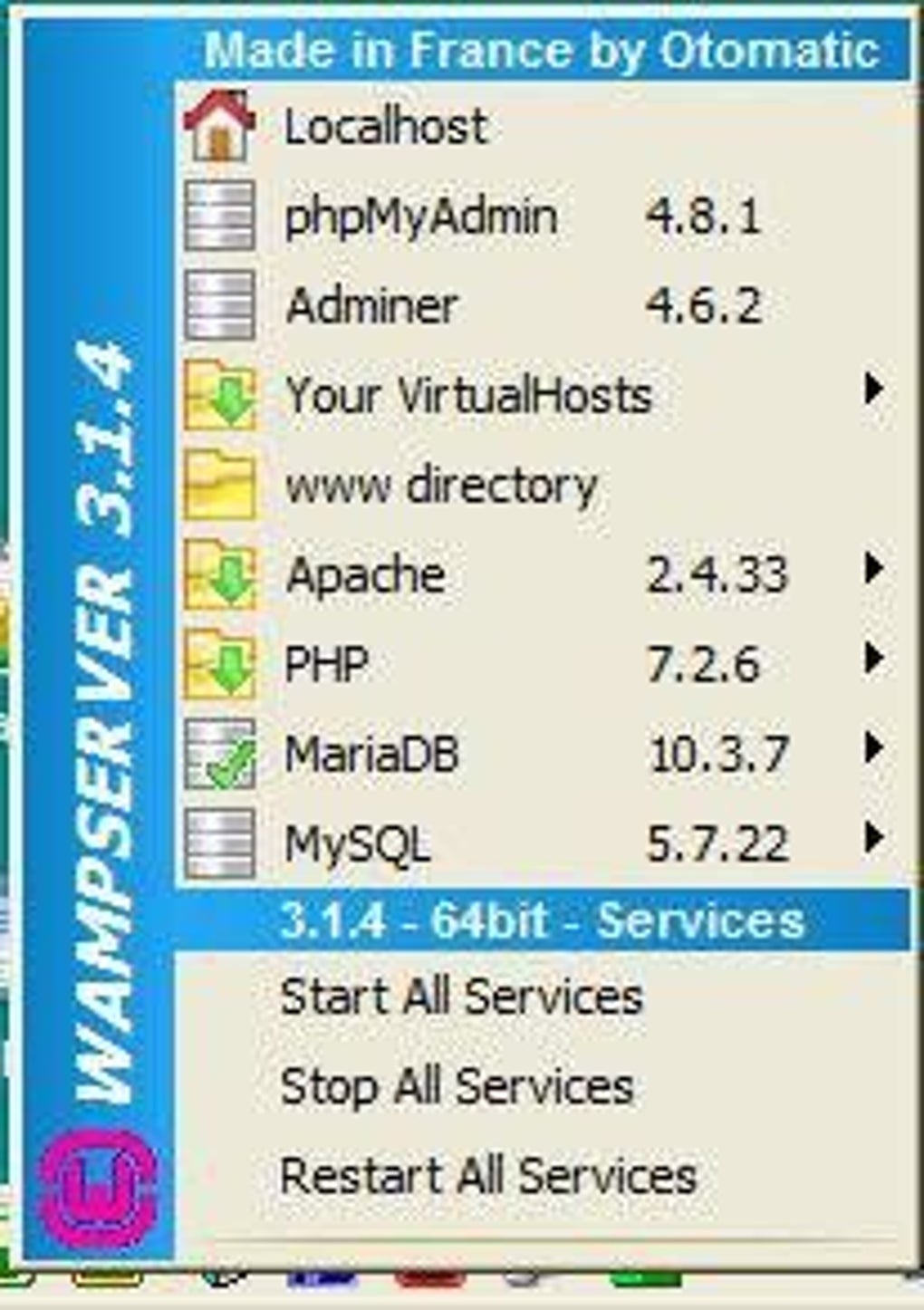
The software is designed to integrate seamlessly with Windows, offering a stable and responsive environment for web application development. Once installed, WAMPServer is easily controlled through a system tray icon. This icon provides a central point of access for starting and stopping server services, accessing critical directories such as the web server root, and managing configuration settings. The tray icon also offers convenient access to logs and detailed service-specific settings, allowing for granular control over the various components of the WAMP stack. This intuitive interface facilitates efficient management of the local server, enabling developers to swiftly adjust settings and monitor server status without navigating complex configuration files directly.
Exploring the Core Components and Functionalities of WAMPServer
At its heart, WAMPServer incorporates three fundamental components:
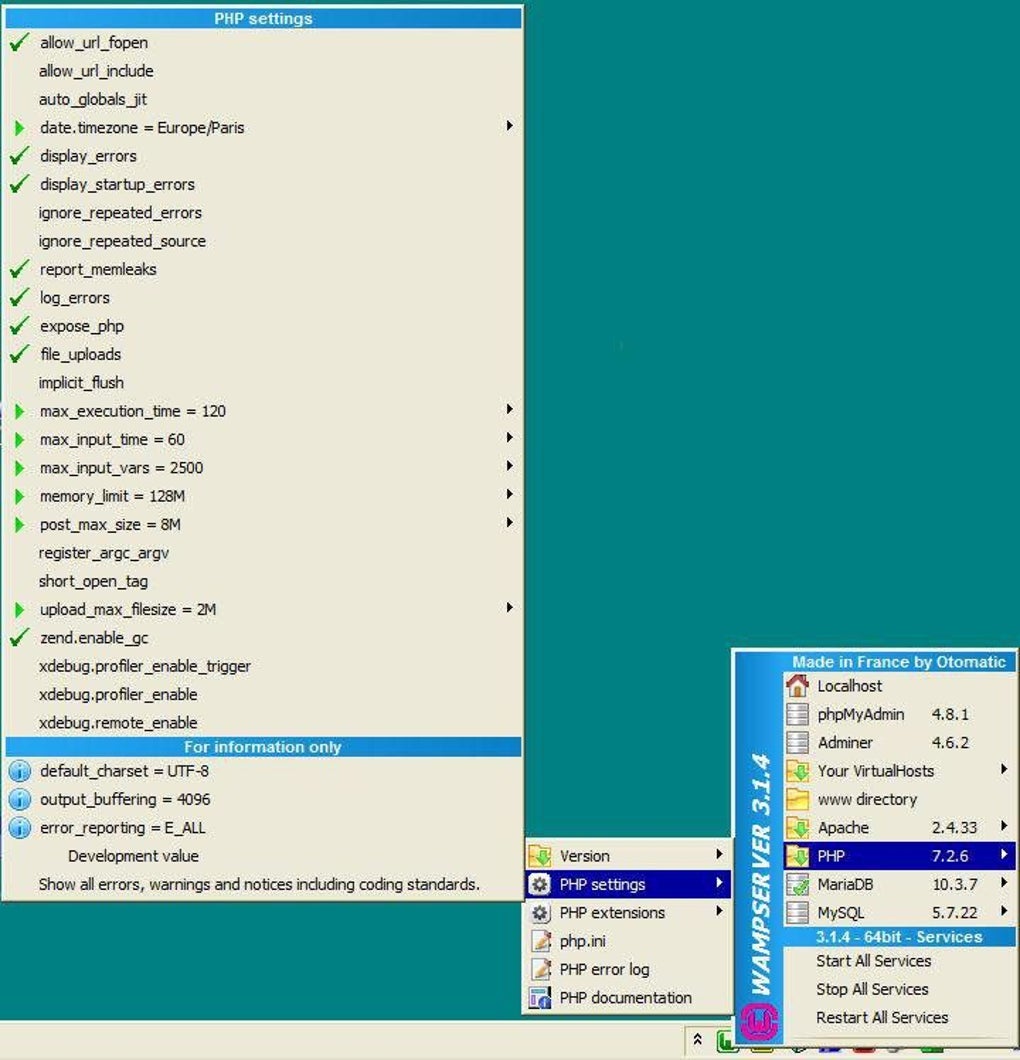
- Apache: The web server responsible for handling HTTP requests and serving web pages to clients. WAMPServer’s integrated Apache configuration is optimized for ease of use, minimizing the need for extensive manual adjustments.
- MySQL: A powerful relational database management system used for storing and managing website data. WAMPServer includes MySQL, providing a complete solution for database-driven web applications. The integration streamlines the connection between the web server and the database, simplifying data management within the development environment.
- PHP: A widely used server-side scripting language that adds dynamism and interactivity to websites. WAMPServer seamlessly integrates PHP, enabling developers to utilize its capabilities for building robust and feature-rich web applications. The inclusion of various PHP versions provides flexibility, allowing developers to select the version that best suits their project needs.
Beyond the core components, WAMPServer enhances the development experience by including valuable supplementary tools:
- Debugging Tools: WAMPServer incorporates debugging functionalities, primarily through XDebug, to assist developers in identifying and resolving issues within their code. This integrated debugging capability is crucial for efficient development and debugging, preventing potential problems during the testing phases. Effective debugging significantly accelerates the development process by minimizing time spent on troubleshooting.
- Database Management Tools: WAMPServer provides database management tools like phpMyAdmin and SQLBuddy. These tools offer user-friendly interfaces for interacting with the MySQL database, making database administration simpler and more intuitive, even for developers less experienced with database management. They streamline tasks such as creating, modifying, and querying databases, thereby contributing to increased efficiency during development.
Advanced Features and Customization Options Within WAMPServer
While WAMPServer offers a streamlined setup, it also allows for a degree of customization. The ability to install different versions of Apache, MySQL, and PHP provides developers with control over their environment. Although the installation of older versions requires manual intervention, it offers crucial flexibility to support legacy projects or specific technology requirements. This flexibility is valuable for developers working on projects with specific compatibility needs or wanting to experiment with different technology versions.
One notable feature is the ability to switch the server on and off through the system tray icon. The “Put Online/Offline” option allows developers to quickly control the accessibility of their local web server, making it easy to disable access when not actively working on the project. This functionality enhances security by limiting external access to the local development environment.
While WAMPServer offers considerable functionality, it’s vital to acknowledge its limitations. One significant drawback is the absence of comprehensive documentation and tutorials. This lack of readily available support resources can pose challenges for less experienced developers who might need detailed guidance on specific functionalities or troubleshooting techniques. The absence of integrated support materials places a greater burden on developers to seek assistance from external sources, potentially increasing the development time and introducing complexities.
Another area for improvement is the lack of Perl support. Perl, a versatile scripting language, finds use in some web applications, and its absence limits the capabilities of WAMPServer for developers requiring this technology. The omission of Perl might restrict the range of projects that can be effectively developed using WAMPServer.
Finally, security is paramount in web development, and while WAMPServer provides a secure local environment, the default MySQL password is left blank. It’s crucial to set a strong password after installation to prevent unauthorized access to the database. This default setting highlights the responsibility of developers to prioritize security best practices when configuring WAMPServer.
Comparative Analysis: WAMPServer Versus Other Local Development Environments
WAMPServer is just one of many local development environments available. Alternatives like XAMPP offer similar functionality, while others may cater to specific needs or technologies. While WAMPServer excels in its simplicity and user-friendly interface, it might not be the ideal choice for all projects. The absence of certain features like Perl might steer developers toward environments providing broader language support. The best choice ultimately depends on the specific needs of the project and the developer’s skillset and comfort level with different interfaces and technologies.
For example, XAMPP provides a broader range of components, including Perl, which WAMPServer lacks. BitNami WAMPStack offers a similar functionality, often with a focus on ease of installation and deployment. The selection of the most suitable environment depends on the requirements of individual projects and developers’ preferences. The decision may also hinge on the presence of comprehensive documentation and community support, factors which might influence the overall development experience and efficiency.
Conclusion: WAMPServer – A Powerful Tool for Windows Web Development
WAMPServer remains a strong contender in the local development environment space, offering a user-friendly approach to setting up and managing a web server for Windows. Its strengths lie in its ease of installation, intuitive system tray interface, and inclusion of essential tools like phpMyAdmin and XDebug. However, the lack of comprehensive documentation, tutorials, and the omission of Perl are noteworthy drawbacks. The choice to use WAMPServer should be based on a careful evaluation of these strengths and weaknesses in relation to the specific needs of a project and the developer’s preferences and experience level. While it serves as a powerful tool for many web development tasks, developers should weigh the pros and cons against alternatives available to ensure the selected environment best suits their workflow and project requirements.
File Information
- License: “Free”
- Latest update: “June 17, 2025”
- Platform: “Windows”
- OS: “Windows 7”
- Language: “English”
- Downloads: “639.1K”
- Size: “370.46 MB”


