
WatchMe is a straightforward and user-friendly timer application designed for Windows. Its primary function is to accurately track the time spent on various tasks, offering a simple interface suitable for users who need a no-frills approach to time management. While lacking advanced features found in more sophisticated time tracking software, its simplicity and ease of use make it a valuable tool for individuals seeking a quick and efficient way to monitor their productivity. This review delves into the functionalities, strengths, and weaknesses of WatchMe, providing a comprehensive assessment of its utility and potential limitations.
Core Functionality: Tracking Time with Ease
WatchMe excels in its core functionality: providing a simple and intuitive method for tracking time spent on different activities. The program’s interface is remarkably uncluttered, focusing solely on the essential elements of time tracking. Users can create multiple timers simultaneously, each designated with a unique name or description. This allows for concurrent tracking of diverse tasks, such as writing a report, attending a meeting, or working on a specific project. Each timer independently registers elapsed time, providing a clear and precise measurement of time spent on individual activities.
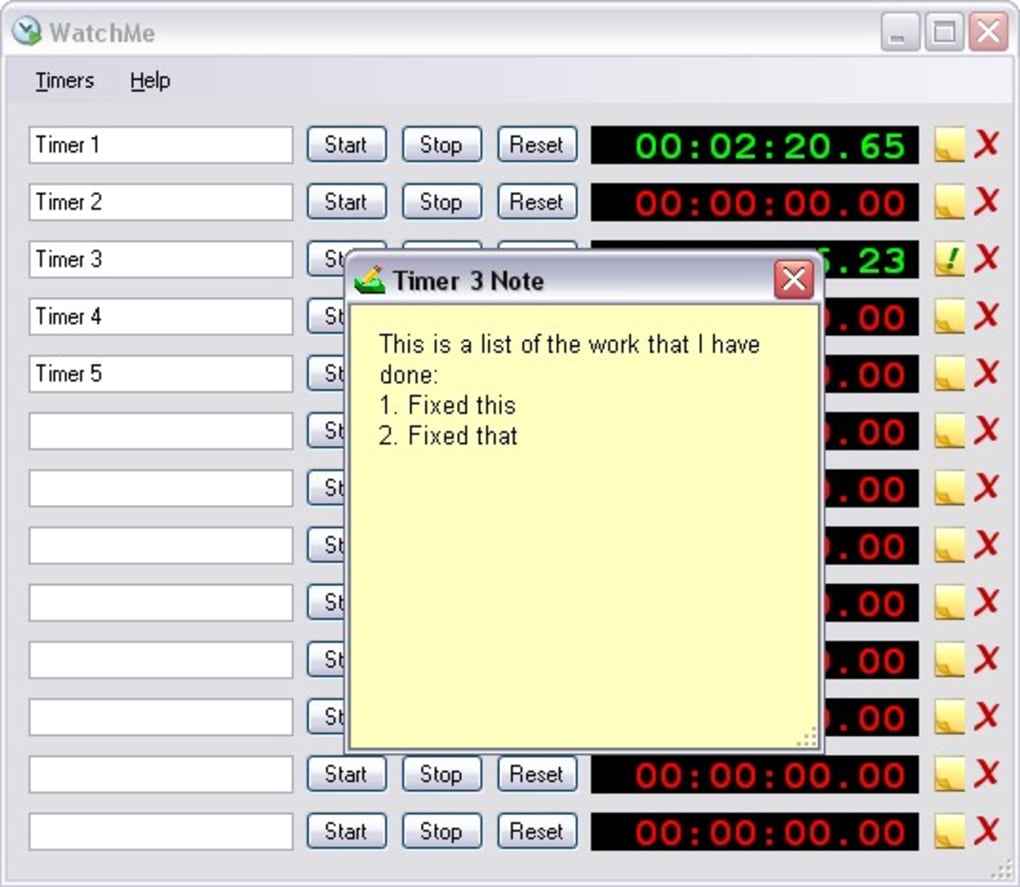
The process of using WatchMe is exceptionally straightforward. After launching the application, users can easily create a new timer by simply entering a descriptive name or note for the task at hand. Pressing the start button initiates the timer, and the program begins precisely recording the time. This simple, two-step process minimizes any learning curve, making it accessible to users with varying levels of technical expertise. The display clearly shows the elapsed time in hours, minutes, and seconds, providing a clear and unambiguous record of the duration of each task.
The ability to pause and resume timers adds a significant layer of flexibility. This feature is invaluable for tasks that are frequently interrupted, ensuring accurate time tracking without the need for manual adjustments or restarting the timer. The inclusion of a reset function further enhances the program’s practicality, allowing users to quickly clear a timer and begin tracking a new task without any cumbersome procedures.
Strengths: Simplicity, Efficiency, and Ease of Use
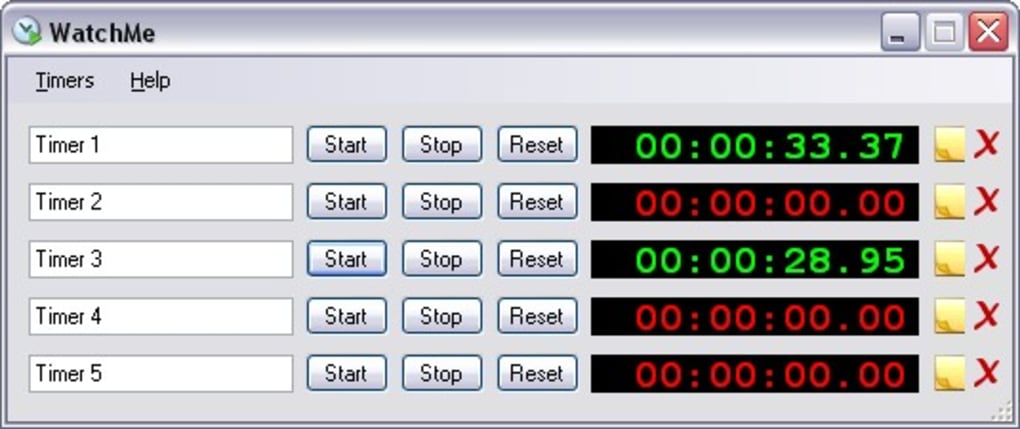
WatchMe’s primary strength lies in its unwavering commitment to simplicity. The streamlined interface, devoid of unnecessary features or complex settings, makes it remarkably user-friendly. This minimalist design is both a boon and a limitation: while it contributes to ease of use, it also restricts the program’s overall functionality. However, for users seeking a basic and efficient timer, this minimalist approach is highly advantageous.
The program’s speed and efficiency are also notable strengths. WatchMe launches quickly and operates smoothly, without any noticeable delays or lags. This responsiveness ensures a seamless user experience, allowing users to focus on their tasks without interruption. The absence of resource-intensive features contributes to its lightweight nature, making it suitable for computers with limited processing power or memory.
Another key advantage is the program’s portability. WatchMe is a standalone executable file, eliminating the need for a complex installation process. Users can simply copy the executable to their desired location and run it directly. This makes it ideal for users who want a quick and easy solution for time tracking, without the need for administrative privileges or extensive system modifications.
Limitations: Lack of Advanced Features and Export Capabilities
Despite its strengths, WatchMe has notable limitations. Its most significant drawback is the absence of advanced features commonly found in more comprehensive time tracking software. There is no provision for generating reports, exporting data to external applications such as spreadsheets, or creating detailed summaries of time usage. This lack of advanced functionalities limits its usefulness for individuals requiring detailed analysis of their time management habits or those needing to integrate time tracking data into other applications.
The absence of data export capabilities is a considerable limitation. While WatchMe accurately tracks time, it provides no mechanism for saving, archiving, or exporting the recorded data. This makes it difficult to retain a comprehensive historical record of tracked tasks or to analyze trends in time usage over time. The inability to export the data to a spreadsheet or other data analysis program hinders the user’s ability to review and interpret the recorded time effectively.
Furthermore, WatchMe’s lack of customization options restricts its adaptability to individual needs and preferences. While the basic features are sufficient for many users, the absence of options to personalize the interface or adjust settings limits the program’s flexibility. For instance, the inability to change the time display format or add custom labels to timers restricts its ability to meet individual preferences and requirements.
Comparison to Alternative Timer Applications
Several alternative timer applications offer more extensive functionality compared to WatchMe. These applications often incorporate features such as customizable reporting, data export options, project management integration, and more sophisticated task management features. However, this added functionality usually comes at the cost of increased complexity and potentially higher resource consumption.
Some alternatives might include multiple timers, the ability to set alarms, advanced reporting functionalities, and export capabilities to various formats. These features cater to users with more complex time management needs, but they may be overkill for those simply wanting a basic timer for short tasks. The choice between WatchMe and these alternative applications ultimately depends on individual needs and preferences. Users seeking a simple and efficient solution for basic time tracking will likely find WatchMe adequate; those requiring more comprehensive features should explore alternative options.
Conclusion: A Suitable Choice for Basic Time Tracking Needs
WatchMe is a simple, efficient, and user-friendly timer application that excels in its primary function of tracking time spent on tasks. Its straightforward interface and minimal design make it exceptionally easy to use, even for users with limited technical experience. However, its lack of advanced features, such as data export capabilities and customizable reporting, limits its versatility. The absence of more sophisticated features means that it may not meet the requirements of all users.
Ultimately, WatchMe is a suitable choice for individuals with basic time tracking needs who prioritize simplicity and ease of use over extensive functionality. For users requiring advanced features such as detailed reporting, data analysis, or integration with other applications, alternative time tracking software may be a more appropriate option. The choice depends on the individual’s specific needs and the level of complexity required for their time management practices. While its simplicity is a major asset, its limitations should be carefully considered before choosing WatchMe as the primary time tracking solution.
File Information
- License: “Free”
- Version: “1.8.0.7”
- Latest update: “May 21, 2009”
- Platform: “Windows”
- OS: “Windows 7”
- Language: “English”
- Downloads: “8.8K”
- Size: “43.84 KB”


