
Wavelet: headphone-specific EQ is a free, comprehensive audio equalizer app for Android devices, developed by indie developer pittvandewitt. This application offers users an unprecedented level of control over their headphone audio, allowing for fine-tuning and customization to achieve a personalized listening experience. Unlike many basic equalizers, Wavelet goes beyond simple bass and treble adjustments, providing a sophisticated nine-band graphic equalizer with granular control over the frequency spectrum. This empowers users to shape their sound precisely, addressing specific tonal imbalances or enhancing particular frequency ranges to their preference. Furthermore, it includes additional features such as channel balance control for stereo adjustments and a limiter function to prevent audio clipping and distortion.
Harnessing the Power of AutoEQ and Presets
One of Wavelet’s most compelling features is its integration with the popular AutoEQ Project. AutoEQ is a community-driven initiative focused on creating accurate, neutral sound profiles for various headphone models, aiming to achieve the Harman Target Curve—a widely accepted reference curve in audiophile circles representing a balanced and natural sound signature. Wavelet leverages this extensive database, boasting over 5,000 presets for a vast array of popular headphones from different brands. This means that users can instantly apply a professionally-tuned EQ profile specifically designed for their headphone model, eliminating the need for manual tweaking and ensuring a more accurate and neutral listening experience.
The incorporation of the Harman Target Curve is significant. The pursuit of “neutral” or “flat” sound reproduction is a central tenet of audiophile culture. It implies a faithful representation of the original recording, free from coloration or artificial enhancements introduced by the headphones themselves. By aiming for the Harman Target Curve, Wavelet enables users to hear their music as close to the artist’s intent as possible, minimizing the influence of the headphone’s inherent sonic characteristics. This feature is invaluable for critical listening, ensuring a more accurate and revealing playback experience.
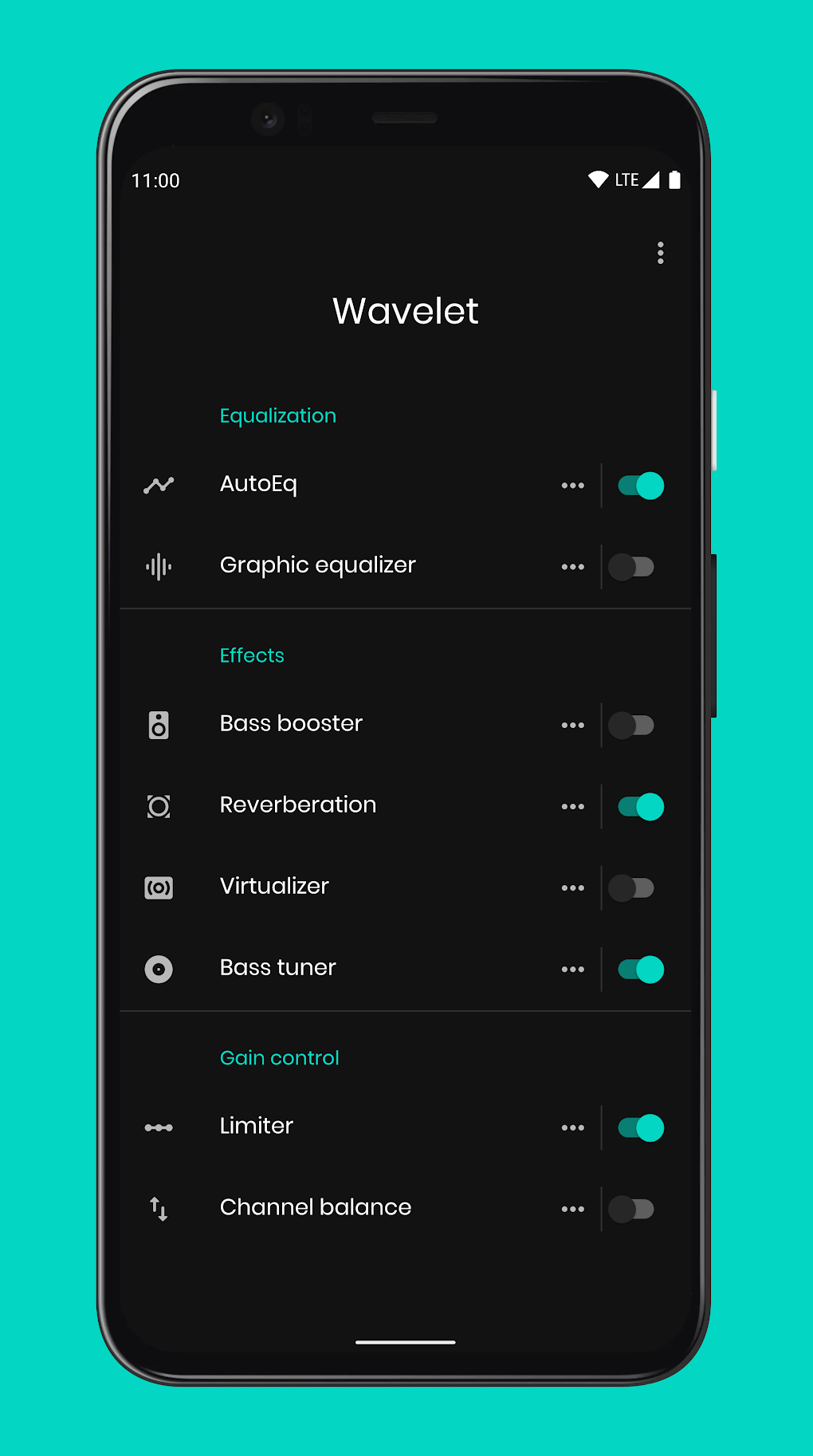
However, Wavelet doesn’t limit users to pre-set options. Its built-in nine-band graphic equalizer allows for complete manual customization. Users can fine-tune the equalization to their specific preferences, overriding the AutoEQ presets or creating entirely new profiles from scratch. This level of flexibility caters to both those seeking a quick and easy solution and those who prefer to meticulously tailor their sound.
Beyond Equalization: Additional Features and the Pro Version
Beyond its powerful equalization capabilities, Wavelet also incorporates several additional features that enhance its functionality and versatility. The channel balance control allows precise adjustment of the left and right audio channels, useful for correcting imbalances in headphone drivers or personalizing the stereo image. The limiter function prevents audio peaks from exceeding a safe threshold, preventing distortion and ensuring a clean, clear sound even at higher volumes.
For users seeking even more advanced features, Wavelet offers a Pro version which unlocks a range of additional capabilities. These include a volume normalizer, which automatically adjusts the volume levels of different tracks for consistent loudness, eliminating jarring volume fluctuations between songs. A dedicated bass tuner provides enhanced control over the low-frequency range, allowing for more precise and nuanced bass adjustments. Finally, the Pro version adds the option to apply spatial and reverb effects, creating a more immersive and three-dimensional listening experience. This enhances the versatility of Wavelet, transforming it from a simple equalizer into a comprehensive audio processing suite.
User Experience and Potential Improvements
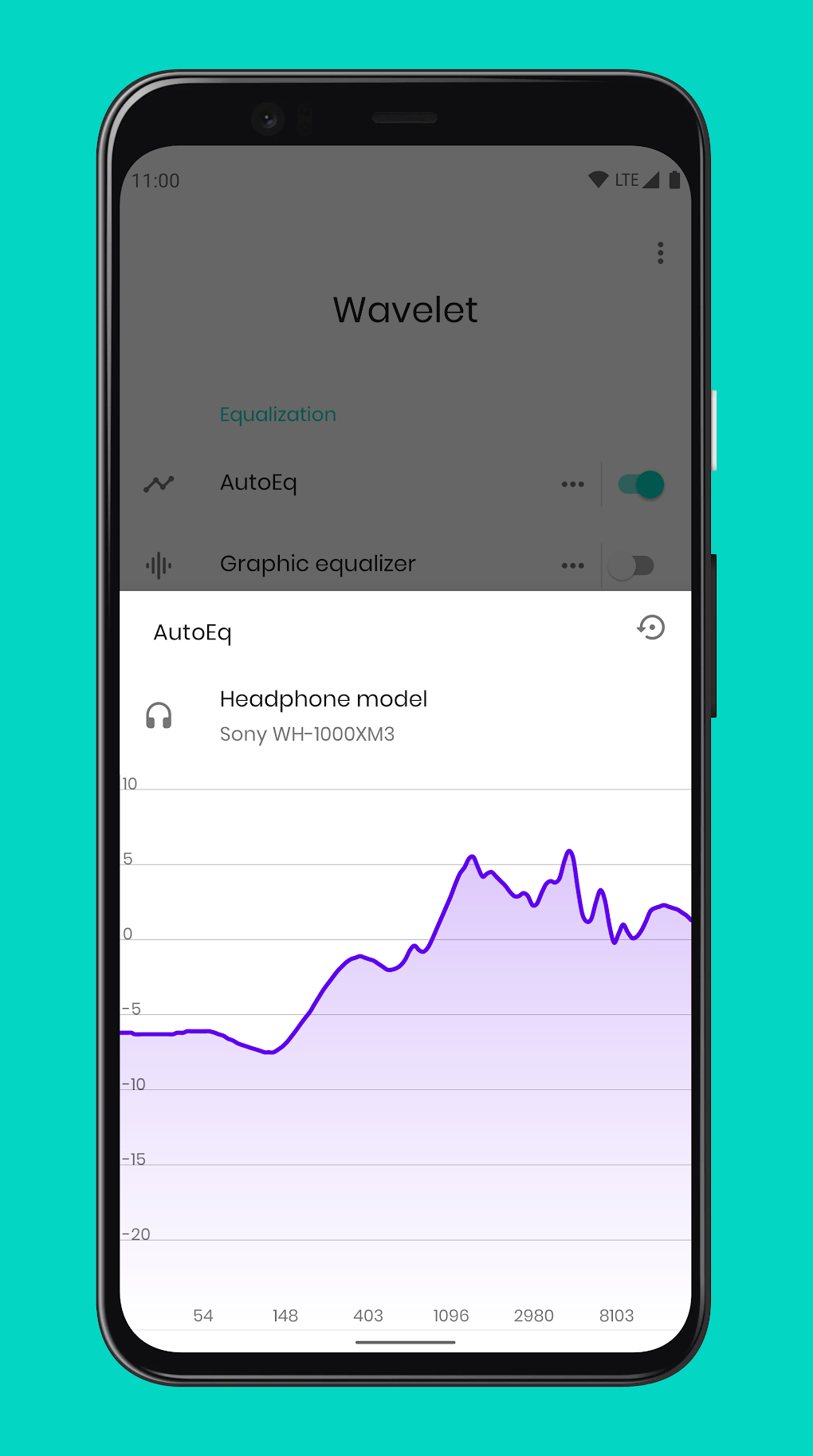
Wavelet boasts a user-friendly interface, making it accessible to both casual listeners and audio enthusiasts alike. The intuitive layout and straightforward controls allow for easy navigation and adjustments, making it a pleasure to use. The inclusion of both automatic and manual equalization options caters to users with varying levels of technical expertise, ensuring a seamless experience regardless of one’s familiarity with audio engineering principles.
However, previous user reviews have indicated some instances of the app randomly stopping in the background. While this issue doesn’t negate the app’s core functionality, it does represent a potential area for improvement. Addressing this issue through software updates would enhance the app’s overall reliability and user experience.
Wavelet: A Must-Have for Audiophiles and Casual Listeners Alike
Wavelet: headphone-specific EQ stands out as a truly remarkable and versatile audio application. Its combination of powerful equalization tools, a vast library of pre-sets based on the Harman Target Curve, and additional features such as a limiter and channel balance control makes it a compelling option for any Android user seeking to enhance their listening experience. The availability of a Pro version with even more advanced features further solidifies its position as a leading audio processing app. Whether you’re an audiophile seeking meticulous control over your sound or simply want to improve the audio quality of your headphones, Wavelet is a valuable tool that provides both ease of use and powerful customization options. Its integration with the AutoEQ project alone makes it a must-have for anyone looking to achieve a more neutral and accurate listening experience. While some minor stability issues have been reported, the overall functionality and potential of Wavelet make it a highly recommended application.
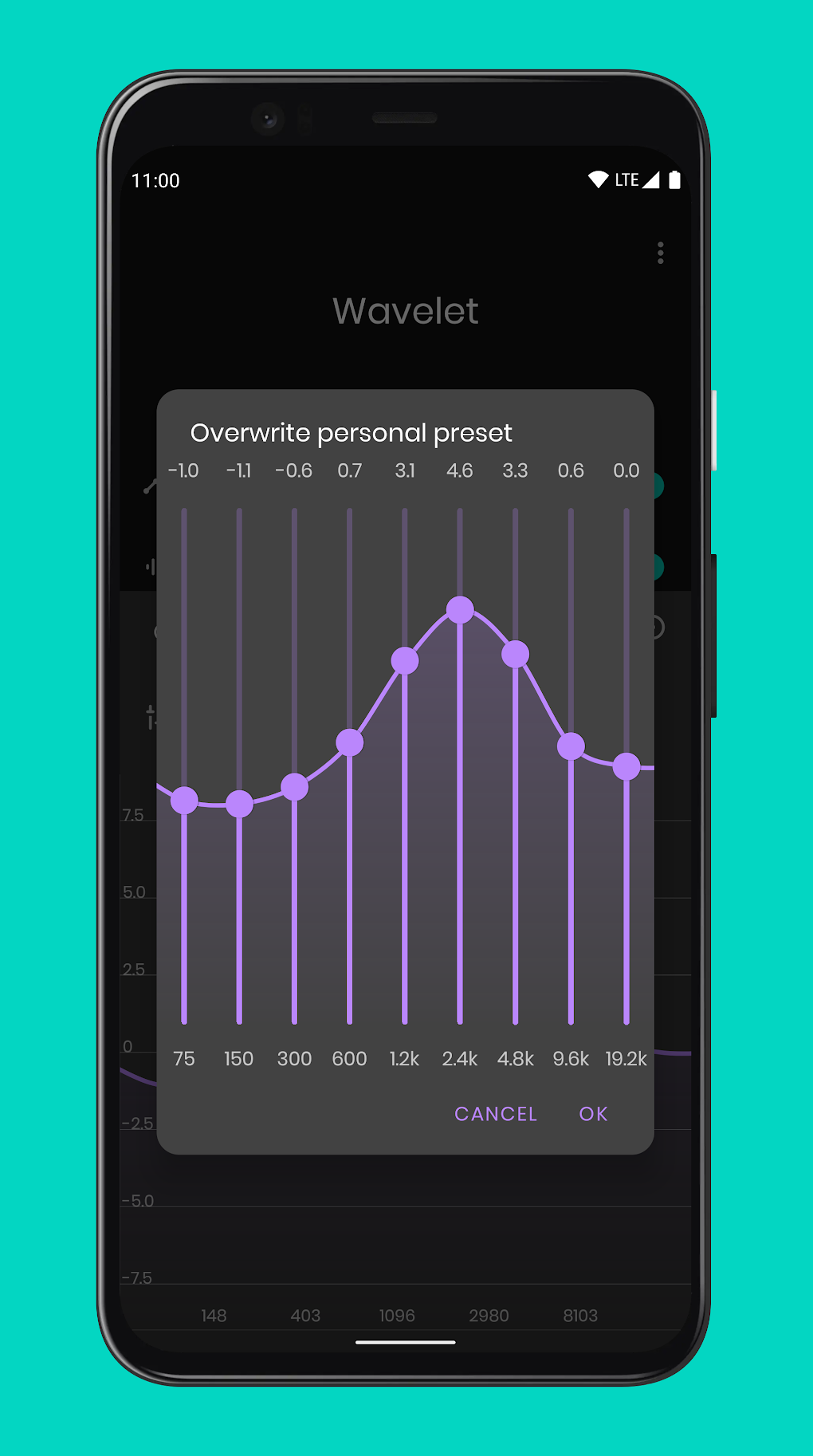
The app’s strength lies in its accessibility and versatility. It caters to a wide range of users, from those who simply want to improve their headphones’ sound to audiophiles who demand precise control over every nuance of their audio. The simple yet powerful interface ensures a pleasant user experience, even for those unfamiliar with equalization techniques.
Ultimately, Wavelet: headphone-specific EQ offers a compelling blend of automatic convenience and manual control. The ability to instantly apply pre-sets optimized for specific headphone models, alongside the granular control offered by the nine-band equalizer, makes it a unique and indispensable tool for anyone seeking to optimize their headphone audio on Android. The app’s ongoing development and the potential for future enhancements further contribute to its overall value and appeal. The future additions of features like improved background stability, alongside more advanced effects processing, will likely solidify Wavelet’s position as the premier headphone-specific EQ for Android users.
File Information
- License: “Free”
- Latest update: “June 23, 2025”
- Platform: “Android”
- OS: “Android 13.0”
- Language: “English”
- Downloads: “8.6K”
- Download Options: “Google Play”


