
WavePad Audio Editing Software, developed by NCH Software, is a versatile and powerful audio editing tool available for Windows and macOS. It caters to a broad spectrum of users, from casual hobbyists to professional audio engineers, offering a robust feature set within an intuitive interface. This comprehensive guide explores WavePad’s capabilities, highlighting its key features, system requirements, and comparing it to alternative audio editing software.
WavePad’s Feature-Rich Editing Environment
WavePad’s appeal lies in its ability to seamlessly blend ease of use with advanced functionality. Its clean and straightforward interface makes it accessible to beginners, while its extensive feature set satisfies the demands of experienced audio professionals. The software facilitates a wide array of editing tasks, from basic audio manipulation to sophisticated audio restoration and enhancement.
Core Editing Capabilities: WavePad provides a comprehensive suite of standard audio editing tools, including:
- Basic Editing: Cut, copy, paste, delete, and trim functions allow for precise manipulation of audio segments. These core functionalities are essential for any audio editing software, and WavePad executes them with efficiency and precision. The intuitive drag-and-drop functionality simplifies the process, even for users unfamiliar with audio editing software.
- Silence Insertion and Auto-Trim: The ability to insert silence or automatically trim unnecessary silence at the beginning and end of audio files is crucial for streamlining audio production. This feature saves considerable time and effort, particularly when working with large numbers of audio files or long recordings.
- Bookmarking: For longer audio files, such as interviews or lectures, WavePad’s bookmarking feature is invaluable. Users can mark specific points within the audio timeline, facilitating easy navigation and organization of extensive recordings. This is especially helpful for revisiting specific sections for editing or referencing.
- Audio Effects: A wide range of audio effects are readily available, including normalization (adjusting volume levels for consistency), reverb (simulating the acoustic properties of a space), equalizer (adjusting the frequency balance), echo, fade in/out, and noise reduction. These tools enable users to refine the audio quality and enhance the creative aspects of their projects.
- Batch Processing: WavePad’s batch processing capability streamlines the workflow significantly. It allows users to apply the same editing actions or effects to multiple files simultaneously, eliminating repetitive manual adjustments. This feature is especially time-saving for tasks like converting file formats or applying consistent volume levels across a large collection of audio files.
- Text-to-Speech and Voice Changing: For creative projects, WavePad integrates text-to-speech functionality, converting written text into spoken audio. It also offers voice-changing tools, enabling users to modify the characteristics of an audio recording to achieve specific effects.
- Spectral Analysis and Frequency Manipulation (FFT): WavePad provides advanced tools for detailed audio analysis and manipulation. The Fast Fourier Transform (FFT) allows users to visualize the frequency spectrum of their audio, facilitating targeted adjustments to specific frequency ranges. This is beneficial for tasks like noise reduction or equalization.
Advanced Features: Multi-Track Editing and Format Support
Beyond the core functionalities, WavePad offers advanced features that elevate its capabilities to professional-grade levels.
Multi-Track Editing: WavePad’s multi-track editing capabilities allow users to work simultaneously with multiple audio layers. This is invaluable for sophisticated projects like podcast production, music composition, and voiceover work, enabling precise timing and mixing of various audio elements. This functionality opens up a world of creative possibilities, enabling users to layer different instruments or voices with complete control over their individual levels and timing.
Format Versatility: WavePad supports a wide variety of audio file formats, including MP3, WAV, WMA, AU, AIF, FLAC, OGG, GSM, VOX, and RAW. This compatibility reduces the need for external file conversion, simplifying the workflow and enhancing efficiency. This feature is particularly useful when working with diverse audio sources, as it allows seamless integration without format conversion hurdles.
Audio Cleanup and Restoration: For older or noisy recordings, WavePad incorporates several restoration tools, including noise reduction, click/pop removal, and hum elimination. These tools help to improve the quality of degraded audio, enhancing clarity and removing unwanted artifacts. The ability to restore damaged audio recordings can be crucial for preserving precious memories or restoring historically valuable recordings.
User Experience and Workflow Enhancements
WavePad prioritizes a smooth and efficient user experience, incorporating several features to enhance workflow and productivity.
Real-Time Preview: WavePad provides real-time previews of audio effects and edits before application. This allows users to make informed decisions, ensuring that the final product meets their expectations. The ability to hear the effect before committing it to the audio file is a crucial aspect of a well-designed audio editor.
Unlimited Undo/Redo: Mistakes are inevitable during the audio editing process. WavePad’s unlimited undo/redo function provides a safety net, enabling users to seamlessly backtrack and revise their edits without losing progress. This safeguard reduces the frustration of accidental deletions or unwanted edits.
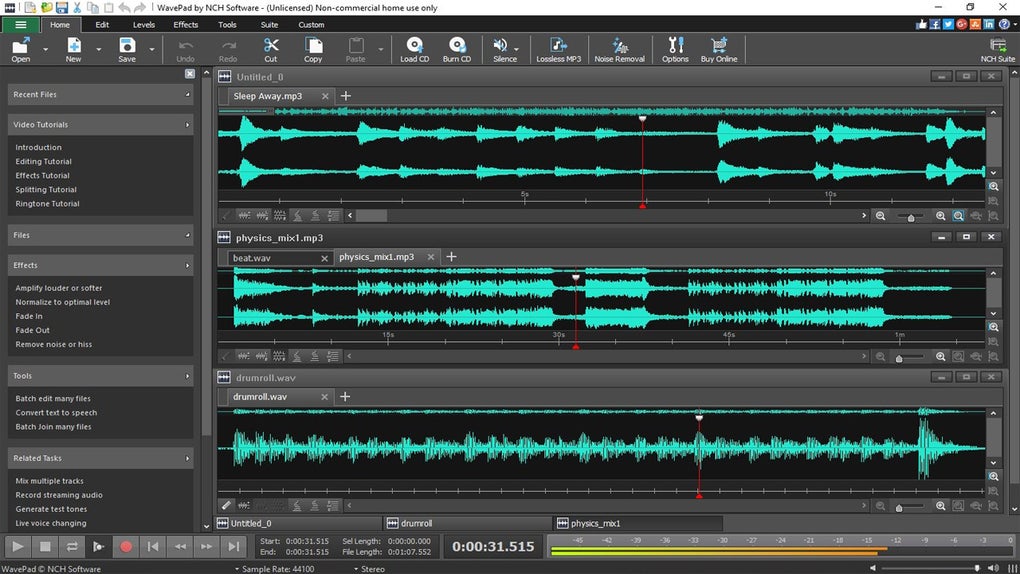
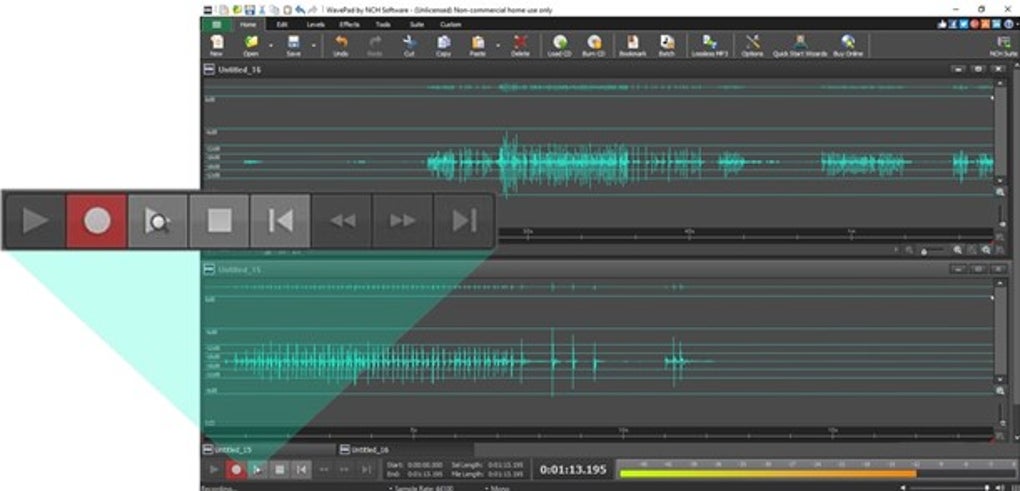
Built-in Tools for Content Creators: For content creators and YouTubers, WavePad’s ability to record voiceovers directly within the software, coupled with its quick-access audio effects, makes it a valuable production assistant. Its integration with NCH’s MixPad multi-track recording software extends its functionality further, providing a comprehensive audio production workflow.
System Requirements and Availability
WavePad is designed to be compatible with a broad range of hardware configurations, ensuring accessibility for users with varying system specifications.
Supported Operating Systems: Windows 11, Windows 10, Windows 8, Windows 7, and even older Windows XP systems. This wide compatibility ensures accessibility across a variety of systems.
Minimum System Requirements: While WavePad operates efficiently on older machines, optimal performance is achieved with a 1 GHz processor or faster, 512 MB RAM (1 GB recommended), and at least 100 MB of available disk space. An audio card is required for playback and recording, and a minimum resolution of 1024x768 is recommended.
Availability: WavePad is available in both free and paid versions. The free version provides access to a comprehensive set of essential tools, suitable for casual users and hobbyists. The paid “Master’s Edition” unlocks advanced features such as VST plug-in support, more comprehensive batch processing options, enhanced audio restoration tools, and advanced compression and spectral editing capabilities.
WavePad Compared to Alternative Audio Editors
While WavePad stands out for its balance of features and accessibility, several other noteworthy audio editors exist.
- Audacity: A popular open-source option, Audacity offers an impressive feature set and benefits from a large and active user community, providing ample support and resources.
-
DaVinci Resolve: Primarily known for video editing, DaVinci Resolve’s Fairlight audio module provides professional-level audio tools, making it ideal for users working with multimedia projects.
-
Adobe Audition: Aimed at professional audio engineers, Adobe Audition offers advanced mixing, multitrack editing, and broadcast-ready features, seamlessly integrating with other Adobe Creative Cloud applications.
WavePad’s strength lies in its balanced approach. It offers a powerful feature set without the steep learning curve or hefty price tag of professional-grade software like Adobe Audition. It provides a compelling alternative for users seeking a feature-rich yet user-friendly audio editing experience.
Conclusion
WavePad Audio Editing Software provides a compelling solution for audio editing across a broad range of users and projects. Its blend of intuitive design, powerful features, and compatibility makes it an excellent choice for both casual hobbyists and professional audio engineers. Whether you are editing podcasts, creating music, cleaning up old recordings, or enhancing audio for any other purpose, WavePad’s versatility and user-friendly interface make it a highly efficient and effective tool. Its availability in both free and paid versions caters to diverse needs and budgets, ensuring accessibility for a wide audience.
File Information
- License: “Free”
- Latest update: “June 11, 2025”
- Platform: “Windows”
- OS: “Windows 8”
- Language: “English”
- Downloads: “2.8M”
- Size: “3.27 MB”


