
Waze is a free, community-powered navigation app that leverages real-time user data to provide drivers with up-to-the-minute traffic updates, alerts about road hazards, and optimized route suggestions. Available on Android and iOS devices, Waze goes beyond simply displaying a map; it dynamically adjusts your route based on current traffic conditions, helping you avoid congestion and reach your destination faster. This detailed review explores Waze’s features, accuracy, and compares it to other navigation apps, ultimately helping you decide if it’s the right choice for your driving needs.
Understanding Waze’s Functionality
At its core, Waze is a user-contributed navigation system. Unlike traditional GPS apps that rely primarily on static map data, Waze relies on its vast community of users (“Wazers”) to provide real-time information about road conditions. This includes reporting accidents, road closures, speed traps, construction zones, and even the location of police officers. This constant stream of data allows Waze to generate incredibly dynamic and accurate route suggestions, often bypassing congested areas and offering alternative routes that save time and fuel.
The app’s interface presents a clear, easy-to-read map with intuitive controls. The primary features include turn-by-turn voice navigation with customizable voice options, real-time traffic updates displayed visually on the map with color-coded segments representing traffic flow, and the ability to report incidents directly through the app. These reports are instantly shared with other Wazers in the vicinity, making the information incredibly timely and relevant.
Beyond its core navigation functionality, Waze offers several additional features to enhance the driving experience. These include:
- Real-time ETA updates: Share your estimated time of arrival (ETA) with contacts, ensuring they know when to expect you. The ETA dynamically adjusts based on current traffic conditions.
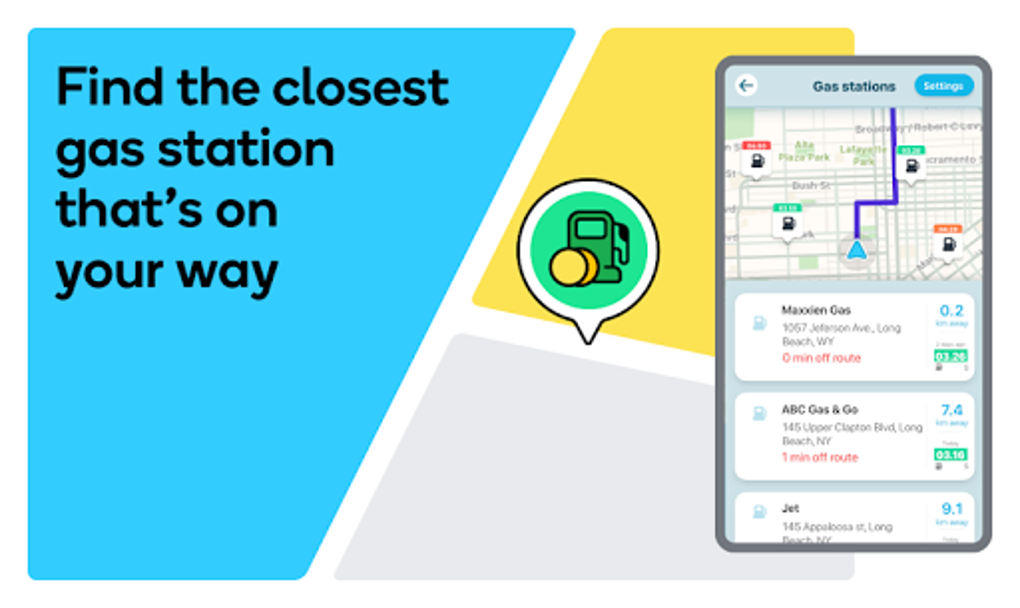
- Cheap gas station locator: Find the nearest gas stations along your planned route and compare prices, helping you save money on fuel.
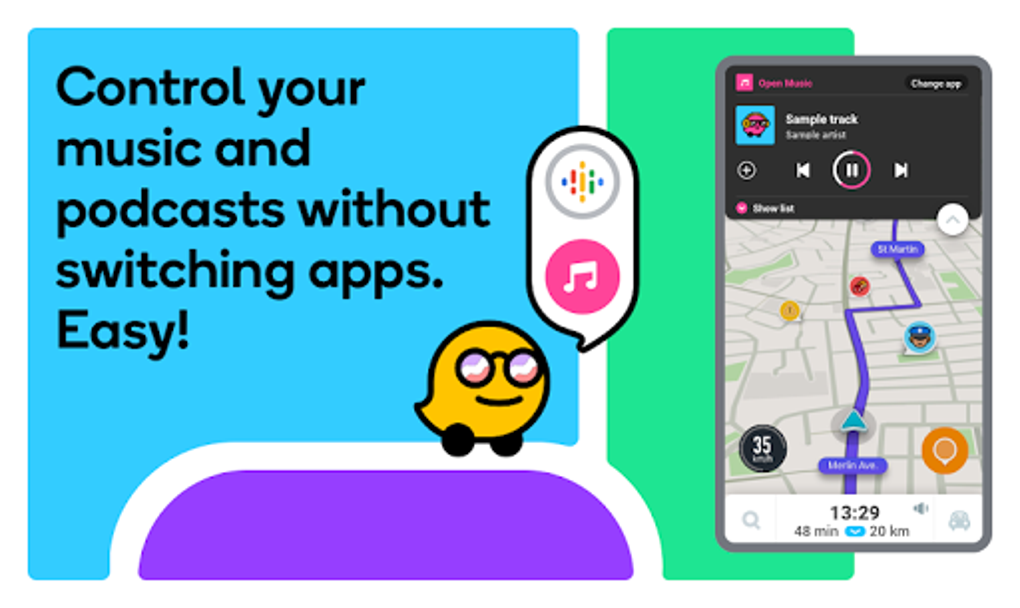
- Integrated music playback: Listen to your favorite music or podcasts directly through the app without needing to switch between applications.
- Carpool option: Connect with other Waze users traveling along similar routes to share rides and reduce commuting costs.
- Offline map functionality: While Waze is primarily an online app, it does store a local copy of your route for offline navigation. However, rerouting is not possible offline.
- Android Auto and Apple CarPlay integration: Seamlessly integrate Waze with your car’s infotainment system for a hands-free driving experience.
Waze vs. Google Maps: A Detailed Comparison
While both Waze and Google Maps are popular navigation apps, they cater to different needs and offer distinct strengths. Google Maps boasts a comprehensive, detailed map with 3D building models, street view imagery, public transport information, and walking routes. It’s a versatile tool for a wider range of navigation needs beyond just driving.
Waze, on the other hand, focuses almost exclusively on driving navigation. It lacks the detailed topographic data and 3D imagery of Google Maps. Its strength lies in its real-time, community-driven traffic information and dynamic route adjustments. If your primary concern is avoiding traffic jams and finding the fastest route possible, Waze excels. Choosing between the two largely depends on your priorities. If you frequently rely on public transport or walking directions, Google Maps is a more suitable choice. For drivers prioritizing real-time traffic updates and route optimization, Waze is superior.
Accuracy and Reliability of Waze’s Data
The accuracy of Waze’s information depends directly on its user base. The more active users reporting incidents and providing updates, the more reliable and accurate the app’s data becomes. However, the user-reported nature of the data means there’s always a slight possibility of inaccuracies or delays. While Waze’s algorithms strive to filter out false reports, occasional discrepancies can occur. It’s crucial to remain aware of your surroundings and use your own judgment in addition to Waze’s suggestions, especially in unfamiliar areas.
The app’s real-time traffic information is generally very accurate, and the route suggestions are typically effective in helping drivers avoid major traffic delays. However, sometimes, in an effort to find the quickest route, Waze might suggest less conventional or unfamiliar routes, potentially leading drivers through less-maintained roads or confusing areas. It’s advisable to remain flexible and consider sticking to major roads if the suggested route seems unconventional.
New Features and Ongoing Development
Waze is constantly evolving with regular updates introducing new features and improvements. Recent additions include:
- Reduced speed limit alerts: Waze now provides advance warnings of upcoming speed limit changes, giving drivers ample time to adjust their speed gradually and prevent sudden braking. This feature enhances safety by mitigating the risk of accidents caused by abrupt deceleration.
- Speed bump alerts: Notifications for upcoming speed bumps help drivers maintain a smoother and safer ride, particularly beneficial in unfamiliar areas.
- Improved roundabout navigation: Enhanced guidance through roundabouts improves navigation clarity and reduces driver confusion in complex traffic situations.
- Enhanced favorite route information: The app now provides more detailed information about frequently used routes, making it easier to manage and optimize regular commutes.
These features demonstrate Waze’s commitment to driver safety and convenience, constantly adapting and improving based on user feedback and technological advancements. The rollout of these features is staged, meaning that not all users will receive them simultaneously.
Interface and User Experience
While Waze’s map is generally clear and easy to read, the app’s interface has received some criticism for its less-refined design. Some users find the layout cluttered, with certain icons and settings tucked away in less intuitive locations. Additionally, the display of pop-up ads when the vehicle is stationary can be distracting. While these ads are necessary to support the free nature of the app, some users find them intrusive.
Is Waze Free?
Yes, Waze is entirely free to download and use. The app’s monetization model relies on advertising, primarily through the pop-up ads displayed when the vehicle is not in motion.
Alternatives to Waze
While Waze offers a compelling suite of features, it’s not the only navigation app available. Alternatives include:
- Google Maps: A comprehensive navigation solution offering a wider range of functionalities beyond driving directions.
- Apple Maps: A built-in option for Apple devices, seamlessly integrated with the ecosystem.
- HERE WeGo: A robust navigation app with offline map capabilities.
- TomTom Go Navigation: A popular choice known for its detailed maps and offline functionality.
The best alternative for you will depend on your specific needs and preferences.
Should You Download Waze?
The decision of whether or not to download Waze depends on your individual needs and preferences. If you prioritize real-time traffic information, dynamic route adjustments, and community-based hazard alerts, Waze is a strong contender. The free nature of the app, combined with its integration with Android Auto and Apple CarPlay, further enhances its appeal.
However, the less refined interface and display of ads might be deterrents for some users. If a cleaner, more polished interface is a priority, or if you need features like public transit directions or extensive offline map functionality, other navigation apps might be a better fit. Ultimately, the best way to determine if Waze is right for you is to try it out and see if it aligns with your driving habits and preferences.
File Information
- License: “Free”
- Latest update: “August 8, 2025”
- Platform: “Android”
- OS: “Android 15.0”
- Language: “English”
- Downloads: “242.6K”
- Download Options: “Google Play”


