
Webcam Pro is a powerful application designed to elevate your webcam experience and bolster your security, whether at home or in the office. It seamlessly integrates webcam preview, surveillance capabilities, and customizable settings to provide a comprehensive and user-friendly solution for various needs. From monitoring your home remotely while traveling to enhancing virtual meetings, Webcam Pro offers a versatile toolset for increased security and convenience.
Enhanced Webcam Experience: Seamless Previews and Intuitive Control
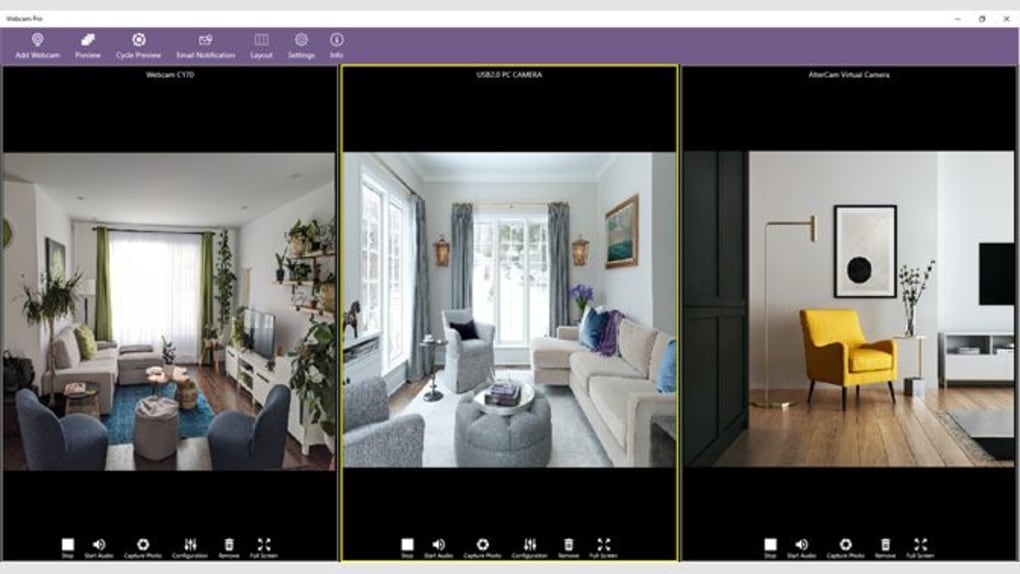
Webcam Pro excels in providing a smooth and intuitive webcam experience. Its core functionality centers around real-time webcam previews, allowing you to monitor your surroundings effortlessly. This feature is particularly valuable for security purposes, enabling users to keep an eye on their property or office remotely. The application’s intuitive interface simplifies camera switching, allowing you to effortlessly manage multiple cameras and monitor various locations simultaneously. This multi-camera support grants comprehensive surveillance coverage, catering to larger spaces or the need for observing multiple areas simultaneously.
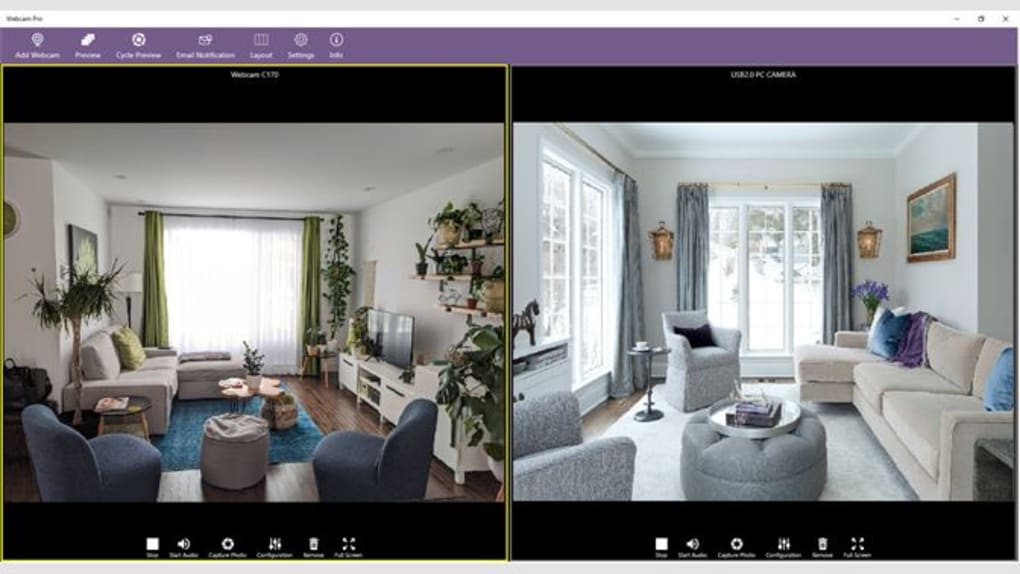
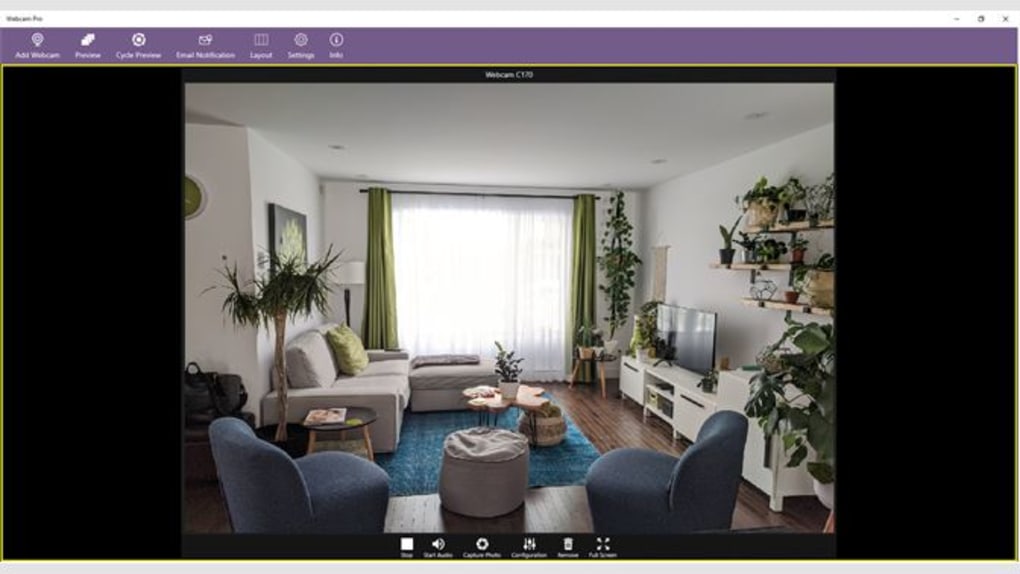
Beyond simple viewing, Webcam Pro offers extensive customization options for camera settings. Users can fine-tune parameters such as resolution, brightness, contrast, and saturation to achieve optimal video quality, regardless of the lighting conditions or environment. This level of control ensures crisp, clear visuals for both security monitoring and video conferencing. The ability to adjust settings ensures consistent performance and clear video output, adapting to diverse environments and lighting situations. The application automatically adjusts settings for optimal video quality, eliminating the need for manual adjustments in most situations. However, the advanced options permit users to customize the settings according to their individual needs and preferences.
Robust Security Features: Monitoring and Notifications for Peace of Mind
Webcam Pro extends its functionality beyond simple webcam viewing by incorporating robust security features designed to provide users with peace of mind. One of the key features is its audio monitoring capability. By enabling audio monitoring, users can listen in to the surrounding sounds captured by the webcam’s microphone, adding another layer of awareness and security. This can be especially helpful for detecting unusual noises or potential intrusions. The application also provides the convenience of capturing still images directly from the live feed, allowing users to document important events or potential security threats.
Furthermore, Webcam Pro incorporates an automated email notification system. This system can be configured to send alerts based on predefined triggers, such as detecting motion or unusual sound levels. These timely notifications keep users informed of any significant events occurring in their monitored areas, even when they’re not actively monitoring the webcam feed. The customizable notification system adapts to the specific needs of each user. It enhances the efficiency of remote monitoring, ensuring that you are promptly alerted to any significant events, even during periods of absence. The software will notify you via email to inform you of any detected movements.
Versatile Applications: From Home Security to Professional Use
The versatility of Webcam Pro extends its appeal across a broad range of applications. For homeowners, it serves as an effective home security system, providing remote monitoring capabilities and peace of mind while away from home. The app can be used for surveillance when no one is home to look after your belongings. The real-time monitoring feature enables immediate response in case of any incidents.
The application extends its utility to professionals as well. Businesses can leverage Webcam Pro for remote office monitoring, ensuring smooth operations and potentially deterring unauthorized activities. The ability to monitor multiple cameras simultaneously allows for efficient oversight of different areas within the office space.
Webcam Pro also finds significant application in the realm of virtual meetings and conferences. By optimizing video quality and providing a stable connection, it enhances the overall quality of virtual interactions. The clear visuals and customizable settings contribute to a professional and productive remote collaboration experience. Webcam Pro removes any possible uncertainties and improves the user’s productivity.
User-Friendly Interface and Seamless Integration
Webcam Pro prioritizes a user-friendly interface that simplifies the management of its extensive feature set. The application’s intuitive design ensures that even users with minimal technical expertise can quickly navigate its various options and customize settings. The streamlined layout prevents any confusion during the utilization of the application.
The software integrates seamlessly with various operating systems, ensuring broad compatibility and accessibility across different platforms. This broad compatibility minimizes any complications associated with software compatibility. The effortless integration with different systems minimizes complications and makes the app more user-friendly.
Security and Privacy Considerations
Webcam Pro prioritizes user security and privacy. The application employs robust security protocols to protect sensitive data transmitted during monitoring and communication. The application ensures the privacy and security of the users and their information. Security is guaranteed through encryption and other methods to protect any sensitive information.
While Webcam Pro offers significant security enhancements, users are also responsible for following safe practices. It is important to use strong passwords to protect your account and to regularly update the application to benefit from the latest security patches. Using secure Wi-Fi networks and exercising caution when choosing the monitored locations is also advised.
This holistic approach to security combines the advanced features of Webcam Pro with sound practices to ensure the protection of the system and data. The combination of the application’s security features and secure user practices is essential for maintaining a secure system.
Conclusion: Webcam Pro – A Powerful and Versatile Solution
Webcam Pro is more than just a webcam application; it’s a comprehensive solution that seamlessly blends enhanced webcam experiences with robust security features. Its intuitive interface, customizable settings, and versatile applications cater to a diverse range of users, from homeowners seeking enhanced home security to businesses requiring remote monitoring capabilities. The application’s capabilities increase user productivity and provide enhanced security. Its commitment to user privacy and security further solidifies its position as a reliable and valuable tool in today’s digitally connected world. With its powerful features and ease of use, Webcam Pro delivers a complete and trustworthy solution for enhancing your webcam experience and securing your environment.
File Information
- License: “Free”
- Version: “4.9.10.0”
- Latest update: “February 16, 2024”
- Platform: “Windows”
- OS: “Windows 10”
- Language: “English”
- Downloads: “4K”


