
WebcamMax Full is a powerful and versatile application designed to elevate your webcam usage beyond its basic functionalities. It allows you to add a vast array of special effects, images, and videos to your webcam feed, transforming ordinary video chats and broadcasts into engaging and entertaining experiences. Whether you’re looking to inject some fun into your online interactions or enhance your professional presentations, WebcamMax Full offers a comprehensive suite of tools to achieve your goals. This guide delves into the features, functionalities, and capabilities of WebcamMax Full, providing a detailed overview for both novice and experienced users.
Unleashing Creativity: Special Effects and Media Integration
WebcamMax Full significantly expands the creative potential of your webcam. Unlike standard webcam applications that offer limited customization, WebcamMax Full empowers users to add a wide range of special effects, images, and videos to their webcam feed. This transformative capability extends to various platforms and applications, including popular instant messaging clients like Skype, MSN Messenger, Yahoo Messenger, Camfrog, Paltalk, and more. The application seamlessly integrates with these platforms, allowing you to enhance your video calls and broadcasts with a variety of engaging visual elements.
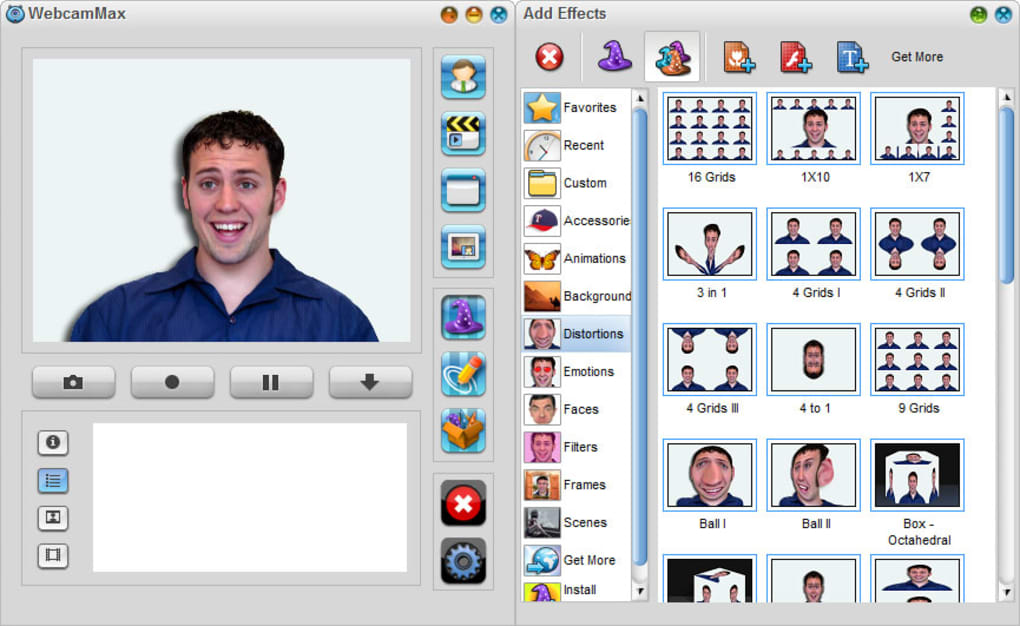
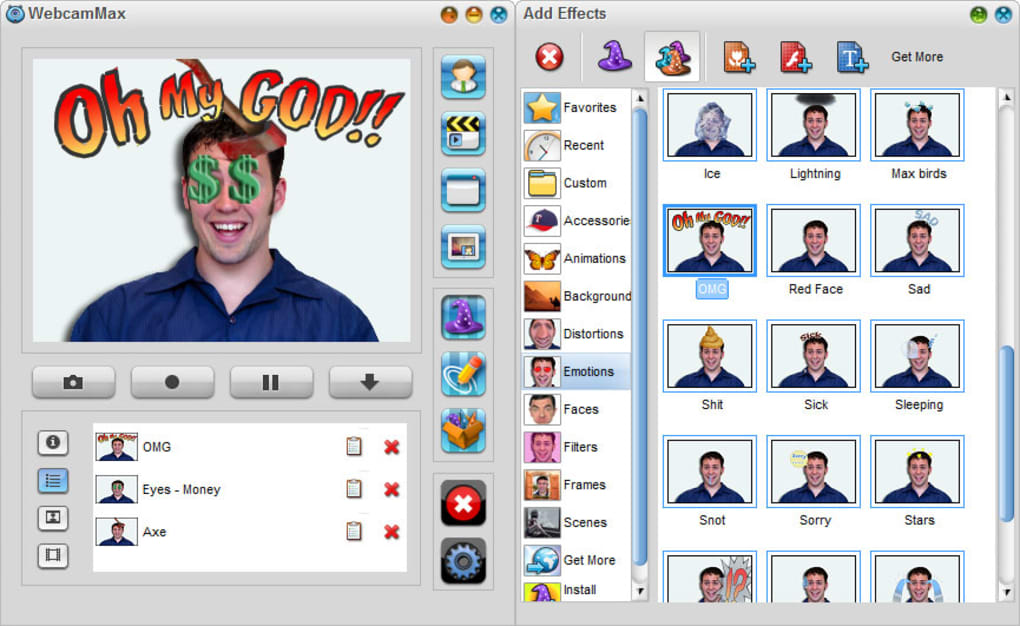
The breadth of effects available is truly impressive. Beyond simple image overlays, WebcamMax Full provides access to a vast library of dynamic motion effects, including frame adjustments, transformations, and emotional expressions. These effects can add personality and flair to your webcam stream, making it more interactive and engaging for your audience. To further expand your creative palette, WebcamMax Full allows you to download additional effects directly from the developer’s website, providing access to over 1500 supplementary options. This ensures that your possibilities for customization remain limitless, allowing you to tailor your webcam feed to suit any mood or occasion.
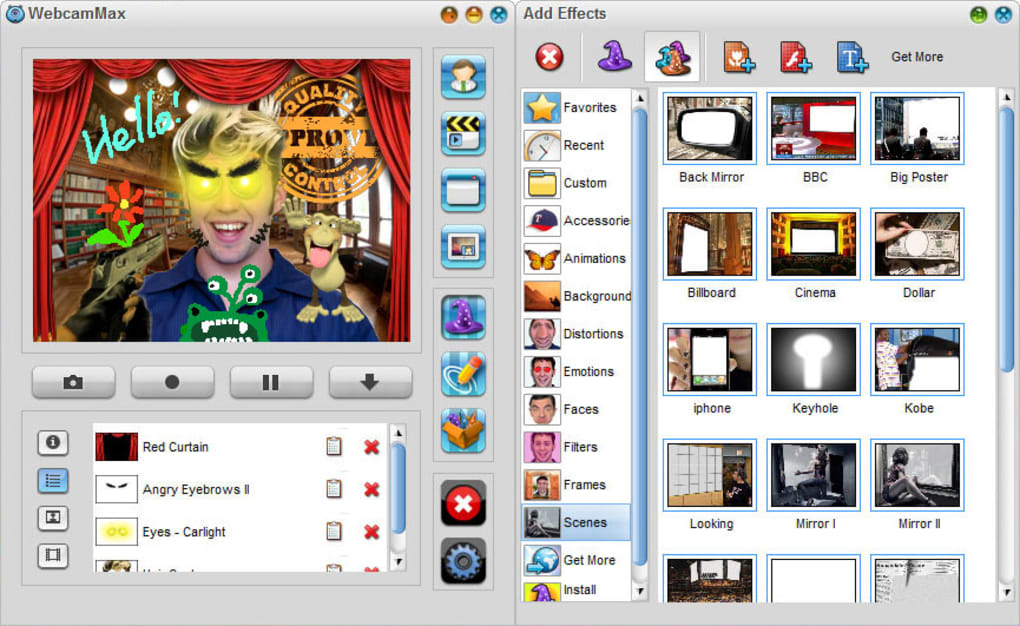
The integration of media files is another standout feature. WebcamMax Full seamlessly incorporates videos, pictures, and even Flash animations into your webcam stream. This allows for creative freedom, whether you want to broadcast a slideshow of images, share a short video clip during a conversation, or add a playful Flash animation to your online presence. This versatility transforms your webcam into a dynamic multimedia platform, significantly broadening its functionality. Moreover, the ability to seamlessly transition between these different media types ensures a smooth and uninterrupted user experience.
Beyond Entertainment: Practical Applications for Professionals
While WebcamMax Full is undoubtedly a fun and engaging tool for casual users, its capabilities extend far beyond entertainment. The application offers numerous practical applications for professionals across various fields. For instance, educators can use WebcamMax Full to create engaging online lessons, incorporating visual aids and interactive elements to capture students’ attention and enhance comprehension. Business professionals can leverage the application to create more dynamic and memorable presentations, injecting visual interest to enhance communication and engagement.
One of the most notable features in this regard is the Picture-in-Picture (PiP) functionality. This feature allows users to overlay a secondary video source within their primary webcam feed, creating a multi-layered visual experience. This is particularly useful for professionals who need to share information from other sources, such as presenting documents, referencing websites, or demonstrating software functionality during a video conference or live stream. This function proves invaluable in streamlining information sharing and maintaining a visually engaging presentation. The PiP feature avoids the need for screen sharing or constant switching between applications, allowing for a more fluid and professional workflow.
The application’s ability to change backgrounds offers another considerable advantage. Users can replace their real-time background with a pre-selected image or video, providing a clean and professional backdrop, regardless of their actual surroundings. This is particularly useful for those who work from home or in less-than-ideal environments, providing a polished and professional image during online meetings or presentations. This functionality is crucial for maintaining a professional image, regardless of the physical location.
User-Friendly Interface and Seamless Integration
Navigating the features of WebcamMax Full is remarkably intuitive, thanks to its well-designed and user-friendly interface. Even users with limited technical expertise can easily grasp the application’s functionalities and utilize its various tools. The intuitive design ensures a smooth and efficient user experience, maximizing productivity and minimizing the learning curve. The application’s simple layout allows for effortless access to all its features, ensuring a streamlined workflow.
The seamless integration with a multitude of popular instant messaging clients and other platforms further enhances the user experience. WebcamMax Full seamlessly blends with the user’s existing workflow, eliminating the need for complicated setups or configurations. This compatibility with widely used platforms ensures broad applicability, regardless of the user’s preferred communication channels or video conferencing tools.
Advanced Features and Performance Considerations
WebcamMax Full also incorporates several advanced features that cater to the needs of more demanding users. The application’s ability to function as a virtual webcam allows users to route their modified webcam feed through various applications, effectively transforming the output of multiple sources. This means that WebcamMax’s enhanced video feed can be utilized in various applications simultaneously, presenting multiple layers of visual information in a unified manner. This advanced functionality is particularly useful for live streamers, who often require the ability to manipulate and combine various video and audio sources.
While the application’s diverse range of features enhances its functionality, it is crucial to consider the potential impact on system performance and bandwidth consumption. The use of extensive special effects and high-resolution video can result in increased system resource demands. Users should have a system with adequate processing power and memory capacity to guarantee smooth performance. Furthermore, the transmission of heavily modified video feeds will consume more bandwidth, so users need to ensure that they have a stable and sufficiently fast internet connection. This awareness of resource requirements ensures an optimal user experience and avoids performance issues.
Conclusion: Empowering Webcam Usage for All
WebcamMax Full stands as a comprehensive and versatile tool, effectively transforming the capabilities of a standard webcam. Its wide array of special effects, media integration options, and user-friendly interface makes it accessible to users of all technical skill levels. From casual users looking for a fun way to enhance their online interactions to professionals seeking to improve their presentations and communications, WebcamMax Full provides a powerful and flexible solution. While considerations regarding system performance and bandwidth consumption are important, the benefits of enhanced creative expression and improved communication capabilities far outweigh the potential drawbacks. WebcamMax Full empowers users to reach their full potential in the realm of webcam usage, significantly enhancing online experiences for both personal and professional purposes.
File Information
- License: “Trial version”
- Latest update: “January 31, 2025”
- Platform: “Windows”
- OS: “Windows 2000”
- Language: “English”
- Downloads: “587.1K”
- Size: “26.16 MB”


