
WebCatalog is a free software package designed to streamline the process of finding and downloading Windows applications. Instead of navigating countless websites and sifting through search results, WebCatalog provides a centralized database of popular applications, offering quick and easy access to their download pages. This intuitive tool eliminates the frustration of extensive online searches, allowing users to locate and download their desired software within seconds. Its clean interface, coupled with its efficient functionality, makes WebCatalog an invaluable asset for any Windows user seeking a simplified approach to software acquisition.
Streamlined Software Discovery and Download
WebCatalog’s primary function is to simplify the process of finding and installing applications on Windows systems. The application operates as a centralized repository, compiling a comprehensive list of widely used programs. Users can browse through the catalog, easily identifying and accessing the download links for their preferred software. This eliminates the need for extensive online searches across various websites, saving users significant time and effort. Instead of manually searching across multiple sources, users simply locate the desired application within WebCatalog’s organized interface and click to proceed directly to the download page on the official developer’s site. This direct access ensures users are downloading software from trusted sources, minimizing the risk of encountering malicious files or unwanted bundled software.
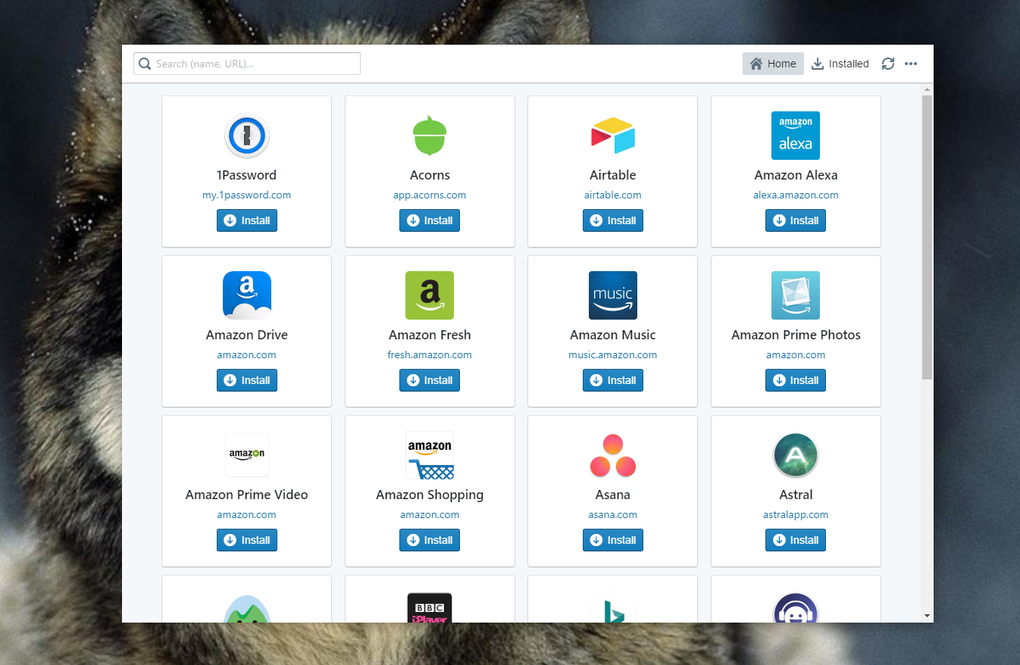
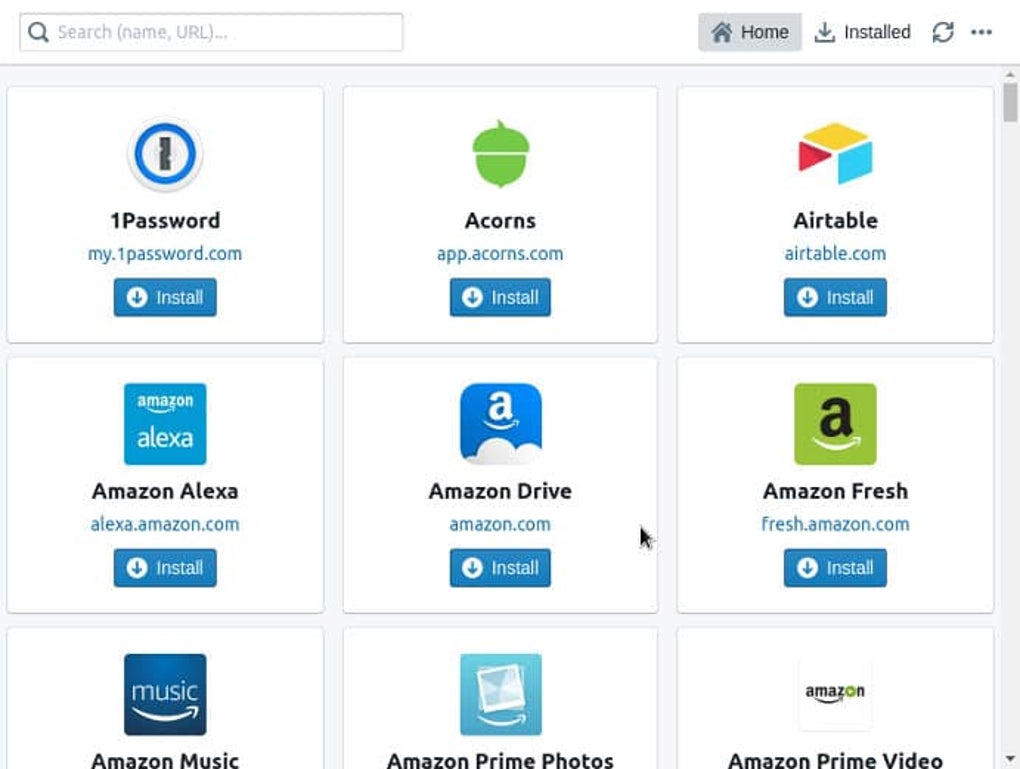
The design philosophy behind WebCatalog prioritizes ease of use and efficiency. Its clean and intuitive interface allows users to quickly locate the software they need without navigating complex menus or dealing with cluttered layouts. The application’s functionality is straightforward, requiring minimal technical expertise to utilize effectively. This simplicity empowers even novice users to effortlessly manage their software downloads.
Features and Functionality
WebCatalog stands out due to several key features that contribute to its effectiveness and user-friendliness:
-
Centralized Database: The core feature of WebCatalog is its centralized database of applications. This curated collection includes a wide range of popular software, covering various categories, from productivity tools and utilities to games and multimedia applications. The database is constantly updated to ensure users have access to the latest versions of their favorite software.
-
Direct Download Links: WebCatalog eliminates the extra steps involved in traditional software downloads. Instead of redirecting users to multiple intermediary pages, each application listing in WebCatalog provides a direct link to the official download page. This streamlined process guarantees a smooth and efficient download experience.
-
Free and Ad-Free: WebCatalog is completely free to download and use. Unlike some software download platforms, WebCatalog doesn’t include any in-app advertisements or hidden fees, ensuring a user experience free from interruptions or distractions. This commitment to providing a free and uncluttered experience contributes significantly to its overall appeal.
-
Taskbar Integration: WebCatalog offers seamless integration with the Windows taskbar, providing easy and convenient access to the application. Users can launch the program directly from the taskbar, minimizing the need to search for the application within their file system. This integration enhances the application’s overall usability, making it readily available whenever needed.
-
New Release Notifications: WebCatalog keeps users informed about the latest software updates and releases. The application sends timely notifications alerting users whenever a new version of an application they have downloaded is available. This feature ensures users always have access to the most recent features and security patches, enhancing both functionality and security.
-
Cross-Platform Availability (Limited): While primarily designed for Windows, WebCatalog also offers versions for other operating systems, extending its accessibility to a broader audience. However, the range of supported operating systems and the features available across platforms may vary.
Advantages and Disadvantages of WebCatalog
While WebCatalog offers a valuable service, it’s essential to acknowledge both its advantages and limitations:
Advantages:
-
Time Savings: The most significant advantage is the considerable time saved by eliminating the need for extensive online searches. Users can quickly locate and download their desired software, maximizing efficiency.
-
Simplified Download Process: The direct download links simplify the entire download process, reducing the risk of accidental downloads of unwanted bundled software or malware.
-
Centralized Management: The centralized database allows users to easily manage all their software downloads in one location.
-
Free and Accessible: The free and ad-free nature of WebCatalog makes it accessible to a wide audience without any financial barriers.
-
Regular Updates: The consistent updates to the application database ensure users have access to the latest software versions.
Disadvantages:
-
Limited to Windows (Primarily): While cross-platform versions exist, the application’s primary focus remains on Windows, limiting its applicability for users of other operating systems. The feature set may also differ across platforms.
-
Limited Software Selection (Potentially): Although WebCatalog offers a wide range of applications, it may not include every single program available. Some niche or less popular applications might not be included in its database.
-
Dependence on WebCatalog’s Database: The effectiveness of WebCatalog relies entirely on the completeness and accuracy of its database. Any omissions or inaccuracies within the database could limit the user’s experience.
-
Security Risks (Indirect): While WebCatalog itself is secure, the security of the downloaded software ultimately depends on the developers of the individual applications. Users must still exercise due diligence when downloading software, ensuring they download from trusted sources.
WebCatalog’s Role in the Software Download Ecosystem
WebCatalog occupies a unique niche in the software download landscape. It acts as a bridge, connecting users directly to reputable software providers. In a digital world saturated with information, WebCatalog’s streamlined approach to software discovery and download provides a valuable service. It targets users who value convenience and efficiency, offering a user-friendly interface that eliminates the frustration associated with traditional software search methods. By offering a centralized, organized repository of software, WebCatalog efficiently streamlines a process that is otherwise often time-consuming and prone to error.
Comparison to Alternative Software
While WebCatalog offers a unique approach, it’s worth comparing it to other methods of software acquisition. Traditional methods such as individual website downloads or search engine queries can be time-consuming and overwhelming, increasing the risk of downloading insecure software. Dedicated app stores, while offering curated selections, might not encompass the same breadth of applications as WebCatalog. The advantages of WebCatalog lie in its efficient centralization and direct download links.
Conclusion
WebCatalog offers a refreshing solution to the often-tedious process of finding and downloading Windows applications. Its free, ad-free nature, combined with its streamlined interface and direct download links, makes it a valuable tool for any Windows user. While it has limitations, primarily its focus on Windows systems and potential omissions in its application database, its advantages significantly outweigh these drawbacks. WebCatalog provides a user-friendly, efficient method for accessing a wide variety of software, significantly improving the overall software acquisition experience. For users prioritizing ease of use and a time-efficient process, WebCatalog represents a compelling alternative to traditional software download methods.
File Information
- License: “Free”
- Version: “5.0”
- Latest update: “January 31, 2023”
- Platform: “Windows”
- OS: “Windows 8.1”
- Downloads: “12.8K”
- Size: “41.16 MB”


