
WebDrive revolutionizes how users interact with remote servers by seamlessly integrating them into the familiar landscape of your Windows Explorer. Instead of navigating complex FTP clients or grappling with cumbersome file transfer protocols, WebDrive allows you to mount FTP, SFTP, WebDAV, FTPS, and GroupDrive servers as local drives, providing intuitive and efficient access to your files. This innovative approach significantly simplifies file management, making it accessible even to users unfamiliar with the intricacies of traditional FTP clients.
Effortless Integration with Windows Explorer
The core strength of WebDrive lies in its ability to seamlessly integrate remote servers into the Windows Explorer environment. This familiar interface allows users to interact with files on remote servers with the same ease and fluidity as they would with files on their local hard drives. The process of connecting to a remote server is straightforward and user-friendly, minimizing the learning curve often associated with FTP clients.
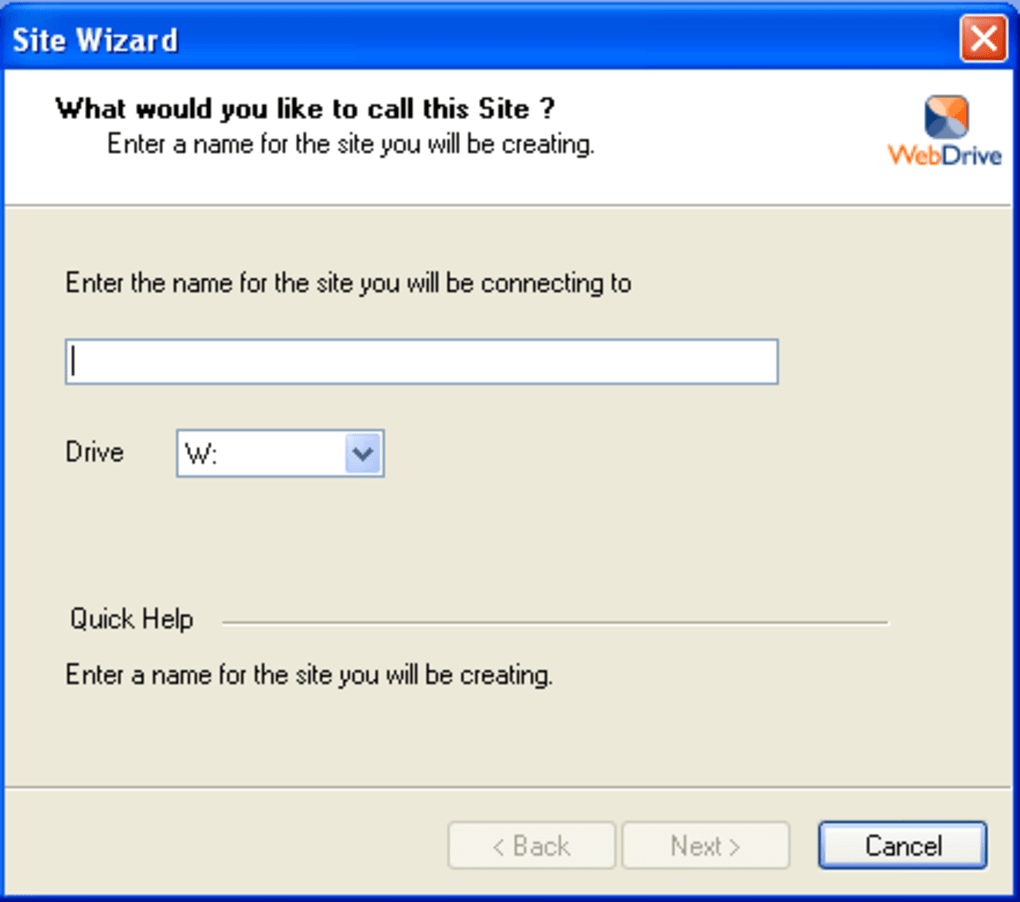
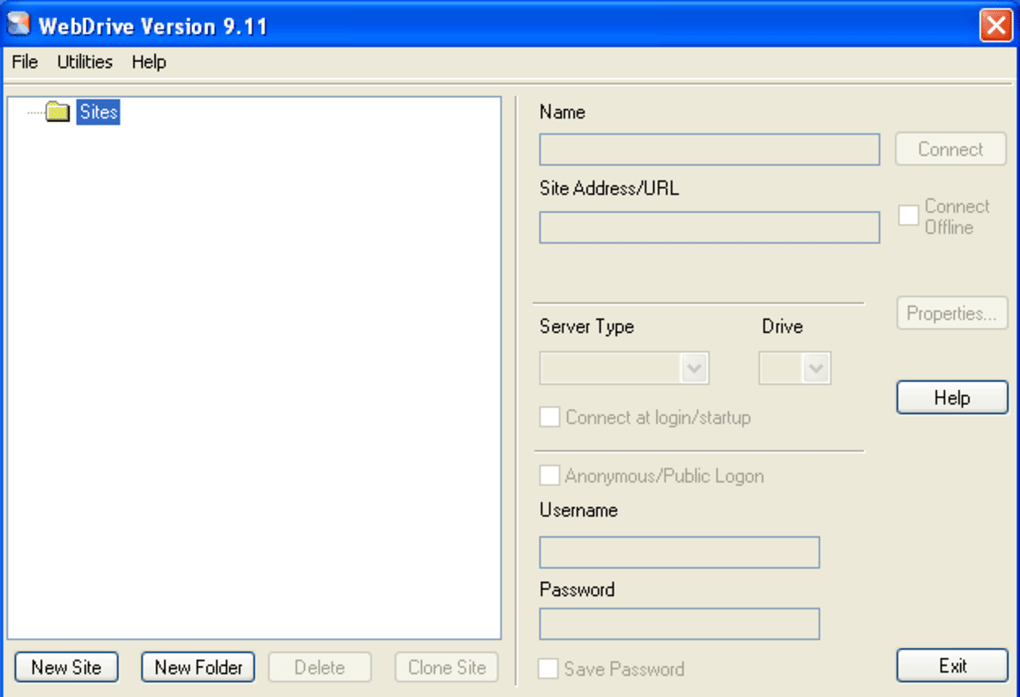
Users simply need to provide essential information such as the desired drive letter, username, password, hostname or IP address, and the initial remote directory path. Once this information is inputted, WebDrive creates a site profile, allowing for quick and easy reconnection to the same server in the future. With a simple click of the “Mount” button, the remote server appears in Windows Explorer as a new drive, eliminating the need to navigate a separate FTP client interface for every file access. This streamlined workflow significantly enhances productivity and reduces the time spent on routine file management tasks. Whether transferring large files or making quick edits to documents, the process is intuitively integrated into the user’s existing workflow.
Enhanced Security and Encryption
WebDrive prioritizes security, incorporating industry-standard encryption protocols to safeguard sensitive data during transmission. It supports SSL and SSH encryption, ensuring that data exchanged between the client and the remote server remains confidential. Furthermore, WebDrive incorporates Digest Authentication support for WebDAV servers, adding an extra layer of security for authentication and authorization processes. This commitment to secure communication addresses the security concerns often associated with file transfer over the internet, making it a reliable solution for managing sensitive information.
The robust security features of WebDrive empower users to manage sensitive data with confidence. The integration of SSL and SSH encryption establishes a secure channel, protecting data from unauthorized access or interception during transmission. The Digest Authentication support for WebDAV servers further enhances security by employing a more secure authentication mechanism compared to traditional methods. This combination of security features makes WebDrive a dependable tool for businesses and individuals handling confidential data, providing a secure alternative to less robust methods like standard FTP clients or insecure VPNs.
Beyond FTP: Supporting Multiple Protocols
WebDrive’s functionality extends beyond FTP, offering broad support for multiple file transfer protocols. It seamlessly integrates with SFTP, WebDAV, FTP, FTPS, and GroupDrive servers, providing a unified platform for managing files across diverse server environments. This versatility makes WebDrive a highly adaptable solution for users working with various types of remote servers, eliminating the need to learn and manage multiple dedicated clients for each protocol. Its comprehensive protocol support caters to the diverse needs of users across various industries and contexts.
By supporting SFTP, WebDrive provides secure access to remote servers using SSH, enhancing security for sensitive data transfers. The WebDAV protocol support allows for efficient management of files on web servers, mirroring the experience of working with local drives. The compatibility with FTP and FTPS (secure FTP) caters to the widely used FTP protocol, making WebDrive a flexible choice for users working with various server types. The additional support for GroupDrive expands its usability to collaborative environments. This diverse protocol support makes WebDrive a versatile tool for diverse user needs.
Streamlined File Management and Enhanced Productivity
WebDrive significantly improves file management efficiency by presenting remote files as readily accessible local drives. Instead of the multi-step process required by traditional FTP clients, users can directly open, edit, and save files on remote servers without any intermediate download or upload steps. This eliminates the time-consuming process of manually downloading, modifying, and uploading files. This simplified workflow translates to enhanced productivity, particularly advantageous for users regularly working with remote files.
The ability to directly open and edit files located on remote servers is a significant time-saver. This eliminates the extra steps associated with conventional FTP clients, where users would typically download a file to their local machine, make edits, and then manually upload the modified file back to the server. With WebDrive, these actions occur seamlessly within the familiar Windows Explorer interface, streamlining the workflow and enhancing overall efficiency. This feature is especially beneficial for collaborative projects, where multiple users might simultaneously access and modify files on a remote server.
WebDrive as a VPN Alternative
In certain situations, WebDrive can serve as an alternative to a corporate VPN. By installing the WebDrive client and connecting to an SSL-enabled server, a secure encrypted connection can be established, mirroring the functionality of a VPN. This eliminates the need for a separate VPN connection, offering a cost-effective and streamlined solution for accessing company resources. This functionality proves particularly valuable for organizations looking to reduce expenses and improve efficiency in accessing remote resources.
This functionality is particularly appealing to small businesses or individuals that might find the cost or complexity of a dedicated VPN solution prohibitive. WebDrive’s ability to function as a secure, encrypted connection eliminates the need for a separate VPN infrastructure, providing a cost-effective alternative for organizations with limited budgets. This functionality enhances access to sensitive company data while simplifying network infrastructure.
User Reviews and Testimonials
Numerous positive user reviews highlight WebDrive’s intuitive interface, reliable performance, and ease of use. Users consistently praise its ability to simplify the process of accessing and managing files on remote servers. Many users emphasize the time-saving benefits and the user-friendly nature of the software, especially compared to the more complex interfaces of traditional FTP clients. The positive feedback underlines WebDrive’s effectiveness in streamlining file management and enhancing user productivity.
For example, one user lauded WebDrive’s intuitive setup and flawless synchronization with their iPad, stating it became their preferred WebDAV program. Another user described how WebDrive addressed the challenge of comparing local and remote folders, highlighting its capacity to treat multiple remote servers as local drives. A long-time user emphasized the program’s enduring value, having used it for decades to manage files via FTP, and now seamlessly integrating with cloud drives. These user testimonials corroborate the software’s ease of use, versatility, and efficiency in handling various file transfer scenarios.
Conclusion
WebDrive provides a compelling solution for users seeking a straightforward and secure method for accessing and managing files on remote servers. Its intuitive integration with Windows Explorer, support for multiple protocols, robust security features, and enhanced productivity features make it a highly efficient and user-friendly alternative to traditional FTP clients. The overwhelmingly positive user feedback underscores its reliability and usability, firmly establishing WebDrive as a valuable tool for individuals and businesses alike. The combination of ease of use, security, and versatility makes WebDrive a powerful tool for anyone needing to interact efficiently with remote servers.
File Information
- License: “Trial version”
- Latest update: “May 23, 2023”
- Platform: “Windows”
- OS: “Windows 8.1”
- Language: “English”
- Downloads: “6.5K”
- Size: “51.32 MB”


