
WhatsApp, a ubiquitous messaging app, has become an integral part of our daily lives. Beyond text messages and calls, it provides a platform for sharing photos, videos, and fleeting moments through “statuses.” These ephemeral posts disappear after 24 hours, leaving many wanting a way to preserve cherished memories. This is where apps like Whats Web - Whatscan Web come into play. This detailed review examines the functionality, advantages, limitations, and alternatives of this Android application designed to simplify the process of saving WhatsApp statuses.
Effortless Status Saving: The Core Functionality
Whats Web - Whatscan Web’s primary function is undeniably straightforward: saving WhatsApp statuses. The app boasts a user-friendly interface designed for intuitive operation, even for individuals unfamiliar with similar applications. The process typically involves a few simple steps: open the app, select the desired status (image or video), and tap a download button. The saved content is then stored in the phone’s gallery or a designated folder within the app. This simplicity is a significant advantage, making the app accessible to a broad range of users, regardless of their technical proficiency. The app eliminates the need for complicated workarounds or third-party tools often associated with downloading WhatsApp statuses directly from the app.
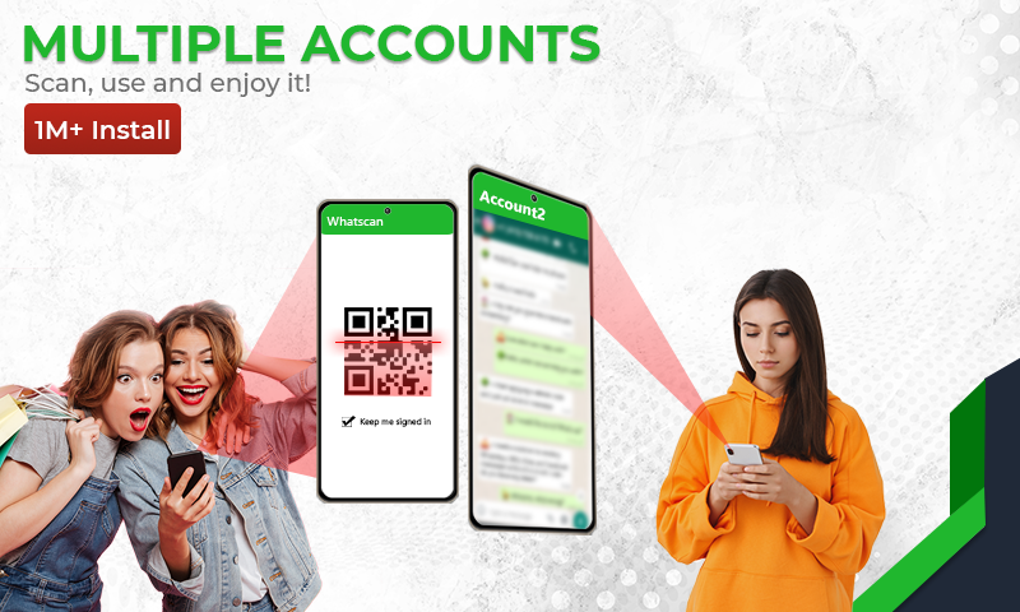
The speed and reliability of the downloading process are crucial factors determining user satisfaction. Many apps in this category suffer from slow download speeds or frequent failures. User reviews and testing are essential to assess the app’s performance in this respect. A truly efficient application should ensure a seamless and prompt download without any interruptions or errors. The efficiency of the app also impacts the overall user experience. A quick and efficient download process can significantly enhance user satisfaction, whereas delays or failures can lead to frustration and negative reviews.
Beyond the Basics: Limitations and Missing Features
While Whats Web - Whatscan Web excels in its core function of status saving, it notably lacks the advanced features found in some competitor applications. It primarily focuses on the download and storage of status updates, omitting other functionalities common in similar apps. These features might include:

-
Status preview: The ability to preview statuses before downloading is a valuable feature often missing in simpler apps. This allows users to select desired content efficiently without downloading unnecessary files, saving storage space and time.
-
Organized storage: Many enhanced applications offer sophisticated organization features. Users may benefit from the ability to categorize downloaded statuses by date, sender, or content type. This enhances searchability and prevents the gallery from becoming cluttered.
-
Integrated sharing: The capability to share downloaded statuses directly from within the app, to other messaging apps or social media platforms, is a significant advantage missing from Whats Web - Whatscan Web. This eliminates the need to manually locate and share saved files through other applications.
-
Multiple account support: Some advanced apps support multiple WhatsApp accounts. The ability to manage statuses from multiple accounts within a single app simplifies the management of various profiles.
-
Privacy features: Enhanced apps often include additional privacy features like password protection or encrypted storage to safeguard downloaded content. This is especially crucial for users who want to maintain the confidentiality of saved statuses.
-
In-app editing: The addition of basic editing capabilities, like cropping, resizing, or applying filters, would enhance the app’s overall utility. This allows users to further customize downloaded statuses before sharing them.
The absence of these features may limit the app’s appeal to users who require more comprehensive functionalities beyond basic status saving.
User Experience and Interface Design
A positive user experience is paramount for any mobile application. Whats Web - Whatscan Web’s success hinges on its simplicity and intuitive design. The user interface should be uncluttered, easy to navigate, and visually appealing. A well-designed interface reduces the learning curve, enabling users to quickly understand and utilize the app’s functions. Conversely, a poorly designed interface can lead to user frustration and potentially negative reviews.
Important aspects to consider include:
-
Intuitive navigation: Users should be able to easily locate and access all the app’s features. Clear menus, straightforward labeling, and consistent design elements contribute to an intuitive experience.
-
Visual appeal: A visually pleasing interface enhances the user’s overall engagement with the app. This includes factors such as the use of color, fonts, and overall layout.
-
Responsiveness: The app should respond promptly to user inputs. Slow loading times, laggy responses, and system crashes can severely impact the user experience.
-
Error handling: The app should gracefully handle any errors that may occur during the download or saving process, providing informative messages to the user.
Security and Privacy Considerations
When dealing with personal data, security and privacy are paramount concerns. Whats Web - Whatscan Web, like other apps handling WhatsApp content, needs to address these issues. Users should be aware of the app’s data handling practices, including what information is collected, how it is used, and with whom it is shared. A detailed privacy policy should be readily available and easy to understand.
Furthermore, the app should implement appropriate security measures to protect user data from unauthorized access or breaches. This may include encryption of downloaded statuses, secure storage mechanisms, and robust authentication methods.
Alternatives to Whats Web - Whatscan Web
The market offers several alternatives to Whats Web - Whatscan Web, each with its strengths and weaknesses. Some might offer more advanced features, while others might focus on a specific aspect of WhatsApp status management. Choosing the right alternative depends on individual needs and preferences. Researching and comparing different applications is crucial before making a decision. A comparison of features, user reviews, and security measures will aid in making an informed choice.
Some of the factors to consider when comparing alternatives include:
- Feature set: The range of functionalities offered beyond basic status saving.
- User interface: The intuitiveness and visual appeal of the app’s design.
- Performance: The speed and reliability of the download process.
- Security and privacy: The app’s data handling practices and security measures.
- User reviews: Feedback from other users on their experiences with the app.
Conclusion: A Simple Solution with Limitations
Whats Web - Whatscan Web provides a straightforward and easy-to-use solution for saving WhatsApp statuses. Its simplicity is both a strength and a weakness. While it excels in its core functionality, its lack of advanced features may limit its appeal to users seeking a more comprehensive tool. Potential users should carefully weigh the advantages of its simplicity against the limitations imposed by its lack of additional functionalities. Comparing it to alternative apps on the market is crucial for making an informed decision based on individual needs and preferences. Ultimately, the best choice depends on whether the user prioritizes a simple, easy-to-use app or one with extensive features and advanced capabilities.
File Information
- License: “Free”
- Latest update: “March 1, 2025”
- Platform: “Android”
- OS: “Android 13.0”
- Language: “English”
- Downloads: “109.6K”
- Download Options: “Google Play”


