
Winamp, a name synonymous with the digital music revolution of the 1990s, holds a special place in the hearts of many music lovers. Its impact transcended mere functionality; it was a cultural phenomenon, shaping how generations interacted with their music collections. While the full-fledged Winamp remains available, its lightweight sibling, Winamp Lite, deserves recognition for its efficient approach to audio playback in a time when resources were far more constrained. This article delves into the history, features, and legacy of Winamp Lite, examining its strengths and weaknesses in the context of its era and comparing it to modern music players.
Winamp Lite: A Slimmed-Down Audio Powerhouse
Winamp Lite emerged as a streamlined version of its more robust counterpart, aiming to provide a compact and resource-friendly music player experience. Released shortly after the original Winamp, Lite offered essentially the same core functionality but with a significantly smaller footprint. This was a crucial advantage in the days of dial-up internet and relatively low-powered personal computers. The emphasis on minimizing size and resource consumption allowed users with less powerful machines to enjoy the benefits of a sophisticated music player without performance compromises. This focus on efficiency was a key differentiator, especially when compared to other media players that often demanded significant system resources. Winamp Lite’s ability to run smoothly on less powerful hardware broadened its accessibility to a wider user base.
Features and Functionality: A Nostalgic Trip Down Memory Lane
Winamp Lite, while compact, wasn’t lacking in features. It supported a wide array of audio formats, including MPEG-1, MPEG, AVI, AAC, and WAV, ensuring compatibility with a large portion of the music files prevalent at the time. This broad format support was a significant advantage, as not all players could handle the diverse range of audio codecs emerging during the rise of digital music. Beyond simply playing music, Winamp Lite incorporated features that enhanced the user experience. Its ability to directly sync multimedia files to its internal Media Library database simplified organization, eliminating the need for manual cataloging.
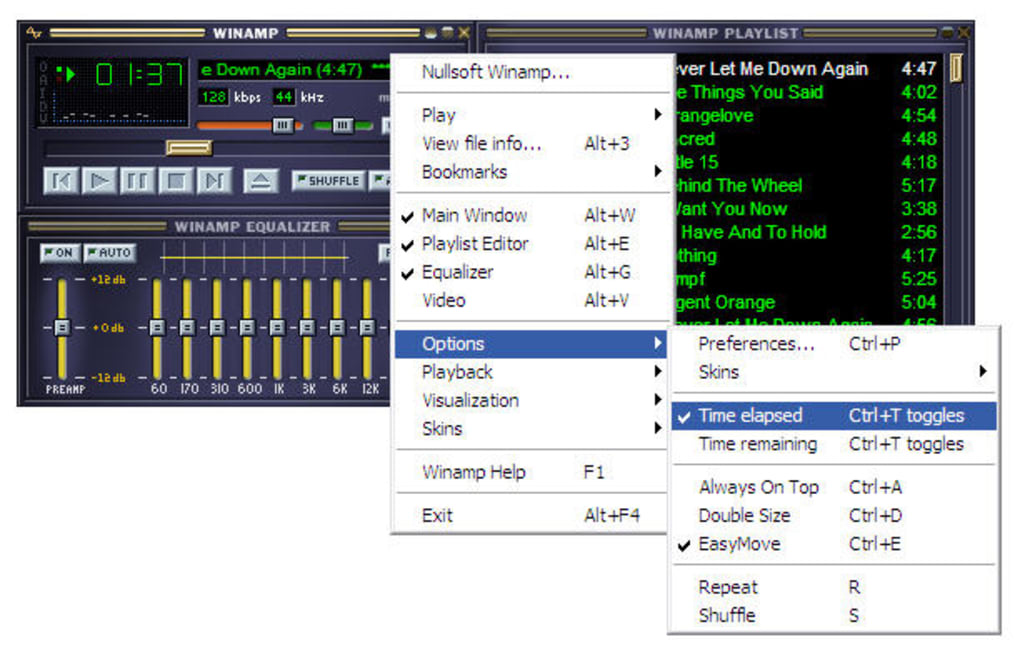
The “Get Album Art” tool, a seemingly simple feature by today’s standards, was a remarkable addition back then. It allowed users to automatically retrieve album artwork, adding a visual dimension to their music listening experience. This feature significantly improved the aesthetic appeal of the player and provided a more engaging user interface.
The Media Display, another noteworthy feature, provided preloaded URLs to stream and download MP3 files. While streaming services are ubiquitous now, this capability was innovative for its time, offering early access to online music resources. This functionality foreshadowed the streaming services that would later dominate the music landscape, showing the foresight of the Winamp developers.
Perhaps the most remarkable feature of Winamp Lite was its remote control functionality – Winamp Lite Remote. Considered a precursor to modern media casting technologies like Chromecast or Amazon Fire TV, it allowed users to remotely control playback from various devices, including web browsers, PlayStation 3, Xbox 360, Wii, and mobile phones. This innovative feature enabled seamless music control across various platforms and highlighted Winamp Lite’s forward-thinking design. The ability to control playback remotely was a luxury for its time and significantly enhanced the usability of the software.
Customization and Skins: The Art of Personalization
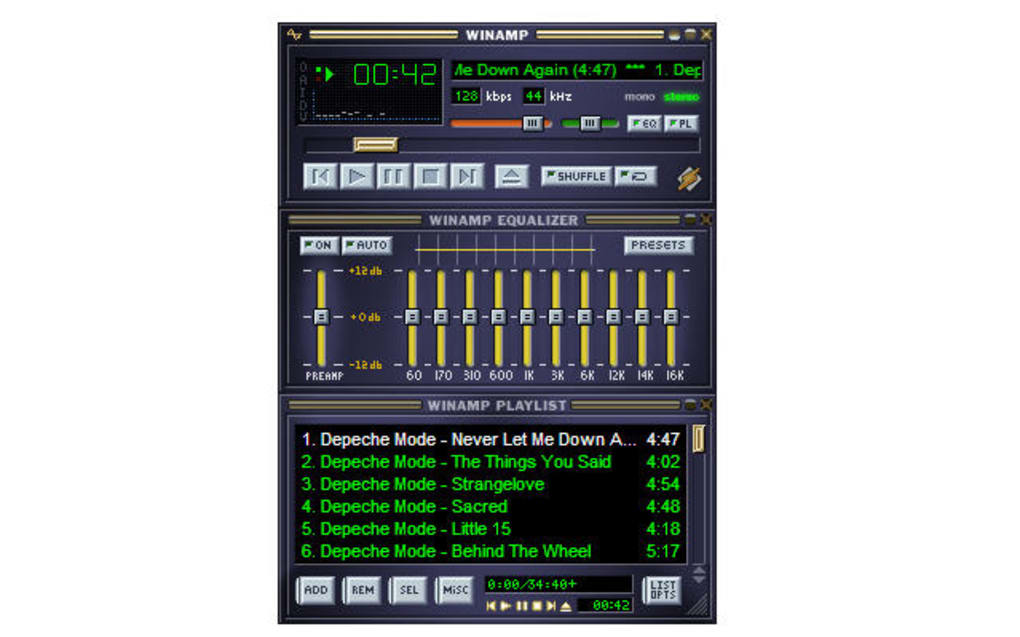
The success of Winamp, in both its full and Lite versions, was significantly bolstered by its extensive skinning capabilities. The ability to customize the player’s visual appearance through custom skins transformed it from a simple utility into a personalized experience. The aesthetic appeal of bitmap files during the early stages of MP3 growth was a critical factor driving the popularity of these skins. The sheer number of available skins, reaching thousands by the 2000s, demonstrates the extent of community engagement and the program’s flexibility. Websites like 1001Skins and Skinz provided extensive skin libraries, fostering a vibrant community of creators and users. The dynamic nature of skins, often changing their appearance in sync with the music, created an immersive and highly individualized experience, a far cry from the more standardized interfaces of many other music players of that era.
Winamp Lite’s Decline and Legacy
Despite its innovative features and robust community support, Winamp Lite, along with its full-fledged sibling, eventually lost significant market share to the rise of music streaming services. The convenience and vast libraries of services like Spotify, with their user-generated on-demand music, video podcasts, and readily available content from both established and emerging artists, proved increasingly compelling for many users. Winamp, while offering a creative and all-inclusive experience, was inherently limited by its dependence on locally stored music files. The shift towards on-demand, cloud-based music consumption marked a significant turning point in the music industry, leaving Winamp and its Lite version in a less dominant position.
While its user base significantly diminished, Winamp Lite is not entirely obsolete. It still holds a unique niche for users who prefer offline music playback, require a fixed set of songs, or store their music libraries locally on their PCs. Its simplicity, compactness, and the ability to create carefully crafted playlists makes it a viable option for those who value a straightforward and efficient music player. In this specific context, Winamp Lite remains a functional and viable choice.
Pros and Cons of Winamp Lite: A Balanced Perspective
Pros:
- Intuitive, click-and-drag system: Its user interface was designed for ease of use, making navigation and file management straightforward.
- Download and burn files to a disc: It provided direct functionality to download and burn audio files to discs, a crucial feature in the pre-streaming era.
- Customize appearance with album art and skins: The extensive skinning options allowed for high levels of personalization.
- Play fixed playlist offline: This capability remains relevant for users who prioritize offline listening.
Cons:
- Limited to storing songs in MP3 format: While it supported other formats, its primary focus was on MP3 files, a limitation in comparison to more modern players.
Conclusion: A Timeless Classic
Winamp Lite, despite its diminished prominence, represents a significant piece of music software history. It exemplified efficiency and customization in an era defined by limitations in computing power and internet bandwidth. Its features, such as remote control and skinning, were ahead of their time and highlighted a focus on user experience that many modern applications strive to emulate. Although overshadowed by the convenience of streaming services, Winamp Lite’s legacy as a lightweight, yet powerful, audio player remains significant for those who remember its time as a dominant force in the world of digital music. Its story serves as a reminder of the constant evolution of technology and its impact on how we consume and interact with media.
File Information
- License: “Free”
- Latest update: “July 12, 2023”
- Platform: “Windows”
- OS: “Windows 8”
- Language: “English”
- Downloads: “1.1M”
- Size: “8.20 MB”


