
In the vast and ever-evolving landscape of digital entertainment, certain applications stand out not for their flashy graphics or cutting-edge design, but for their steadfast dedication to a core purpose. WinBoard, a name synonymous with computer chess for decades, exemplifies this principle. Far from being just another chess game, WinBoard has carved out a significant niche as a powerful, versatile, and highly functional graphic front-end for a myriad of chess services. It offers enthusiasts a direct, uncluttered pathway to engaging with the ancient game, whether by challenging sophisticated AI engines, connecting with players across the globe, or meticulously analyzing past matches. Developed with a focus on core utility rather than elaborate visual effects, WinBoard remains a preferred choice for serious chess players who value robust functionality and a comprehensive feature set over mere aesthetic appeal.
At its heart, WinBoard provides a classic 2D representation of the chessboard, designed to be intuitive and efficient. While it might lack the three-dimensional rendering or intricate shadow effects found in more modern chess interfaces, this simplicity is a deliberate design choice that contributes to its accessibility and performance. Users can, however, customize aspects like the board’s size and colors, allowing for a personalized yet straightforward visual experience. This blend of simplicity and customizability ensures that the focus remains squarely on the strategic depth of chess, making WinBoard an indispensable tool for practice, competition, and learning for both novice and seasoned players alike.
The Essence of WinBoard: A Robust Chess Interface
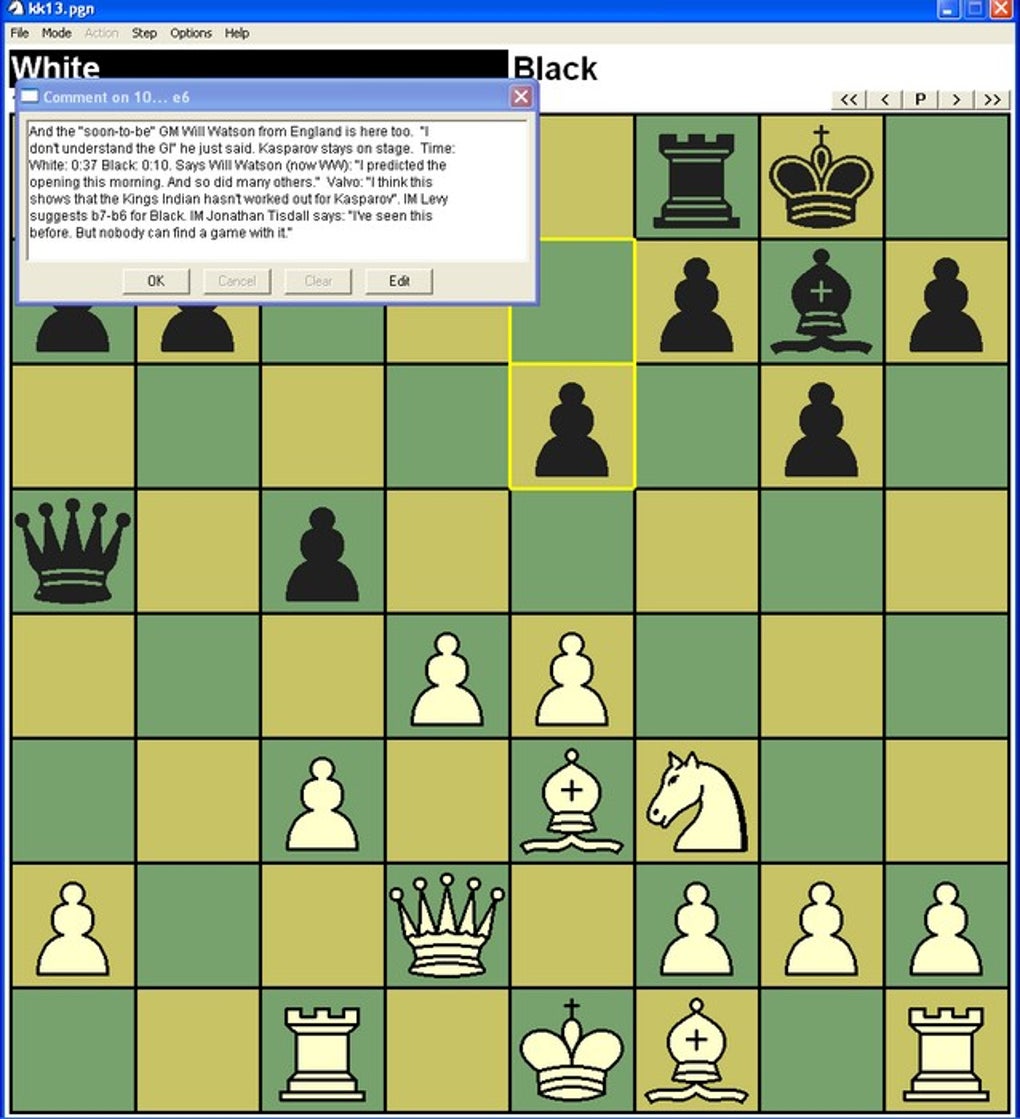
WinBoard is fundamentally designed as a graphical user interface (GUI) for chess. This means it provides the visual representation of the chessboard, handles user input through mouse clicks for move execution, and manages game data. Its primary strength lies not in an embedded chess engine, but in its ability to act as a universal front-end for a wide array of chess services. This architectural design makes WinBoard incredibly flexible, allowing users to tap into diverse functionalities and expand their chess experience significantly.
More Than Just a Game: The Graphic Front-End Concept
The concept of WinBoard functioning primarily as a “graphic front-end” is crucial to understanding its power and longevity. In the world of computer chess, the “engine” is the artificial intelligence that calculates moves and plays the game, while the “front-end” is the visual application that displays the board, accepts moves from a human player, and communicates with the engine. WinBoard masterfully separates these two components, allowing users to connect it to various independent chess engines. This decoupling means that WinBoard itself doesn’t need to be constantly updated with new AI algorithms; instead, it can leverage the ongoing advancements in engine development.
This design offers profound advantages. Users are not locked into a single AI’s playing style or strength. Instead, they can choose from a broad selection of compatible engines, each with its unique characteristics, difficulty levels, and analytical capabilities. Engines like GNU Chess, Crafty, and many others, developed independently, can be seamlessly integrated with WinBoard. This ensures that whether a player seeks a casual game, a challenging opponent, or a powerful analytical tool, WinBoard can facilitate the connection to the appropriate AI. The comprehensive list of compatible engines available through the WinBoard community further underscores this versatility, providing players with an extensive arsenal of digital adversaries and analytical partners. This open-ended approach to engine integration means WinBoard remains relevant even as chess AI continues to evolve, as it can simply connect to the latest and greatest engines developed by the global chess programming community.
Simplicity Meets Functionality: Design Philosophy
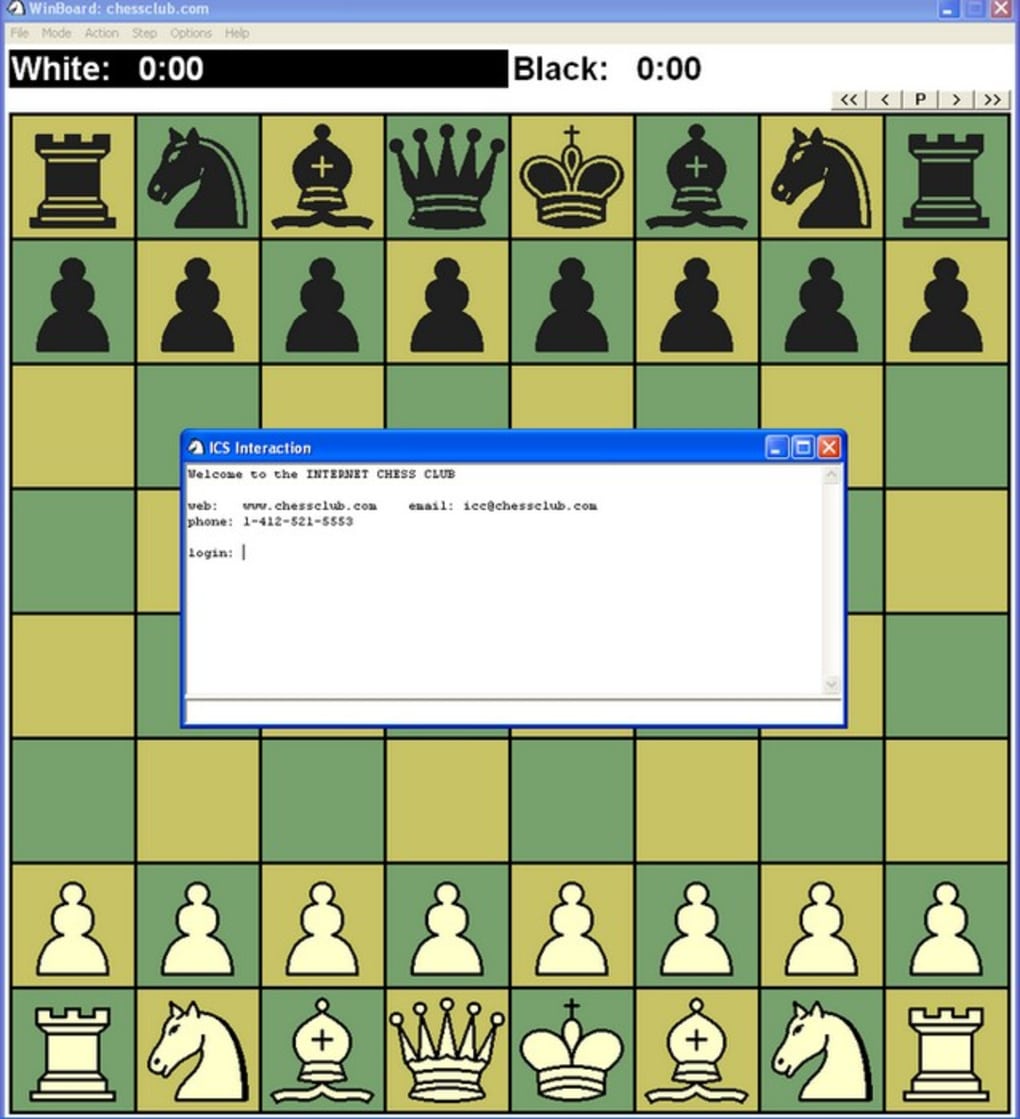
WinBoard’s design philosophy is firmly rooted in functionality and user experience, prioritizing clear communication of game state over elaborate visual distractions. The “simple graphics,” characterized by a “squared 2D window with flat pieces,” are not a drawback but a deliberate choice. In an era where many applications strive for hyper-realistic renderings and complex visual effects, WinBoard maintains a minimalist aesthetic. This ensures that the program is lightweight, runs efficiently on a wide range of hardware (including older systems), and most importantly, keeps the player’s focus squarely on the strategic elements of the game. There are “no three dimensions or shadow effects” to clutter the interface or demand significant graphical processing power.
However, this simplicity does not equate to a lack of user control. WinBoard provides essential customization options, allowing players to tailor their visual environment to their preferences. Users can easily adjust “the board’s size and colors in the program’s options menu.” This allows for optimal visibility and comfort, accommodating different screen resolutions and personal tastes. For instance, a player might prefer a classic green and white board, or a more modern blue and grey scheme. The ability to resize the board ensures that the game can be played comfortably on everything from small laptop screens to large desktop monitors, making the application highly adaptable. This balance—a lean, efficient core with critical customization—is a hallmark of WinBoard’s enduring appeal, demonstrating that a well-designed interface doesn’t always need to be the most graphically intensive, but rather the most effective at its job.
Diverse Play Modes and Learning Opportunities
WinBoard’s strength lies not only in its ability to act as a front-end for various chess engines but also in the extensive range of playing modes it offers. This versatility caters to virtually every type of chess enthusiast, from those looking for a quick game against a computer to those engaging in prolonged correspondence matches or in-depth game analysis.
Engaging Opponents: Human vs. Computer, Player vs. Player
At its core, WinBoard facilitates the most fundamental forms of chess competition. For individual practice, the “human vs. computer” mode allows players to test their skills against a chosen chess engine. As previously discussed, WinBoard’s ability to interface with numerous engines means players can select opponents of varying strengths and styles. This is invaluable for improving one’s game, as it allows for consistent practice against a non-fatiguing adversary, providing immediate feedback on strategic choices. Beginners can start with weaker engines, gradually increasing the difficulty as their skills develop, while advanced players can challenge the strongest contemporary AIs.
Beyond solo play, WinBoard also supports “player vs. player” competitions. This local mode allows two individuals to share a single computer and play against each other, using WinBoard as the digital board and arbiter. This recreates the traditional over-the-board experience in a digital format, making it convenient for friends or family members to enjoy a game without needing a physical board. The intuitive interface for move entry ensures that the digital experience is as smooth and natural as possible, making WinBoard a practical solution for direct human competition.
The Connected Chess Experience: Online and Email Play
One of WinBoard’s most compelling features is its robust support for networked chess. This elevates it beyond a mere offline utility, transforming it into a gateway to the global chess community.
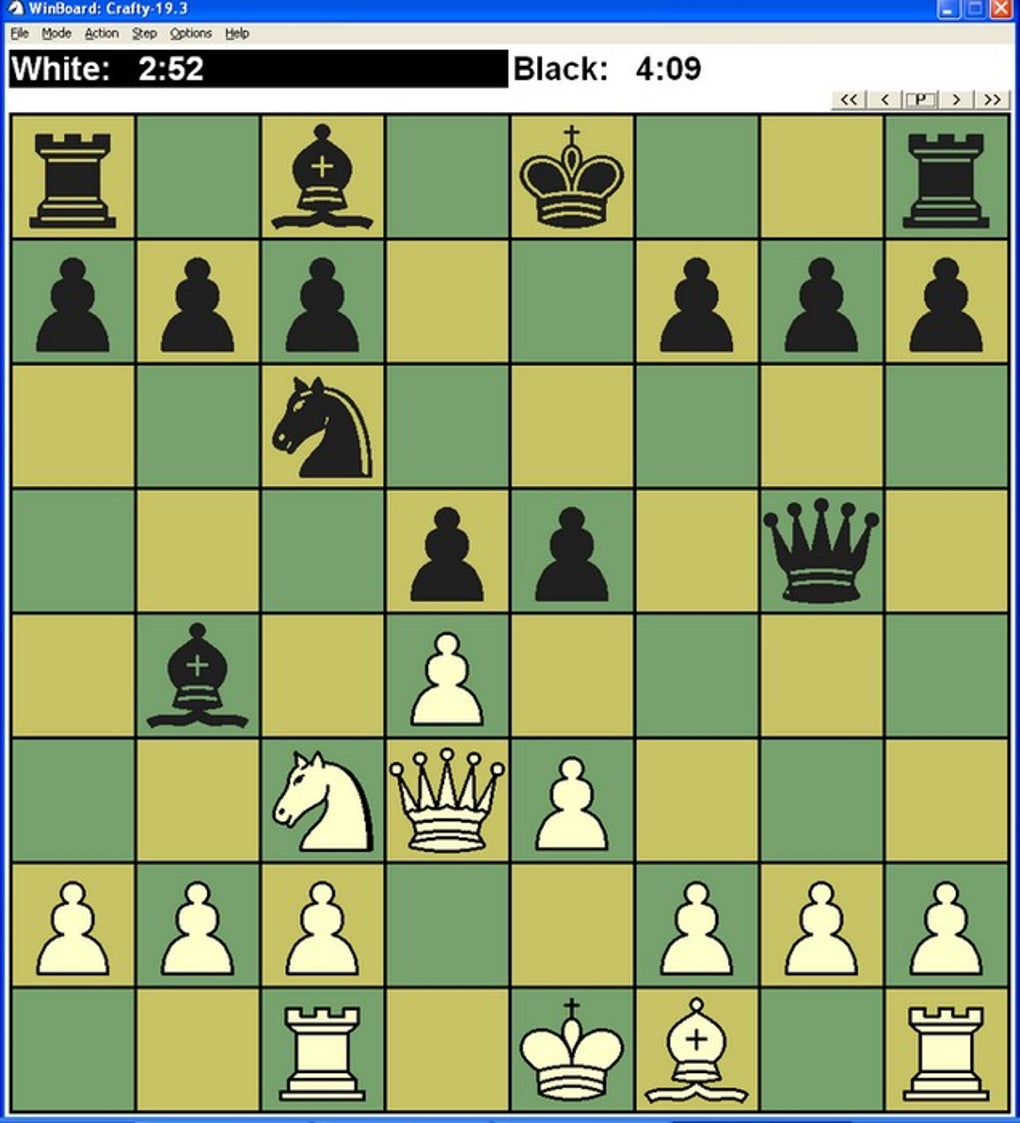
WinBoard acts as a client for “chess servers on the Internet,” allowing users to “connect to play chess with people from all over the world.” These servers, such as the Internet Chess Club (ICC) or Free Internet Chess Server (FICS), serve as digital meeting places where players from diverse backgrounds and skill levels gather. Through WinBoard, users can log in, find opponents based on their rating or desired game type, and engage in real-time matches. This offers an unparalleled opportunity for competitive play and exposure to a wide array of playing styles. Beyond direct participation, WinBoard also enables users to “watch other users play,” providing a valuable learning experience by observing high-level games in progress. Furthermore, the ability to “just hang out and chat” fosters a sense of community, allowing players to discuss games, strategies, or simply socialize with fellow enthusiasts. A comprehensive list of compatible servers is readily available, ensuring players can find a platform that suits their preferences.
Adding another layer of connectivity, WinBoard also supports “Correspondence chess played by electronic mail.” This mode, particularly effective when integrated with the CMail program (though originally more tailored for XBoard, its Linux counterpart, the concept applies), automates the often tedious tasks associated with email chess. Instead of manually parsing PGN text from an email, inputting moves, and then generating a reply, CMail simplifies the process. It automatically reads opponents’ moves from incoming emails, plays them out on the WinBoard interface, and then, after the user has chosen and made their reply move on the board, automates the generation and mailing of the reply. This makes long-form, asynchronous chess incredibly efficient and enjoyable, allowing players to participate in multiple games simultaneously at a leisurely pace, fitting chess into busy schedules. This method of play is excellent for deep strategic thought, as there is no time pressure during the move selection process.
Mastering the Game: Saving, Reviewing, and Analysis
Beyond facilitating play, WinBoard is an invaluable tool for learning and improvement. Its features for game management and analysis are crucial for serious players committed to honing their skills.
The ability to “save games at any moment and resume them exactly at the same point where you left them” is a cornerstone of WinBoard’s utility. This feature is indispensable for longer games, games that are interrupted, or even for simply taking a break to ponder a difficult position. It ensures continuity and allows players to engage with chess on their own terms, without the pressure of having to complete a game in a single sitting. This also ties into the analytical capabilities, as a saved game can be reloaded to explore alternative lines of play.
Furthermore, WinBoard excels as a “PGN viewer and creator for game files recorded in PGN (standard chess notation).” PGN, or Portable Game Notation, is the universally accepted format for recording chess games. WinBoard’s robust PGN support means users can easily load game archives, replay entire matches move by move, and critically, “review previous games as a way to remember good movements or learn new techniques.” This is vital for self-improvement; analyzing one’s own games to identify mistakes, missed opportunities, and effective strategies is one of the most powerful learning methods in chess. Players can step through games, backtrack to critical junctures, and even input alternative moves to see how the game might have unfolded differently. As a PGN creator, WinBoard also allows users to record their own games played within the application, creating a personal database of their chess history for future study and sharing. This comprehensive approach to game management and analysis solidifies WinBoard’s position as a powerful educational tool for all chess enthusiasts.
Technical Landscape and User Experience
Understanding WinBoard’s technical specifications and how it has been received by its user base provides further insight into its enduring presence in the digital chess world. Its architecture and community feedback reflect a pragmatic approach to software development, balancing core utility with user expectations.
Platform, Performance, and Accessibility
WinBoard is primarily known as a Windows application, with strong support across various versions, including “Windows 2000” and later. This wide compatibility ensures that a broad spectrum of users, even those with older operating systems, can access its features without encountering significant hurdles. This focus on compatibility underscores its accessibility, allowing more people to engage with digital chess without needing the very latest hardware or software infrastructure.
Its relatively small “Size” of “2.87 MB” is a testament to its lean and efficient design. In an era where many applications demand hundreds of megabytes or even gigabytes of storage, WinBoard’s minimal footprint means it can be downloaded quickly and installed without consuming precious system resources. This efficiency translates directly into performance; WinBoard typically runs very smoothly, launching quickly and responding promptly to user inputs. This low system requirement further enhances its accessibility, making it a viable option for users with older or less powerful PCs.
The application’s core “Language” is “English,” making it widely accessible to a global audience. However, the presence of various localized download options—such as “WinBoard indir” (Turkish), “Télécharger WinBoard” (French), “Скачать WinBoard” (Russian), and “下载 WinBoard” (Chinese)—indicates an effort by the developer, Tim-mann, and the community to make WinBoard available to non-English speakers. This global outreach reinforces its position as a universally recognized tool in the computer chess domain. With a reported “Downloads” count of “131.4K” and “103” in the last month (as of the provided data), its continued usage highlights its relevance and consistent demand among chess players looking for a reliable and functional chess interface.
Addressing User Feedback: Evolution and Challenges
Like any long-standing software, WinBoard has undergone iterative development, and with evolution comes user feedback—both positive and critical. One particular user review from October 14, 2012, encapsulates some of the challenges inherent in software updates, especially concerning user interface changes. The reviewer lamented a change from version 4.2 to a later version, where “you could scroll through a game with the arrow keys” but in the new version, it “required alt+arrow.” This seemingly minor change triggered significant frustration, with the user stating, “Whoever decided this needs to be beaten,” and criticizing the “upgrade” for “ruining the interface” and adding “bloatware.”
This feedback is highly illustrative of the common developer’s dilemma: how to introduce new features or standardize controls without alienating long-time users accustomed to a particular workflow. The shift from intuitive “arrow-only nav” to a “require alt+arrow” combination, while potentially intended for consistency with other applications or to free up the arrow keys for a different function, was perceived as a degradation of user experience. For a user accustomed to the simplicity and directness of the previous iteration, such a change represents an unnecessary hurdle, adding friction to an otherwise fluid interaction.
The accusation of “bloatware” is also noteworthy. While WinBoard is a front-end and relies on external engines, an update might bundle certain engines or introduce new default features that a minimalist user might perceive as unnecessary additions. For a project with GNU ideals, which often champion simplicity and user control, any perception of “opt-out” features or non-essential inclusions can lead to discontent. This highlights the delicate balance developers must strike between enhancing functionality, ensuring compatibility, and preserving the core, un-frilled experience that initially attracted users. The review ultimately calls for a reversion to the “better arrow-only nav” and the elimination of “bloatware,” reflecting a strong user preference for simplicity and intuitive control, a sentiment that aligns with WinBoard’s original design philosophy. Understanding and addressing such feedback is crucial for maintaining a loyal user base and ensuring the continued success of any open-source or community-driven project.
The Broader Ecosystem: Alternatives and Legacy
WinBoard occupies a distinct position within the vast ecosystem of digital chess applications. While many alternatives exist, WinBoard’s unique combination of features, particularly its role as a versatile front-end, secures its enduring relevance for a specific segment of the chess community.
A Niche in the Digital Chess World
When placed alongside its alternatives, WinBoard stands out for its emphasis on functionality over superficiality. Programs like “GNU Chess” (which WinBoard often interfaces with) are primarily engines, focusing solely on the AI aspect. Others, such as “Lucas Chess,” “Free Chess,” or “Chess 2024,” might offer more polished graphics, integrated engines, or beginner-friendly tutorials, aiming for a broader, more casual audience. Even “NetChess” focuses specifically on LAN/Internet play with friends, and “Scid” is a powerful database and analysis tool for serious scholars.
WinBoard’s niche is precisely its flexibility as a universal GUI. It isn’t trying to be the most visually stunning or the most feature-rich as an all-in-one package. Instead, it provides the robust framework necessary for players to plug into the specific chess services they need. For example, while “3D Chess Game for Windows 10” or “Chess 3D - Checkmate and Gambit” prioritize immersive visuals, WinBoard sticks to its 2D roots, ensuring high performance and a focus on the game itself. This makes it particularly appealing to players who are less concerned with graphical fidelity and more interested in competitive play against various engines, online opponents, or deep game analysis using standard PGN files. It serves as a bridge, connecting users to powerful engines and global servers without dictating a specific playing experience. Its lightweight nature also means it runs reliably where more resource-intensive applications might falter, appealing to those who prioritize stability and efficiency.
WinBoard’s Enduring Appeal
Despite its age and what some might consider “simple graphics,” WinBoard continues to be a highly valued application within the chess community. Its enduring appeal can be attributed to several key strengths that align perfectly with the needs of dedicated chess players:
Firstly, its versatility as a graphic front-end is unmatched. The ability to seamlessly integrate with a multitude of “chess engines” means players are never short of a challenge or an analytical partner. This adaptability ensures that WinBoard remains relevant as new engines emerge and existing ones improve, providing a future-proof platform for digital chess.
Secondly, its comprehensive support for online and correspondence play makes it a powerful tool for connecting with the global chess community. Whether it’s real-time blitz on an internet server or thoughtful, long-duration games via email, WinBoard facilitates these interactions efficiently and reliably. This connectivity broadens a player’s horizons, offering diverse opponents and learning opportunities that transcend geographical boundaries.
Thirdly, its robust PGN viewer and creator capabilities are invaluable for learning and improvement. The ability to save, review, and analyze games in standard notation empowers players to study their past performances, learn from mistakes, and refine their strategies. This didactic function is critical for anyone serious about improving their chess prowess.
Finally, its lightweight design and accessibility ensure that WinBoard remains a practical choice for a wide audience. It runs efficiently on various Windows platforms, requires minimal system resources, and offers essential customization without unnecessary bloat.
In conclusion, WinBoard is more than just a piece of software; it is a testament to the power of focused design and community collaboration. It offers a direct, powerful, and adaptable gateway to the world of digital chess, proving that sometimes, the most effective tools are those that prioritize function over flash. For countless chess enthusiasts, WinBoard continues to be an indispensable companion on their journey through the complexities and beauties of the game.
Disclaimer: PhanMemFree.org scans all files hosted on its platform to assess and avoid any potential harm to your device. The team performs checks each time a new file is uploaded and periodically reviews files to confirm or update their status. This comprehensive process allows PhanMemFree.org to set a status for any downloadable file. “Clean” indicates that the software program is extremely likely to be clean, having been scanned with more than 50 leading antivirus services without detecting possible threats. “Warning” may indicate that the software program is potentially malicious or may contain unwanted bundled software, but these flags are possibly false positives, meaning a benign program is wrongfully flagged due to an overly broad detection signature or algorithm. Users are encouraged to report any particular issues encountered.
Laws concerning the use of this software vary from country to country. PhanMemFree.org does not encourage or condone the use of this program if it is in violation of these laws. PhanMemFree.org may receive a referral fee if you click or buy any of the products featured here.
File Information
- License: “Free”
- Version: “4.4.0”
- Latest update: “July 20, 2021”
- Platform: “Windows”
- OS: “Windows 2000”
- Language: “English”
- Downloads: “131.5K”
- Size: “2.87 MB”


