
WinDirStat Portable is a powerful and user-friendly disk space analyzer designed for Windows operating systems. This portable application requires no installation, allowing users to run it directly from a USB drive or any other portable storage device. Its primary function is to provide a visual representation of hard drive usage, helping users identify large files and folders that consume significant storage space. This detailed analysis can be instrumental in optimizing storage, improving system performance, and identifying potential issues. This guide will delve into the features, functionalities, and benefits of using WinDirStat Portable.
Understanding WinDirStat Portable’s Functionality
WinDirStat Portable operates by scanning the selected drive or directory and generating a detailed graphical representation of its contents. Unlike traditional methods that rely on lists or simple charts, WinDirStat employs a unique visual approach. The program displays a directory structure as a collection of colored rectangles, each representing a file or folder. The size of the rectangle is directly proportional to the amount of disk space occupied by the corresponding element. This visual representation allows users to quickly identify large files or directories that might be contributing to storage limitations.
The color-coding system adds another layer of visual clarity. Different colors are used to represent various file types or extensions, providing users with a quick overview of the types of data stored on their drive. This color-coded system helps users understand the distribution of data and identify specific file types that might be consuming excessive space.
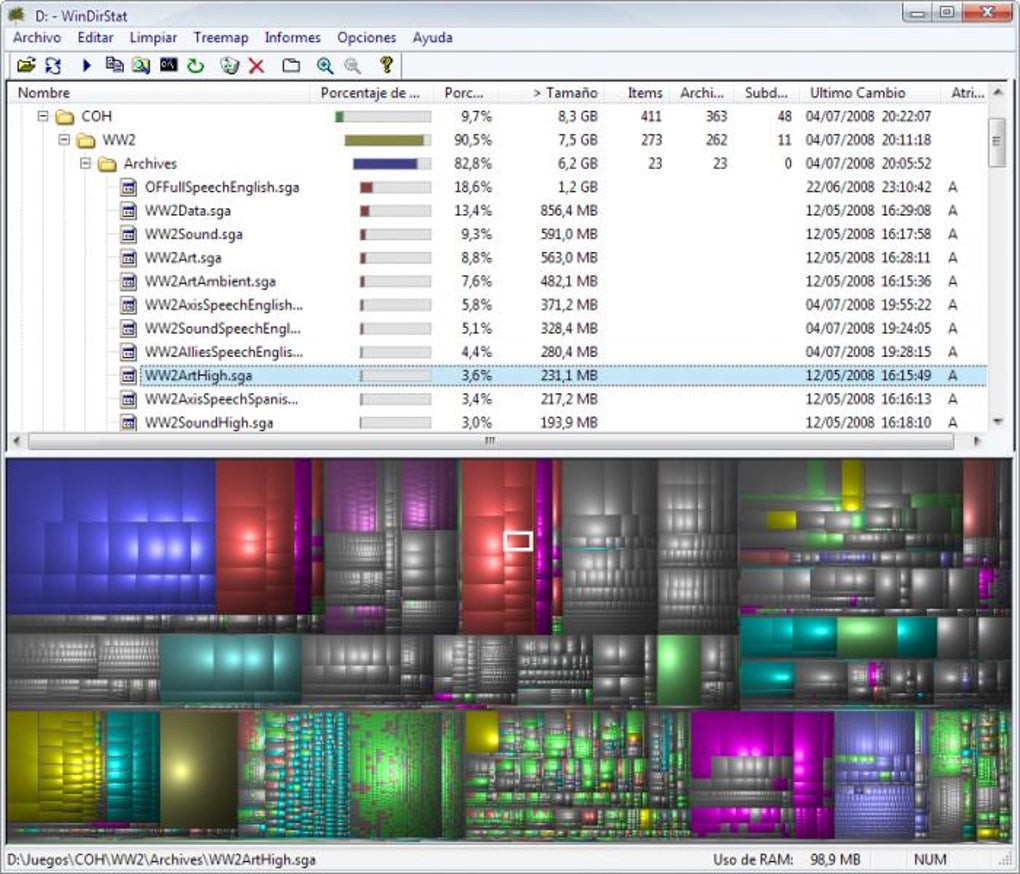
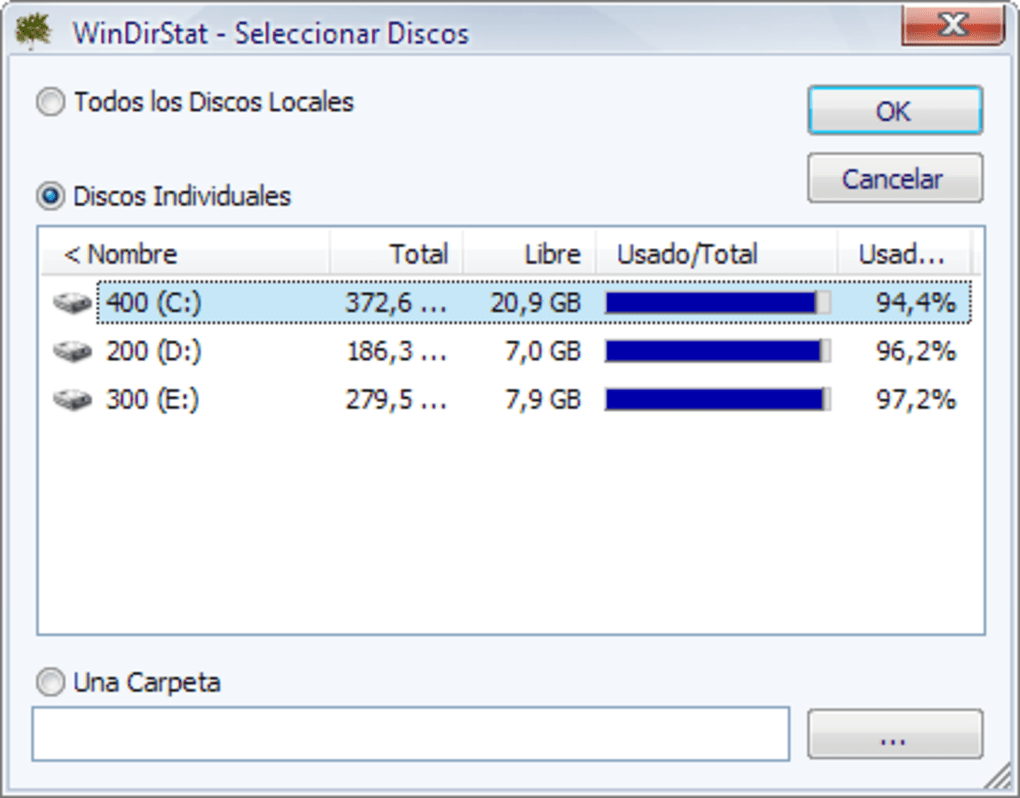
Beyond the graphical representation, WinDirStat Portable also offers detailed statistics about the analyzed drive or directory. This includes the total disk space, free space, used space, the number of files and folders, and a breakdown of file types and extensions. This information provides a comprehensive picture of the disk’s status, allowing users to make informed decisions regarding storage management.
The Advantages of Using a Portable Disk Analyzer
The portability aspect of WinDirStat is one of its key advantages. Unlike traditional desktop applications that require installation, WinDirStat Portable can be run from any external storage device, including USB flash drives, external hard drives, or even network drives. This flexibility allows users to analyze disk space on multiple computers without the need for installation on each machine. This feature is particularly useful for users who frequently work on different computers or need to analyze the disk space of multiple systems.
Furthermore, the portable nature of the application ensures that no changes are made to the host system’s registry or file system. This makes it a safer alternative to installed applications, reducing the risk of conflicts or unintended modifications. The lack of installation also makes it ideal for users who have limited administrative privileges or are concerned about potential software conflicts.
Utilizing WinDirStat Portable for Disk Space Optimization
WinDirStat Portable isn’t just a visualization tool; it’s a powerful asset in optimizing disk space. By visually identifying large files and folders, users can easily locate and manage files that are no longer needed or that can be moved to other storage locations. This can involve deleting unnecessary files, compressing large files, or moving files to external storage devices to free up valuable space on the primary hard drive.
The program’s ability to categorize files by type also helps users make informed decisions about storage optimization. For example, users might identify that a significant portion of their disk space is occupied by temporary files or old backups. This information empowers users to initiate cleanup processes, safely delete unnecessary files, and improve overall system performance. The detailed statistics provided by the application help users understand the overall disk space utilization, guiding their optimization efforts towards the most effective strategies.
WinDirStat Portable: A Comparison with Alternative Solutions
While numerous disk space analysis tools exist, WinDirStat Portable stands out due to its unique visualization techniques, portable nature, and ease of use. Many alternative applications provide similar functionality, such as identifying large files and folders, but they often lack the intuitive graphical representation that makes WinDirStat Portable so effective. Some alternative solutions may require installation, potentially leading to conflicts with other software or requiring administrative privileges. Others may have a steeper learning curve, making them less accessible to users without technical expertise.
The portability of WinDirStat offers a significant advantage. Many alternative applications require installation, tying them to a specific system. This limits their versatility compared to WinDirStat, which can be used on any system with minimal effort. The ease of use is also a key factor. The intuitive interface of WinDirStat makes it accessible to users of all technical levels, unlike some alternative applications that might have a more complex or less user-friendly design.
Beyond the Basics: Advanced Features and Uses
While the core functionality of WinDirStat Portable centers around visualizing and analyzing disk space, it offers several advanced features that enhance its utility. These features cater to users who require a more detailed understanding of their disk space usage and need more granular control over their file management.
One such feature is the ability to filter the displayed information. Users can selectively filter files based on their type, size, or other criteria, allowing them to focus on specific areas of interest. This granular control allows for more precise analysis and targeted optimization strategies.
Another useful feature is the ability to export the analysis results. The program allows users to export the graphical representation and the detailed statistics into various formats, including images and spreadsheets. This capability is crucial for users who need to share their findings with others or create comprehensive reports on their disk space usage. This feature is particularly beneficial for system administrators or IT professionals who need to analyze and report on disk space utilization across multiple systems.
Conclusion: A Valuable Tool for Every User
WinDirStat Portable is a valuable tool for anyone looking to manage and optimize their disk space efficiently. Its unique visual representation of disk usage, combined with its portability and ease of use, makes it a superior alternative to many other disk analysis applications. Whether you’re a casual user dealing with limited storage or a system administrator managing large networks, WinDirStat Portable provides the insights and tools you need to effectively monitor, analyze, and optimize your hard drive’s space. Its straightforward interface eliminates the need for technical expertise, making it accessible to all users. Its portable nature adds a layer of flexibility and convenience, allowing users to analyze disk space on any system without the need for installation. Therefore, WinDirStat Portable should be considered an essential tool in any user’s digital toolkit.
File Information
- License: “Free”
- Version: “1.1.8.0”
- Latest update: “February 1, 2023”
- Platform: “Windows”
- OS: “Windows 98”
- Language: “English”
- Downloads: “12.4K”
- Size: “981.11 KB”


