
WinDjView is a free, lightweight DjVu document viewer designed for Windows operating systems. Its primary function is to provide a fast and efficient way to view DjVu files, a format known for its high compression ratio, making it ideal for storing scanned documents and images. While seemingly simple in its core function, WinDjView packs a surprising array of features that enhance the user experience significantly, transforming it from a basic viewer into a powerful document management tool.
A Lightweight Solution for DjVu Files
One of WinDjView’s most attractive qualities is its compact size and minimal system resource usage. Unlike some bulky document viewers that can slow down your computer, especially when dealing with large files, WinDjView remains remarkably efficient. This lightweight design makes it suitable for even older or less powerful machines, extending its accessibility to a broader range of users. This efficient resource management is further enhanced by its fast loading times, ensuring a quick and responsive experience when opening and navigating DjVu documents. The program’s small footprint also means it doesn’t consume excessive storage space on your hard drive, a welcome feature for users with limited disk capacity.
Intuitive Interface and Enhanced Navigation
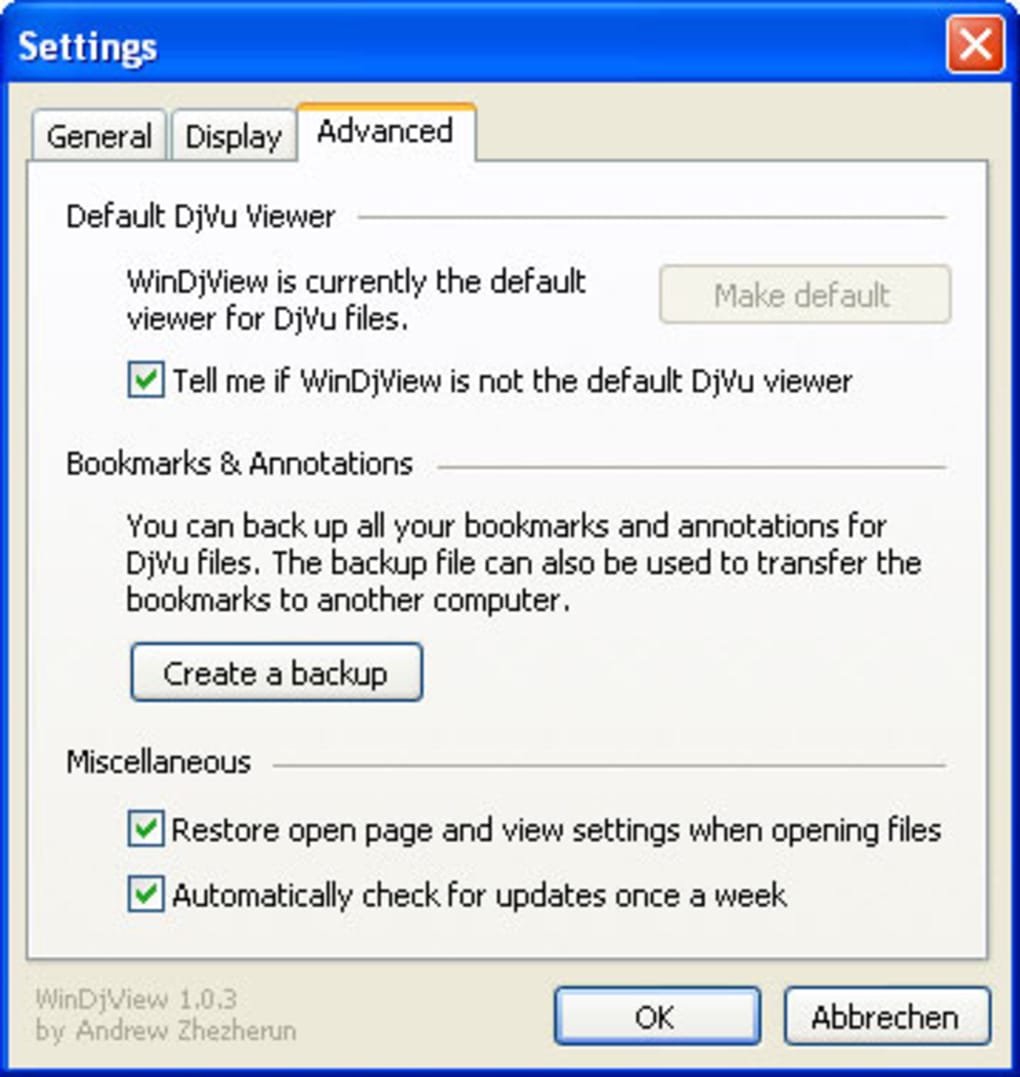
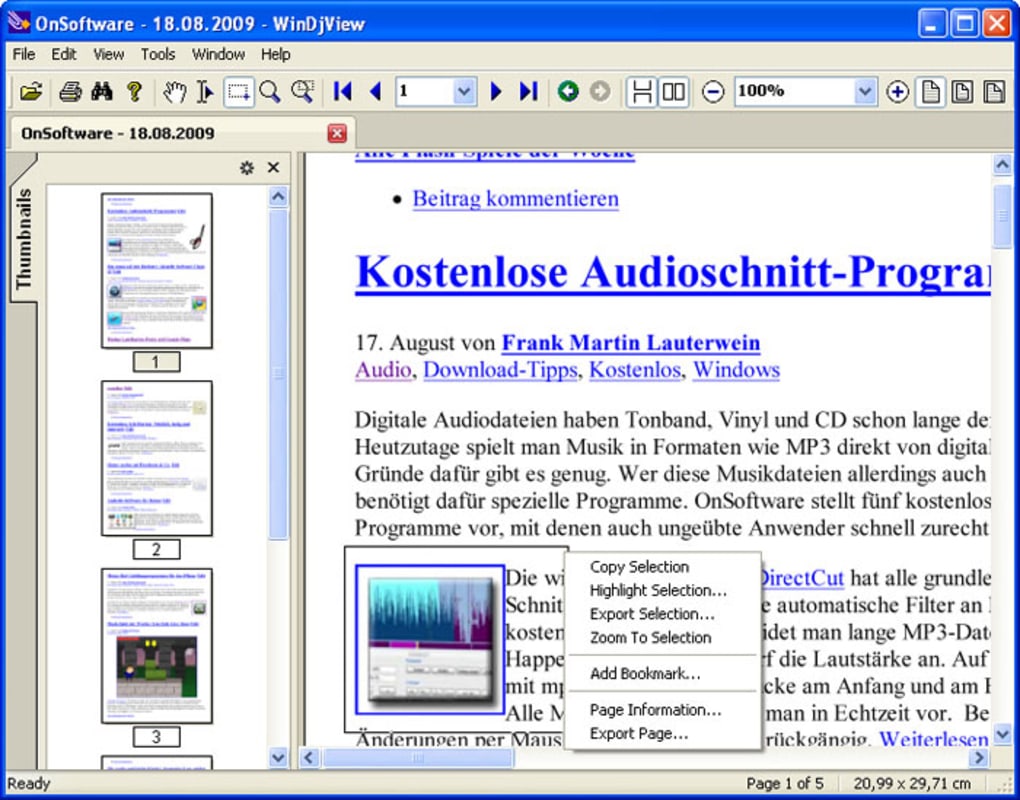
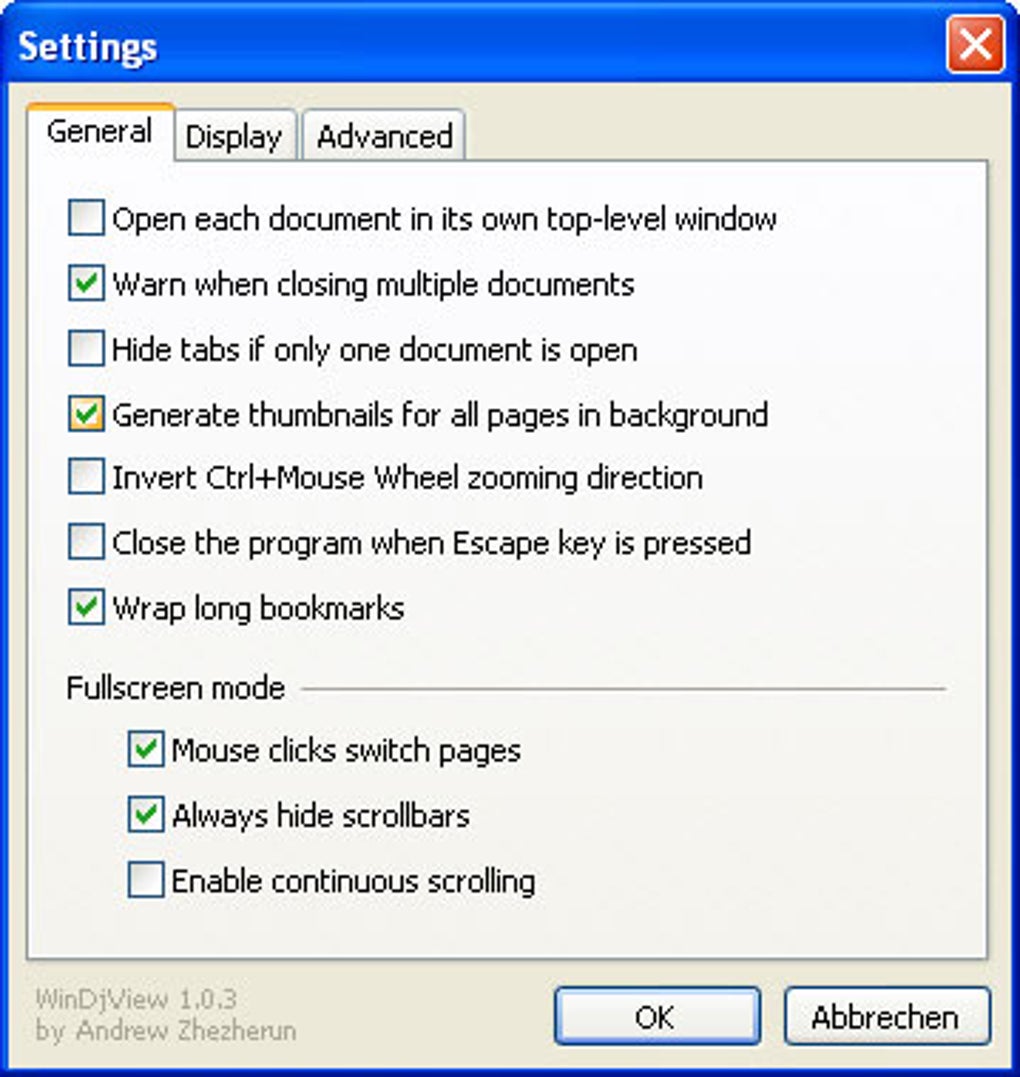
The user interface of WinDjView is designed with simplicity and efficiency in mind. Its clean and uncluttered design allows for a seamless viewing experience, minimizing distractions and maximizing focus on the document itself. The implementation of a tabbed interface is particularly useful for users working with multiple DjVu files simultaneously. This feature allows for quick and easy switching between documents without the need to close and reopen files, streamlining the workflow significantly. The intuitive layout of the interface ensures that even users with minimal experience with document viewers can quickly grasp its functionality.
Beyond the basic viewing functionality, WinDjView incorporates several features designed to enhance navigation and document management. Continuous scrolling provides a smooth and uninterrupted reading experience, mimicking the feeling of reading a physical document. This seamless scrolling is particularly beneficial for lengthy documents, eliminating the need for frequent page turns. Additionally, WinDjView supports both magnifying glass and marquee zoom functionalities, allowing users to zoom in on specific sections of the document for a closer look at details or smaller text. This flexibility makes the program suitable for viewing documents with varying levels of detail and resolution.
Advanced Features for Organization and Productivity
WinDjView extends beyond basic viewing capabilities by offering several advanced features that aid in organization and productivity. The inclusion of bookmarking functionality enables users to mark specific pages or sections of a document for easy retrieval later. This feature is invaluable for referencing specific parts of lengthy or complex documents without having to manually search through each page. Furthermore, the annotation feature allows users to add notes and highlights directly onto the document, enhancing the ability to personalize and annotate the information for better understanding and recall.
The integrated text search functionality allows for quick and efficient searching within the DjVu document. This feature is particularly helpful when working with large or complex documents, saving valuable time compared to manually searching through the pages. The ability to copy text from the document is another useful feature, enabling easy extraction of information for use in other applications or documents. This feature works well in conjunction with the text search, providing a powerful workflow for extracting specific data from DjVu files. Finally, the inclusion of a built-in dictionary is a surprising but valuable addition, allowing users to quickly look up the meaning of unfamiliar words directly within the viewer, improving comprehension and facilitating learning while reading.
Customization and Accessibility Options
WinDjView acknowledges the varied needs and preferences of users and therefore provides several options for customization. Perhaps most notably, the program allows for the creation of custom keyboard shortcuts for scrolling and navigation. This highly personalized approach enables users to tailor the program to their own workflow and preferences, improving efficiency and allowing for a more comfortable reading experience. The level of customizability caters to advanced users who appreciate the ability to fine-tune the program’s functionalities.
Moreover, the software is designed with broad compatibility in mind. It supports a wide range of Windows versions, from older systems such as Windows XP and Windows 2000, to the most current versions, ensuring compatibility for a broad user base. This commitment to backward compatibility is crucial for those who might still rely on older operating systems for various reasons. The software’s commitment to accessibility makes it a valuable tool for a diverse range of users, catering to different needs and technological preferences.
Limitations and Areas for Improvement
While WinDjView offers a wealth of features, there are a few areas where improvements could be made. The documentation for some of the more advanced features is relatively sparse, potentially making it challenging for new users to fully grasp their functionality. A more comprehensive user manual or tutorial could help bridge this gap, empowering users to take full advantage of all the features. While the interface is generally intuitive, a slightly more refined design and potentially additional customization options could further enhance the user experience.
Some users may find the learning curve for mastering certain advanced functions somewhat steep. This isn’t inherently a negative point, as mastering powerful features often requires some initial effort. However, providing more structured tutorials and examples of how to effectively use the advanced features could improve the overall user experience and reduce the learning curve. This is especially true for features like custom keyboard shortcuts, which, while powerful, require a certain level of understanding to implement effectively.
Comparison with Alternative DjVu Viewers
WinDjView stands out among other DjVu viewers due to its unique blend of features, light footprint, and ease of use. While other viewers might offer similar functionalities, few manage to achieve the same balance of simplicity and comprehensive features. Competitors often prioritize one aspect over another—either providing advanced features with a heavy system footprint or offering a simplified interface but lacking essential functionalities. WinDjView effectively navigates this balance.
For instance, STDU Viewer, a popular alternative, offers support for a wider array of document formats, including PDF and XPS. However, it tends to be heavier on system resources than WinDjView. Other viewers might focus on specific features, such as annotation or optical character recognition (OCR), but might lack the overall comprehensive feature set of WinDjView. The ultimate choice between viewers depends on individual needs and priorities; users seeking a lightweight, efficient, and versatile DjVu viewer will find WinDjView to be a strong contender.
Conclusion
WinDjView presents a compelling case as a leading DjVu viewer. Its lightweight design, intuitive interface, and comprehensive feature set make it a versatile and valuable tool for managing and viewing DjVu documents. While a few improvements in documentation and potentially in the learning curve for some advanced features could be considered, the overall user experience is positive. WinDjView provides a highly effective solution for users seeking a robust and efficient DjVu viewer for their Windows systems. Its combination of accessibility, power, and minimal resource usage makes it a compelling choice for both casual users and more demanding document management professionals.
File Information
- License: “Free”
- Latest update: “May 24, 2023”
- Platform: “Windows”
- OS: “Windows XP”
- Language: “English”
- Downloads: “279.5K”


