
WindowBlinds is a veteran in the world of Windows customization, a powerful tool that has consistently evolved and improved over the years. This comprehensive review explores its capabilities, ease of use, limitations, and overall value proposition for users seeking to transform the look and feel of their Windows operating system. Forget fiddling with DLL files or enduring system restarts – WindowBlinds offers a streamlined, one-click approach to extensive personalization.
Transforming Your Windows Experience: A Seamless Customization Journey
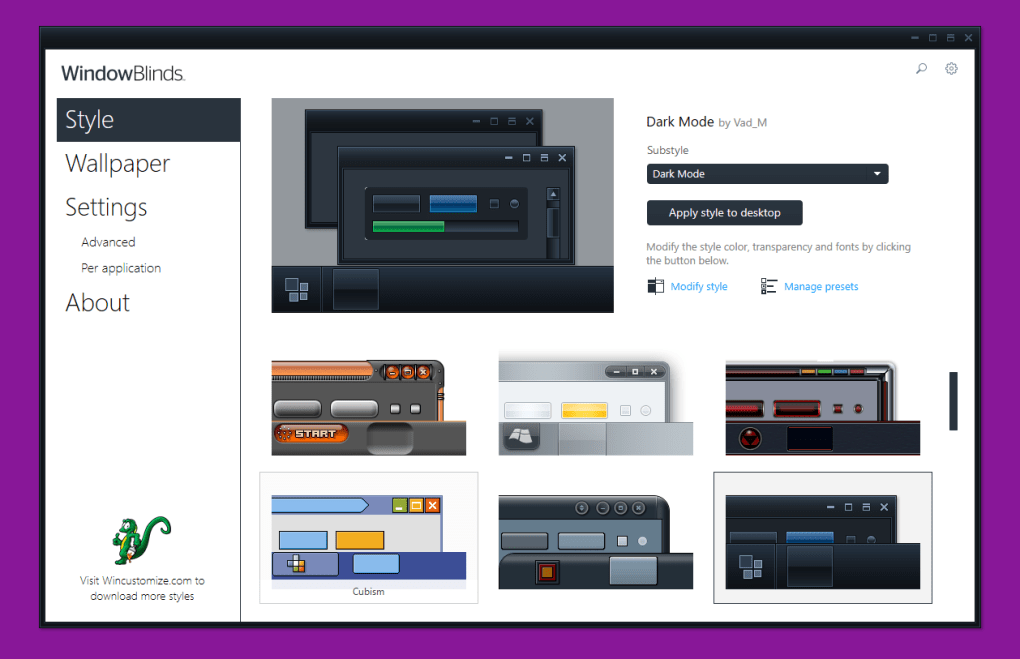
WindowBlinds empowers users to personalize virtually every aspect of their Windows interface. From the subtle nuances of window skins and colors to the bolder statements of wallpapers and fonts, the program offers an extensive array of customization options. The intuitive interface allows users to browse through various categories – visual styles, textures, colors, wallpapers, and more – and select the elements they wish to apply. This is not merely a superficial alteration; WindowBlinds delves deep into the system’s aesthetics, offering granular control over the visual presentation.
The program’s strength lies in its user-friendly approach. The instant preview feature enables users to visualize the effect of their selections before applying them, minimizing the risk of unintended changes. Furthermore, beyond the pre-set options, WindowBlinds provides additional configuration settings, such as color adjustments for window skins, enabling a truly personalized experience tailored to individual preferences. Applying the selected elements is as simple as clicking the “Apply changes” button, making the process effortless and accessible to users of all technical skill levels.
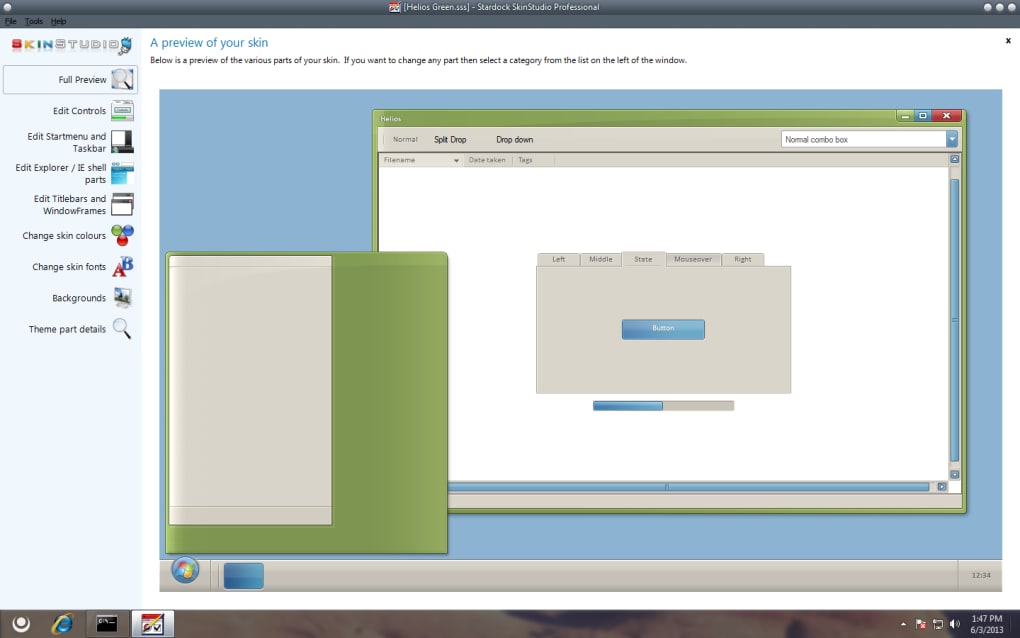
A Deep Dive into Features and Functionality: Exploring the Extensibility of WindowBlinds
WindowBlinds doesn’t just offer a pre-packaged set of customization options; it actively encourages user exploration and expansion. The extensive library of themes and skins available through the developer’s website allows for an almost limitless range of visual styles. This dynamic approach ensures that WindowBlinds remains relevant and engaging, catering to evolving aesthetic trends and providing users with a constantly refreshed pool of options.
The program’s functionality extends beyond the simple application of pre-made themes. Its strength lies in the ability to deeply customize individual elements. Users are not constrained to pre-defined styles; instead, they can finely tune various aspects of the Windows interface to match their unique vision. This granular control allows for a level of personalization not readily available through other, more limited customization tools. The freedom to combine different elements – a specific window skin with a unique wallpaper and custom font – allows for unparalleled visual creativity. The integration of these elements is seamless, ensuring a cohesive and polished final product.
The Trial Version and Limitations: Weighing the Pros and Cons of WindowBlinds
While WindowBlinds offers an impressive array of features, a noteworthy aspect to consider is the trial version’s limitations. Some users have reported feeling that the trial version is somewhat restrictive, lacking the full breadth of options available in the paid version. This is a common practice among software developers, designed to entice users to purchase the full version to unlock the complete functionality. While this strategy may be effective for driving sales, it can also be frustrating for users who wish to fully explore the program’s capabilities before committing to a purchase. Therefore, potential users should carefully evaluate whether the features available in the trial version meet their needs, or if the limitations are significant enough to warrant a decision against purchase.
The balance between the numerous benefits of WindowBlinds and the limitations of the trial version requires careful consideration. The ease of use, extensive customization options, and the sheer visual transformation it offers are significant advantages. However, potential buyers should be aware of the trial version’s restrictions and determine if the full version’s features justify the cost. The value proposition ultimately depends on individual needs and priorities.
User Feedback and Community Engagement: A Testament to WindowBlinds’ Longevity and Appeal
The longevity and continued popularity of WindowBlinds are a testament to its effectiveness and appeal. User reviews consistently highlight its ease of use and the impressive breadth of customization options. Many users express their satisfaction with the transformative impact it has on their Windows experience, transforming a potentially mundane interface into a visually engaging and personalized environment. The consistent positive feedback underscores WindowBlinds’ success in delivering on its promise of providing a user-friendly and powerful Windows customization tool.
While some users have expressed concerns about the limitations of the trial version, the overall consensus points towards a positive user experience. This sustained positive reception reflects not only the program’s technical capabilities but also the developer’s commitment to ongoing improvements and expansion. The vibrant community surrounding WindowBlinds further enhances its appeal, providing a platform for users to share their creations, seek support, and engage in discussions related to customization and personalization. This active community fosters a sense of shared creativity and mutual assistance, adding another layer to the overall value proposition of WindowBlinds.
Conclusion: A Powerful and Versatile Tool for Windows Enthusiasts
WindowBlinds stands as a powerful and versatile tool for users who desire extensive control over their Windows visual experience. Its streamlined interface, vast library of themes, and granular customization options make it a compelling choice for both casual users and customization enthusiasts. The program’s easy-to-use nature and immediate visual feedback remove the technical barriers often associated with Windows system alterations. While the trial version’s limitations are worth considering, the overall benefits of the full version, coupled with the thriving community and continuous updates, solidify WindowBlinds’ position as a leading solution for Windows personalization. For those seeking to transform their Windows interface into a reflection of their individual style and preferences, WindowBlinds is a strong contender to meet those needs. Its enduring popularity and consistent updates ensure it remains a relevant and appealing choice for years to come. The balance between user-friendliness and powerful functionality, combined with ongoing support and development, makes WindowBlinds a valuable asset in the world of Windows customization.
File Information
- License: “Trial version”
- Latest update: “April 16, 2025”
- Platform: “Windows”
- OS: “Windows 8”
- Language: “English”
- Downloads: “232.5K”
- Size: “115.63 MB”


