
The launch of Windows 11 brought with it a fresh aesthetic, a redesigned Start Menu, and a host of performance improvements. Yet, for many long-time users, the transition was not without its frustrations. Among the most lamented changes was the removal of a seemingly minor but profoundly impactful feature: the ability to drag and drop files and applications directly onto the taskbar. This seemingly small alteration disrupted workflows, forced users to adopt new habits, and became a significant point of contention within the Windows community. Fortunately, dedicated developers recognized this gap and stepped forward with ingenious solutions. One such pivotal utility, aptly named “Windows 11 Drag & Drop to the Taskbar (Fix),” emerged as a hero for countless users, seamlessly reintroducing this cherished functionality without necessitating drastic system overhauls.
For decades, the Windows taskbar has served as the central hub for managing open applications, quickly launching frequently used programs, and navigating the operating system. From the earliest iterations of Windows, the ability to drag a file over an open application icon on the taskbar to bring that application to the foreground and drop the file into it was intuitive and efficient. Similarly, dragging a file over an application shortcut on the taskbar to open it with that program, or even dragging a shortcut to pin it, became second nature. These simple drag-and-drop gestures were deeply ingrained in the muscle memory of Windows users, becoming an indispensable part of their daily computing routine. Its removal in Windows 11, therefore, wasn’t just a cosmetic change; it was a fundamental shift in user interaction that many found counter-intuitive and cumbersome. The community’s outcry was swift and widespread, highlighting the critical role this feature played in productivity and user experience.
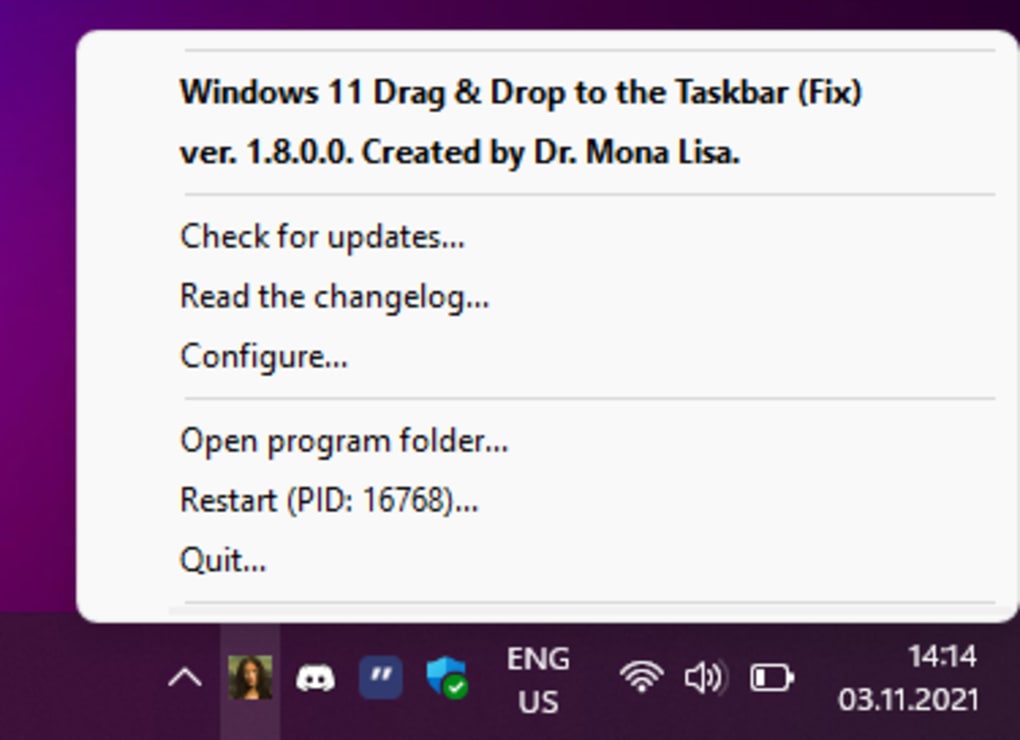
Developed by HerMajestyDrMona, “Windows 11 Drag & Drop to the Taskbar (Fix)” is a testament to the power of community-driven solutions. This completely free desktop utility directly addresses the absence of the ‘drag and drop to the Taskbar’ feature in Windows 11. What makes this solution particularly noteworthy is its elegant approach: it introduces necessary workarounds within the operating system without making drastic, potentially destabilizing changes. Unlike some utilities that delve deep into system registries or inject DLLs into core processes, this fix is designed to be as non-invasive as possible. It avoids altering crucial system registry keys (aside from a manual autostart configuration) and operates as an independent C++ procedure, ensuring compatibility and stability even across Windows updates. This commitment to a lightweight, secure, and effective solution is precisely why it quickly garnered popularity among frustrated Windows 11 adopters. It brought back a piece of functionality that many felt should never have been taken away, allowing users to reclaim their preferred workflow in the new operating system.
The Evolution of Windows Taskbar Functionality and the Windows 11 Shift
The Windows taskbar, a constant presence on our desktops, has undergone numerous transformations throughout its history. From its humble beginnings in Windows 95, acting primarily as a launcher and a list of open windows, it evolved into a sophisticated management tool. Windows XP and Vista refined its appearance and functionality, but it was arguably Windows 7 that truly cemented the taskbar’s modern identity. With the introduction of jump lists, larger icons, and the ability to pin programs directly for quick access, the Windows 7 taskbar became a powerhouse of productivity. A key element of this evolution, present in virtually every iteration up to Windows 10, was the robust drag-and-drop support.
Users grew accustomed to a seamless interaction model:
- Opening files with specific applications: Drag a document icon directly onto a taskbar icon for Word or Photoshop, and the application would open, loading the file.
- Moving files between open windows: Drag a file from one folder to another, hovering over the destination folder’s taskbar icon to bring it to the foreground, then dropping the file.
- Batch processing: Dragging multiple items onto an application for quick processing or compilation.
- Rearranging and organizing: While not directly drag-and-drop of files onto taskbar icons, the ability to rearrange taskbar icons themselves also contributed to the fluidity of interaction.
These seemingly small gestures collectively saved countless clicks and significantly streamlined multitasking. They fostered a direct manipulation interface that felt natural and intuitive, allowing users to focus on their tasks rather than navigating complex menus.
When Windows 11 made its official debut, it was met with a spectrum of reactions. While many appreciated the sleek, modern design language, the centered taskbar, and improved performance, a vocal segment of the user base expressed significant frustration over certain design choices. Among these, the most prominent was the curtailment of taskbar functionality, particularly the removal of drag-and-drop support. This wasn’t merely an inconvenience; for power users, creative professionals, and anyone accustomed to efficient file management, it was a significant impediment to their workflow.
The core reason for its removal, as suggested by Microsoft, was likely tied to the taskbar’s complete architectural rewrite in Windows 11. The new taskbar was built from the ground up, perhaps prioritizing a cleaner, more streamlined design and deeper integration with the new user interface components. However, in this redesign, certain functionalities that were deeply embedded in the previous architecture, such as the drag-and-drop mechanism, were either intentionally omitted or simply not rebuilt in time for the initial release. The company’s focus might have been on core visual and performance updates, leaving some of the granular interaction features for later consideration or simply deeming them less critical.
Regardless of the reasoning, the impact on user experience was undeniable. Desktop users, accustomed to years of efficient drag-and-drop interactions, found themselves taking circuitous routes to achieve simple tasks. Opening files in specific applications required right-clicking and selecting “Open with,” or opening the application first and then navigating to the file. Moving files between windows meant minimizing, locating the destination, or relying on complex keyboard shortcuts. This felt like a step backward in terms of usability and efficiency, leading to the widespread “pissed and lacking” sentiment described in the initial feedback. The sentiment was clear: users wanted their familiar and efficient taskbar functionality back, leading to a fertile ground for community developers to step in and fill the void.
How “Windows 11 Drag & Drop to the Taskbar (Fix)” Bridges the Gap
The clamor from the Windows community for the return of drag-and-drop functionality on the taskbar created an opportunity for ingenious third-party solutions. HerMajestyDrMona’s “Windows 11 Drag & Drop to the Taskbar (Fix)” stands out as one of the most effective and widely adopted answers to this user need. What makes this utility particularly brilliant is its elegant and non-invasive approach to reintroducing the feature without requiring deep system modifications or risking system stability. It operates on a principle of smart simulation and background monitoring, effectively tricking Windows into behaving as if the drag-and-drop feature were natively present.
At its core, the application runs discreetly in the background, consuming minimal system resources. You can track its active process within the Task Manager, assuring users of its presence without it ever getting in the way of their work. The utility’s intelligence lies in its ability to observe user input and system context. Specifically, it vigilantly monitors for a critical action: when a user presses the left mouse button. This initial press signals the start of a potential drag operation.
Once the left mouse button is pressed and held, the “Windows 11 Drag & Drop to the Taskbar (Fix)” utility begins to track the cursor’s movement and, more importantly, its stillness. It determines the time interval during which the cursor remains stationary over a particular area. If this area happens to be one of the icons on the Windows 11 taskbar, the utility springs into action. This detection mechanism is crucial; it allows the program to discern when a user intends to drop something onto a taskbar icon, rather than just hovering.
The ingenious part comes next. Instead of directly injecting code or modifying core OS components, the utility simulates a specific keyboard shortcut: Win + T. This combination, in Windows, is designed to cycle through the applications currently pinned to the taskbar and bring their respective windows to the foreground. By simulating Win + T when the cursor hovers over a taskbar icon during a drag operation, the utility forces the associated application window to restore itself or come to the forefront. Once the target window is active, the user can then complete the drag-and-drop action as they would have in previous Windows versions. The file or item being dragged can then be dropped into the now-active application window. This elegant simulation ensures compatibility and minimizes the risk of system conflicts, as it’s essentially using existing Windows functionalities in a clever sequence.
One of the most reassuring aspects of “Windows 11 Drag & Drop to the Taskbar (Fix)” is its design philosophy centered around stability and safety. The developer explicitly states that it alters no system registry keys, with the sole exception of the autostart entry, which even then requires manual configuration by the user. This is a significant detail, as manipulating registry keys can often lead to system instability if not handled carefully. Furthermore, the utility avoids injecting Dynamic Link Libraries (DLLs) into other processes. DLL injection is a technique often used by more aggressive system modifications but can sometimes lead to conflicts, crashes, or security vulnerabilities. By avoiding this, the “Windows 11 Drag & Drop to the Taskbar (Fix)” maintains a clean and isolated operational footprint.
Instead, it functions as an independent C++ procedure. This means it operates as its own separate process, executing its tasks autonomously without relying on or deeply integrating into other critical Windows components. This isolation ensures that the utility can perform its function reliably without interrupting or being disrupted by routine Windows updates, security patches, or other system processes. The C++ foundation also points to a lean and efficient codebase, contributing to its unobtrusive background operation. This commitment to a safe, stable, and self-contained solution is precisely what makes “Windows 11 Drag & Drop to the Taskbar (Fix)” such an effective and trustworthy tool for reclaiming a vital piece of Windows functionality.
Key Features and Advantages of This Taskbar Solution
The “Windows 11 Drag & Drop to the Taskbar (Fix)” utility stands out not just for its core functionality but also for its broader set of advantageous characteristics that cater directly to user needs and concerns. Understanding these benefits helps to appreciate why this specific solution has been so well-received by the Windows 11 community.
Firstly, a major draw is that it is free and open-source software. This designation carries significant weight in the tech community. Being free means it’s accessible to everyone, removing any financial barrier to restoring a much-desired feature. Open-source means that its source code is publicly available, allowing anyone to inspect, verify, and even contribute to its development. This transparency fosters trust, as users can be assured that the utility isn’t harboring malicious code or performing unwanted actions in the background. It also encourages a community-driven approach to bug fixing and improvement, ensuring the tool remains robust and up-to-date.
The most obvious and compelling advantage is its ability to restore the drag-and-drop feature via the taskbar. This is the entire raison d’être of the utility. It effectively brings back one of the most loved and extensively used functions from preceding versions of Windows, allowing users to again enjoy the fluidity and efficiency of interacting with their taskbar as a central hub for file and application management. For those whose daily workflow heavily relied on these interactions—be it graphic designers moving assets, developers organizing code files, or general users multitasking with documents—this restoration is a game-changer. It eliminates the frustration of having to adapt to less efficient alternatives, allowing individuals to maintain their accustomed productivity levels.
A crucial technical advantage, and a testament to its thoughtful design, is that no further system registry keys will be changed beyond the optional manual autostart configuration. This commitment to minimal system footprint is vital for maintaining system stability and integrity. Aggressive registry modifications can sometimes lead to unforeseen conflicts, slow down the operating system, or even render it unstable. By avoiding these deep system alterations, the “Windows 11 Drag & Drop to the Taskbar (Fix)” mitigates risks, ensuring that the utility enhances rather than compromises the Windows 11 experience. This design choice speaks volumes about the developer’s understanding of system health and user peace of mind.
Related to its minimal system impact, the utility is remarkably unobtrusive. It runs silently in the background, a discrete C++ procedure that doesn’t consume excessive system resources, pop up intrusive notifications, or otherwise interfere with your computing activities. Its presence is felt only through the restored functionality it provides, not through any visual or performance degradation. This “set it and forget it” nature is highly desirable for any background utility, as users typically want their tools to empower them without demanding constant attention or causing distractions. The fact that it avoids injecting DLLs into other processes further underscores its unobtrusive and safe operation, preventing potential conflicts with other applications or Windows itself. This makes it a self-effacing suite that simply enhances the user experience without adding complexity.
In summary, the key advantages—being free, open-source, effective in restoring core functionality, and designed with minimal system impact and unobtrusive operation—make “Windows 11 Drag & Drop to the Taskbar (Fix)” a comprehensive and highly recommended solution for anyone looking to bridge the functionality gap left by Windows 11’s initial taskbar design choices.
Navigating the Limitations and What to Expect
While “Windows 11 Drag & Drop to the Taskbar (Fix)” is an exemplary solution for a significant user pain point, it’s also important for users to be aware of its specific limitations. Understanding these boundaries ensures realistic expectations and allows users to fully appreciate the utility for what it effectively provides.
The primary limitation noted is that the utility does not support pinning of applications to the taskbar. In previous Windows versions, users could often drag an application executable or a shortcut directly onto the taskbar to create a persistent pin, allowing for quick launch access. This functionality remains absent even with this fix installed. This means that while you can drag-and-drop files into open applications whose icons are on the taskbar, you cannot use the same drag gesture to pin a new application to the taskbar itself. For pinning new applications, users will still need to rely on the native Windows 11 methods, such as right-clicking an open application’s taskbar icon and selecting “Pin to taskbar,” or finding the application in the Start Menu and dragging it to the “Pinned” section there, or even directly dragging an executable from File Explorer to the taskbar itself, which Windows 11 does support for pinning, despite not supporting the drag-and-drop into the taskbar icons for file operations. It’s a nuanced distinction: the utility restores the interaction with existing taskbar icons for file/document operations, but not for modifying the taskbar’s contents (like pinning new apps) via drag-and-drop.
For most users, this limitation is a minor trade-off, given the significant gain of restored drag-and-drop for file and window management. Pinning applications is typically a less frequent action compared to the constant interaction with files and open windows, so the inconvenience is relatively small. The existing methods for pinning are still straightforward, albeit not through the same drag-and-drop gesture that this utility specifically targets.
In terms of operation, the utility is designed to be largely self-sufficient once configured. As mentioned, its active process can be tracked in the Task Manager, usually under a name reflecting the utility itself. This visibility provides assurance that the program is running and performing its intended function. Should any issues arise, users can easily stop or restart the process from the Task Manager, though such interventions are rarely needed due to its stable nature.
Regarding installation and initial setup, the fact that the utility is a standalone C++ procedure implies a straightforward setup. Users typically download the executable and run it. The reference specifically mentions that the autostart functionality, which would allow the utility to launch automatically with Windows, requires manual configuration. This means users will likely need to navigate to the utility’s settings (if provided) or manually place a shortcut in the Windows Startup folder (shell:startup) to ensure it runs every time the system boots. This manual step, while minor, is worth noting for users who expect a fully automated installation process. However, it also reinforces the utility’s commitment to avoiding unsolicited system changes, giving the user full control over its startup behavior.
Overall, while the “Windows 11 Drag & Drop to the Taskbar (Fix)” has a singular, acknowledged limitation regarding pinning applications, its numerous benefits and stable, unobtrusive operation far outweigh this minor drawback. Users can confidently deploy this tool, expecting a reliable restoration of a crucial productivity feature, allowing them to largely forget about the missing functionality and focus on their work.
Reclaiming Your Windows 11 Workflow
The “Windows 11 Drag & Drop to the Taskbar (Fix)” utility developed by HerMajestyDrMona is more than just a piece of software; it’s a critical bridge between user expectation and operating system design. Its existence underscores a fundamental truth in technology: while developers strive for innovation and aesthetic improvement, the established habits and muscle memory of a vast user base hold significant weight. The removal of drag-and-drop to the taskbar in Windows 11 was, for many, a glaring omission that hindered efficiency and caused unnecessary frustration. This free, open-source solution effectively and safely remedies that omission, allowing users to reclaim a vital piece of their Windows workflow.
By operating unobtrusively in the background, making minimal system changes, and utilizing clever simulation techniques, the utility delivers powerful results without compromising system stability. It’s a testament to how community developers can swiftly and effectively address shortcomings that might take official channels much longer to resolve, if ever. The restoration of this simple yet profound functionality allows users to manage their files, interact with applications, and multitask with the fluidity they’ve come to expect from the Windows operating system.
For anyone who found themselves grappling with the changed taskbar behavior in Windows 11, or who simply wishes to restore the intuitive efficiency they enjoyed in previous Windows versions, the “Windows 11 Drag & Drop to the Taskbar (Fix)” is an indispensable tool. It transforms a frustrating limitation into a seamless experience, letting users focus on their tasks rather than being bogged down by awkward workarounds.
We encourage Windows 11 users to explore this utility. By downloading and installing it, you can swiftly bring back one of the most beloved productivity features, enhancing your daily computing experience and ensuring that your Windows 11 machine truly serves your needs. It’s a prime example of how ingenuity and community spirit can refine and perfect the user experience, ensuring that even in the latest iterations of an operating system, essential functionalities are never truly lost. For more information, or to download this valuable utility, visit Phanmemfree.org.
It’s clear that while major operating system updates bring exciting new features, they can sometimes inadvertently disrupt established user habits. Solutions like “Windows 11 Drag & Drop to the Taskbar (Fix)” serve as a reminder of the power of the user community and independent developers in shaping the practical utility of our digital tools. By providing a stable, secure, and free way to restore this crucial functionality, PhanMemFree helps ensure that the transition to Windows 11 is as smooth and productive as possible for everyone. It bridges the gap between official design choices and real-world user needs, allowing for a more harmonious and efficient computing environment. The minimal impact on system resources, coupled with its effective delivery of the desired feature, makes it an exemplary utility for modern Windows 11 users.
File Information
- License: “Free”
- Version: “1.9.0.0”
- Latest update: “December 6, 2021”
- Platform: “Windows”
- OS: “Windows 11”
- Language: “English”
- Downloads: “2.4K”
- Size: “311.26 KB”


