
Windows 95, the name synonymous with a technological revolution in the mid-90s, holds a special place in the hearts of many computer users. This iconic operating system, responsible for bringing personal computing to the masses, is now experiencing a resurgence, not in its original form, but as a meticulously recreated emulation within a modern application. This article delves into the world of the modern Windows 95 experience, exploring its features, limitations, and the unique nostalgic appeal it offers.
A Faithful Recreation: Reliving the 90s on Modern Hardware
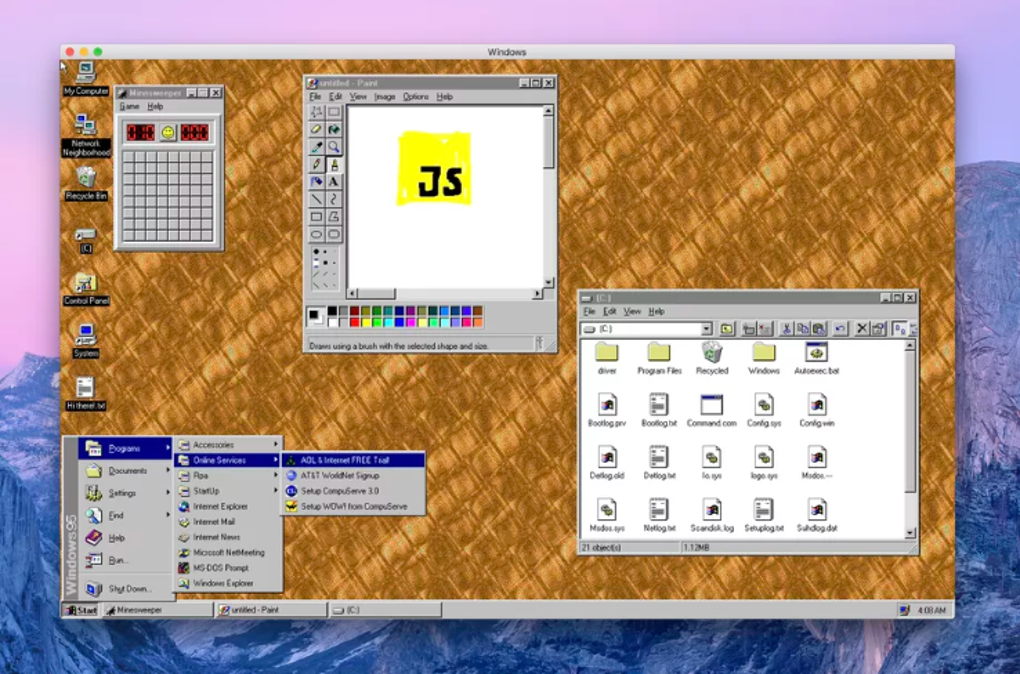
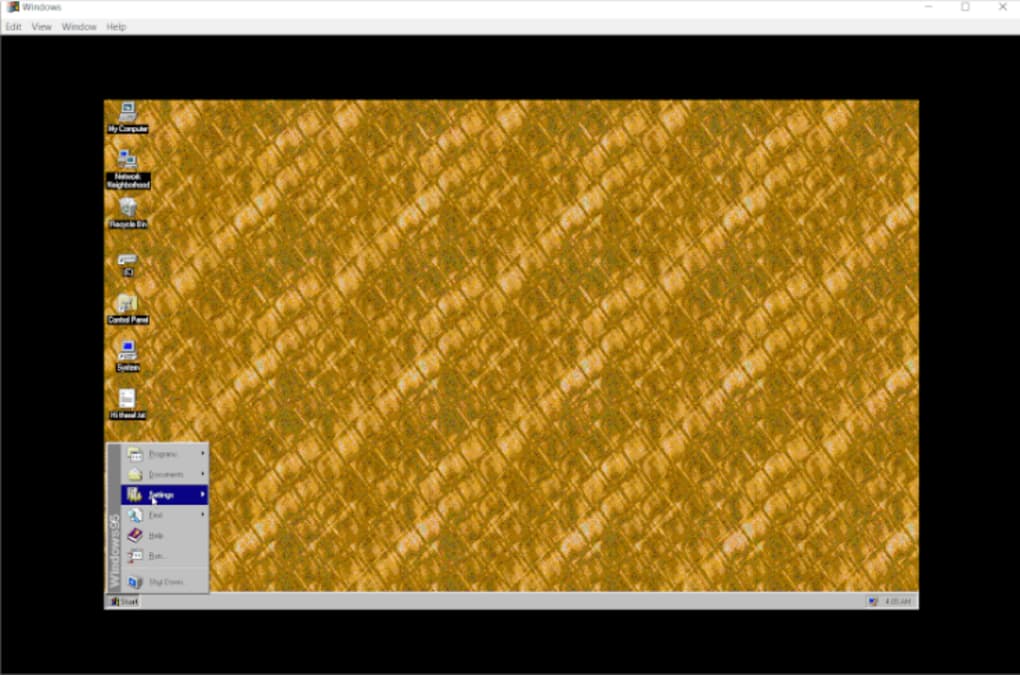
The modern iteration of Windows 95, available as a downloadable application, attempts to faithfully replicate the look and feel of the original operating system. It’s a remarkably ambitious project, successfully bringing back the familiar interface, complete with its distinctive Start menu, vibrant color palette, and the iconic sounds that defined a generation. For those who fondly remember the early days of Windows, this recreation provides a captivating trip back in time. The experience is more than just visual; the application includes many of the core applications that made Windows 95 a household name. Games like Minesweeper and Solitaire, alongside essential utilities such as Notepad and Paint, are all faithfully integrated, allowing users to revisit the simple pleasures of their computing past. This level of detail extends beyond mere functionality; even the startup sound, a staple of Windows 95, is included, adding an authentic layer to the nostalgic experience. The level of detail and accuracy dedicated to replicating the original is impressive. It brings forth that quintessential 90’s feel. Users get to experience that early Windows aesthetic, complete with its characteristic design elements, once again.
However, this faithfulness to the original also introduces inherent limitations. The emulation, while impressive, isn’t a perfect replica. Some features may not function exactly as they did in the original Windows 95, and certain aspects of the user experience might feel slightly different due to the limitations of modern hardware and software. The most significant limitation, however, lies in its interaction with the internet. The built-in browser, a relic of a bygone era, is severely limited in its capabilities. Loading modern web pages is impossible, severely restricting online functionality. While workarounds exist, they are often cumbersome and detract from the overall user experience. This highlights the stark contrast between the technologically advanced present and the limitations of the original operating system. Despite these limitations, the application has been built for a user-friendly experience.
Beyond the Nostalgia: Functionality and User Experience
While the nostalgic appeal is undoubtedly a significant draw, the modern Windows 95 emulation is more than just a museum piece. It offers a surprisingly usable and functional experience, particularly for those interested in exploring the history of computing or simply curious about what computing was like in the mid-90s. The straightforward design, characteristic of the era, translates surprisingly well to modern devices, although it might feel a bit antiquated compared to the sleek interfaces of current operating systems. The simplicity of the interface, however, contributes to its ease of use, particularly for users who are less comfortable navigating complex modern interfaces. The applications included are simple and intuitive, requiring minimal technical expertise to use. This makes it particularly suited for users seeking a more uncomplicated digital environment.
The ability to customize the experience, while limited compared to modern OSes, is still present. Users can alter the appearance of the desktop, change settings, and install additional compatible applications. This allows a degree of personalization, though the options are undoubtedly far fewer than what modern users expect from their operating systems. Even with these limitations, the modern Windows 95 emulation offers a surprisingly smooth and functional experience. The ease of use, simple interface, and nostalgic appeal make it an interesting option for a wide range of users.
Performance and System Requirements: Balancing Nostalgia with Modern Needs
The application’s performance varies considerably depending on the hardware it’s running on. While it aims for compatibility across a range of devices, its faithfulness to the original Windows 95 architecture means it requires a relatively significant amount of RAM. On older or less powerful machines, this can lead to slowdowns and performance issues, diminishing the overall user experience. Users with older computers might find the application struggles to run smoothly. The emulation’s resource demands demonstrate the technological advancements in hardware since the 1990s. The application’s efficiency in using system resources remains a key aspect of its operation, directly impacting user experience. Its compatibility with various devices is a crucial factor in its widespread use.
The developers have attempted to optimize the application for a variety of devices, but the limitations of emulating a 1990s operating system on modern hardware are inevitable. Users with more powerful machines will likely enjoy a more fluid experience, while those with older or lower-spec devices might experience performance issues. This highlights the trade-off between nostalgic authenticity and modern performance expectations. This discrepancy between the original system’s demands and modern hardware capabilities underscores the advancements in computing technology over the past decades. The project represents a fascinating attempt to bridge the gap between past and present.
Conclusion: A Window into the Past, and a Modern Curiosity
The modern Windows 95 emulation is a fascinating blend of nostalgia and modern technology. It successfully recreates the iconic operating system, allowing users to experience a pivotal moment in computing history. While its limitations – particularly the severely restricted internet capabilities and the potential for performance issues on older machines – are undeniable, the application provides a unique and engaging experience. It’s a testament to the enduring legacy of Windows 95 and a valuable tool for those interested in the history of computing. For those seeking a unique and engaging experience, blending nostalgia with modern technology, the modern Windows 95 emulation is worth exploring. The project is a success in its ability to capture the essence of a bygone era, offering a compelling and nostalgic experience for users.
The project’s success lies not just in its technical accomplishment but also in its ability to tap into a collective nostalgia for a simpler time in computing. It is a reminder of the significant impact Windows 95 had on the world and its role in shaping the landscape of personal computing as we know it today. Furthermore, it serves as a valuable tool for educators and students interested in the evolution of technology and the history of operating systems. The emulation provides a tangible and interactive way to understand the technological advancements that have taken place since the mid-1990s. Ultimately, the modern Windows 95 experience stands as a testament to both the enduring appeal of the original and the ingenuity of its modern-day recreation. Its success speaks volumes about the enduring power of nostalgia and the fascination with revisiting the past through the lens of modern technology. It’s a unique and valuable experience that bridges the gap between generations, allowing both those who lived through the era and those who only know it through history books to experience a piece of computing history firsthand.
File Information
- License: “Free”
- Version: “b1901fa21”
- Latest update: “July 11, 2023”
- Platform: “Windows”
- OS: “Windows 10”
- Language: “English”
- Downloads: “28.6K”


