
The Windows Driver Kit (WDK) is an indispensable tool for developers creating drivers for the Windows operating system. It provides a comprehensive suite of tools, resources, and documentation necessary to build, test, and deploy drivers for a wide range of hardware devices. This in-depth guide will explore the key features, functionalities, and benefits of the WDK, shedding light on its significance in the broader landscape of Windows development.
Understanding the WDK’s Role in Driver Development
The WDK is more than just a collection of tools; it’s an integral part of the Windows ecosystem. It acts as the foundation upon which device drivers are built, ensuring compatibility and stability within the Windows environment. Drivers are essential software components that act as intermediaries between the operating system and hardware devices. They translate the operating system’s commands into actions understandable by the hardware and vice versa, enabling seamless communication and functionality. Without properly functioning drivers, peripherals such as printers, graphics cards, network adapters, and countless other devices would be unusable. The WDK provides developers with the necessary building blocks to create these critical components.
The WDK encompasses various elements crucial for successful driver development:
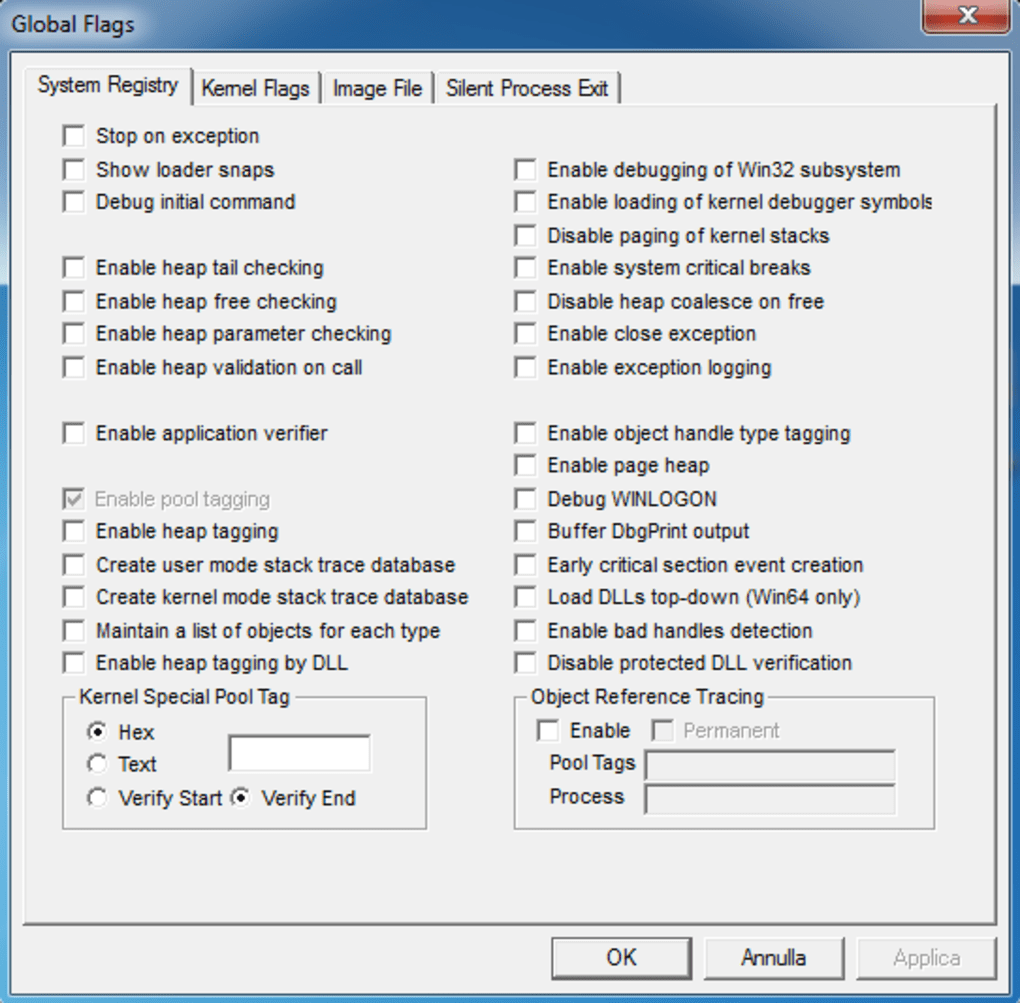
-
Compilers and Tools: The WDK includes essential compilers, linkers, and debuggers specifically tailored for driver development. These tools ensure that the driver code is compiled correctly, linked with the appropriate libraries, and thoroughly tested for bugs and vulnerabilities. The debugging tools are especially crucial, allowing developers to identify and resolve issues efficiently.
-
Header Files and Libraries: A comprehensive collection of header files and libraries provides developers with pre-built functions and data structures optimized for driver development. This simplifies the coding process by providing reusable components and eliminating the need for developers to write everything from scratch. These libraries significantly reduce development time and ensure consistency across different drivers.
-
Documentation and Samples: Extensive documentation provides detailed information on various aspects of driver development, including architecture, API calls, and best practices. Numerous sample codes illustrate effective implementation techniques, enabling developers to learn from real-world examples and adapt them to their specific needs. This readily available resource is invaluable for both novice and experienced developers.
-
Testing and Debugging Tools: The WDK offers sophisticated tools for testing and debugging drivers. These include kernel debuggers, performance analysis tools, and automated testing frameworks. These tools ensure that drivers are thoroughly tested and perform optimally under various conditions, enhancing reliability and minimizing the risk of system crashes or malfunctions. The thorough testing process is vital for ensuring the stability and security of the overall Windows system.
- Driver Frameworks: The WDK supports various driver frameworks, such as Kernel-Mode Driver Framework (KMDF) and User-Mode Driver Framework (UMDF), which provide structured approaches to driver development. These frameworks streamline the development process by offering pre-built components and simplifying complex tasks. By employing these frameworks, developers can focus on the unique aspects of their driver, rather than wrestling with low-level details.
Key Features and Enhancements in Recent WDK Versions
Microsoft continuously updates the WDK to address new hardware technologies, improve driver functionality, and enhance developer productivity. Recent versions boast significant improvements across the board, including:
-
Improved Support for Modern Hardware: The WDK keeps pace with the latest technological advancements, providing robust support for modern hardware interfaces and functionalities. This allows developers to create drivers for cutting-edge devices and technologies, ensuring seamless integration within the Windows ecosystem. This constant evolution is vital for the compatibility and performance of the entire system.
-
Enhanced Debugging Capabilities: The debugging tools have been significantly enhanced, allowing for more efficient identification and resolution of driver issues. This leads to more stable and robust drivers, reducing system instability and improving overall user experience. Improved debugging significantly shortens development cycles and enhances the quality of the final product.
-
Streamlined Development Process: Improvements in the WDK have streamlined the development process, reducing complexity and enhancing developer productivity. This translates to faster development cycles, allowing for quicker time-to-market for new drivers. This ultimately benefits both developers and end-users.
-
Enhanced Security Features: The WDK incorporates enhanced security features to help developers build more secure drivers, reducing the risk of vulnerabilities that could be exploited by malicious actors. This is crucial in today’s threat landscape, ensuring the safety and integrity of the overall system.
- Support for Emerging Technologies: The WDK consistently incorporates support for emerging technologies such as virtualization, cloud computing, and IoT (Internet of Things), enabling developers to create drivers that leverage the potential of these technologies. This forward-looking approach ensures that the WDK remains relevant and valuable in the rapidly evolving technological world.
Types of Drivers Supported by the WDK
The WDK supports a wide array of driver types, catering to the diverse needs of modern hardware devices:
-
Kernel-Mode Drivers (KMDF): These drivers run directly within the operating system’s kernel, offering high performance and direct access to system resources. They are typically used for hardware devices requiring low-latency and high-throughput operations.
-
User-Mode Drivers (UMDF): These drivers run in user mode, offering enhanced security and isolation from the kernel. They are often preferred for less critical devices or those with simpler functionality. UMDF also simplifies development and debugging by minimizing the risk of kernel-level crashes.
-
WDM (Windows Driver Model) Drivers: While largely superseded by KMDF and UMDF, WDM drivers are still supported in some legacy systems. WDM drivers offer a foundational approach to driver development, but may lack some of the advantages of newer frameworks.
-
Other Driver Types: The WDK also supports other specialized driver types tailored to particular hardware or software interactions, further expanding the possibilities of driver development. These specialized drivers often address specific needs within the Windows ecosystem.
Getting Started with the Windows Driver Kit
Accessing and using the WDK is relatively straightforward. Microsoft provides the WDK as a free download via their developer website. The installation process is typically intuitive, guided by clear instructions. Once installed, developers gain access to the vast array of tools, resources, and documentation included within the kit.
The WDK provides extensive documentation and sample code that can serve as a helpful starting point for new developers. The documentation provides a comprehensive guide on various aspects of driver development, while the samples allow developers to learn by examining real-world examples and adapt them to their specific needs.
The Future of the WDK
As technology continues to advance, the WDK is expected to play an increasingly crucial role in driver development. Continuous updates and improvements will ensure that it remains a valuable tool for developers creating drivers for a wide range of hardware devices, further enhancing the compatibility and performance of the Windows operating system. This ongoing commitment to improvement ensures that the WDK will continue to serve as the cornerstone of driver development for years to come. The emphasis on security and the support for emerging technologies will solidify its position as a critical tool in building the next generation of hardware and software integrations.
File Information
- License: “Free”
- Version: “8”
- Latest update: “July 20, 2021”
- Platform: “Windows”
- OS: “Windows 8”
- Language: “English”
- Downloads: “22.7K”
- Size: “978.55 KB”


