
Windows DVD Player, developed by Microsoft for Windows 10, offers a straightforward solution for playing DVDs on your PC. This review delves into its features, performance, advantages, disadvantages, and alternatives, providing a comprehensive assessment of its capabilities and suitability for your needs.
Seamless DVD Playback on Windows 10
Windows DVD Player provides a simple and efficient way to watch your favorite DVDs on a Windows 10 computer equipped with a built-in disc drive. Its design prioritizes ease of use, making it ideal for users who want a no-frills approach to DVD playback. Unlike more complex multimedia players burdened with numerous features, Windows DVD Player focuses solely on playing DVDs, resulting in quick load times and responsive controls. This streamlined approach contributes to a stable and reliable viewing experience, minimizing the chances of interruptions or errors during playback. The software is specifically optimized for Windows systems, ensuring seamless compatibility with the operating system and hardware.
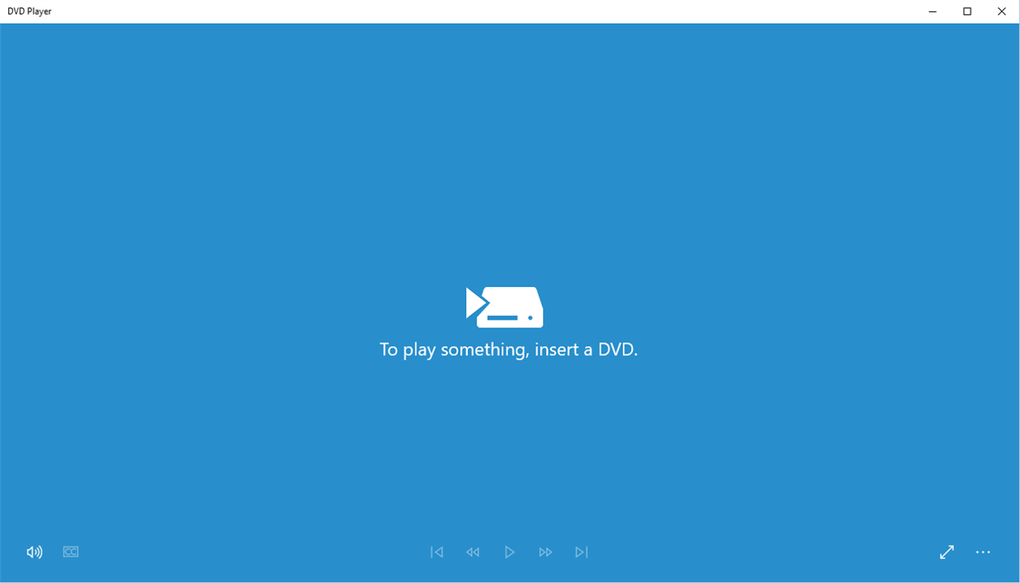
The application’s simplicity extends to navigating DVD menus. The interface is designed to be intuitive, allowing users to easily access and select menu options without cumbersome commands or complex navigation. This user-friendly design ensures that the focus remains on enjoying the DVD content, rather than wrestling with the software. The player handles both commercially produced DVDs and self-burned discs with equal efficiency, providing a versatile solution for a wide range of DVD media.
Pros and Cons of Windows DVD Player
While Windows DVD Player excels in its simplicity and reliable performance, it’s crucial to consider its limitations.
Pros:
- Simple and Intuitive Interface: The user-friendly interface minimizes complexity, making it easy for anyone to use, regardless of their technical expertise. The straightforward controls allow for immediate playback and effortless navigation.
- Fast Load Times and Responsive Controls: The focused design, devoid of unnecessary features, contributes to significantly faster load times compared to more comprehensive multimedia players. Controls are highly responsive, allowing for smooth and seamless navigation through the DVD content.
- Excellent Compatibility: Designed by Microsoft for Windows 10, it ensures optimal compatibility with the operating system and its hardware, minimizing the likelihood of compatibility issues or technical glitches.
- Plays Commercial and Homemade DVDs: Its versatility extends to both commercially produced and self-burned DVDs, offering a single solution for all your DVD playback needs.
- Stable and Reliable Performance: The streamlined design contributes to a stable and error-free playback experience, minimizing interruptions and ensuring a smooth viewing experience.
Cons:
- Limited Format Support: A significant limitation is its exclusive support for DVDs. It does not play Blu-ray discs, which are a more modern and higher-definition format. This restriction limits its usefulness for users who own Blu-ray discs or prefer higher-resolution video.
- No Ripping Capabilities: The software lacks the ability to rip DVDs, meaning you cannot copy the content to your hard drive. This feature is present in many other DVD players, and its absence limits the software’s overall functionality.
- Limited Customization Options: Compared to other multimedia players, Windows DVD Player offers limited customization options. This lack of flexibility may be a drawback for users who prefer to personalize their viewing experience.
Alternatives to Windows DVD Player
Several alternative DVD players offer broader functionality and features, but often at the cost of increased complexity. Choosing an alternative depends on your specific requirements and priorities.
WinX DVD Player: A popular alternative, WinX DVD Player offers a seamless DVD playback experience on PCs. Its trial version allows for evaluation before committing to a purchase.
DVD X Player: This option boasts unrestricted and high-quality DVD entertainment, providing a comprehensive solution for DVD playback on your PC. Like WinX DVD Player, a trial version is typically available for testing.
Free DVD Players: Several free DVD players are available, offering a basic, no-cost alternative. While these are often less feature-rich than paid options, they can be adequate for simple DVD playback needs.
CyberLink PowerDVD: This is a more comprehensive multimedia player that offers advanced features beyond simple DVD playback, including Blu-ray support and enhanced audio/video capabilities. However, it’s a paid application, and its additional features may be unnecessary for users simply looking to play DVDs.
These are just a few examples of the many alternatives available. Each player offers its own advantages and disadvantages regarding features, pricing, and user interface. It’s essential to consider your specific requirements and preferences when selecting a DVD player to ensure a seamless and enjoyable viewing experience.
System Requirements and Installation
Windows DVD Player is designed to function seamlessly within the Windows 10 ecosystem. To ensure optimal performance, ensure your computer meets the minimum system requirements. The specific requirements might vary slightly depending on the version, but generally, a reasonably modern computer with a DVD-ROM drive should suffice. Installation is typically straightforward; simply download the application from a trusted source (such as the Microsoft Store if available) and follow the on-screen instructions.
User Reviews and Feedback
While user reviews for Windows DVD Player are not consistently available on all platforms, the general consensus reflects its simplicity and ease of use. Many users appreciate its straightforward design and reliable performance, especially when compared to more complex media players. However, the absence of features like Blu-ray support and ripping capabilities is frequently cited as a limitation. The lack of widespread user reviews highlights its integration into the Windows operating system; it’s often a default solution rather than a standalone application actively sought out for review.
Conclusion
Windows DVD Player offers a simple, efficient, and reliable solution for playing DVDs on Windows 10 PCs. Its strength lies in its streamlined design, prioritizing ease of use and stable performance. However, its limitations in format support (lack of Blu-ray) and feature set (no ripping) should be carefully considered. If you’re primarily looking for a straightforward way to watch DVDs without unnecessary complexities, Windows DVD Player serves its purpose effectively. However, users needing advanced features or broader format support should explore the alternative options discussed above, which offer a wider range of functionality, even if at the cost of a more complex user interface. Ultimately, the best choice depends on your individual preferences and needs.
File Information
- License: “Full”
- Version: “1.0”
- Latest update: “January 31, 2023”
- Platform: “Windows”
- OS: “Windows 10”
- Downloads: “42.3K”


