
Windows Live Mail, once a popular and free email client offered by Microsoft as part of the Windows Essentials 2012 suite, holds a significant place in the history of email management software. While no longer supported by Microsoft, its legacy continues to be discussed among users who appreciated its functionality and ease of use. This article explores the features, strengths, and weaknesses of Windows Live Mail, examining why it was so well-liked and what ultimately led to its demise. We’ll also discuss suitable alternatives for users seeking a replacement.
A Familiar Interface and Robust Feature Set
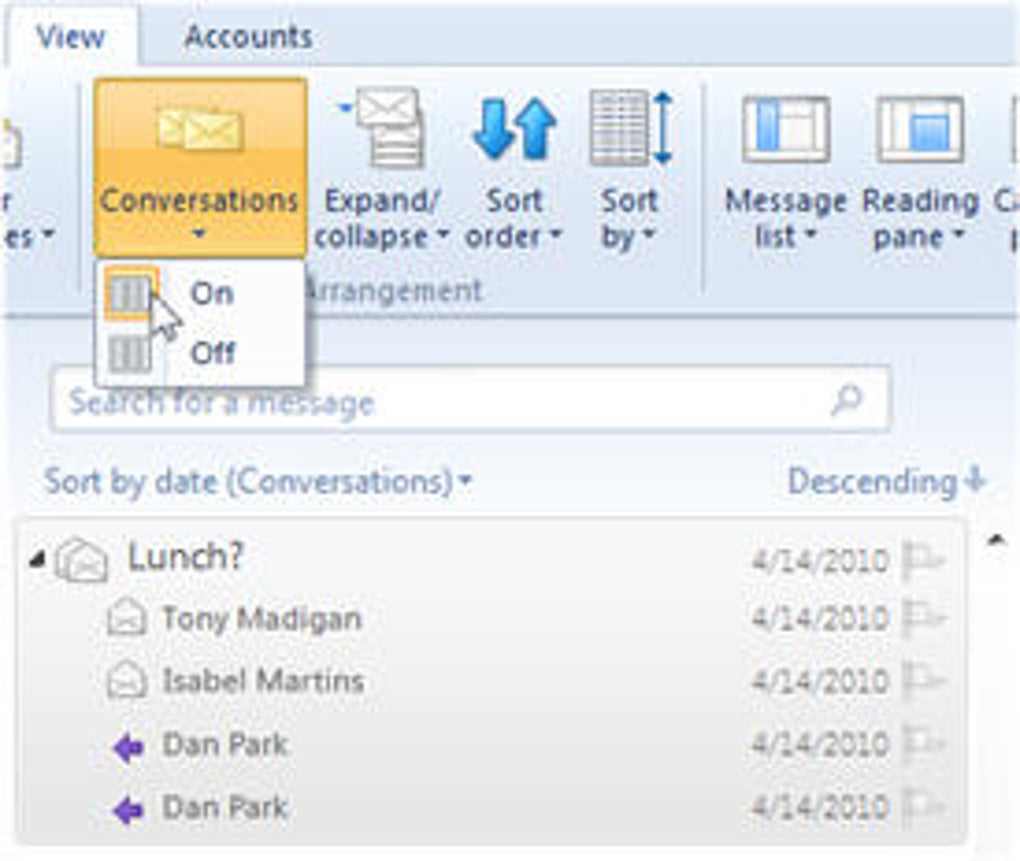
Windows Live Mail’s interface was designed with familiarity in mind. Borrowing heavily from the aesthetic and layout of Microsoft Office 2010, it featured the now-common “Ribbon” interface. This consisted of a series of tabs at the top of the application window, each containing a collection of related functions. This approach, while divisive among some users, offered a consistent and intuitive user experience for those already familiar with the Office suite. Tasks such as replying to, deleting, or forwarding emails were neatly organized under the “Home” tab, minimizing the need to navigate between different sections.
The program’s efficiency was further enhanced by its effective use of screen real estate. The main portion of the window was dedicated to the email content itself, providing ample space for reading and composing messages. A convenient account selection pane on the left-hand side allowed for quick switching between multiple email accounts, while a mini-calendar on the right provided a constant visual reminder of upcoming events. This integrated calendar was a significant feature, allowing users to schedule appointments, set reminders, and manage their schedules directly within the email client. The ability to easily add events directly from the inbox was particularly appreciated for its time-saving convenience.
This multi-account management wasn’t just a convenience; it was a necessity for many users. Both home users and small business owners frequently utilize multiple email accounts for various purposes. Windows Live Mail’s ability to handle this seamlessly without requiring separate applications was a significant advantage. The calendar’s capacity for long-term scheduling and its unobtrusive integration into the email view further enhanced its practical use. These features, combined with the user-friendly interface, positioned Windows Live Mail as a strong competitor in the email client market, particularly for those seeking a simple, yet effective solution.
The ability to send high-resolution photos directly through Windows Live Mail, leveraging OneDrive for storage and preventing inbox overload, was another noteworthy feature. This streamlined the process of sharing photos with family and friends, addressing a common issue with large image attachments clogging email inboxes.
The Sunset of Windows Live Mail: End of Life and Lack of Support
Despite its popularity and user-friendly features, Microsoft announced the end of support for Windows Essentials, including Windows Live Mail, in 2017. This decision, referred to as the product’s “end of life,” signaled a lack of future updates, security patches, and technical support. This announcement was met with significant disappointment from millions of users who relied on the software. The abrupt discontinuation left many users searching for alternative email clients to replace their preferred program. The absence of ongoing support and updates, naturally, introduced a risk for security vulnerabilities and compatibility issues with newer operating systems.
This end-of-life status presented a significant paradox. While Windows Live Mail offered a robust and user-friendly experience, its lack of future updates exposed it to potential security risks and compatibility problems. The situation was further complicated by the fact that after the final update, full compatibility was limited primarily to Hotmail and Live accounts. Ironically, this meant that Windows Live Mail often functioned more smoothly with email providers other than Microsoft’s own services.
The end of support for Windows Live Mail highlighted a common challenge in the software industry: the balance between maintaining legacy products and focusing resources on newer technologies. While the software continued to function for many users after the end-of-life announcement, the lack of updates inevitably led to increased instability and security concerns over time.
Alternatives to Windows Live Mail
The discontinuation of Windows Live Mail left a void in the email client market, prompting many users to explore alternative solutions. Fortunately, several excellent email clients are available, each offering a variety of features and capabilities:
-
Microsoft Outlook: While a paid application, Microsoft Outlook offers a comprehensive suite of features including email management, calendar integration, task management, and contact organization. It’s a powerful tool for both personal and professional use. However, it comes with a price tag and a steeper learning curve than Windows Live Mail.
-
Mozilla Thunderbird: A free, open-source email client known for its feature-rich capabilities, extensibility, and strong security focus. Thunderbird supports multiple email accounts, offers robust customization options, and has a large and active community providing support and add-ons. It’s a popular and viable alternative for users seeking a powerful, free, and open-source option.
-
Mailbird: A free email client that offers a clean and modern interface. It’s particularly useful for users who work with multiple accounts simultaneously. It also allows integration with various other services and applications, aiming for a streamlined workflow.
- The Windows 10 Mail App: Built into Windows 10 and later versions, this default email client provides basic email functionality, calendar integration, and support for multiple accounts. It’s a lightweight and straightforward option, ideal for users who primarily need simple email management.
The Legacy of Windows Live Mail
Despite its eventual discontinuation, Windows Live Mail remains a memorable email client for many users. Its ease of use, intuitive interface, and robust feature set, particularly its seamless integration of multiple accounts and its integrated calendar, made it a highly efficient and popular choice for both personal and small business users. While its end-of-life status necessitates a search for an alternative, the positive experiences of many long-time users highlight the value of a well-designed, user-friendly, and functional email client. The lessons learned from Windows Live Mail’s success and eventual demise should inform the development of future email applications, emphasizing the importance of both functionality and long-term support. The challenge for developers is to balance innovation with the need to maintain a reliable and secure experience for users. The continued popularity of alternative, and often free, email clients proves that while Microsoft might have ended support for Windows Live Mail, the demand for a user-friendly and efficient email solution remains strong.
File Information
- License: “Free”
- Latest update: “May 23, 2023”
- Platform: “Windows”
- OS: “Windows 7”
- Language: “English”
- Downloads: “985.4K”
- Size: “1.24 MB”


