
The Windows Phone operating system, while ultimately overshadowed by Android and iOS, enjoyed a period of moderate success. However, unlike its competitors, it lacked a unified desktop application for syncing and managing devices, akin to Apple’s iTunes. This void was partially filled by the “Windows Phone app for Desktop,” a free application designed to bridge the gap between the mobile OS and personal computers. While now largely obsolete due to the discontinuation of Windows Phone itself, its history offers a glimpse into the challenges and limitations of a smaller player in the mobile ecosystem. This article examines the features, limitations, and user reception of this now-historic application.
Syncing Capabilities: A Simple Approach
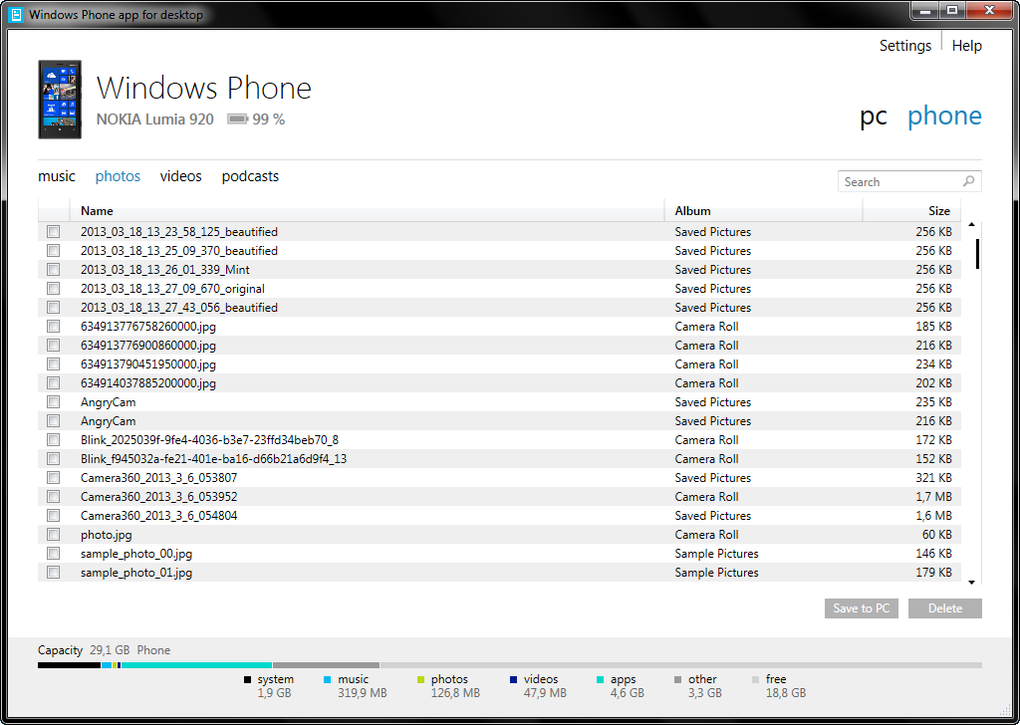
The core functionality of the Windows Phone app for desktop revolved around synchronization. It allowed users to connect their Windows Phone devices to their PCs, facilitating the transfer of various data types. This included photos, music, ringtones, and videos, enabling convenient backups and ensuring data preservation. The simplicity of this process was a key selling point, presenting a straightforward method for managing crucial files. The application also boasted a dedicated feature for syncing podcasts, irrespective of the source.
This synchronization wasn’t merely one-way. Users could easily transfer files to their Windows Phones, managing their device’s content directly from their desktop. This integrated management system streamlined the overall user experience, consolidating file transfers and organization within a single interface.
Evolution and Added Features: A Slow and Steady Pace
The Windows Phone app for desktop wasn’t static; it underwent development, albeit at a slower pace compared to the rapid iterations seen in larger software ecosystems. Significant updates included the incorporation of built-in update mechanisms. This allowed for automated improvements and bug fixes without requiring manual intervention, enhancing the overall user experience and ensuring the application remained functional.
Another notable enhancement was the addition of support for external hard drives. This allowed users to expand their storage capacity for backups and manage larger media libraries, significantly increasing the utility of the software for users with extensive multimedia collections.
User Interface and Design: Minimalist Metro Style
Consistent with the design philosophy of Windows Phone 7 and 8, the application’s user interface adopted the “Metro” style. This design principle prioritized simplicity, clarity, and a clean aesthetic. The minimalist approach aimed to enhance user-friendliness by avoiding cluttered interfaces and complex navigation schemes. The focus was on providing an intuitive experience where users could quickly access and utilize the application’s core functionalities. This approach, while visually appealing to some, might have been perceived as overly simplistic by others accustomed to more feature-rich interfaces.
Strengths and Weaknesses: A Balanced Perspective
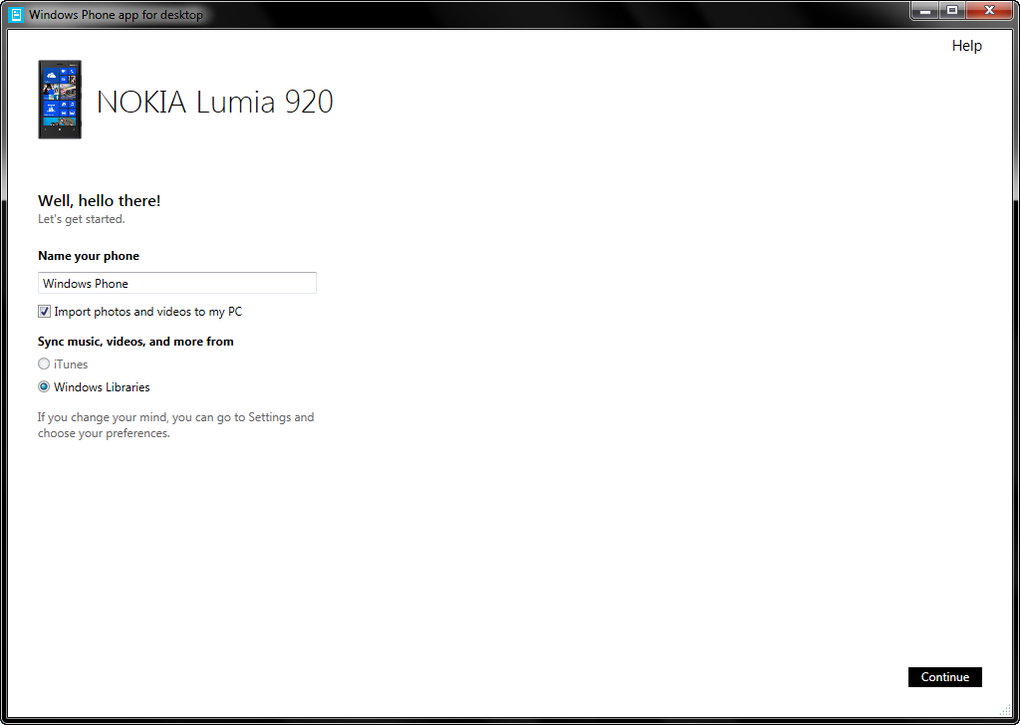
While the Windows Phone app for desktop provided valuable functionality, it wasn’t without its shortcomings. The application’s strengths lay primarily in its core functions. The ability to effortlessly sync important files, manage them within a centralized library, and maintain a collection of podcasts were undeniable advantages. It was a simple, functional tool that addressed a specific need in a relatively straightforward manner.
However, limitations were apparent. Critics frequently pointed to the software’s limited features compared to more robust competitors. The comparatively basic feature set, while contributing to simplicity, could be seen as a constraint for users requiring more advanced functionalities or fine-grained control over the synchronization process.
Bugginess and Slow Support: A Point of Contention
The application’s reputation wasn’t without blemishes. User reviews consistently highlighted instances of bugginess and infrequent updates. These issues created frustration among users, as inconsistencies and malfunctions hindered the smooth operation of the application. Furthermore, the slow pace of support from Microsoft was a significant point of contention. Many users reported encountering difficulties and lacking the necessary assistance to resolve their problems, highlighting the challenges that can arise when support resources are limited or not readily available.
User Reviews: A Mixed Bag of Experiences
User feedback on the Windows Phone app for desktop paints a picture of a mixed user experience. While some praised its simplicity and ease of use, others were quick to point out its limitations and frequent malfunctions. Many reviews expressed frustration with the inability to connect to the phone, a critical requirement for any synchronization application. Issues with syncing processes and a lack of responsiveness were also frequently cited. The overall tone suggests a combination of users who found the application adequate for their basic needs and those who were considerably disappointed by its shortcomings and lack of robust support. The sporadic and often critical reviews underscore the application’s inconsistent performance and the negative impact of limited developer support.
Comparison with Alternatives: A Diminished Role
The emergence of other methods for device management, particularly with the evolution of cloud services and integrated operating system functionalities, ultimately minimized the Windows Phone app for desktop’s significance. Services that seamlessly synced data across various devices, including PCs, offered a more streamlined and versatile approach. These newer methods offered greater flexibility, often encompassing more than just simple file transfers. The integration with cloud-based services also provided a significant advantage, allowing for access to data from multiple locations and devices, further diminishing the relative usefulness of the dedicated Windows Phone application.
The Legacy of the Windows Phone App for Desktop
The Windows Phone app for desktop represents a case study in the challenges of creating and maintaining a niche application in a rapidly evolving market. While its initial purpose – to provide a simple syncing solution for Windows Phones – was well-defined, its limitations, bugginess, and slow support ultimately hindered its long-term success. Its story serves as a reminder of the importance of ongoing development, robust support, and addressing user feedback to build a successful and lasting application, regardless of the size or target market of the software. The application’s eventual obsolescence underscores the cyclical nature of technological innovation, where even functional solutions can become outdated as the technological landscape shifts.
File Information
- License: “Free”
- Version: “1.0.1720.1”
- Latest update: “January 31, 2023”
- Platform: “Windows”
- OS: “Windows 8”
- Language: “English”
- Downloads: “124.8K”
- Size: “6.79 MB”


