
Windowsfx is a software application designed to provide a familiar Windows-like interface for users transitioning to the Linux operating system. It aims to ease the learning curve associated with switching operating systems by mimicking the visual layout and functionality of both Windows 10 and Windows 11. This allows users comfortable with the Windows environment to navigate and utilize a Linux system with minimal initial disruption. However, it’s crucial to understand that Windowsfx is a superficial imitation, offering a visual shell rather than a true functional equivalent of Windows.
A Visual Clone of the Windows Interface
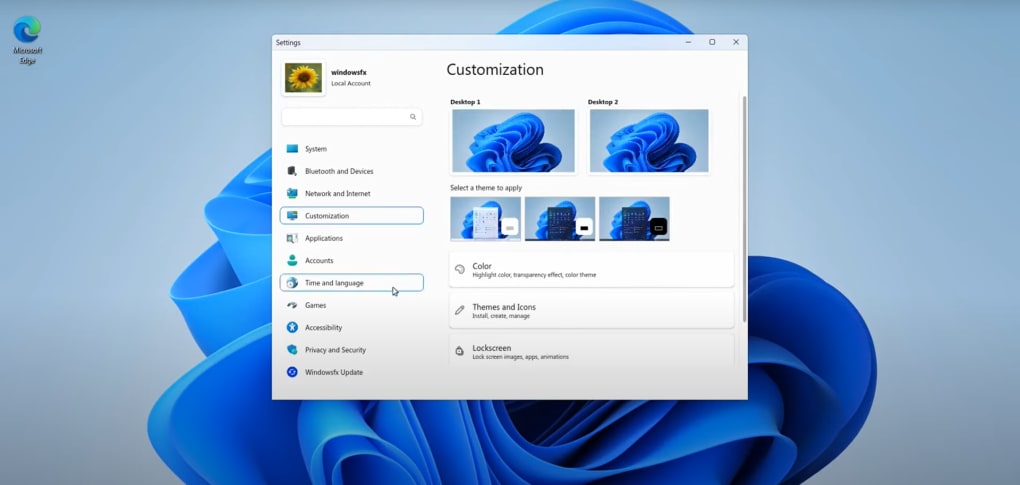
Windowsfx meticulously replicates the visual aspects of the Windows interface. The taskbar, start menu, file explorer, and other core elements are designed to closely resemble their Windows counterparts. Icons, visual cues, and the overall aesthetic strive to create a seamless transition for users accustomed to the Windows experience. While the resemblance is striking at first glance, closer inspection reveals subtle differences in design and menu layouts. The aim isn’t perfect replication but rather a comfortable familiarity that eases the user into the Linux environment. The software is built upon the foundation of Linuxfx but follows its own independent development path, incorporating unique features and enhancements.
This visual similarity extends to the functionality of many common commands and actions. Users accustomed to opening files, navigating directories, or using system settings in Windows will find largely analogous processes within Windowsfx. This minimizes the cognitive load associated with learning a completely new system, allowing users to focus on utilizing the underlying Linux capabilities rather than wrestling with an unfamiliar interface. However, the depth of functionality is limited by its nature as a visual overlay.
Smoothing the Transition to Linux
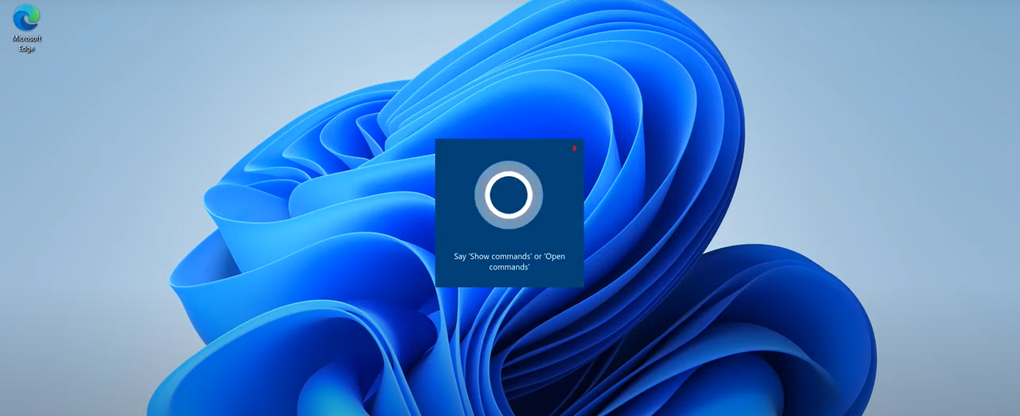
The primary purpose of Windowsfx is to simplify the transition for users migrating from Windows to Linux. This is particularly beneficial for those who lack extensive technical expertise or those who need to quickly adapt to a new operating system without the steep learning curve typically associated with Linux. The software aims to be highly accessible and user-friendly, eliminating the need to learn intricate command lines or navigate complex Linux-specific menus.
This ease of access extends to system requirements. Windowsfx is designed to run on systems with modest hardware specifications, requiring only a dual-core CPU and 2GB of RAM. This accessibility makes it suitable for a wide range of machines, catering to users who may not have access to high-end computing resources. Moreover, it bypasses the need for advanced security features like TPM modules or secure boot, simplifying the installation and setup process.
This feature set makes Windowsfx ideal for various scenarios, including:
- Individual users: Individuals switching from Windows can readily utilize their existing knowledge to adapt to Linux with a minimal learning curve.
- Educational environments: Students and educators can benefit from a familiar interface, allowing them to focus on the learning objectives without being hindered by the intricacies of a new operating system.
- Workplace transitions: Businesses deploying Linux systems can use Windowsfx to onboard employees familiar with the Windows environment, reducing training time and improving overall productivity.
Limitations and Considerations
Despite its benefits, it’s crucial to acknowledge the limitations of Windowsfx. It is fundamentally a visual imitation; its underlying architecture remains Linux-based. While it provides a familiar interface, it doesn’t fully replicate the comprehensive functionality of Windows. Many advanced features and intricate menu options characteristic of a full-fledged Windows system are missing. This imitation, designed for easing the initial transition, is not intended as a long-term solution.
Users aiming for a complete and robust Windows-like experience will eventually need to learn how to effectively utilize the underlying Linux system. While Windowsfx facilitates the initial step, it’s not a substitute for learning the intricacies of Linux commands, applications, and system management. Long-term users will likely notice the inherent limitations of this approach, as the visual shell cannot encompass the full depth of either operating system. This ultimately means that users will need to transition away from Windowsfx and embrace native Linux tools and applications to fully harness the potential of the Linux environment.
Furthermore, the Android app integration, while a convenient addition, may not offer the same performance or compatibility as running Android apps directly on an Android device or using a dedicated Android emulator.
Windowsfx: A Stepping Stone, Not a Destination
Windowsfx serves as a valuable bridge for users transitioning from Windows to Linux. Its intuitive interface and modest system requirements make it a practical tool for easing the learning curve. However, it is vital to recognize its limitations. It’s a valuable stepping stone in the transition, providing a comfortable starting point, but it is not a long-term replacement for a full understanding and utilization of the underlying Linux operating system. As proficiency in Linux increases, users are encouraged to explore and utilize the full potential of the native Linux environment. The visual familiarity provided by Windowsfx should be seen as a temporary aid designed to facilitate this transition, not a permanent solution. The software empowers users to approach Linux comfortably, paving the way for the mastery of this powerful and flexible operating system.
This temporary solution allows for increased productivity during the learning phase of adapting to a new environment and allows for a gradual learning process rather than a sudden and potentially overwhelming switch. It is therefore best seen as a tool to foster a smoother and more efficient transition, allowing users to focus on learning Linux at their own pace rather than being immediately confronted with the complexities of the native interface. The aim is not to replace Linux but to provide a pathway to embrace it more easily.
File Information
- License: “Free”
- Version: “11.8”
- Latest update: “November 21, 2022”
- Platform: “Windows”
- OS: “Windows 8.1”
- Language: “English”
- Downloads: “3.4K”
- Size: “4.82 GB”


