
In an increasingly interconnected digital world, privacy, security, and unrestricted access to information have become paramount concerns for internet users. As our lives migrate further online, the need for robust tools that protect our digital footprint and enhance our browsing experience has never been greater. Enter Windscribe, a powerful and versatile solution that neatly packages a virtual private network (VPN) with an effective ad blocker, specifically designed as a seamless extension for the Google Chrome browser. More than just a simple add-on, Windscribe offers a compelling suite of features aimed at making your online journey safer, faster, and more private, all while providing a generous free tier that makes it accessible to everyone.
This comprehensive guide delves into the intricacies of Windscribe for Chrome, exploring its core functionalities, advanced privacy tools, and how it stands as a formidable guardian against the myriad of online threats and annoyances. We will examine its ease of use, performance considerations, and what makes it a popular choice for both new and experienced VPN users.
Unveiling Windscribe: More Than Just a VPN
At its heart, Windscribe is a security and privacy tool developed by Windscribe itself, designed to empower users with greater control over their online presence. For Chrome users, it manifests as a convenient browser extension that integrates directly into your browsing environment. But what truly sets Windscribe apart is its dual functionality: it’s not just a virtual private network, but also a potent ad and tracker blocker, working in tandem to deliver a cleaner, more secure, and anonymous internet experience.
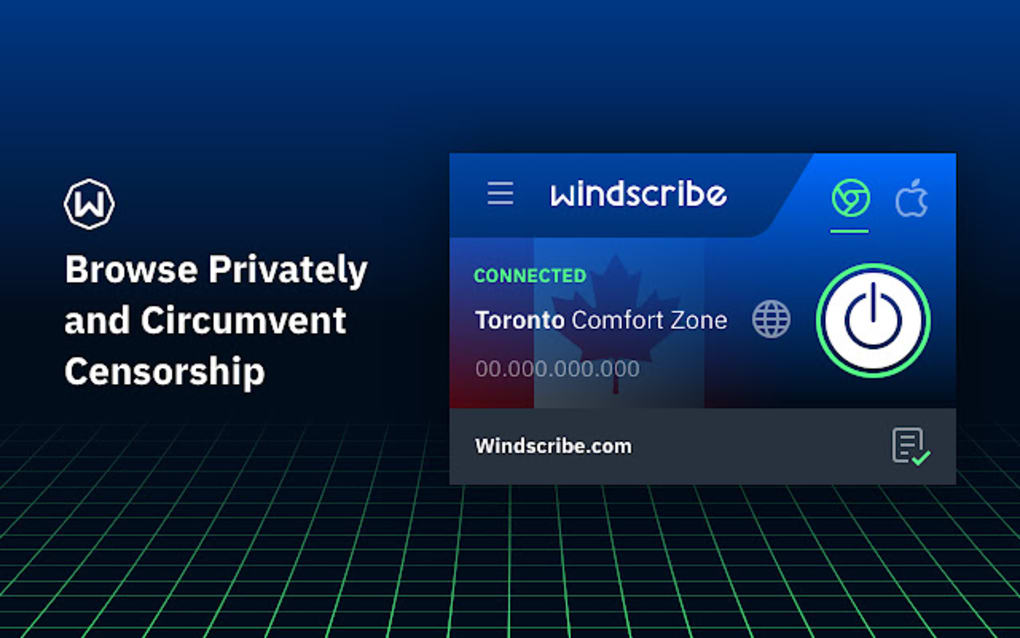
A VPN, or Virtual Private Network, acts as a secure tunnel for your internet traffic. When you connect to a Windscribe server, your data is encrypted and routed through that server, effectively masking your real IP address and location. This process makes it appear as if you are browsing from the server’s location, rather than your actual physical spot. The benefits are immediate and profound: enhanced anonymity, protection from prying eyes (including your Internet Service Provider, government agencies, and potential hackers), and the ability to bypass geographical restrictions.
However, Windscribe takes this a step further by incorporating a robust ad and tracker blocker. In today’s digital landscape, websites are often laden with advertisements, many of which employ sophisticated tracking mechanisms to collect data about your browsing habits. These trackers can follow you across the web, building comprehensive profiles that compromise your privacy and often slow down your browsing speed. Windscribe’s ad blocker actively identifies and blocks these elements, resulting in several key advantages: a clutter-free browsing experience devoid of intrusive ads, faster page loading times due to fewer elements needing to load, and most importantly, a significant boost to your online privacy by thwarting persistent trackers.
Similar to other reputable VPN solutions available for Chrome, such as NordVPN for Chrome, Windscribe provides an effortlessly integrated virtual private network solution. Its design ensures a smooth and intuitive user experience, making advanced privacy and security features accessible to everyone, regardless of their technical proficiency. This seamless integration means that with just a few clicks, you can activate the VPN and ad blocker, instantly transforming your browsing environment.
Seamless Integration and Core Functionality
One of the most appealing aspects of Windscribe as a Chrome extension is its ease of integration. Unlike desktop VPN applications that require separate installations and run system-wide, the Windscribe Chrome extension lives directly within your browser. This makes it incredibly lightweight and focused, primarily securing your browser traffic without affecting other applications on your device (unless you choose to pair it with the desktop client for full system protection).
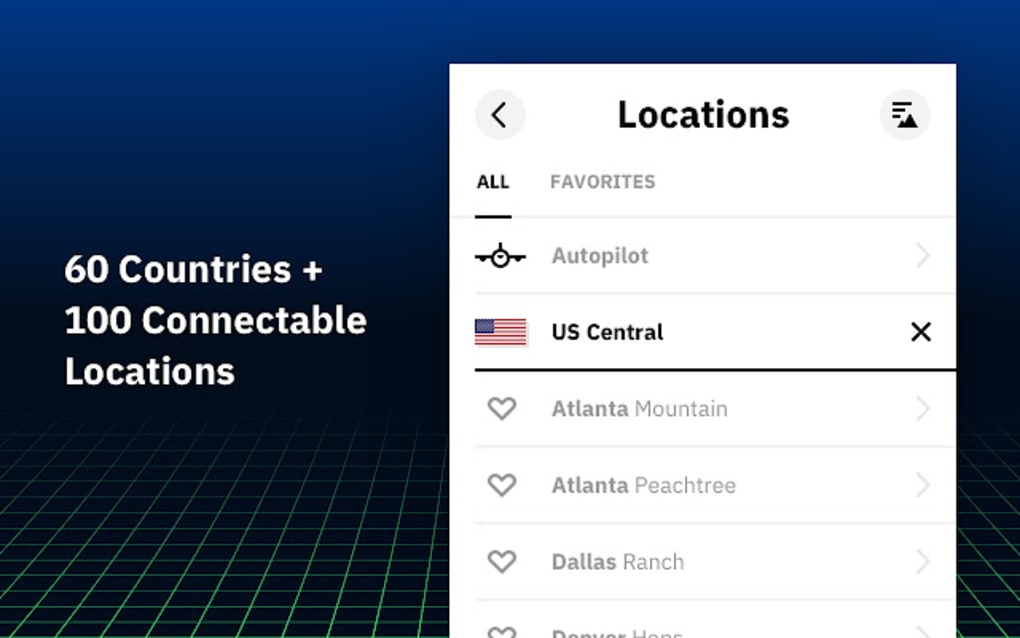
Upon installation, the extension typically appears as a small icon in your Chrome toolbar. A single click opens a user-friendly interface where you can quickly connect to a VPN server, choose a location, and manage your ad-blocking preferences. The core functionality revolves around:
- IP Address and Location Masking: As mentioned, this is the cornerstone of any VPN. Windscribe effectively hides your true IP address and replaces it with one from its server network. This is crucial for privacy, preventing websites and online services from identifying your exact physical location and building profiles based on your browsing origin.
- Ad Blocking: Beyond just removing visual clutter, Windscribe’s ad blocker works to prevent the loading of various ad types, including banner ads, pop-ups, and video ads. This improves readability, reduces distractions, and speeds up your browsing.
- Tracker Blocking: This is perhaps the most critical privacy feature of the ad blocker component. Windscribe identifies and blocks third-party trackers, beacons, and analytics scripts that attempt to monitor your online activity. This significantly reduces the amount of personal data collected about you by advertisers and data brokers.
- Enhanced Security: By encrypting your internet connection, Windscribe protects your data from interception, especially when using unsecured public Wi-Fi networks. This makes it much harder for malicious actors to snoop on your online communications, banking details, or personal information.
The combination of these features within a single, easy-to-use Chrome extension is what makes Windscribe a standout choice. It addresses multiple facets of online security and privacy without requiring users to install multiple tools or navigate complex settings.
Diving Deeper: Features, Benefits, and Account Options
Windscribe has carved out a significant niche in the VPN market, gaining popularity for its robust feature set and particularly for its generous free account offering. This section explores the advanced capabilities that Windscribe brings to the table, how it helps bypass geo-restrictions, and the differences between its free and Pro subscription plans.
Enhanced Privacy and Security Tools
Beyond the fundamental VPN and ad-blocking functionalities, Windscribe incorporates an extensive array of privacy and security tools designed to provide a comprehensive shield for your online activities.
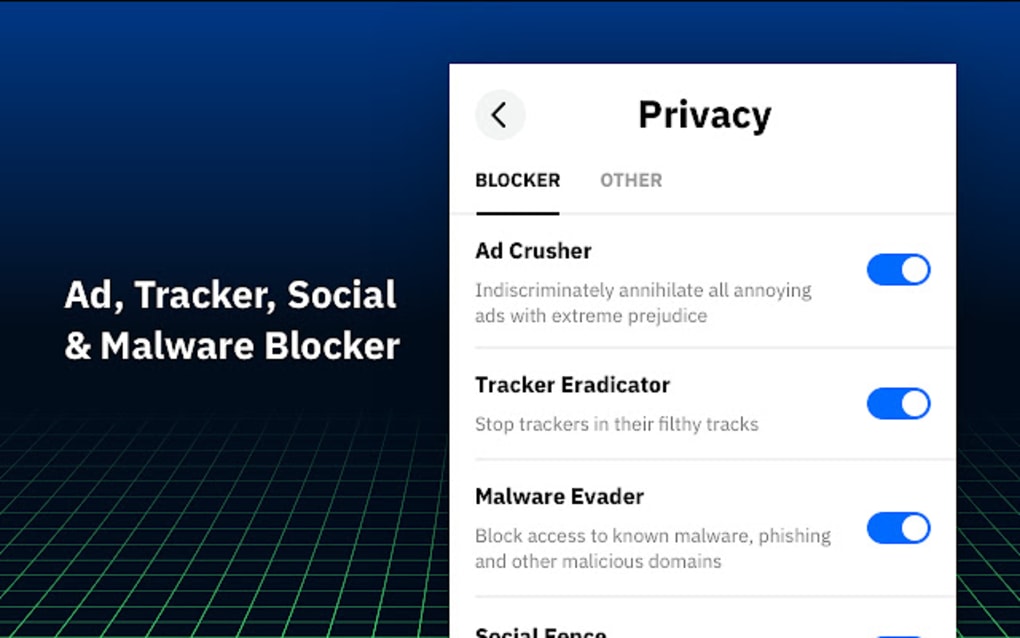
- Built-in Ad and Tracker Blocker (R.O.B.E.R.T.): While already discussed, it’s worth reiterating the power of this integrated feature. Windscribe’s R.O.B.E.R.T. system actively blocks advertisements and tracking scripts from the websites you visit. This doesn’t just improve aesthetics; it’s a fundamental privacy protection. By preventing trackers from loading, you deny them the opportunity to collect data about your browsing habits, ensuring that your online movements remain more private and less susceptible to targeted advertising or data profiling.
- Malware Blocking Capabilities: An often-underestimated aspect of Windscribe’s offering is its proactive malware blocking. The service helps identify websites known to distribute malware or engage in phishing attempts. By recognizing and flagging these dangerous online portals, Windscribe prevents you from inadvertently visiting them, adding an essential layer of defense against viruses, ransomware, and other forms of malicious software. This preventative measure is crucial for maintaining the health and security of your device and data.
- “No Data Logging” Policy: In the world of VPNs, a “no data logging” policy is a gold standard for user privacy. Windscribe has been transparent about how it handles user privacy, unequivocally stating its commitment to not log user data. This means that Windscribe does not store information about your online activities, such as the websites you visit, the files you download, or your connection timestamps. This commitment is vital because even if a third party were to request user data, Windscribe would have nothing to provide, ensuring your anonymity remains intact. This transparency builds trust and assures users that their online privacy is truly respected.
Bypassing Geo-Restrictions and Censorship
One of the most coveted features of VPN services globally is their ability to unlock and bypass regional restrictions, thereby granting access to content that would otherwise be unavailable based on a user’s geographical location. Windscribe excels in this domain, offering robust functionality to overcome geo-blocks and censorship.
Using Windscribe, you gain the power to access a vast array of websites, services, and online content that might be restricted in your home country. This includes, but is not limited to, popular streaming platforms like Netflix, Hulu, BBC iPlayer, and others, which often have different content libraries based on geographical licenses. By connecting to a Windscribe server in a different country, you can effectively trick these services into believing you are located there, thereby granting you access to their localized content.
This capability extends beyond entertainment, proving invaluable for accessing news sites, social media platforms, or other informational resources that might be censored or restricted by governments or local network administrators. For travelers, expatriates, or anyone dealing with internet censorship, Windscribe provides a vital tool for maintaining open and unfettered access to the global internet. The ability to choose from a selection of server locations means you can virtually transport yourself around the world, unlocking diverse online experiences with ease.
Free Tier vs. Pro: What’s Your Data Allowance?
Windscribe’s popularity is significantly boosted by its attractive free account offer, which provides a gateway for many users to experience the benefits of a VPN without any financial commitment. This free tier is particularly generous compared to many competitors and serves as an excellent introduction to VPN services for newcomers.
- The Free Account: With a free Windscribe account, users are allocated 10GB of data every month. This amount is quite substantial for casual browsing, email, and moderate streaming, making it a viable option for those who don’t require constant, heavy VPN usage. Additionally, free users gain access to 10 server locations around the world. These locations are strategically chosen to provide a good balance of speed and accessibility for a broad user base. This free offering is perfect for individuals new to VPNs, those on a budget, or users who only need VPN protection for specific tasks or occasional browsing. It allows them to test the service thoroughly before committing to a paid plan.
- The Pro Plan: For users with more demanding needs, higher usage requirements, or a desire for expanded flexibility, Windscribe offers a Pro plan. This premium subscription elevates the user experience significantly by providing unlimited data access, effectively removing any concerns about data caps. Furthermore, the Pro plan vastly expands the list of available servers to 62 countries across the globe. This extensive network ensures better connection speeds, more options for bypassing geo-restrictions, and greater reliability. What’s more, the Pro plan features cross-platform compatibility, meaning your subscription can be used across various devices and operating systems, including Windows, macOS, Linux, iOS, Android, and even routers, ensuring seamless protection across your entire digital ecosystem. This makes the Pro plan an ideal choice for power users, frequent streamers, or anyone seeking comprehensive, always-on VPN coverage for multiple devices.
The availability of both a robust free tier and a feature-rich Pro plan means Windscribe caters to a wide spectrum of users, ensuring that everyone can find a solution that fits their specific needs and budget.
Installation, Ease of Use, and Real-World Performance
Adopting a new tool, especially one related to security, often comes with concerns about complexity. However, Windscribe has prioritized user-friendliness, particularly with its Chrome extension. This section details the straightforward installation process, highlights an innovative feature for effortless protection, and addresses important performance considerations.
Getting Started with Windscribe for Chrome
The process of getting Windscribe up and running on your Chrome browser is remarkably simple and fast, designed to be accessible even for those who aren’t tech-savvy.
- Locate the Extension: You typically begin by visiting the Chrome Web Store or the official Windscribe website (or PhanMemFree.org, where you might have discovered it) and searching for “Windscribe.”
- Add to Chrome: Once found, you simply click the “Add to Chrome” button. The browser handles the download and installation in a matter of seconds. Chrome will ask for permission to add the extension, which you’ll need to confirm.
- Account Requirement: It’s important to note that while the installation is quick, Windscribe requires an account to function. If you don’t already have one, it’s highly recommended to create an account on the Windscribe website first. This process is also straightforward, involving a username, password, and email verification. Creating an account beforehand streamlines the post-installation setup.
- Log In and Activate: After the extension is installed and you have an account, click on the Windscribe icon in your Chrome toolbar. A small window will appear, prompting you to log in with your credentials. Once logged in, you can immediately enable the VPN, choose a server location, and start enjoying a more secure and private browsing experience.
This minimalist approach to installation ensures that users can quickly benefit from Windscribe’s protection without encountering technical hurdles. The intuitive interface further simplifies configuration, allowing users to switch servers or toggle features with ease.
The “Cruise Control” Advantage
One of Windscribe’s most innovative features, designed for maximum convenience, is “Cruise Control.” This intelligent mode takes the guesswork out of choosing the best server location, automating the process to provide optimal performance and accessibility.
With Cruise Control activated, you don’t have to manually select a VPN server location. Instead, Windscribe automatically picks the best available server for you, typically based on proximity for faster speeds. However, its intelligence extends beyond just speed. The system is designed to automatically switch locations when it detects that you need to unblock a certain site, such as regional streaming platforms like Netflix, which often have content libraries specific to certain countries. This means if you’re trying to access content only available in the US, Cruise Control will automatically route your connection through a US server, and then switch back to a closer, faster server when you visit other general websites.
The beauty of “Cruise Control” lies in its “install and forget” philosophy. Once enabled, you rarely have to fiddle with the options again. It works silently in the background, adapting to your browsing needs, providing uninterrupted access and optimal performance. This feature is particularly beneficial for casual users who want robust protection without the hassle of constant manual configuration, making the VPN experience truly effortless.
Furthermore, the extension also integrates Secure.link. This feature allows users to generate “Secure Links” directly from the browser, which can then be shared with friends. These links offer a unique way to visualize and understand the extent of tracking happening on popular websites. When friends sign up through your Secure Link, it can even lead to referral benefits, adding a social and incentive-based dimension to promoting privacy awareness.
Addressing Performance Considerations
While Windscribe offers a compelling package of features, particularly for a free service, it’s important to approach any online tool with a balanced perspective, acknowledging its strengths and potential limitations. Based on user feedback and general observations, there are a couple of performance aspects worth considering:
- Inconsistent Connection Speeds: One point frequently noted is that connection speeds can be inconsistent at times. This isn’t unique to Windscribe; most VPN services, especially free ones, can experience fluctuations in speed due to server load, distance to the server, and network congestion. While often reliable and fast enough for everyday browsing and standard streaming, users might occasionally encounter slower speeds, particularly during peak usage hours or when connecting to very distant servers. The Pro plan, with its larger server network and optimized infrastructure, typically mitigates these issues to a greater extent.
- Geo-Spoofing Limitations: Another aspect to be aware of is that Windscribe’s geo-spoofing feature, while generally effective, does not always work flawlessly in all locations or for all services. Certain highly sophisticated streaming platforms, for example, employ advanced VPN detection mechanisms that can sometimes identify and block VPN traffic, regardless of the service. While Windscribe continuously works to circumvent these blocks, there might be instances where bypassing restrictions to specific content in some locations proves challenging. This can lead to situations where a user expects to access content but is still met with a geo-restriction message.
Despite these occasional inconsistencies, it’s crucial to view them in context. For a free service offering 10GB of data and extensive privacy tools, these minor drawbacks are often acceptable trade-offs. The Pro plan addresses many of these concerns by providing access to a larger, more robust server infrastructure, which typically results in more consistent speeds and more reliable geo-unblocking capabilities. For the vast majority of Chrome users seeking enhanced privacy and ad blocking without significant investment, Windscribe’s performance remains more than adequate.
The Verdict: Is Windscribe the Right Choice for You?
In summation, Windscribe Free VPN and Adblock for Chrome stands out as a robust and highly recommendable option for anyone looking to bolster their online privacy and security while enjoying an ad-free browsing experience. Its combination of a Virtual Private Network with an integrated ad and tracker blocker creates a powerful, all-in-one solution that addresses many of the common frustrations and risks of modern internet usage.
Let’s recap its strongest points and areas where there might be room for improvement:
Pros:
- Generous Free Account: The allocation of 10GB of data per month and access to 10 server locations is an incredibly compelling offer, making premium-level privacy accessible without financial commitment. This is particularly attractive for new VPN users or those with moderate needs.
- Extensive Set of Privacy and Security Tools: Beyond basic VPN functionality, the integrated ad and tracker blocker (R.O.B.E.R.T.) coupled with malware blocking capabilities provides a multi-layered defense against online threats and data harvesting.
- “No Data Logging” Policy: Windscribe’s transparent commitment to not logging user data is a significant trust factor, ensuring that your online activities remain private and anonymous, even from the service provider itself.
- Seamless Chrome Integration: As a browser extension, it’s incredibly easy to download, install, and use, blending perfectly into your Chrome browsing environment without requiring complex configurations.
- “Cruise Control” Feature: This innovative auto-connect functionality simplifies the VPN experience, automatically selecting the best server and adapting to geo-blocking needs, making it truly an “install and forget” solution.
- Cross-Platform Compatibility (Pro): For paid users, the ability to extend protection across multiple devices and operating systems adds immense value, ensuring consistent security regardless of the device you’re using.
Cons:
- Inconsistent Connection Speeds: While often reliable, there can be instances where connection speeds fluctuate, potentially impacting very high-bandwidth activities. This is more prevalent on the free tier due to server load.
- Geo-Spoofing Not Always Reliable in Some Locations: Despite its general effectiveness, some highly sophisticated streaming services or geo-restricted content might occasionally detect and block Windscribe’s VPN, particularly from certain server locations.
Overall Assessment:
Windscribe Free VPN and Adblock is a solid option if you’re in search of a good and reliable VPN service, especially for use within the Chrome browser. Its ease of setup and intuitive interface make it accessible to everyone, while its rich feature set provides substantial value.
For those considering dipping their toes into the world of VPNs or simply wanting to block ads and trackers effectively, the free account alone is a compelling offer that warrants trying it out. It provides an excellent benchmark for what a quality VPN and ad blocker can deliver. If you find yourself hitting the 10GB data limit regularly or require access to a wider range of server locations and consistently faster speeds, upgrading to the Pro plan is a logical and worthwhile step, transforming it into a premium, all-encompassing privacy solution.
Whether you’re concerned about protecting your personal data, bypassing regional content blocks, or simply enjoying a cleaner, faster browsing experience, Windscribe offers a powerful, user-friendly, and often free pathway to achieving these goals within your Chrome browser. It successfully combines essential privacy tools into one package, making it an indispensable addition to your online toolkit. While some premium services might offer slightly faster speeds or more consistent geo-unblocking, Windscribe’s overall package, especially its free tier, presents an unbeatable value proposition for the privacy-conscious internet user. You can find more details and download Windscribe from Phanmemfree.org.
File Information
- License: “Free”
- Version: “3.4.6”
- Latest update: “July 11, 2023”
- Platform: “Windows”
- OS: “Windows 98”
- Language: “English”
- Downloads: “62.1K”


