
WinFF, the Windows counterpart to a popular Linux video converter, offers a straightforward approach to converting video files between various formats. This review delves into its capabilities, ease of use, limitations, and overall performance, comparing it to other available options in the market.
Functionality and Features
WinFF’s core function is video format conversion. It supports a wide range of input and output formats, leveraging the power of FFmpeg, a highly regarded command-line video processing tool. This allows WinFF to handle a diverse array of video files, including but not limited to MPEG, FLV, MOV, AVI, and more. Users can convert multiple files simultaneously and specify different output formats for each, making it efficient for batch processing. Beyond basic conversion, WinFF offers granular control over the conversion process. Users can adjust parameters like video resolution, aspect ratio, and audio quality, providing a degree of customization to optimize the output for specific needs. This level of control allows for fine-tuning the balance between file size and video/audio quality, a crucial aspect for users with varying storage limitations and quality preferences.
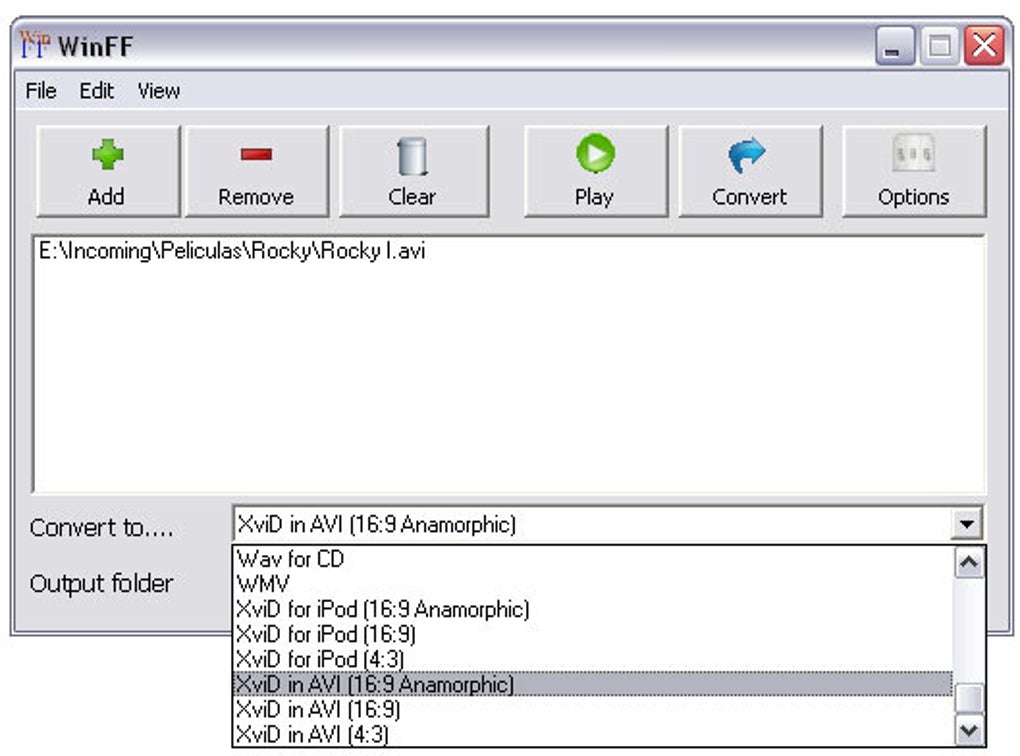
The program’s interface is characterized by its simplicity. While it may lack the polished aesthetics of some modern video converters, its straightforward design prioritizes functionality. Users can easily select input files, choose output formats and parameters, and initiate the conversion process without navigating complex menus or options. This intuitive design caters to both novice and experienced users, ensuring a smooth user experience regardless of technical proficiency.
Ease of Use and User Interface
WinFF’s user interface is purposefully minimalistic. It presents a clean layout with clearly labeled buttons and options, facilitating a quick and easy conversion process. The program avoids overwhelming users with unnecessary features or complex settings, prioritizing simplicity and direct functionality. This design philosophy makes WinFF exceptionally accessible, even for users unfamiliar with video editing software. The streamlined workflow minimizes the learning curve, allowing users to quickly master the conversion process and efficiently transform their video files. However, this simplicity could be perceived as a limitation by users seeking advanced features or extensive customization options.
Performance and Limitations
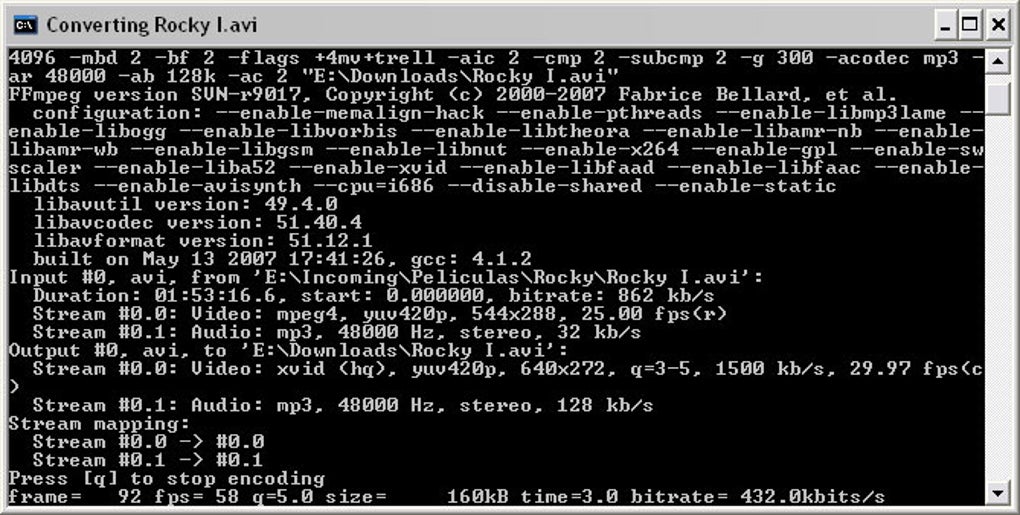
While WinFF excels in its simplicity and versatility, it is not without its shortcomings. One notable limitation is its sensitivity to file names containing long lengths or unusual characters. This can lead to conversion errors or file rejection, requiring users to rename their files before processing. This limitation underscores the need for users to exercise caution when dealing with unusually named files. Furthermore, while generally stable, WinFF may occasionally struggle with exceptionally large video files or complex conversion tasks, requiring a longer processing time compared to more sophisticated, resource-intensive converters. This is primarily attributable to its reliance on FFmpeg, which, while powerful, may not always optimize for speed in all scenarios.
Comparison with Alternative Video Converters
WinFF competes with a vast array of video converters, both free and commercial. Compared to some commercial options, WinFF lacks advanced features like video editing capabilities or preset optimization profiles tailored to specific devices. However, its simplicity and free availability make it a compelling choice for users who prioritize basic conversion functionality without the added complexity or cost. Compared to other free alternatives, WinFF stands out with its support for a wide array of formats and its ability to handle batch conversions. However, some competitors offer more advanced features like real-time preview, improved file name handling, and more polished user interfaces. The choice between WinFF and its alternatives depends on individual needs and priorities. Users primarily focused on simple, fast, and free conversion will find WinFF suitable. Users requiring advanced features or a more polished user experience might consider alternatives.
User Reviews and Feedback
User reviews highlight a mixed experience with WinFF. While many praise its speed, ease of use, and ability to handle multiple formats, some report issues with file name handling and occasional instability with specific file types. Negative feedback often centers on the program’s limitations in handling long or unusual file names, a recurring theme that points to a need for improvement in error handling and robust filename parsing. Positive feedback, on the other hand, consistently underscores the program’s straightforward approach, ease of use, and efficiency in converting standard video files. This divergence in user experiences emphasizes that WinFF’s suitability depends on the specific files and tasks involved.
Security Considerations
Like any software downloaded from third-party sources, it is important to exercise caution and ensure the download originates from a trusted and verified repository to mitigate security risks. Always scan downloaded files with a reputable antivirus program before execution. While the Phanmemfree platform claims to scan files for malware, independent verification is always advisable as a precautionary measure. Furthermore, it’s crucial to be aware of potential bundled software or adware that might be included during installation. Careful attention to the installation process and selecting custom installation options can help avoid unintended software installations.
Conclusion
WinFF offers a compelling solution for users requiring a simple and efficient video converter. Its ease of use, support for multiple formats, and batch conversion capabilities make it a practical choice for everyday video conversion tasks. However, its limitations in handling long or unusual filenames and occasional instability with large files need to be considered. Users who prioritize simplicity and speed above advanced features will likely find WinFF to be a satisfactory tool. Those needing more robust error handling, a polished user interface, and advanced editing capabilities may find it beneficial to explore other options available in the market, balancing the need for simplicity with the desired functionality. Ultimately, the effectiveness of WinFF depends on individual user needs and expectations. Its free availability and straightforward approach make it a valuable tool for users with basic video conversion requirements. However, more advanced users may prefer a converter with a richer feature set and superior error handling.
File Information
- License: “Free”
- Latest update: “July 11, 2023”
- Platform: “Windows”
- OS: “Windows 2000”
- Language: “English”
- Downloads: “101.5K”
- Size: “20.97 MB”


