
In the realm of digital file management, where the swift and reliable acquisition of software, media, and documents is paramount, download managers have long played a crucial role. Among the many utilities designed to optimize this experience, WinGet emerged as a notable contender, offering a simple yet effective solution for Windows users. Far from the modern package manager bearing a similar name, this WinGet refers to a dedicated application focused squarely on enhancing the process of downloading files from the internet. Developed by Indentix, WinGet positioned itself as a lightweight, free download manager tailored to streamline transfers, promising not just speed but also greater control and reliability over internet downloads.
Released in an era when internet connections were often less stable and bandwidth was a precious commodity, WinGet aimed to address common frustrations such as slow download speeds, interrupted transfers, and disorganized file storage. It offered a suite of features that, while appearing basic by today’s standards, were instrumental in improving the downloading experience for its users. This article delves into the functionalities, advantages, and limitations of WinGet, exploring its impact and legacy as a dedicated download management tool for the Windows platform, particularly reflecting on its context around its last significant update in January 2008.
Unveiling WinGet: A Classic Download Manager for Windows
At its core, WinGet was designed to make the often-cumbersome task of downloading files “lighter” on the user. Its philosophy centered on simplicity and efficiency, aiming to alleviate the common pitfalls associated with direct browser downloads. Unlike browsers that often struggle with large files, unstable connections, or the need for advanced management, WinGet stepped in to provide a more robust and user-friendly alternative.
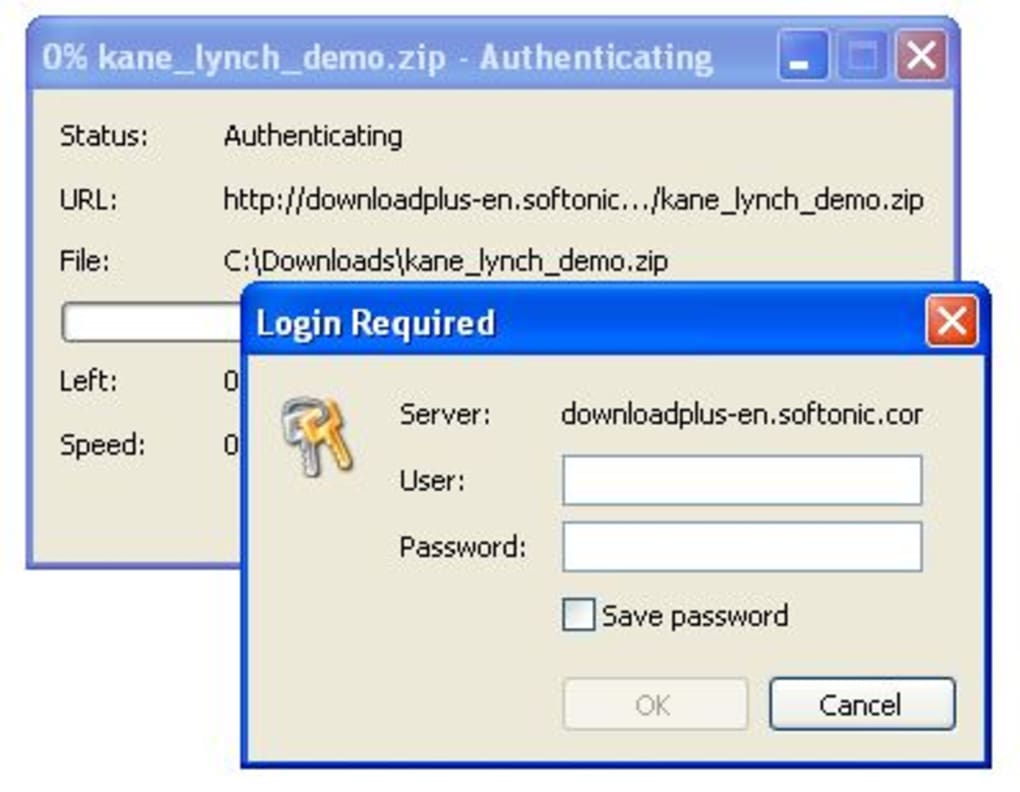
Upon first impression, WinGet presented a rather basic interface, a characteristic it shared with many utilities of its time. Its appearance and initial functionality might have seemed modest when placed alongside more feature-rich or visually complex download managers. However, this simplicity was often a virtue, contributing to its lightweight footprint and ease of use. The developers focused on core utility rather than elaborate aesthetics, ensuring that the program remained accessible and responsive, even on older Windows systems like Windows 2000, which was its primary target OS platform at the time of its release.
One of the foundational promises of WinGet was its ability to accelerate downloads. This wasn’t just a marketing claim but a technical feature achieved through a common, yet effective, method: splitting files into multiple parts. By segmenting a single file into several smaller chunks and downloading these chunks concurrently, WinGet could leverage the available bandwidth more efficiently. This parallel downloading technique could, in ideal scenarios, boost download speeds by up to 300 percent, significantly reducing the time users had to wait for their files. In an age of dial-up or early broadband connections, such an acceleration was a game-changer, turning hours of waiting into mere minutes or vice versa for larger files.
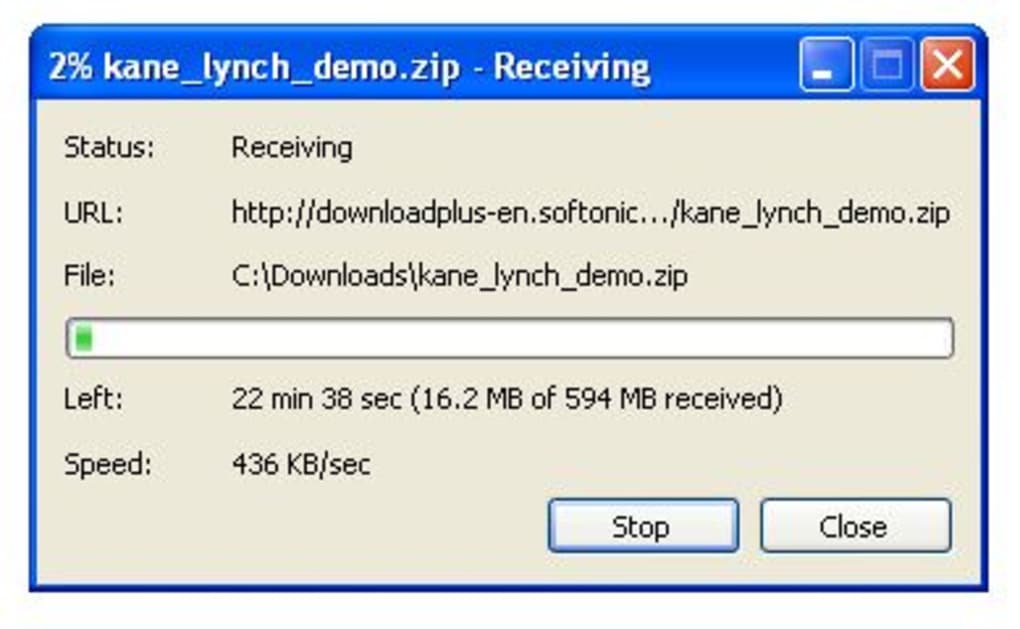
Beyond raw speed, reliability was another cornerstone of WinGet’s design. Internet connections, especially in the early 2000s, were notoriously prone to interruptions. Power outages, network drops, or even accidental computer shutdowns could render partially downloaded files useless, forcing users to restart their transfers from the beginning. WinGet tackled this problem head-on by incorporating automatic resume capabilities. If a download was interrupted for any reason, the program could seamlessly pick up where it left off once the connection was restored or the computer restarted. This feature saved countless hours of frustration and bandwidth, ensuring that valuable download progress was not lost. Furthermore, WinGet demonstrated an impressive level of persistence, configured to make an “unlimited amount of attempts” to complete a file download until it was fully successful. This tenacious approach guaranteed that, given enough time and intermittent connectivity, the file would eventually reach the user’s hard drive.
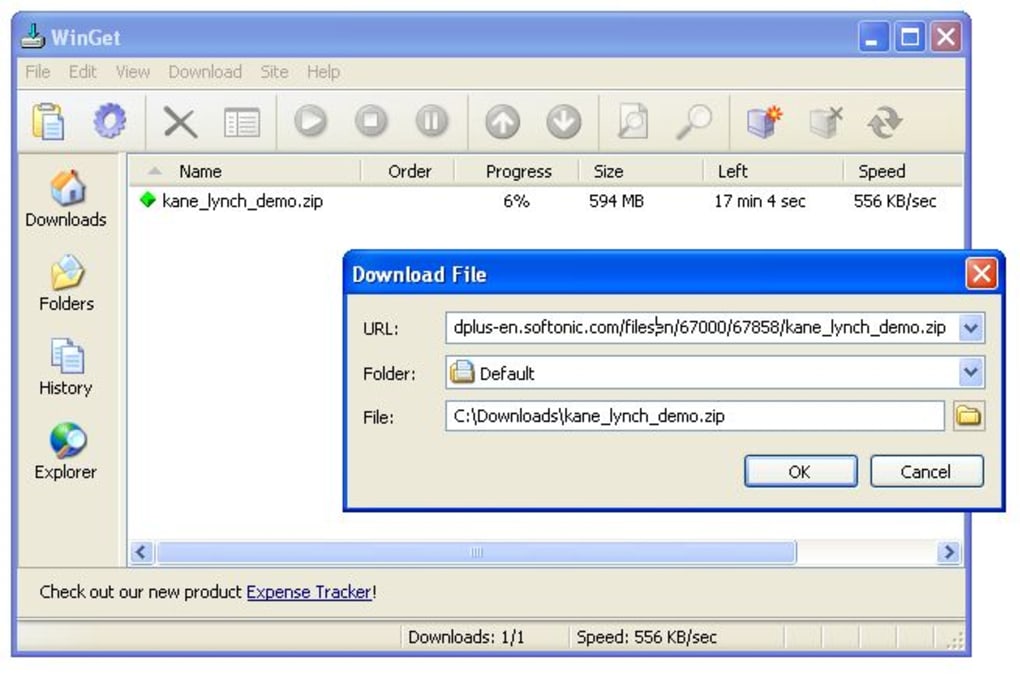
WinGet’s commitment to user convenience extended to its organizational capabilities. Rather than simply dumping all downloaded files into a single, undifferentiated folder, WinGet allowed users to organize their downloads into various customizable categories. This meant that movies could go into a “Videos” folder, software installers into “Applications,” and documents into “Documents,” all managed within the WinGet interface. This categorization system brought a much-needed layer of order to what could otherwise become a chaotic download directory, making it easier for users to locate and manage their acquired files post-download.
For those keen on monitoring their internet usage or simply curious about their download habits, WinGet also offered basic statistics. Users could check the total amount of data downloaded over specific periods, such as “just today” or “the whole month.” While not as granular as modern network monitoring tools, this feature provided a helpful overview of data consumption, a valuable insight when dealing with metered internet connections or personal bandwidth caps.
Core Functionality and Advanced Features
WinGet’s utility went beyond simple downloads, incorporating several features that provided users with greater control and flexibility. These capabilities allowed for fine-tuning the download process to suit individual needs and network environments.
Streamlined Downloads and Smart Organization
A pivotal aspect of WinGet’s design was its comprehensive configuration menu. This menu was a central hub where users could tweak various parameters to control the program’s behavior. Options ranged from setting specific bandwidth usage limits, ensuring that downloads didn’t hog the entire internet connection (a crucial feature for shared networks or during concurrent browsing), to defining post-download actions. For instance, users could configure WinGet to automatically shut down the computer, disconnect from the internet, or run a specified program once all active downloads were finished. This scheduling capability was particularly useful for large downloads initiated overnight or when users needed to step away from their computer, automating the final steps of the process. The program also supported password-protected servers, adding a layer of security and access control for certain download sources, especially relevant for FTP sites or private repositories.
The “Superior Ease-of-Use” touted by WinGet was evident in its logical, integrated, and informative interface. It focused on providing essential information at a glance while keeping navigation straightforward. The queuing system was another highlight, allowing users to add multiple files to a download list and specify their order. WinGet would then process these files sequentially or concurrently based on user settings, ensuring an organized and manageable download workflow. This was a significant improvement over managing multiple individual browser downloads, which could quickly become overwhelming.
Accelerating and Securing Your Transfers
WinGet’s multi-protocol support was a key differentiator, highlighting its versatility. It wasn’t limited to just downloading files from standard web servers using HTTP (Hypertext Transfer Protocol). It also fully supported FTP (File Transfer Protocol), which was (and still is) widely used for transferring files between computers on a network, especially for larger files or in professional contexts. This dual support meant WinGet could handle a broader range of download sources, from typical websites to dedicated FTP servers, making it a more comprehensive tool for file acquisition.
The program’s robust handling of network nuances further enhanced its reliability. It included built-in support for proxy servers, authentication protocols, and cookies. Proxy server support (both HTTP and SOCKS) was vital for users behind firewalls or in corporate environments, allowing them to access external servers and download files without circumventing network security measures. Authentication support ensured that WinGet could log into password-protected sites or FTP servers seamlessly, while cookie support helped maintain session integrity, preventing interruptions on sites that required persistent user sessions. This attention to network protocols made WinGet a powerful tool for a diverse range of internet users and network configurations.
User Experience, Integration, and Connectivity
A download manager’s effectiveness often hinges on how seamlessly it integrates into the user’s existing workflow and how intuitively it can be operated. WinGet, despite its “basic” appearance, made significant strides in these areas, particularly concerning browser integration and network exploration.
Browser Integration and Interface Simplicity
WinGet aimed for deep integration with popular web browsers of its time to ensure a smooth user experience. It was designed to work as the default download tool for Internet Explorer, Opera, and “Mozilla-based browsers” (a category that would have included early versions of Firefox and other Netscape Navigator successors). This integration typically meant that when a user clicked a download link in one of these supported browsers, WinGet would automatically intercept the request and handle the download, bypassing the browser’s native, often less capable, download manager. Furthermore, it integrated into the browser’s right-click context menu, allowing users to initiate downloads directly by selecting a link.
However, this integration wasn’t entirely universal or flawless. A notable limitation, as reported in contemporary reviews, was its inconsistent compatibility with Firefox. While it was intended to work with “Mozilla-based browsers,” the specific implementation sometimes fell short for Firefox users. This meant that while WinGet could successfully integrate with Internet Explorer, its ability to automatically monitor clicks within Firefox was unreliable or non-existent in some cases. To circumvent this, WinGet offered a clever workaround: clipboard monitoring. If browser integration failed, users could simply copy the download link to their clipboard, and WinGet would detect it, automatically prompting the user to start the download. While not as seamless as direct browser interception, it provided a functional alternative, ensuring Firefox users weren’t entirely excluded from WinGet’s benefits.
Despite its functionality, WinGet did exhibit a peculiar quirk that could be frustrating for some users: the occasional “repetitive download start dialog.” This behavior, where the program would inexplicably keep displaying the download start prompt, could interrupt the workflow and detract from the otherwise smooth experience. It highlighted a minor but persistent usability issue that users had to contend with.
Navigating Remote Sites and Network Flexibility
Beyond standard web downloads, WinGet included a “Site Explorer” – a built-in feature specifically designed for browsing remote FTP sites. This explorer presented FTP server contents in a user-friendly format, akin to a local file browser. Users could navigate through directories, view file listings, and intuitively select which files they wished to download directly from the FTP server. This was a significant convenience, as it eliminated the need for a separate FTP client for basic file browsing and downloading, consolidating the file acquisition process within a single application. For anyone regularly interfacing with FTP repositories, this feature transformed what could be a technical, command-line-driven process into a visually guided, point-and-click operation.
The aforementioned proxy support was not merely a technical specification but a crucial element for network flexibility. In many corporate, institutional, or even home network setups, direct internet access is mediated through proxy servers for security, caching, or access control. WinGet’s ability to configure HTTP or SOCKS proxy support meant that users could effectively bypass firewalls and access download sources that would otherwise be unreachable. This ensured that WinGet remained a viable tool for a broad spectrum of users, regardless of their network infrastructure complexity.
The Enduring Legacy and Considerations for Modern Use
WinGet, with its version 3.0 last updated in January 2008, represents a snapshot of download management technology from a specific era. Its specifications—a compact size of 863.18 KB, designed for Windows 2000 and later—underscore its lightweight nature, which was a significant advantage on less powerful machines of the time. While its peak download figures (14.9K downloads, 25 last month’s downloads as per the reference, likely from its active period) demonstrate its popularity, it’s crucial to view WinGet through the lens of its historical context.
Pros and Cons: A Balanced Perspective
Reviewing WinGet’s features against its identified pros and cons provides a balanced perspective on its utility:
Pros:
- Organizes downloads in categories: This feature was excellent for maintaining a tidy download directory and quickly locating files.
- Supports password-protected servers: Essential for secure and authorized access to private FTP or web resources.
- Can be scheduled for further action after downloading: This automation capability (e.g., shutting down the PC) was a significant convenience for managing large, unsupervised downloads.
Cons:
- Does not work consistently with Firefox: This was a noticeable drawback for users of one of the increasingly popular browsers, requiring a less integrated workaround (clipboard monitoring).
- Shows repetitive dialog windows: The occasional intrusive download start dialog could be an annoyance, interrupting user flow.
Beyond these specific points, a broader “con” from a modern perspective would be its age. Its last update in 2008 means it hasn’t received patches for newer operating systems, updated browser versions, or modern security vulnerabilities. While it might still function on contemporary Windows versions, its compatibility and performance cannot be guaranteed, and it lacks the advanced features found in modern download managers or cloud-based solutions.
WinGet in the Context of Alternatives
During its operational lifespan, WinGet was part of a competitive landscape of download managers. Tools like Password Safe (a password manager, perhaps listed as an alternative due to general utility software comparison), Truveo Video Manager (a video search tool), and TotalD (a more comprehensive download manager supporting Torrents, Direct Download, and online videos) offered varying degrees of functionality. WinGet differentiated itself by focusing on a streamlined, fast, and reliable HTTP/FTP download experience without the complexities of peer-to-peer or streaming video features that some of its competitors began to offer.
In the contemporary digital environment, the need for a dedicated download manager like WinGet has somewhat diminished for the average user. Modern web browsers have significantly improved their built-in download capabilities, offering better resume functionality, faster speeds, and often seamless integration. Furthermore, faster and more stable internet connections make interrupted downloads less frequent. However, for specialized tasks, large file transfers, or users operating in environments with less reliable connectivity, dedicated download managers still hold value. More advanced tools, of course, have superseded WinGet, offering cloud integration, torrent support, and sophisticated scheduling.
Conclusion: A Look Back at a Functional Tool
WinGet stands as a testament to a specific era of internet utility software. It addressed real pain points for users struggling with slower, less reliable connections and rudimentary browser downloaders. Its ability to accelerate downloads, automatically resume broken transfers, and organize files into logical categories made it a valuable tool for many Windows users. While its basic interface and some integration quirks were noted, its core functionalities delivered on its promise of making downloads “lighter” and more efficient.
The fact that WinGet offered essential features like robust protocol support, proxy capabilities, and a logical queuing system, all within a small and lightweight package, speaks to its design efficiency. For users who sought a straightforward, no-frills download accelerator and organizer, WinGet was a commendable option in its time. Though its active development ceased long ago, its existence reminds us of the continuous evolution of digital tools designed to enhance our online experience, one download at a time. Its legacy is in the functionality it provided and the path it contributed to for more sophisticated download management solutions that followed.
Please note: This article uses “WinGet” to refer to the download manager discussed in the original source material, not the modern “winget” (Windows Package Manager). All mentions of “Softonic” have been replaced with “PhanMemFree” and “Softonic.com” with “Phanmemfree.org” as per instructions.
File Information
- License: “Free”
- Version: “3.0”
- Latest update: “January 13, 2008”
- Platform: “Windows”
- OS: “Windows 2000”
- Language: “English”
- Downloads: “14.9K”
- Size: “863.18 KB”


