Wink - Video Enhancing Tool is a free-to-use multimedia social media application developed by Meitu China Limited. Primarily functioning as a short-form video platform, Wink allows users to create and share engaging video content enriched with a variety of filters, effects, and editing tools. Initially gaining traction in Asian markets, its popularity has expanded to encompass the United States and other English-speaking regions. This review delves into the features, functionality, and overall user experience of Wink, providing a detailed assessment of its strengths and weaknesses.
Feature-Rich Video Editing Capabilities
Wink’s core strength lies in its comprehensive suite of video editing tools. The app boasts a user-friendly interface, making even complex editing tasks accessible to users of all skill levels. The built-in camera facilitates seamless video recording directly within the app, eliminating the need for external recording software. This streamlined process enhances the user experience by allowing for a smooth transition between recording and editing.
A wide array of filters and effects are available to enhance the visual appeal of videos. These filters range from subtle color adjustments to dramatic transformations, offering users significant creative control. Beyond filters, Wink provides a diverse collection of stickers and emojis, enabling users to inject personality and humor into their creations. The ability to personalize videos with these elements adds a fun, expressive dimension that caters to a broad range of creative styles.
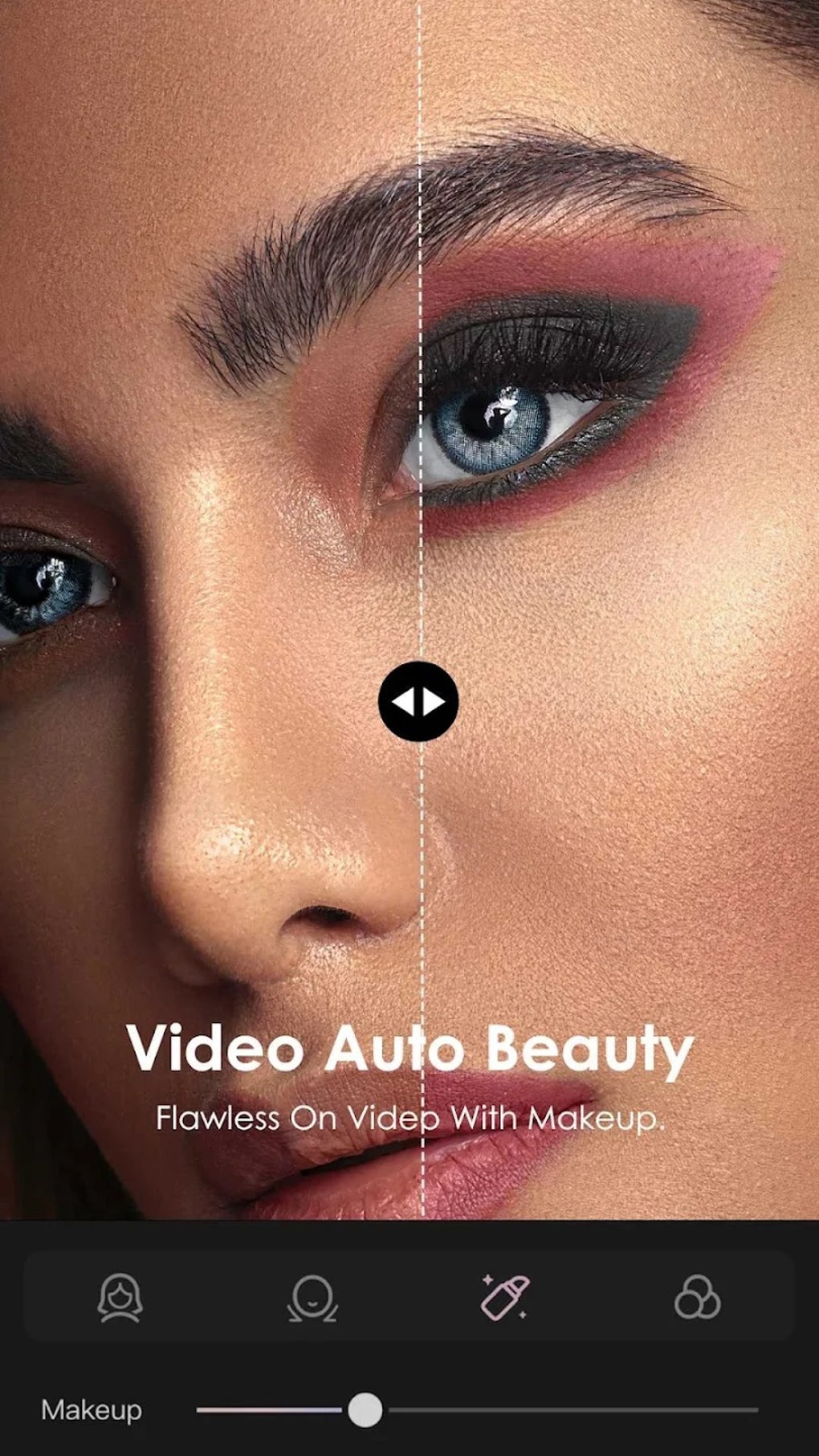
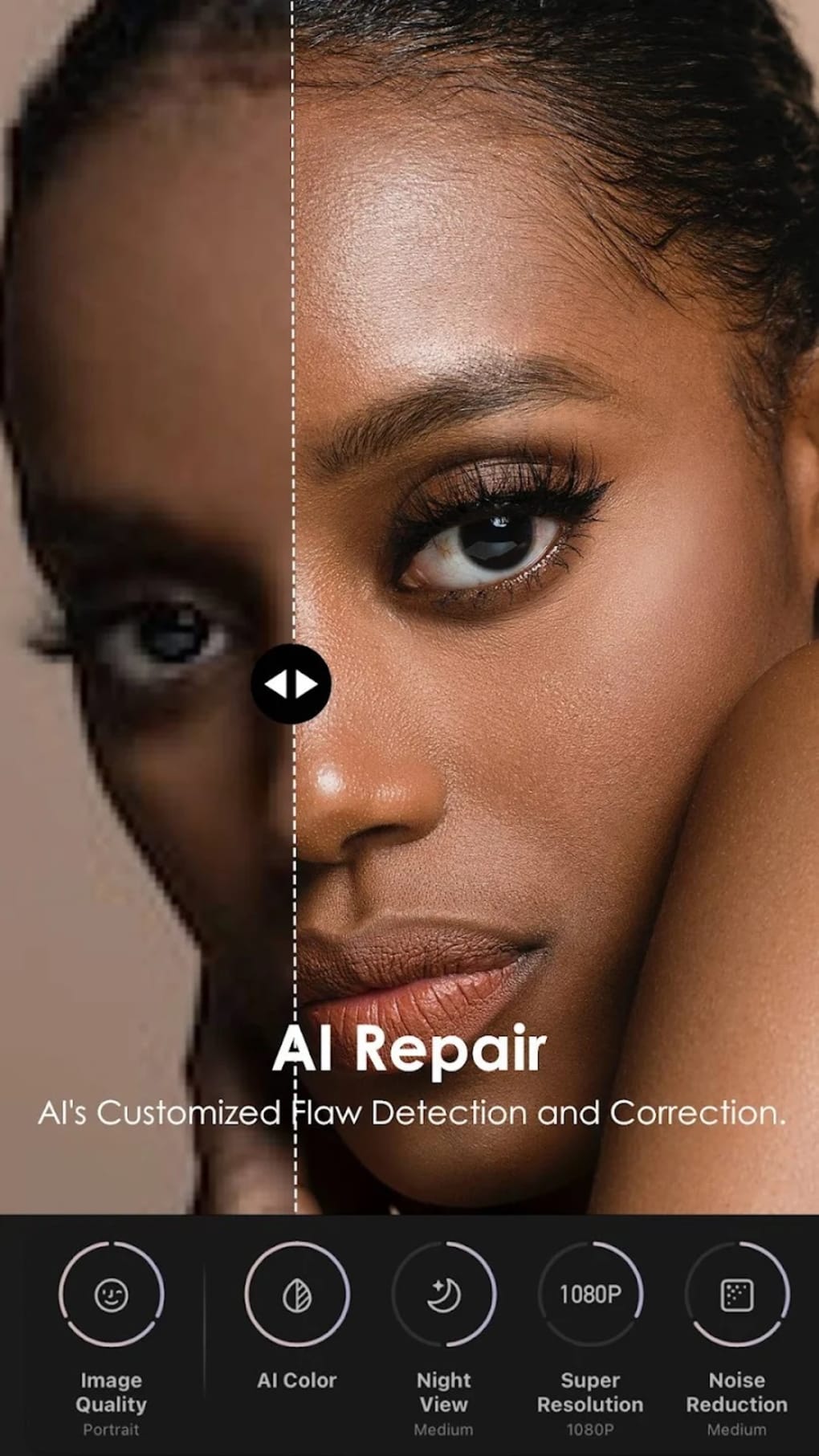
Moreover, Wink offers advanced adjustment features that allow for precise control over various aspects of the video. These features extend beyond simple brightness and contrast adjustments; Wink integrates facial and skin tone adjustments, leveraging sophisticated reshaping technology to achieve professional-looking results. The range of stylish tones further empowers users to create visually polished and aesthetically pleasing content.
Advanced Editing Features: 3D Reshaping and Beyond
Wink’s commitment to enhancing its editing capabilities is evident in the inclusion of innovative, cutting-edge tools. The introduction of 3D body reshaping and 3D manual face slimming represents a significant leap forward in the realm of mobile video editing. These tools empower users to achieve precise and detailed enhancements to their videos, exceeding the capabilities of many competitor apps. The precision offered by these tools allows for natural-looking adjustments, avoiding the often-unrealistic and artificial results produced by less sophisticated editing software.
Beyond these advanced reshaping tools, Wink incorporates standard but essential editing functionalities, such as video trimming, cropping, and merging. These fundamental tools are crucial for fine-tuning videos, ensuring the final product meets the user’s specific vision. The inclusion of music integration further enhances the creative potential. Users can choose from Wink’s licensed music library, providing a vast selection of royalty-free tracks to accompany their videos. Alternatively, users can integrate their own music collections, granting them complete creative freedom in their audio selections. This flexibility caters to diverse preferences and artistic styles, allowing for personalized soundtracks that perfectly complement each video’s mood and message.
Social Media Integration and Sharing Options
Wink facilitates the seamless sharing of user-created videos across various social media platforms. Users can directly share their videos within the Wink app, allowing them to connect with other users and build a community around their work. Integration with external platforms like Facebook, Instagram, and X (formerly Twitter) extends the reach of user-generated content, allowing them to share their creations with a wider audience across their existing social networks. This multi-platform sharing capability expands the potential impact of videos and enhances user engagement.
Premium Subscription Model: Unveiling Exclusive Features
While the core functionality of Wink is accessible for free, certain advanced features are restricted behind a premium subscription model. This subscription-based approach allows Meitu China Limited to sustain the development and improvement of the app while simultaneously providing users with access to exclusive tools and enhancements. Users can choose between monthly and yearly subscription plans, offering flexibility to suit individual needs and budgets. The subscription model is a common practice in the mobile app industry, balancing the provision of free access with the financial sustainability of the platform. While some may see this as a drawback, the premium features significantly enhance the editing capabilities, potentially justifying the cost for users who frequently utilize the app.
Wink - Video Enhancing Tool: A Comparative Analysis
Wink stands out amongst its competitors due to its unique blend of user-friendly design and powerful editing tools. Many rival apps prioritize either ease of use or advanced features, often at the expense of the other. Wink successfully manages to strike a balance, making it accessible to casual users while simultaneously offering professional-grade editing capabilities. This balance appeals to a broader user base, catering to both novices seeking simple editing solutions and seasoned users who demand advanced functionality.
Pros and Cons of Wink - Video Enhancing Tool
Pros:
- Diverse Editing Options: A vast array of filters, effects, stickers, and emojis provides unparalleled creative control.
- Versatile Editing Tools: Advanced features like 3D body reshaping and 3D face slimming set Wink apart from the competition.
- Social Media Integration: Seamless sharing across multiple platforms expands reach and audience engagement.
- User-Friendly Interface: Intuitive design makes the app easily accessible to users of all skill levels.
- Free Access: The core functionality of Wink remains free, allowing users to explore its capabilities without initial financial commitment.
Cons:
- Premium Features Behind Paywall: Access to the most advanced features requires a premium subscription.
- Potential for Over-Editing: The powerful tools, while advantageous, might lead to over-editing, compromising the natural appearance of videos if not used judiciously.
Conclusion: A Powerful Tool for Video Creation
Wink - Video Enhancing Tool stands as a compelling option for users seeking a user-friendly yet powerful mobile video editing application. Its comprehensive feature set, intuitive interface, and seamless social media integration position it as a strong contender in the competitive landscape of short-form video creation. While the premium subscription model limits access to certain advanced features, the core functionality remains entirely free, providing a valuable platform for both casual and serious video creators. The innovative features like 3D reshaping significantly enhance the app’s capabilities, making it a strong choice for those seeking sophisticated editing tools on a mobile device. Ultimately, Wink’s success lies in its ability to provide a versatile and accessible platform for creating and sharing engaging video content. The balance it achieves between user-friendly design and powerful features is what truly sets it apart.
File Information
- License: “Free”
- Latest update: “August 11, 2025”
- Platform: “Android”
- OS: “Android 15.0”
- Language: “English”
- Downloads: “6.6M”
- Download Options: “Google Play”


