
WinPatrol is a free utility program designed to monitor changes in your Windows system environment. Unlike traditional antivirus software that relies on signature-based detection of known threats, WinPatrol employs a heuristic approach. This means it takes a snapshot of your critical system resources and alerts you to any unauthorized modifications, effectively acting as a vigilant watchdog for your computer’s configuration. This proactive monitoring allows for the identification of potentially harmful software installations or changes made without your knowledge, providing an extra layer of security beyond the capabilities of conventional antivirus programs.
How WinPatrol Works: A Heuristic Approach to System Security
WinPatrol’s core functionality revolves around its heuristic monitoring system. Instead of relying on databases of known malware signatures, which can be slow to update and may miss emerging threats, WinPatrol focuses on observing changes within your system. Upon initial execution, it creates a baseline snapshot of various crucial system components such as installed programs, startup entries, scheduled tasks, and other critical settings. Subsequently, it continuously monitors these components, comparing the current state with the stored baseline. Any discrepancies trigger an alert, notifying the user of potential unauthorized changes. This allows WinPatrol to detect even unknown threats or malicious modifications that haven’t been previously cataloged by traditional antivirus software. Its proactive nature makes it a valuable addition to a comprehensive security strategy, complementing rather than replacing conventional antivirus solutions.
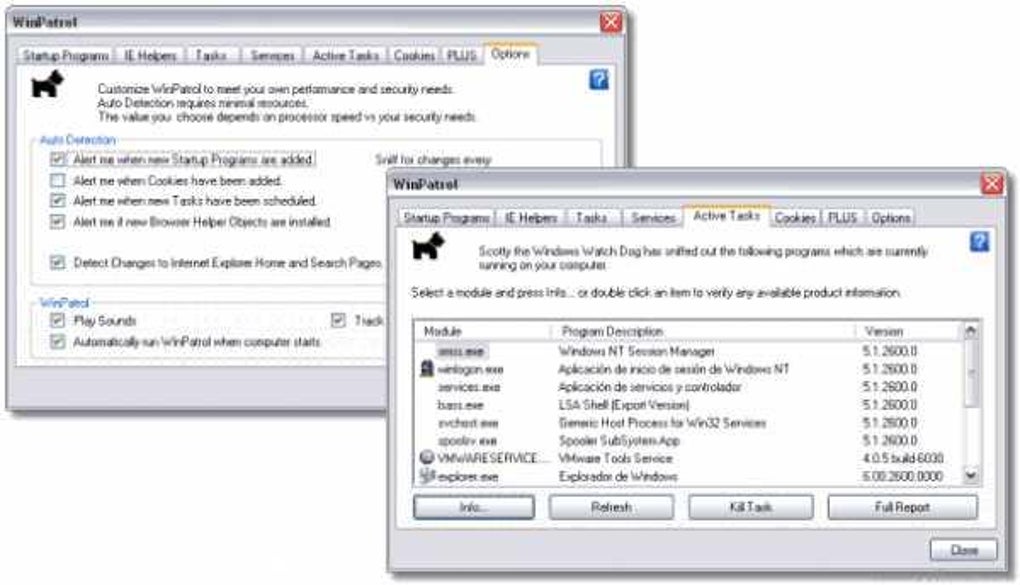
The effectiveness of this approach lies in its ability to identify potentially harmful activities that might escape detection by other security programs. For example, if a malicious program secretly installs itself during the running of another application, a traditional antivirus program might miss it until a later scan. WinPatrol, however, would detect the immediate change in your system’s configuration and alert you accordingly. This allows for quicker intervention and potential prevention of damage before a malicious program can execute its payload or cause significant harm.
This heuristic method, while powerful, also means that WinPatrol can sometimes trigger false positives. A legitimate software update or a user-initiated change might be flagged as suspicious. However, WinPatrol provides detailed information about the detected change, empowering the user to quickly assess the legitimacy of the alert. The user can then either choose to ignore the alert, add the change to the whitelist, or investigate further.
The User Interface and Functionality: Scotty the Windows Watchdog
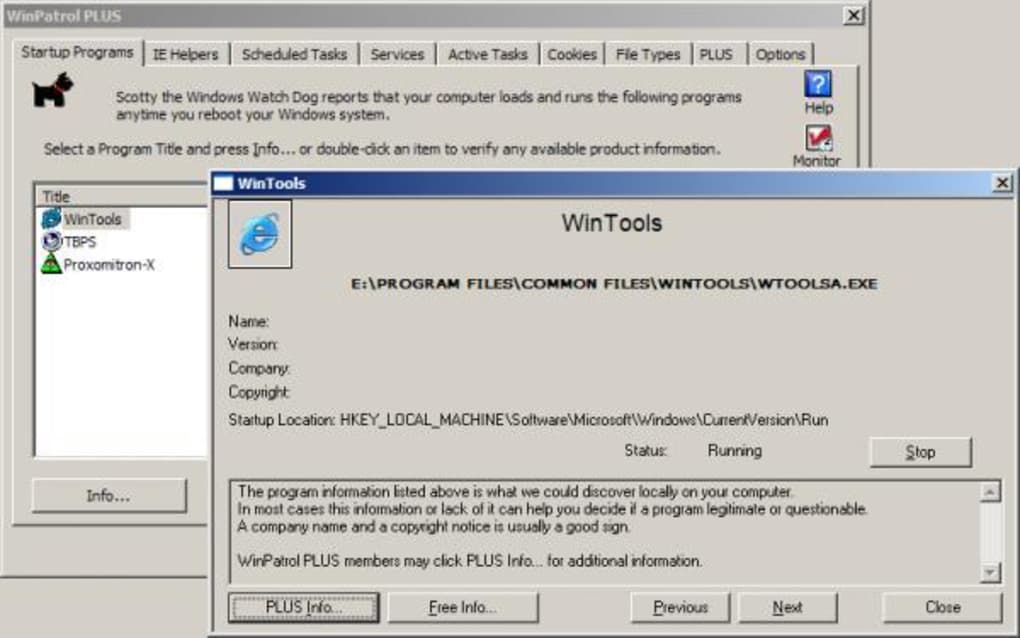
WinPatrol’s user interface is straightforward and user-friendly, emphasizing simplicity and ease of use. The program’s mascot, “Scotty the Windows Watchdog,” resides in the system tray, providing a visual cue of its active monitoring. A simple double-click on Scotty’s icon reveals a comprehensive overview of the detected changes and system modifications. This overview provides clear and concise information, making it easy to understand even for users with limited technical expertise.
The right-click context menu offers additional features and options. Users can choose to configure WinPatrol to run automatically at system startup, ensuring continuous monitoring. Conversely, this option can be easily disabled if needed. The menu also provides a simple exit option to close the program when desired.
Furthermore, WinPatrol provides several configuration options for tailoring its monitoring behavior. Users can customize the level of detail in alerts, choose which specific system components to monitor, and set preferences for how alerts are handled. This flexibility allows users to optimize WinPatrol to suit their individual needs and risk tolerance. The program’s settings are intuitive and well-organized, making customization a simple and straightforward process.
WinPatrol’s Strengths and Weaknesses: A Balanced Perspective
WinPatrol boasts several key advantages that make it a valuable tool for enhancing system security. Its heuristic approach allows for the detection of previously unknown threats, filling a gap left by signature-based antivirus solutions. The program’s proactive monitoring capabilities offer timely alerts, enabling users to intervene promptly before any significant damage occurs. Its user-friendly interface and straightforward functionality make it accessible to users of all technical skill levels. Finally, its minimal system resource consumption ensures that it won’t significantly impact the overall performance of the computer.
However, WinPatrol also has some limitations. The heuristic nature of its detection mechanism can sometimes result in false positives. While the detailed information provided helps users discern legitimate changes from potential threats, it still requires some level of user intervention and judgment. Furthermore, WinPatrol’s primary focus is on system configuration changes, not on the direct detection of malware activity. Therefore, it’s crucial to use it in conjunction with a robust antivirus program rather than as a standalone solution.
Another potential limitation is the absence of real-time protection against actively running malware. WinPatrol excels at identifying system modifications but doesn’t proactively block malicious processes or attempts to access your system in real-time. This means that while it can identify a new malicious program after it has been installed, it won’t prevent the program from running initially. Therefore, combining WinPatrol with an established antivirus and anti-malware solution is strongly recommended for comprehensive protection.
WinPatrol in the Modern Security Landscape: A Complementary Tool
In today’s complex threat landscape, where malware constantly evolves and new attack vectors emerge, a multi-layered security approach is paramount. WinPatrol, while not a replacement for traditional antivirus or anti-malware solutions, effectively complements existing security software. Its unique heuristic monitoring capability adds an important layer of protection by identifying subtle unauthorized system changes that other security programs might miss.
Think of WinPatrol as an extra set of eyes watching your system, constantly vigilant for any unauthorized alterations. While it might not stop a zero-day exploit in its tracks, it can help detect its aftermath, enabling faster remediation. This proactive monitoring is invaluable for identifying potentially malicious activities before they escalate into significant security breaches or data loss. Therefore, by integrating WinPatrol into your existing security strategy, you add a layer of proactive protection that enhances your overall system security posture.
Ultimately, WinPatrol stands as a useful addition to a comprehensive security arsenal. While not a silver bullet, its proactive monitoring capabilities, coupled with its user-friendly design and minimal resource footprint, make it a valuable tool for enhancing system security and ensuring your computer remains protected against a wide range of threats. Its effectiveness is further bolstered when used in conjunction with established antivirus and anti-malware solutions, creating a layered defense system against modern cyber threats. Remember to always stay updated with the latest security software updates and best practices for optimal protection.
File Information
- License: “Free”
- Latest update: “November 28, 2023”
- Platform: “Windows”
- OS: “Windows XP”
- Language: “English”
- Downloads: “21.5K”
- Size: “7.38 KB”


