
WinPE, or Windows Preinstallation Environment, is a lightweight version of Windows designed for specialized tasks, primarily focused on system deployment, recovery, and troubleshooting. Unlike a full-fledged operating system, WinPE boots from a bootable media (like a USB drive or CD/DVD) and runs entirely in memory, requiring minimal hard drive space. This makes it ideal for situations where the primary operating system is inaccessible or malfunctioning. Its core function revolves around providing a platform for various utilities and tools to diagnose and repair system issues, recover data, and deploy new operating systems. This comprehensive guide delves into the functionalities, uses, and benefits of WinPE.
Understanding the Functionality of WinPE
WinPE serves as a crucial tool for both individual users and system administrators. Its minimal footprint, coupled with its powerful capabilities, makes it an invaluable resource in various scenarios. It is essentially a stripped-down version of Windows, containing only the essential components necessary for running diagnostic and recovery tools. This streamlined approach ensures fast boot times and efficient resource utilization, even on systems with limited hardware resources.
At its heart, WinPE functions as a platform for running various commands and applications. It provides a command-line interface (similar to the traditional Windows command prompt) and supports many of the same utilities as a full Windows installation. This allows users to perform a wide array of tasks, including:
-
Data Recovery: WinPE can be used with various data recovery tools to retrieve files from damaged or inaccessible hard drives, USB drives, memory cards, and even the Recycle Bin. This is particularly helpful in situations where the main operating system has crashed or become corrupted.
-
System Troubleshooting: When a computer encounters critical errors that prevent it from booting normally, WinPE provides a safe environment to run diagnostic tools and identify the root cause of the problem. This allows for effective troubleshooting and repair without risking further damage to the main operating system.
-
Operating System Deployment: System administrators use WinPE extensively for deploying new operating systems to multiple computers. This streamlined process simplifies the deployment process, saving time and resources compared to manual installations.
-
Disk Management: WinPE provides tools for managing hard drives, including partitioning, formatting, and cloning. This capability is useful for tasks like migrating data to a new drive, preparing a drive for a fresh operating system installation, or creating backups.
-
Network Connectivity: Many WinPE versions support network connectivity, enabling access to network resources, file shares, and even the internet. This adds another layer of versatility, allowing for remote troubleshooting and access to online tools and resources.
-
Hardware Support: While a minimal OS, WinPE incorporates drivers for a variety of common hardware components, including storage devices, network adapters, and USB devices. Ensuring optimal performance requires sufficient RAM and appropriate drivers; however, the low resource requirements generally allow for successful functionality even with limited hardware.
Using WinPE for Data Recovery
One of the most critical applications of WinPE is data recovery. When facing data loss due to hard drive failure, accidental deletion, or system corruption, WinPE offers a lifeline. By booting from a WinPE media, users can bypass the compromised operating system and utilize specialized data recovery software.
The process generally involves creating a bootable WinPE USB drive (or using a pre-made one) and connecting it to the affected computer. After booting from the USB, the user can then launch the chosen data recovery software. These applications often provide a graphical user interface (GUI) for easier navigation and selection of the desired recovery options. Following the software’s instructions, users can scan the targeted drives and selectively recover their data.
It’s crucial to emphasize the importance of selecting a reputable data recovery application. Many free and paid options are available, offering varying levels of functionality and effectiveness. Researching and choosing a program with positive reviews and proven effectiveness is essential to maximize the chances of successful data retrieval.
WinPE’s ability to operate independently of the main operating system is a significant advantage in data recovery. Since it doesn’t rely on the potentially damaged system files, the risk of further data loss during the recovery process is significantly reduced.
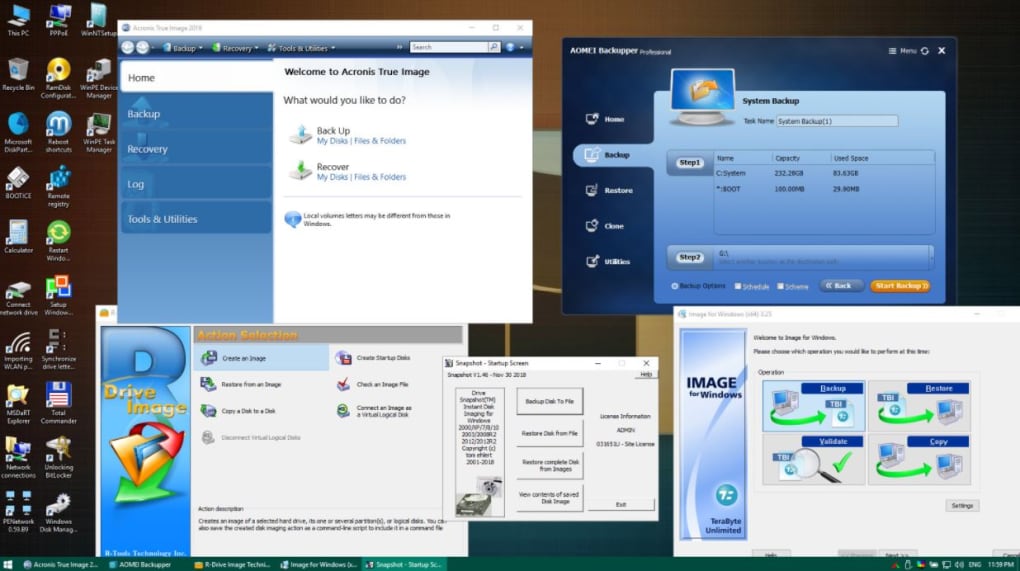
WinPE for System Troubleshooting and Repair
Beyond data recovery, WinPE serves as an invaluable tool for troubleshooting and repairing various system issues. Its ability to boot independently of the main operating system makes it perfect for diagnosing and resolving problems that prevent the computer from starting normally.
Several scenarios benefit from WinPE’s troubleshooting capabilities. For instance, if a critical system file becomes corrupted, preventing the operating system from loading, WinPE can be used to access and repair the damaged files or even replace them with backups. Similarly, if malware prevents the system from starting, WinPE allows for launching security tools within a safe environment to clean the system and remove malicious software.
WinPE’s command-line interface provides direct access to various diagnostic tools and utilities. Users can run system checks, view system logs, and examine hardware configuration details to identify the root cause of the problems. These diagnostics are crucial for effectively troubleshooting and resolving a wide array of issues. Moreover, the ability to run memory tests within WinPE can help identify failing RAM modules which could be causing system instability.
WinPE in Enterprise Environments: Deployment and Management
In large organizations, WinPE plays a significant role in managing and deploying operating systems across multiple computers. The ability to deploy a consistent operating system image to numerous machines efficiently is a critical element of IT infrastructure management. WinPE allows for automation of this process, reducing the time and effort required for large-scale deployments.
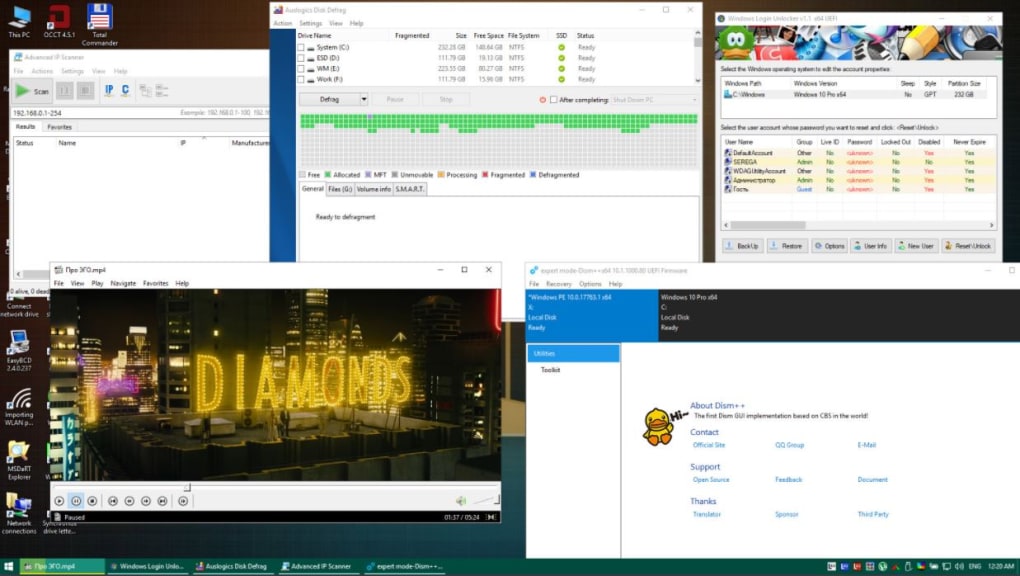
Deployment through WinPE often involves creating a custom Windows image tailored to the organization’s needs. This image includes all necessary software, drivers, and configurations. Then, this image can be deployed to various computers through automated scripts or centralized management tools. This ensures consistency and reduces the risk of inconsistencies that may arise during manual installations.
Moreover, WinPE can facilitate post-deployment tasks, such as installing updates, configuring network settings, and applying security patches. This centralized approach to system administration helps maintain a stable and secure IT infrastructure across the entire organization. Furthermore, it is essential for companies to utilize WinPE in situations such as disaster recovery, where restoring systems quickly and efficiently is crucial.
Choosing and Utilizing a WinPE Distribution
Numerous WinPE distributions are available, both from Microsoft and third-party developers. These distributions often offer varying levels of customization and pre-installed tools. When choosing a WinPE distribution, consider the specific needs and tasks you intend to perform. For example, a distribution with enhanced data recovery tools would be ideal for data recovery scenarios, whereas a distribution focused on system deployment would better suit enterprise environments.
Before using any WinPE distribution, it’s essential to create a bootable media, typically a USB drive. The process involves downloading the distribution, using a tool to create a bootable USB drive (often readily available online), and following the instructions provided by the chosen distribution. After the bootable media is created, it is connected to the target computer, and the computer is booted from the USB drive.
Proper preparation is crucial before utilizing WinPE. This includes backing up critical data from the target machine whenever possible. While WinPE is designed for troubleshooting and recovery, there’s always a risk of data loss, especially if significant hardware failures are present.
In conclusion, WinPE represents a powerful and versatile tool for numerous computing tasks. From data recovery and system troubleshooting to operating system deployment and enterprise management, its capabilities extend across various scenarios. Understanding WinPE’s functionalities and selecting the appropriate distribution allows users to leverage its potential to resolve technical issues, manage systems effectively, and recover lost data. While the intricacies of its usage may vary, its core functionality remains a cornerstone of efficient and reliable computing.

File Information
- License: “Free”
- Version: “2025.04.24”
- Latest update: “July 7, 2025”
- Platform: “Windows”
- OS: “Windows 10”
- Language: “English”
- Downloads: “4.7K”
- Size: “4.82 GB”


