
Wins 10 Simulator is a free mobile application developed by LordHonor Std that offers a remarkably realistic simulation of the Windows 10 operating system. Available for Android devices, this app allows users to experience the familiar interface and functionality of Windows 10 on their smartphones and tablets, providing a virtual desktop environment for exploration and interaction. Without needing a PC or laptop, users can get a taste of what it’s like to use this widely popular desktop OS. This review will delve into the features, performance, and limitations of Wins 10 Simulator, comparing it to other similar applications and providing an overall assessment of its value and usability.
Exploring the Wins 10 Simulator Interface and Functionality
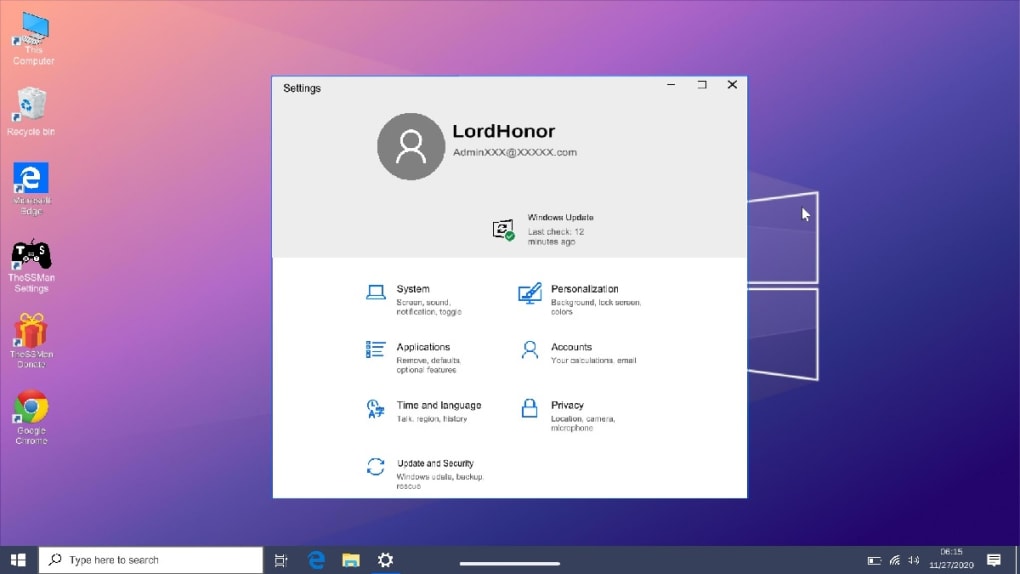
Upon launching Wins 10 Simulator, users are presented with a login screen, mirroring the authentic Windows 10 experience. After entering a username and password (no actual account creation or verification is needed), the simulated Windows 10 desktop environment is revealed. The interface faithfully replicates the look and feel of the actual OS, including the Start menu, taskbar, and file explorer. This attention to detail contributes to the app’s overall immersive quality. Users can navigate through various menus, open simulated applications, and interact with virtual files and folders, all within the confines of their mobile device.
The simulator includes several key applications, emulating popular Windows programs. A simulated web browser, mirroring the functionality of Chrome or Edge, allows for web browsing. Users can open and navigate websites, albeit with potential limitations in speed and rendering capabilities. A virtual file explorer allows for the exploration of simulated files and folders, providing a visual representation of typical Windows file management. The app also simulates other common Windows functions, such as accessing a virtual camera (using the device’s camera), allowing users to take simulated pictures or recordings.

The level of realism extends to the incorporation of sound effects. The app includes the option to enable the characteristic Windows 10 system sounds, further enhancing the user experience. To further add to the immersive simulation, users can even choose to activate simulated PC fan noise, creating a more complete auditory experience reminiscent of using an actual computer.
A Deep Dive into the Simulator’s Strengths and Weaknesses
Wins 10 Simulator excels in its commitment to replicating the visual and auditory aspects of Windows 10. The attention to detail in the interface design and the inclusion of authentic sound effects significantly contribute to the overall immersive quality. The ability to simulate common tasks, such as web browsing and file exploration, allows users to gain a basic understanding of the Windows 10 interface and workflow. This is particularly valuable for individuals unfamiliar with the operating system, providing a risk-free environment to explore its features. For those considering upgrading to Windows 10 or simply curious about its functionality, Wins 10 Simulator offers a valuable hands-on introduction.
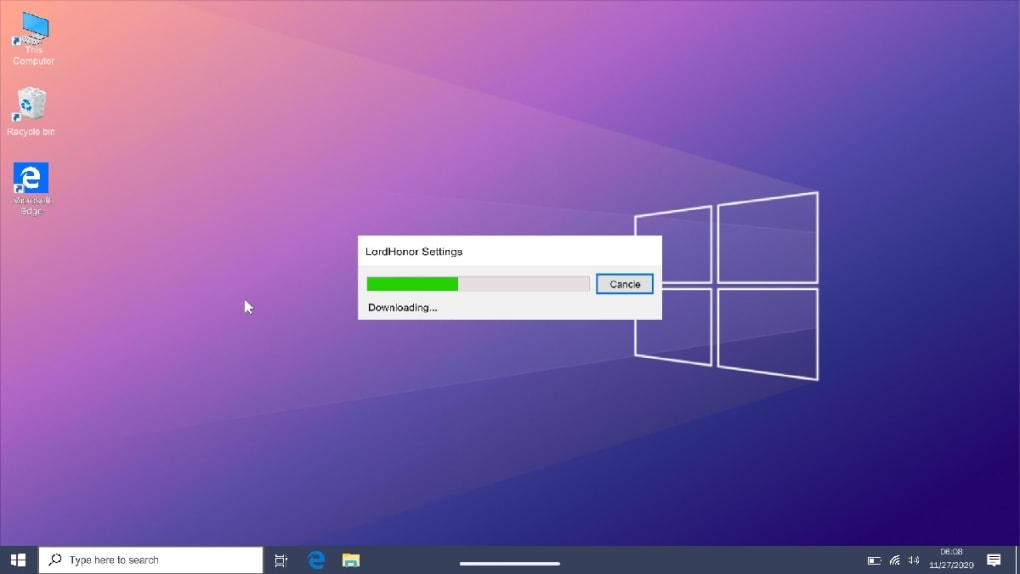
However, it’s crucial to acknowledge the limitations inherent in a simulated environment. While the app provides a realistic visual representation, it’s essential to understand that it does not replicate the full functionality of Windows 10. Many advanced features and applications will be unavailable, and the performance of simulated tasks might differ from that of an actual Windows 10 system. The web browser, while functional, may not be as efficient or reliable as a real browser, potentially impacting browsing speed and web page rendering.
The simulation’s reliance on emulating functions rather than actually executing them means that certain applications or system features may be limited in their capabilities. This is a trade-off necessary to maintain the app’s size and compatibility across a broad range of mobile devices. Expect restrictions on multitasking, complex software operation, and other intensive processes.
Comparison with Similar Simulation Apps
Wins 10 Simulator isn’t the only application offering a simulated Windows experience. Other apps, such as Windows 11 Real Simulator and Debian noroot, provide similar functionalities, although with varying levels of realism and feature sets. These apps serve different purposes and cater to distinct user needs. While some might focus on replicating specific Windows features with high fidelity, others may prioritize simplicity and ease of use. The choice of application ultimately depends on the user’s specific requirements and preferences. The overall market for such mobile applications points to a growing interest in accessing desktop-like interfaces on mobile devices.
Direct comparisons with apps like Windows 11 Real Simulator reveal some interesting distinctions. While both strive for realistic Windows emulation, Wins 10 Simulator’s focus seems more strongly on replicating the Windows 10 experience specifically, whereas Windows 11 Real Simulator might offer a broader, if slightly less detailed, look at the newer Windows 11 interface. The specific features and limitations of each app will vary, encouraging users to explore and compare before choosing.
Furthermore, comparing Wins 10 Simulator to apps simulating older operating systems, like Win 98 Simulator or Win XP Simulator, highlights the technological advancements in mobile app development. The level of detail and functionality in a modern Windows 10 simulator are demonstrably greater than what was possible with earlier versions, reflecting the increasing capabilities of mobile devices and their capacity for complex simulation.
Conclusion: Is Wins 10 Simulator Worth Downloading?
Wins 10 Simulator is a well-executed simulation of the Windows 10 operating system, providing a surprisingly realistic experience on mobile devices. While it’s not a substitute for the actual operating system – and it explicitly states this limitation – it’s a valuable tool for several use cases. For those unfamiliar with Windows 10, it offers a risk-free environment to explore its interface and functionality. For users curious about the operating system’s features, it provides a quick and easy way to get a feel for its design and workflow. The app’s attention to detail in recreating the visual and auditory aspects of Windows 10, combined with its relative ease of use, makes it a worthwhile download for anyone seeking a mobile-based introduction to this popular operating system. However, users should have realistic expectations regarding the limitations of a simulated environment. Complex tasks and advanced features will not be available, and the performance may vary. Despite these limitations, Wins 10 Simulator successfully achieves its goal of providing a fun and informative glimpse into the world of Windows 10. The app is a testament to the advances in mobile application development, showing the increasing capability of simulating complex software on mobile platforms. The availability of alternative apps offering similar but slightly different functionalities should be kept in mind to allow users to select the app that best suits their specific needs.
File Information
- License: “Free”
- Latest update: “September 4, 2024”
- Platform: “Android”
- OS: “Android 13.0”
- Language: “English”
- Downloads: “63.8K”
- Download Options: “Google Play”


