
WinScan2PDF is a free software application designed to streamline the process of scanning documents and saving them as PDF files. Its lightweight design and user-friendly interface have garnered positive reviews, making it a popular choice for both home and office use. This review delves into the features, functionalities, pros and cons of WinScan2PDF, comparing it to other available options and ultimately assessing its effectiveness as a practical PDF scanning solution.
Ease of Use and Interface Design
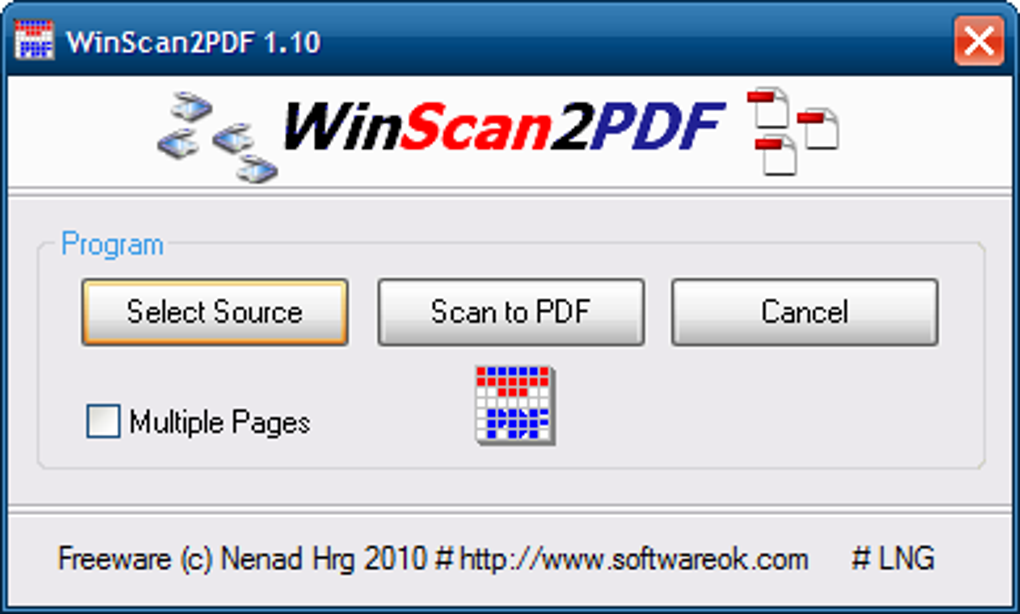
WinScan2PDF distinguishes itself through its remarkably simple and intuitive interface. The program eschews complex menus and settings, opting instead for a straightforward approach that prioritizes ease of use. The primary functions – selecting the scan source, initiating the scan, and creating the PDF – are clearly presented, eliminating any learning curve often associated with more feature-rich software. This minimalism is a significant advantage, particularly for users unfamiliar with document scanning software. The core actions are clearly labeled as “select source,” “scan to PDF,” and “cancel,” making the workflow exceptionally clear, even for novice users. This straightforward approach has contributed to WinScan2PDF’s popularity over alternatives that may offer more advanced but less accessible tools. The simplicity makes it ideal for quick scanning tasks, where efficiency and ease of use are paramount.
Functionality and Supported Scanners
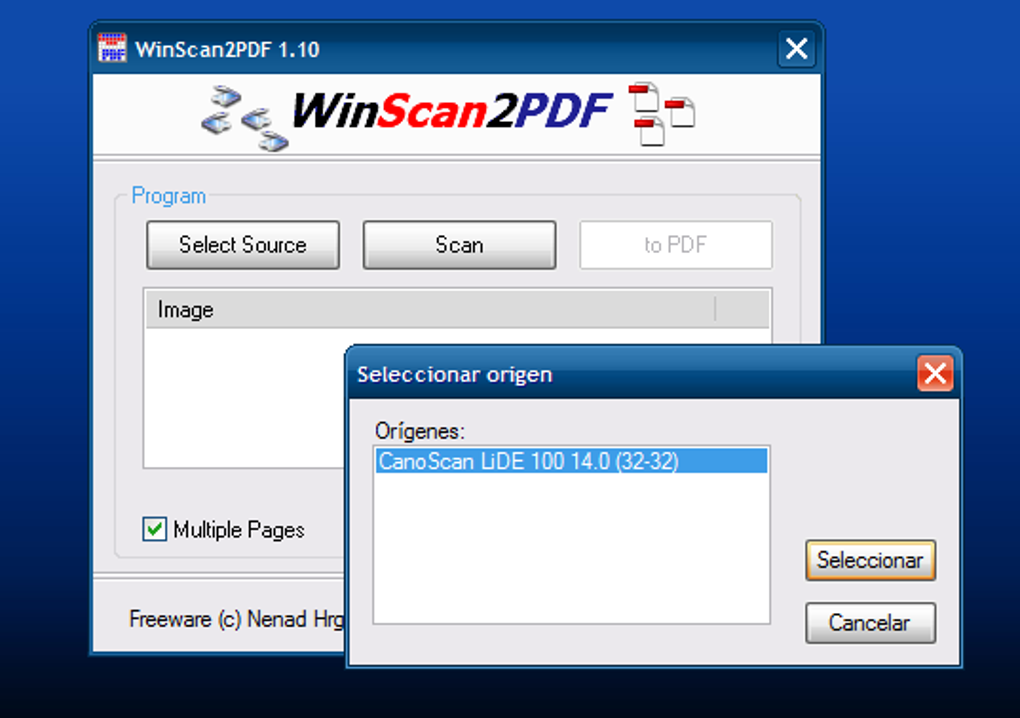
WinScan2PDF’s core function is the conversion of scanned documents into PDF format. This process is exceptionally quick and efficient, a critical feature highlighted in user reviews. The software boasts compatibility with a wide array of modern scanners, although the specific list of supported devices may not be comprehensively documented. The program’s relatively small size (under 100KB) ensures minimal impact on system resources, making it suitable for even older or less powerful computers. The developers actively update WinScan2PDF, continually expanding the compatibility with third-party scanners and improving the overall functionality. This commitment to ongoing development ensures the software remains relevant and functional with newer scanning hardware.
Language Support and Multilingual Accessibility
Accessibility is a key feature of WinScan2PDF. The software offers multilingual support, currently encompassing 22 languages. This broad language support makes the program accessible to a global audience, overcoming language barriers that can hinder the usability of other software applications. The multilingual feature is a significant benefit for users whose primary language is not English, contributing to its widespread adoption. The continuous updates also suggest a commitment to expanding the available language options further in the future. This commitment to inclusivity enhances the overall value and usability of WinScan2PDF for a diverse range of users.
Additional Features and Considerations
While WinScan2PDF primarily focuses on the core function of scanning documents to PDF, it lacks some advanced features found in competing software. Notably, there’s no option to save documents in formats other than PDF. This limitation might be a drawback for users who require the flexibility to save scanned documents in different file types. Furthermore, although compatible with many scanners, WinScan2PDF’s compatibility isn’t universal, and users might encounter issues with less common or older scanning devices. The lack of extensive documentation or a detailed FAQ might also present a small hurdle for users seeking in-depth assistance. However, the software’s simplicity mitigates the impact of these omissions for many users. The small file size and rapid download time are significant advantages, especially for users with slower internet connections or limited storage space.
Comparison with Alternative Software
Numerous alternative PDF scanning software packages are available, each with its own set of features and functionalities. Some offer advanced editing tools, OCR capabilities, or support for a wider range of file formats. However, these advanced features often come at the cost of increased complexity and a larger program size. WinScan2PDF’s strength lies in its simplicity and efficiency. While it lacks the advanced features of some competitors, its ease of use makes it a practical choice for users who prioritize speed and straightforward functionality over extensive editing capabilities. For instance, EasyScan and PaperScan Free Edition are potential alternatives, offering similar core functionality but perhaps with slightly different interface designs or levels of supported scanner compatibility. However, WinScan2PDF’s consistently small file size and quick download times remain competitive advantages.
User Reviews and Feedback
User reviews consistently praise WinScan2PDF for its ease of use and small footprint. Many users highlight the intuitive interface, making it suitable for both experienced and novice users. The quick conversion times and broad language support are also frequently cited as significant benefits. However, some users have noted the lack of alternative file format support and the potential compatibility issues with certain scanners. These limitations, while acknowledged, do not appear to significantly detract from the overall positive perception of the software. The overwhelmingly positive feedback confirms WinScan2PDF’s suitability for users who prioritize speed, simplicity, and multilingual support. The absence of extensive negative feedback related to functionality reinforces its position as a reliable and effective solution for its intended purpose.
Conclusion: A Practical and Efficient Solution
WinScan2PDF provides a straightforward and efficient solution for users who need to quickly scan documents and save them as PDFs. Its small file size, user-friendly interface, and broad language support make it accessible and convenient for a wide range of users. While it lacks some advanced features found in more complex software, the software’s strengths in simplicity and speed make it a practical and effective choice for everyday scanning needs. The absence of significant negative feedback in user reviews underscores its reliability and consistent performance. For users prioritizing a quick, easy, and free PDF scanning solution, WinScan2PDF remains a compelling and viable option. Its consistent updates suggest continued improvements and expansion of its features and compatibility, further solidifying its position as a dependable and convenient tool for everyday document scanning.
File Information
- License: “Free”
- Latest update: “May 30, 2025”
- Platform: “Windows”
- OS: “Windows 10”
- Language: “English”
- Downloads: “188.3K”
- Size: “198.00 KB”


