
In an era increasingly dominated by streaming services and cloud-based content, the humble DVD might seem like a relic of the past. Yet, for many users, physical media collections, archived home videos, or even downloaded digital files in various formats remain a crucial part of their entertainment and work ecosystems. Navigating this diverse landscape requires a versatile and robust media player, and this is where WinX DVD Player steps onto the stage. Billed as an easy-to-use, straightforward, and feature-packed DVD player, WinX DVD Player aims to provide users with excellent video and audio quality, alongside a comprehensive suite of functionalities that extend far beyond simple playback.
The fundamental challenge in today’s digital world is compatibility. While streaming platforms offer convenience, they often lock users into specific ecosystems and content libraries. Local media, however, offers unparalleled freedom, but only if you have the right tools to access it. WinX DVD Player rises to this challenge by supporting an impressively wide array of file formats, including but not limited to MP4, AVI, RM, DIVX, XVID, WMV, DAT, MPEG, RMVB, RMA, WMA, ASF, VOB, and MP3. This broad compatibility ensures that whether you’re playing a commercial DVD, a ripped movie file, an old video format, or simply listening to music, WinX DVD Player has you covered. Moreover, it’s not just a player; it integrates essential DVD ripping capabilities, making it a powerful multimedia tool for those looking to digitize their collections or convert media for other devices.
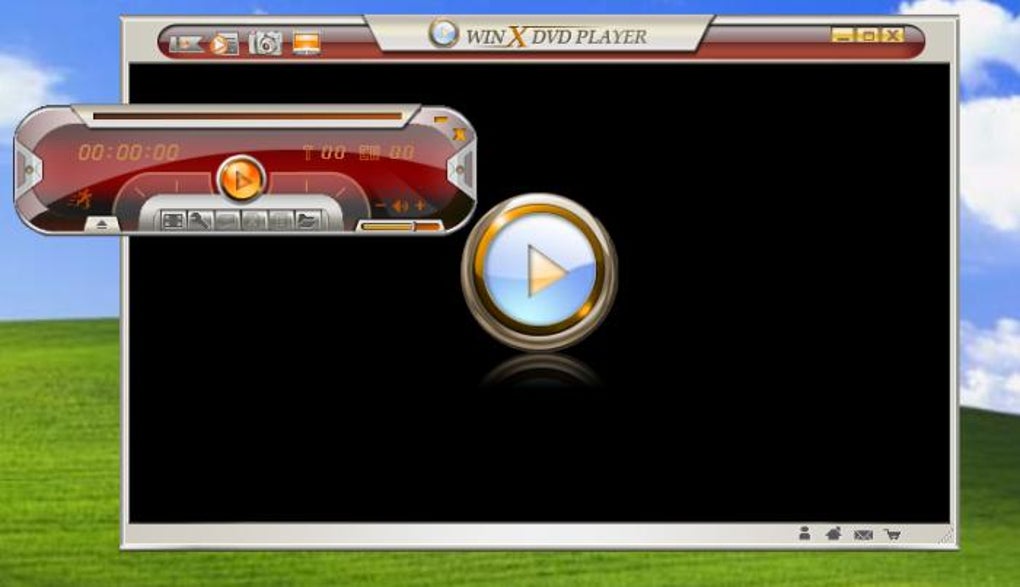
Its design philosophy centers on user accessibility. The program boasts a simple and clean interface, which might appear modest when compared to some flashier alternatives, but its strength lies in its intuitive operation. Key functions are readily available via a floating toolbar, ensuring that controls are always within reach without cluttering the main viewing area. Users can also access various menu and language options directly from the primary interface, further simplifying the overall experience. For anyone operating a Windows PC and seeking a dependable, multi-functional media solution, WinX DVD Player presents itself as a compelling choice, offering a balanced blend of quality, features, and ease of use, all without the burden of a subscription fee.

Unpacking WinX DVD Player: Core Features and Design Philosophy
Finding the ideal DVD player software in the vast online landscape can be surprisingly challenging. Many free options compromise on video and audio quality, while others struggle with format compatibility, leaving users frustrated with choppy playback, poor resolution, or inaccessible files. WinX DVD Player, developed by Digiarty Software, distinguishes itself by offering a robust solution that aims to overcome these common pitfalls. It delivers exceptional playback quality, a rich feature set, and extensive file format support, all wrapped in a package that is genuinely free to use. This eliminates concerns about hidden fees or recurring subscriptions, making it an attractive proposition for budget-conscious users.
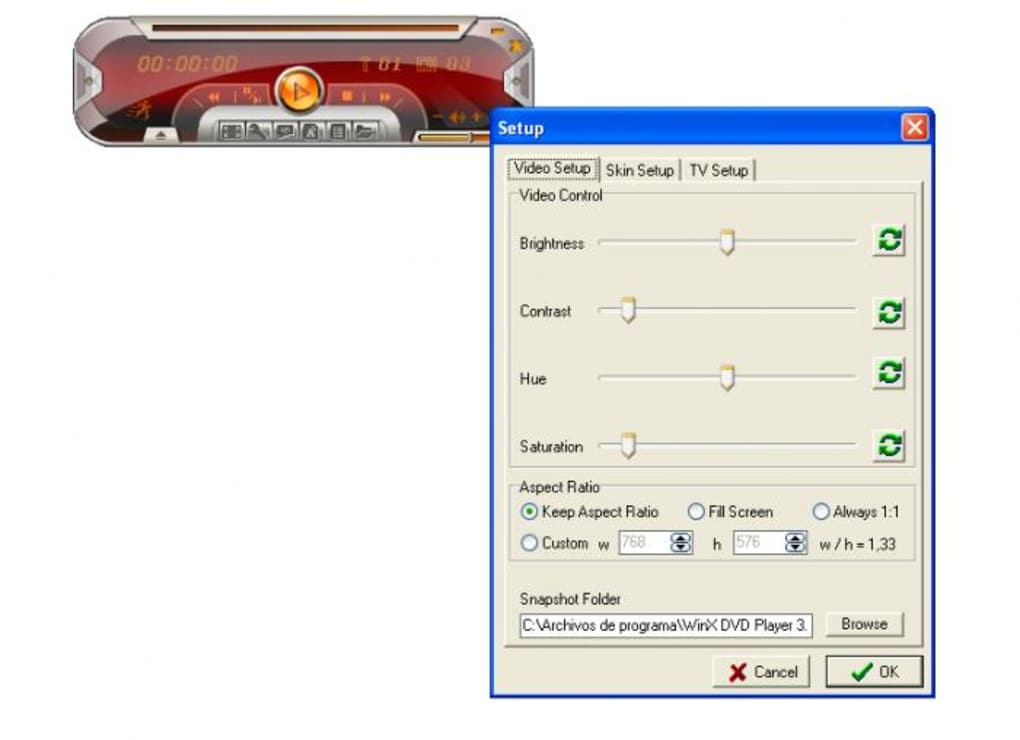
While some might perceive its interface as somewhat dated, especially when put side-by-side with more modern media players like VLC Media Player, WinX DVD Player prioritizes functionality and straightforwardness. Its no-frills approach means that the focus remains firmly on delivering a smooth and efficient media experience. Users will consistently find themselves impressed by its ripping and playback speed, a critical factor for anyone dealing with large media files or seeking quick conversions.
The Seamless Interface: Simplicity Meets Functionality
At the heart of WinX DVD Player’s appeal is its user-friendly interface. Digiarty Software has meticulously designed the program to make it accessible to users of all technical proficiencies. The journey begins with effortless media import: users can load a DVD folder directly from their hard disk, insert a physical CD-ROM, or even utilize the convenient file browser with drag-and-drop functionality to add individual video or audio files. This flexibility ensures that regardless of where your media resides, bringing it into WinX DVD Player is a simple affair.
Once your media is loaded, the process of playback or conversion is equally streamlined. Users are guided through selecting necessary parameters, choosing their desired destination format and folder, and then initiating the process with a simple click. While the main interface might appear a bit dense at first glance, due to the sheer number of options presented, users quickly acclimate to its layout. The floating toolbar, a central component of its design, provides quick access to frequently used controls without disrupting the viewing experience. Compared to more complex, often professional-grade software like CyberLink PowerDVD, WinX DVD Player stands out for its immediate usability, allowing users to play or rip DVDs within mere seconds of launching the application. This emphasis on rapid, hassle-free operation makes it an excellent choice for casual users and those who simply want to get straight to their content.
Broad Compatibility: A Universe of Formats at Your Fingertips
The digital media landscape is notoriously fragmented, with countless file formats vying for dominance. A truly effective media player must therefore be a chameleon, capable of adapting to whatever format is thrown its way. WinX DVD Player excels in this regard, offering extensive support for a diverse range of audio and video formats. This isn’t just a minor convenience; it’s a fundamental aspect of its utility.
For video, the player handles popular formats such as MP4, AVI, DIVX, XVID, WMV, DAT, MPEG, and VOB (the native format for DVDs). It also extends support to less common formats like RM, RMVB, and ASF, ensuring that even older or niche media files can be played without the need for additional codecs or converters. This broad compatibility significantly reduces the headache of encountering an unsupported file type, a common frustration with less capable players. On the audio front, it seamlessly plays MP3, WMA, and RMA files, transforming it into a complete multimedia hub for both visual and auditory content.
This wide-ranging format support is crucial for several reasons. Firstly, it means users don’t have to download multiple players or constantly search for codec packs, simplifying their software ecosystem. Secondly, it ensures longevity for existing media libraries, protecting investments in older formats. Finally, it provides flexibility for content creators or those who frequently receive media from different sources, guaranteeing smooth playback regardless of the original encoding. This robust format support, combined with its intuitive interface, solidifies WinX DVD Player’s position as a truly versatile media solution.
Beyond Playback: Essential Ripping and Conversion Capabilities
While its primary function is playback, WinX DVD Player elevates its utility by incorporating powerful DVD ripping and video conversion features. This capability transforms it from a mere viewer into a comprehensive media management tool, addressing the modern need to digitize, archive, and transform content for various uses and devices.
The ripping functionality allows users to extract content from their physical DVDs and convert it into a digital file format. This is invaluable for preserving DVD collections, making them accessible on devices without DVD drives, or creating backups against disc degradation. The process is straightforward: users simply load the DVD, select their desired output format (from the wide range of supported files mentioned earlier, such as MP4 for universal compatibility or AVI for higher quality), and initiate the rip.
Furthermore, the program’s conversion capabilities aren’t limited to DVDs. It allows users to convert existing video files from one format to another. This is particularly useful for optimizing videos for specific devices (e.g., converting a high-resolution AVI to a more compact MP4 for mobile viewing), reducing file sizes for easier sharing, or ensuring compatibility with editing software. The ability to control parameters like resolution, video quality, and audio quality during conversion gives users significant command over the output, ensuring the converted file meets their exact specifications.
This dual functionality – high-quality playback and versatile ripping/conversion – is a significant value proposition. It means users don’t need separate applications for these tasks, streamlining their workflow and saving them the hassle of managing multiple software licenses or installations. For anyone looking to modernize their media library or ensure their content is playable across all their devices, WinX DVD Player’s ripping and conversion features are indispensable.
A Deep Dive into Performance and User Experience
WinX DVD Player isn’t just about offering features; it’s about how those features translate into a seamless and enjoyable user experience. From its advanced functions that empower greater control over media to its surprisingly robust performance for a free tool, the program is designed with the end-user in mind, aiming to make media consumption and management as frictionless as possible.
Effortless Navigation: Importing, Playing, and Converting with Ease
The ease of use that WinX DVD Player champions is evident in its navigation, particularly when handling core tasks like importing, playing, and converting media. The development team at Digiarty Software has clearly focused on making every operation as intuitive as possible, minimizing the learning curve for new users.
Importing media, as previously noted, is incredibly flexible. Whether it’s a physical DVD, a DVD folder on your hard drive, or an individual video file, the process is typically a matter of a few clicks or a simple drag-and-drop. This directness removes the common frustration of struggling to load content into a player.
Once content is loaded, playback is immediate and smooth, supported by the clean interface that keeps controls accessible without being intrusive. The floating toolbar, though a point of contention for some in full-screen mode, offers quick access to pause, play, skip, adjust volume, and other common functions. For conversions, the logical layout guides users through selecting output parameters – from target format to specific quality settings – making an otherwise complex task approachable. The visual cues and clear options ensure that even users unfamiliar with video codecs or resolutions can achieve satisfactory results without feeling overwhelmed. This emphasis on effortless navigation truly makes WinX DVD Player a pick-up-and-play solution.
Advanced Features for Enhanced Control: Bookmarks, Playlists, and Screenshots
Beyond its foundational capabilities, WinX DVD Player incorporates a suite of advanced functions that significantly enhance the user’s control and overall viewing experience. These aren’t just superficial additions; they provide practical utility for various scenarios, from casual entertainment to more focused media analysis.
One particularly useful feature is the ability to set bookmarks for specific sections within a video. This is invaluable for users who need to revisit particular scenes, study a segment repeatedly, or simply mark their place in a long movie or documentary. Instead of fumbling with scrub bars or memorizing timestamps, a bookmark allows instant access to desired footage, transforming the viewing experience into something more interactive and less linear. Imagine pausing a complex tutorial to take notes, and then instantly jumping back to the exact moment you left off – bookmarks make this possible with ease.
The tool also empowers users to create playlists, a feature that might seem basic but is essential for curated viewing. Whether compiling a sequence of your favorite music videos, assembling a marathon of short films, or organizing episodes of a series, playlists streamline continuous playback. This eliminates the need to manually select each file after the previous one finishes, fostering a seamless and uninterrupted entertainment flow. Users can mix and match different file formats within a single playlist, further highlighting the player’s versatility.
Furthermore, WinX DVD Player facilitates taking screenshots directly from the video playback. This is an incredibly handy feature for capturing memorable movie moments, grabbing stills from tutorials, documenting specific frames for creative projects, or simply creating custom thumbnails. The program allows users to save these output images in a preferred format, offering flexibility for how these captures will be used. This integration of image capture within the player itself removes the need for external screenshot tools, simplifying the workflow for users.
Crucially, despite these advanced functionalities, WinX DVD Player remains a lightweight tool. This means it doesn’t exert excessive pressure on your system resources. Users can run the program in the background without experiencing lags, crashes, or a noticeable slowdown in other applications. This efficiency is a significant advantage, especially for users with older PCs or those who frequently multitask, ensuring that WinX DVD Player seamlessly integrates into their computing environment without becoming a burden. These advanced yet resource-friendly features collectively underscore WinX DVD Player’s commitment to a rich and stable user experience.
Customization at Your Command: Tailoring Your Viewing and Output
A truly powerful media player isn’t just about playing files; it’s about empowering the user with control over their experience and output. WinX DVD Player excels in this area, offering a commendable array of customization options that allow users to fine-tune various parameters for both playback and conversion. This level of control ensures that you don’t have to settle for default settings but can instead tailor the experience to your specific preferences or technical requirements.
When it comes to audio and video quality, the program provides extensive configuration settings. Users can adjust parameters such as sample frequency rate for audio, as well as video quality, format, and resolution. This is particularly beneficial during the ripping or conversion process, where you might want to optimize a file for a specific device (e.g., a smaller file size for a mobile phone, or a higher resolution for a large display). The ability to set these preferences means you can control the balance between file size and visual/auditory fidelity. For instance, if storage space is a concern, you can opt for a slightly lower bitrate, or if maximum quality is paramount, you can choose settings that preserve as much detail as possible.
Volume control goes beyond simple playback adjustment; specific settings might be available to normalize audio levels during conversion or playback, improving the listening experience across different media files.
Subtitle management is another area where WinX DVD Player offers granular control. Users can easily select from available subtitle languages, a crucial feature for multilingual content or for those who prefer to watch with subtitles enabled. Conversely, the option to disable subtitles completely is also present, catering to users who prefer an unobstructed view. Furthermore, the program allows for the previewing of DVDs, enabling users to verify content and subtitle tracks before committing to a full rip or lengthy viewing session.
A particularly practical customization feature is the ability to set specific start and end times to trim videos. This function transforms WinX DVD Player into a rudimentary video editor, allowing users to cut out unwanted intros, outros, commercials, or irrelevant segments. Whether you’re extracting a memorable clip, preparing a video for a presentation, or simply creating a shorter version of a longer piece, this trimming tool is remarkably useful and accessible directly within the player.
These extensive customization options demonstrate WinX DVD Player’s dedication to providing a personalized media experience. The fact that the program doesn’t put excessive pressure on system resources further complements these capabilities. While intensive ripping jobs might take some time, especially for larger files or higher quality settings, the speed is generally very good for a free tool, typically completing tasks within a few minutes. Most importantly, the promise of excellent audio and video quality upon output ensures that users’ efforts in customization translate into a satisfying final product.
Optimized Performance: Speed and Quality in Harmony
In the realm of media players and converters, performance is often a trade-off: speed versus quality. WinX DVD Player, despite being a free solution, strives to achieve an impressive balance between these two critical factors. Its optimized performance profile ensures that users benefit from efficient processing without compromising the integrity of their audio and video content.
The program’s lightweight design plays a significant role in its performance. By not being overly demanding on system resources, WinX DVD Player can run smoothly in the background, allowing users to continue with other tasks without experiencing system slowdowns or crashes. This resource efficiency is particularly advantageous for users with less powerful or older hardware, enabling them to enjoy high-quality media playback and conversion capabilities that might otherwise be limited to more robust, and often paid, software.
When it comes to ripping jobs, the program’s speed is a notable highlight for a free application. While the process of converting a full-length DVD can take some minutes, depending on the DVD’s length, the chosen output format, and the system’s specifications, WinX DVD Player generally operates efficiently. It avoids the agonizingly long wait times often associated with less optimized free tools. This “good speed,” as described, ensures that users can digitize their collections or convert files without significant disruption to their workflow. The underlying algorithms are designed to process media streams effectively, translating into tangible time savings for the user.
Crucially, this efficiency does not come at the expense of output quality. The excellent audio and video quality that WinX DVD Player consistently delivers is arguably its strongest selling point. Whether you are watching a movie directly from a DVD, playing a converted video file, or listening to an audio track, the visual clarity and sound fidelity are maintained at a high standard. This means colors are vibrant, details are sharp, and audio is crisp and clear, providing an immersive viewing and listening experience. The commitment to high-quality output ensures that users are not left disappointed by pixelated videos or muddy audio after utilizing the program’s playback or conversion functionalities.
This harmonious blend of optimized performance – offering commendable speed for a free tool while steadfastly upholding excellent audio and video quality – positions WinX DVD Player as a reliable and high-value choice for digital media enthusiasts.
WinX DVD Player in the Competitive Landscape
The market for media players and DVD software is crowded, with numerous free and paid options available. From open-source giants like VLC Media Player to premium suites like CyberLink PowerDVD, users have a wide array of choices. WinX DVD Player carves out its niche by offering a strong combination of functionality, ease of use, and, critically, being a free solution for Windows users.
Standing Out: Comparing with Industry Giants like VLC and CyberLink PowerDVD
When positioned against well-established players, WinX DVD Player offers a distinct value proposition.
Compared to VLC Media Player: VLC is widely celebrated for its unparalleled format compatibility and open-source nature. It can play almost anything, often without needing additional codecs. However, its interface, while functional, can sometimes be perceived as utilitarian or even cluttered by some users. WinX DVD Player, while perhaps not as universally compatible as VLC, still boasts extensive format support and presents it within a simpler, arguably more focused interface for DVD and basic video playback/ripping. Where WinX DVD Player distinguishes itself is its dedicated DVD ripping functionality – a feature not natively as robust or straightforward in VLC for direct DVD-to-file conversion without external plugins or more technical knowledge. While VLC is fantastic as a general media player, WinX DVD Player offers a more integrated and user-friendly solution for DVD-centric tasks.
Compared to CyberLink PowerDVD: PowerDVD is often seen as the gold standard for premium DVD and Blu-ray playback, offering advanced features like cinematic enhancements, VR support, and robust media library management. It comes with a price tag, often a significant one. WinX DVD Player, by contrast, is a free tool. While it doesn’t aim to compete with PowerDVD’s high-end features or Blu-ray capabilities, it offers a surprisingly capable set of features for DVD and general video playback/ripping at no cost. Its user-friendly interface for these core tasks often surpasses the initial learning curve associated with more feature-rich, complex professional software. For users who primarily need to play DVDs and common video formats without investing in a premium suite, WinX DVD Player provides a compelling, free alternative.
Compared to KMPlayer and PotPlayer: These are two other popular feature-rich free media players, known for their extensive customization options, codec support, and advanced playback controls. While KMPlayer and PotPlayer offer incredible depth for power users, their interfaces can sometimes be overwhelming for casual users due to the sheer number of settings. WinX DVD Player, while including features like screenshots, bookmarks, and subtitle control (features that KMPlayer and PotPlayer also have), presents them within a more streamlined and easy-to-navigate interface. Its “subtle color scheme” and focused design make it less intimidating for users who just want to play their media without delving into intricate configurations. The high-quality output files from WinX DVD Player ensure it can genuinely challenge most leading free online DVD players in terms of performance and user satisfaction.
In essence, WinX DVD Player positions itself as an accessible, high-quality, and feature-rich option for Windows users who need a reliable DVD player and ripper, without the complexity or cost associated with premium alternatives, and with a more focused user experience than some of its open-source competitors.
Value Proposition: The Advantage of a Free, Feature-Rich Solution
The “free to use” aspect of WinX DVD Player is arguably its most significant competitive advantage. In a market where many robust software solutions come with a hefty price tag or require ongoing subscriptions, WinX DVD Player offers a comprehensive suite of functionalities without any financial commitment. This immediately makes it an attractive option for a vast user base, from students and casual viewers to those who simply prefer not to spend money on software if a viable free alternative exists.
However, its value proposition extends beyond just being free. It’s a free tool that doesn’t compromise on core functionality and quality. Many free applications often sacrifice performance, stability, or features to maintain their no-cost status. WinX DVD Player, however, manages to deliver:
- Excellent Video and Audio Quality: As highlighted throughout, the program consistently delivers high-fidelity playback and conversion, ensuring a satisfying media experience.
- Broad File Format Support: Its extensive compatibility means users are rarely left in the lurch with unplayable files, a significant frustration avoided.
- Integrated Ripping and Conversion: The ability to convert DVDs and other video files into various formats adds immense utility, allowing users to digitize collections, optimize for different devices, and create backups. This capability alone often requires separate paid software.
- User-Friendly Interface: Despite a few minor quirks, the interface is designed for ease of use, making complex tasks like conversion accessible to non-technical users.
- Advanced Playback Features: Bookmarks, playlists, and screenshot capture enhance the overall control and convenience, adding layers of utility often found in more premium offerings.
- Lightweight Performance: Its minimal impact on system resources means it runs smoothly even on older machines, broadening its accessibility.
This combination of being genuinely free while still delivering a rich, high-quality, and stable experience is what sets WinX DVD Player apart. It’s not just a basic player; it’s a powerful multimedia tool that punches above its weight, providing robust features that give tough competition to many leading DVD players available online, regardless of their pricing model. For Windows users seeking a dependable, multi-functional media solution without dipping into their wallets, WinX DVD Player truly offers exceptional value.
Addressing the Nuances: Areas for Improvement and Overall Verdict
While WinX DVD Player presents itself as a highly effective and valuable tool, no software is without its imperfections. A balanced review necessitates acknowledging these areas where the program could benefit from refinement. Understanding these nuances helps users set realistic expectations and appreciate the full scope of the software.
Navigating Minor Hurdles: Installation and User Interface Quirks
Despite its many strengths, WinX DVD Player does come with a few minor drawbacks that are worth noting. For instance, some users have reported that the download and installation process can take a bit of time. While not a deal-breaker, this could be an area for optimization to provide a smoother initial setup experience. Occasionally, users might encounter a few bugs during operation. While these are not widespread or critical, they point to opportunities for further stability improvements in future updates.
One of the more frequently mentioned nuisances is the persistent registration message. This pop-up, which appears every few minutes, can be quite distracting, especially when users are deeply engaged in watching a video or trying to concentrate on a ripping task. For a free tool, some level of promotion is expected, but its frequency could be toned down to improve the uninterrupted user experience. This might be less prevalent in the full, paid version, but for trial users, it can be a source of frustration.
Another interface-related point of contention revolves around the floating toolbar. While praised for its accessibility, it has a notable quirk: it doesn’t disappear in full-screen mode. This means that when you’re trying to enjoy a movie or video without any distractions, the toolbar remains visible, potentially obstructing a small portion of the screen or simply breaking the immersive experience. An option to auto-hide or manually toggle its visibility in full-screen would be a significant improvement.
Furthermore, the program’s interface, while simple, lacks comprehensive on-hover information or tooltips for all its options. When hovering over various icons or buttons, users might not receive immediate clarification about their function. This often necessitates manual experimentation, requiring users to click or interact with each feature to understand its purpose, unless it’s an immediately identifiable icon. While the interface is generally intuitive, clearer explanatory text or tooltips could enhance the learning curve for less common functions.
Finally, while the simplicity is appreciated, the overall aesthetic of WinX DVD Player can appear a bit outdated when compared to the sleek, modern designs of many contemporary media players. This is largely a cosmetic concern and doesn’t impact functionality, but a visual refresh could certainly enhance its appeal to a broader audience. These points are not critical flaws but represent opportunities for refinement that could elevate an already capable program.
The Bottom Line: Is WinX DVD Player Right for You?
Considering its strengths and minor weaknesses, WinX DVD Player emerges as a highly capable and effective DVD player, particularly for Windows users. Its strong points – excellent video and audio quality, extensive support for various file formats (including MP4, AVI, VOB, MP3, etc.), integrated DVD ripping and video conversion capabilities, and advanced features like bookmarks, playlists, and screenshot capture – far outweigh its drawbacks.
The program’s core appeal lies in its commitment to being a free, user-friendly solution that doesn’t compromise on essential features. While the trial version might come with limited features and the occasional registration prompt, these are generally sufficient for personal use and don’t typically hinder core playback or ripping tasks. The slightly outdated interface and the floating toolbar not disappearing in full-screen mode are minor inconveniences rather than deal-breakers.
For anyone who owns a Windows PC and is in search of a reliable, multi-functional media player that can handle both physical DVDs and a wide array of digital video and audio files, WinX DVD Player is undoubtedly worth checking out. It’s especially suited for users who:
- Want to digitize their DVD collection.
- Need a player that supports many different video formats without installing multiple codecs.
- Value high-quality playback and conversion.
- Prefer a straightforward, easy-to-use interface over complex, feature-heavy alternatives.
- Are looking for a capable solution without any financial investment.
The developers, Digiarty Software, have crafted a tool that stands strong in the competitive multimedia landscape. While small improvements could be made to the user interface and installation process, none of these negate the immense value and functionality WinX DVD Player offers.
Conclusion: A Reliable Companion for Your Digital Media Journey
In conclusion, WinX DVD Player stands as a testament to the idea that powerful, effective software doesn’t always have to come with a price tag. For those navigating the complexities of digital media, from cherished DVD collections to diverse video files, this program provides a seamless and high-quality solution. Its core strengths – exceptional video and audio quality, extensive multi-format support, and robust DVD ripping capabilities – are complemented by intelligent features such as bookmarks, playlist creation, and instant screenshot capture.
While it exhibits a few areas for minor improvement, such as the occasional intrusive registration message and a floating toolbar that doesn’t auto-hide in full-screen, these are largely cosmetic or easily manageable quirks. They do not detract from the program’s fundamental ability to deliver a superior media experience. The fact that it maintains a lightweight footprint on your system resources, ensuring smooth operation even on older hardware, further enhances its appeal.
WinX DVD Player is an amazing tool that simplifies the enjoyment and management of your favorite content. For Windows PC users seeking a free DVD player that excels in versatility, quality, and ease of use, WinX DVD Player comes highly recommended by PhanMemFree.org. It’s a dependable companion for your digital media journey, ready to deliver high-quality entertainment from the get-go.
File Information
- License: “Trial version”
- Latest update: “May 24, 2023”
- Platform: “Windows”
- OS: “Windows 10”
- Language: “English”
- Downloads: “1.4M”
- Size: “7.26 MB”


