
Wirecast is a powerful and versatile software application designed for live video streaming and production. It provides a user-friendly broadcast environment ideal for creating high-quality webcasts and professional-grade streaming content. This in-depth guide will explore Wirecast’s features, capabilities, and suitability for various users, comparing it to alternative solutions and examining its pros and cons.
Wirecast’s Feature Set and Input Options
Wirecast boasts a comprehensive suite of features that cater to both novice and experienced users. It excels at handling multiple video sources, allowing users to seamlessly mix live and recorded footage, mirroring the functionality of a professional television mixing studio. This capability extends to external devices, providing a broad range of input options for a truly flexible workflow. While the software supports a wide variety of cameras and microphones, it’s important to note that compatibility isn’t universal, and some camera types may not be supported.
The software offers different licensing options: a free trial, Wirecast Studio, and Wirecast Pro. The free trial version provides full functionality but is limited to two guests, lacks ISO recording, and applies watermarks to output videos. This makes it suitable for experimentation but not for professional use or large-scale broadcasts. Choosing between the paid Studio and Pro versions depends on individual needs and budget.
Wirecast Studio provides a one-time purchase license granting access to all core functionalities. Key features include unlimited inputs (microphones, cameras, etc.) and outputs (destinations such as YouTube, Facebook, RTMP, Periscope, Twitter, and many more). This version provides a robust solution for many users needing extensive streaming capabilities.
Wirecast Pro, priced higher, offers significant advancements in live streaming and production. It distinguishes itself by supporting up to seven guests through Wirecast Rendezvous Conferencing, an invaluable feature for collaborative projects. Furthermore, Pro users benefit from innovative production tools such as advanced sports production features, customizable backgrounds and virtual sets, professional audio effects (Pro audio FX), PTZ camera control, and more. These additional features greatly enhance creative control and production value.
Both Studio and Pro versions include an integrated stock media library containing over 500,000 media files, including hundreds of titles, overlays, and graphics, enabling users to personalize their broadcasts visually. Furthermore, both licenses include a year of free upgrades and email support, ensuring users have access to the latest features and assistance when needed.
Capturing Capabilities and Device Compatibility
Wirecast offers extensive compatibility with a broad range of input devices, including microphones, webcams, IP cameras, and various professional cameras. This compatibility extends beyond desktop operating systems. Users can integrate their devices with Mac, Windows, iOS, and even the dedicated Wirecast Go application, providing flexibility across different platforms.
While the Windows and Mac versions share core functionalities, iPhone users can utilize the Wirecast Cam application, providing a mobile input solution. For Windows users, a built-in screen capture feature enables seamless recording of unlimited content directly from the computer screen, a vital tool for tutorials, presentations, and gameplay streaming.
Social Media Integration and Streaming Platforms
Wirecast goes beyond basic live streaming by offering advanced social media integration. The software includes a built-in comment display and curation section for Twitter, allowing users to engage with their audience in real-time. Live viewer counts offer immediate feedback on audience engagement, while integrated polling functionality for Facebook fosters interactive broadcasts. The software’s compatibility extends to a vast array of social media platforms, including Facebook mobile streaming, Facebook Live, Periscope, and YouTube. While not specifically designed for platforms like Facebook Gaming or Twitch, its capabilities are well-suited for larger-scale broadcasts and professional streaming scenarios.
User Interface, Cost, and Overall Assessment
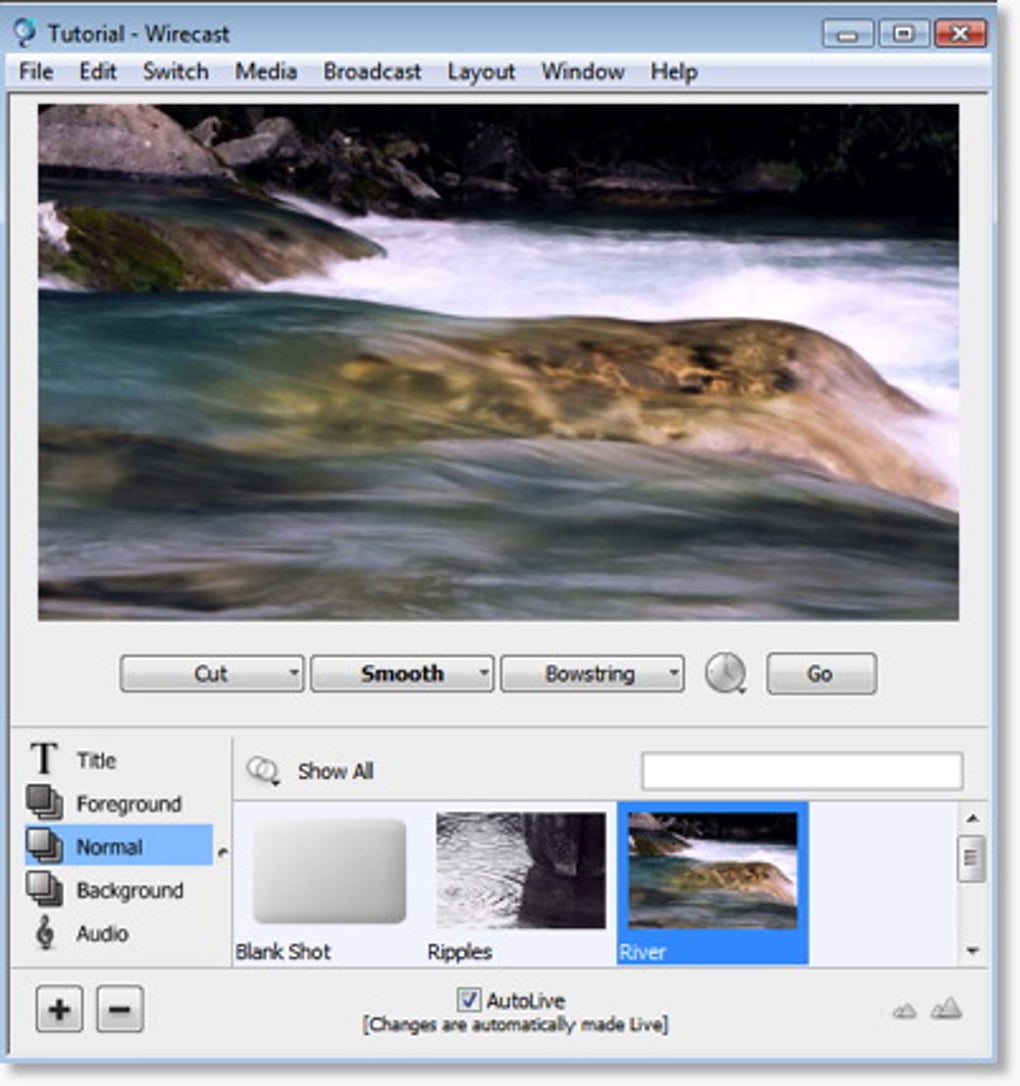
In the crowded field of live video streaming and production software, Wirecast stands out with its remarkably clean and intuitive user interface. The software’s straightforward design contrasts with the complexity of its extensive feature set. While the paid versions are comparatively more expensive than some free and open-source alternatives, the professional-grade output and simplified workflow justify the cost for many users. The high-quality video output and robust features make it a preferred choice for professionals in video production, streaming, and editing.
Comparison with Alternative Software
Wirecast’s feature-rich capabilities and user-friendly interface make it a strong contender among live streaming and video production software. However, it’s crucial to consider alternatives to make an informed decision. Popular alternatives include OBS (Open Broadcaster Software) and XSplit Broadcaster.
OBS Studio is a free and open-source solution known for its flexibility and extensive customization options. While powerful, its interface can feel overwhelming for beginners due to its extensive array of settings and configurations. The learning curve is steeper compared to Wirecast’s more intuitive design.
XSplit Broadcaster offers a balance between features and usability. It provides a more user-friendly experience than OBS but lacks some of the advanced features found in Wirecast Pro. It generally sits at a price point between Wirecast Studio and Pro.
The choice between Wirecast and its competitors depends heavily on individual needs and technical skills. Wirecast’s strength lies in its user-friendly interface, coupled with professional-grade features, making it ideal for users who prioritize ease of use without sacrificing quality. Conversely, OBS’s free and open-source nature appeals to budget-conscious users willing to invest time in mastering a more complex interface. XSplit provides a mid-range option balancing user-friendliness with a comprehensive feature set.
Conclusion: Is Wirecast Right for You?
Wirecast is a comprehensive and powerful live video streaming and production tool. Its intuitive interface, coupled with its extensive feature set, makes it an attractive option for both beginners and experienced users. While the cost may be a factor, the professional-grade output and the enhanced productivity resulting from its simplified workflow make it a worthwhile investment for individuals and organizations needing a reliable and efficient streaming solution. The free trial allows potential users to explore its functionalities before committing to a purchase, enabling a well-informed decision based on individual requirements. While alternatives like OBS and XSplit exist, Wirecast’s balance of power, ease of use, and professional output sets it apart for many users seeking a streamlined yet highly capable streaming platform.
File Information
- License: “Trial version”
- Latest update: “April 10, 2025”
- Platform: “Windows”
- OS: “Windows 10”
- Language: “English”
- Downloads: “133.2K”
- Size: “449.75 MB”


