
Wise Data Recovery is a freeware data recovery utility designed to retrieve lost or deleted files from various storage devices. This comprehensive review delves into its features, performance, strengths, weaknesses, and compares it to other similar software. Whether you’re a novice user or a tech-savvy individual, understanding the capabilities and limitations of data recovery tools is crucial in minimizing data loss. This review aims to equip you with the necessary information to make an informed decision.
Quick and Efficient Scanning Capabilities
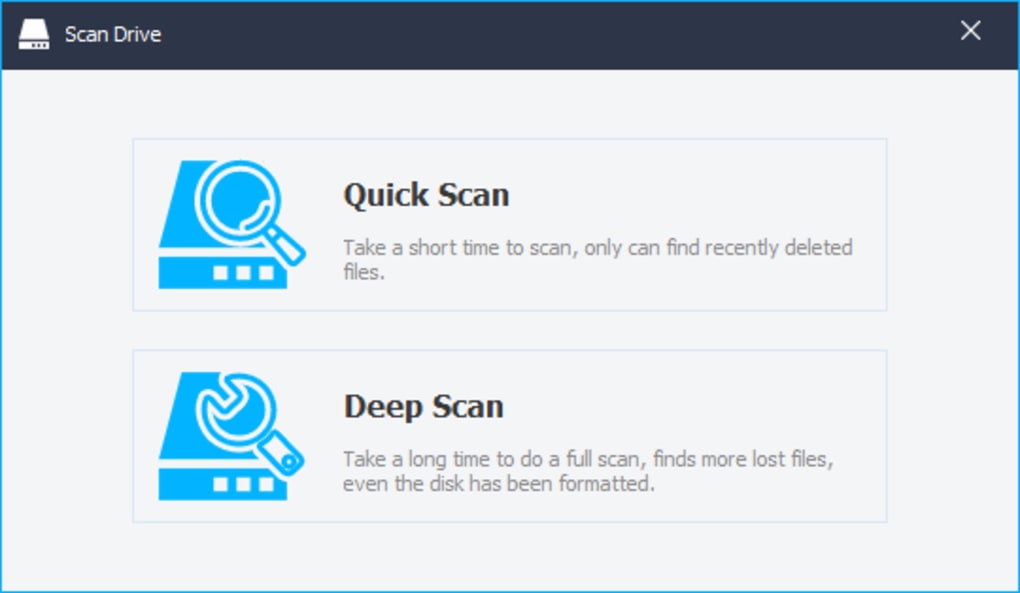
One of Wise Data Recovery’s key strengths is its remarkably fast scanning process. Unlike some data recovery tools that can take hours or even days to scan large hard drives, Wise Data Recovery utilizes an advanced algorithm to significantly reduce scan times. This speed is achieved without compromising the effectiveness of the scan, minimizing the chances of missing recoverable files. The lightweight nature of the application ensures minimal impact on system performance, allowing other programs to run concurrently without significant slowdown.
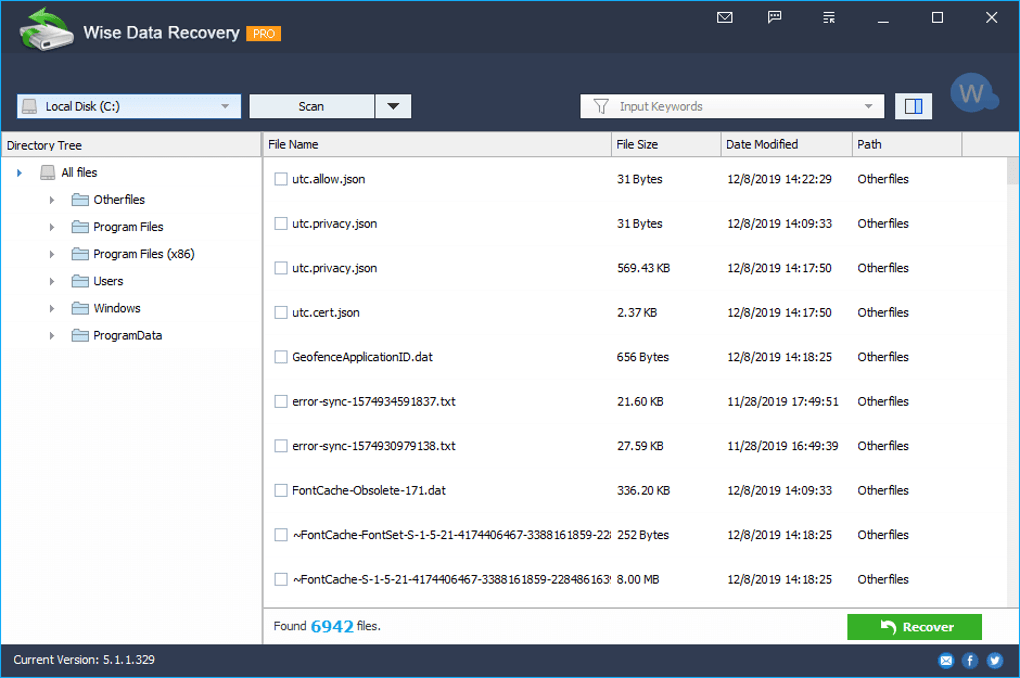
The software’s efficiency is further enhanced by its advanced search features. Users can specify the file types they wish to recover, significantly narrowing down the search results and accelerating the recovery process. This targeted approach is particularly beneficial when dealing with large datasets or when searching for specific file types, such as images, documents, or videos. Beyond simply selecting file types, users can also input keywords or filenames to further refine the search, allowing for pinpoint accuracy in locating specific lost data. A helpful feature is the inclusion of preset options for common file categories (images, documents, emails, videos, compressed files) which automatically populate the search bar with relevant extensions. This feature simplifies the process, even for those unfamiliar with file extensions. Additionally, the advanced search capabilities allow users to enter multiple custom file extensions, providing maximum flexibility and control over the recovery process.
Assessing Recoverability: A Transparent Approach
Wise Data Recovery goes beyond simply locating deleted files; it assesses the likelihood of successful recovery. After the scan completes, the software provides detailed information about each found item, including the filename, size, last modified date, and most importantly, its recoverability status. This status is visually represented using a color-coded system: a green circle indicates “Good” recoverability, signifying a high probability of successful and complete restoration; an orange circle signifies “Poor” recoverability, suggesting the file may be partially damaged or incomplete; and a red circle indicates “Lost” recoverability, where the chances of successful restoration are minimal due to significant data overwriting.
This transparent approach empowers users to prioritize the recovery of files with a higher likelihood of success, saving time and effort. While files marked as “Poor” or “Lost” may still be recoverable, users can manage their expectations accordingly and focus their recovery efforts on files with a higher chance of successful restoration. The clarity of this system helps users understand the challenges involved in data recovery and manage expectations realistically.
The Recovery Process: Speed and Limitations
Once the desired files have been identified, the recovery process in Wise Data Recovery is quick and straightforward. Users can select multiple files for simultaneous recovery, further saving time and effort. However, it is important to note a key limitation: the software does not preserve the original folder structure of the recovered files. Recovered files are saved to a new directory specified by the user, meaning the original file paths are lost. This can be inconvenient, particularly when recovering large numbers of files or complex folder structures. However, a mitigating factor is that when a deleted folder is recovered, its subfolders maintain their original hierarchical structure.
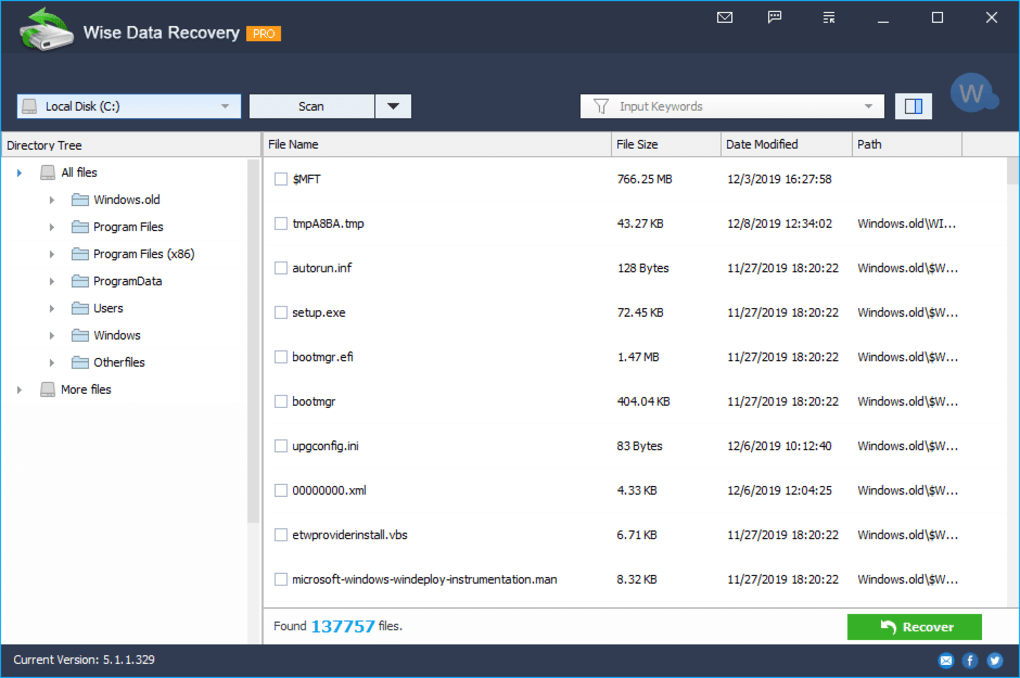
The inability to retain the original folder structure is a significant drawback. While the speed of recovery is a major advantage, users should be prepared to manually reorganize their recovered files after the process. This is a trade-off to consider when weighing the benefits of speed against the need to maintain original file organization. Despite this limitation, the ease of use and speed of recovery often outweigh this inconvenience for many users, particularly those primarily concerned with recovering the data itself rather than preserving the exact folder structure.
Ease of Use and Overall User Experience
Wise Data Recovery distinguishes itself with its intuitive and user-friendly interface. The clean and straightforward design minimizes the learning curve, making it accessible to users of all technical skill levels. The software’s straightforward navigation and clear instructions ensure a smooth recovery process, even for those without prior experience with data recovery tools. The quick scan times and the clear visual indicators for recoverability further enhance the user experience, reducing frustration and maximizing efficiency.
However, the absence of a dedicated help or support section within the application itself is a noticeable omission. While the software’s intuitive design generally mitigates the need for extensive documentation, having readily accessible help files or a FAQ section would be beneficial, especially for users encountering unexpected issues or needing clarification on specific features.
Comparison with Alternative Data Recovery Software
Wise Data Recovery stands as a strong contender among free data recovery tools. However, it’s crucial to compare it to other options available in the market. Several prominent alternatives include Recuva, Glary Undelete, and Free Data Recovery. These options offer varying features, performance characteristics, and levels of ease of use. Some might offer more advanced features, such as deeper scan capabilities or more robust file system support, while others might focus on simplicity and ease of use. The best choice depends heavily on individual needs and priorities.
Recuva, for example, is known for its user-friendly interface and reliable recovery performance. Glary Undelete offers similar functionality but might incorporate additional system optimization tools. Free Data Recovery, as its name suggests, is another free option, but its features and performance might not be as extensive or refined as Wise Data Recovery. Choosing the best software requires careful consideration of the specific requirements of the recovery task, the size of the data involved, and the level of technical expertise of the user.
In summary, Wise Data Recovery provides a fast, efficient, and user-friendly solution for recovering lost or deleted files. While its inability to maintain the original folder structure is a limitation, the speed of its scanning and recovery processes, coupled with its clear recoverability assessment, make it a valuable tool for both novice and experienced users. However, users should weigh its limitations against the capabilities offered by alternative software to determine the best fit for their specific needs. Its free availability and ease of use make it a compelling option for many, but thorough research comparing it to other options is highly recommended before choosing a data recovery solution.
File Information
- License: “Free”
- Latest update: “February 5, 2025”
- Platform: “Windows”
- OS: “Windows 10”
- Language: “English”
- Downloads: “96K”
- Size: “11.58 MB”


