
Deleting files from your computer should be a straightforward process, but sometimes, it’s far from simple. Encountering error messages like “Cannot delete file,” “Access is denied,” “The file is in use by another program or user,” or “Sharing violation” is frustratingly common. These errors typically arise when a file is locked by a running program, system processes, or other factors preventing standard deletion methods from working. This is where Wise Force Deleter steps in, offering a powerful and reliable solution to overcome these obstacles and permanently remove even the most stubborn files.
Understanding the Problem of Locked Files
Before diving into the specifics of Wise Force Deleter, let’s explore why deleting certain files proves challenging. The root cause often lies in how operating systems and applications manage file access. When a program is using a file, the operating system locks it to prevent data corruption or inconsistencies. Attempting to delete a locked file directly results in the aforementioned error messages. This lock isn’t always immediately apparent; the program might be running in the background, or a system process might be temporarily accessing the file.
Furthermore, some malware or malicious software intentionally locks files to hinder their removal, making them particularly difficult to delete using standard methods. This persistent nature necessitates a more forceful approach than simply dragging the file to the Recycle Bin. Even after closing the seemingly relevant application, the file might remain locked due to residual processes or system caches.
Manually identifying and terminating the processes locking the file can be a complex and risky undertaking for non-technical users. Improperly terminating system processes could lead to system instability or data loss. Therefore, a dedicated tool designed to safely and effectively handle locked file deletion is invaluable.
Introducing Wise Force Deleter: A Safe and Efficient Solution
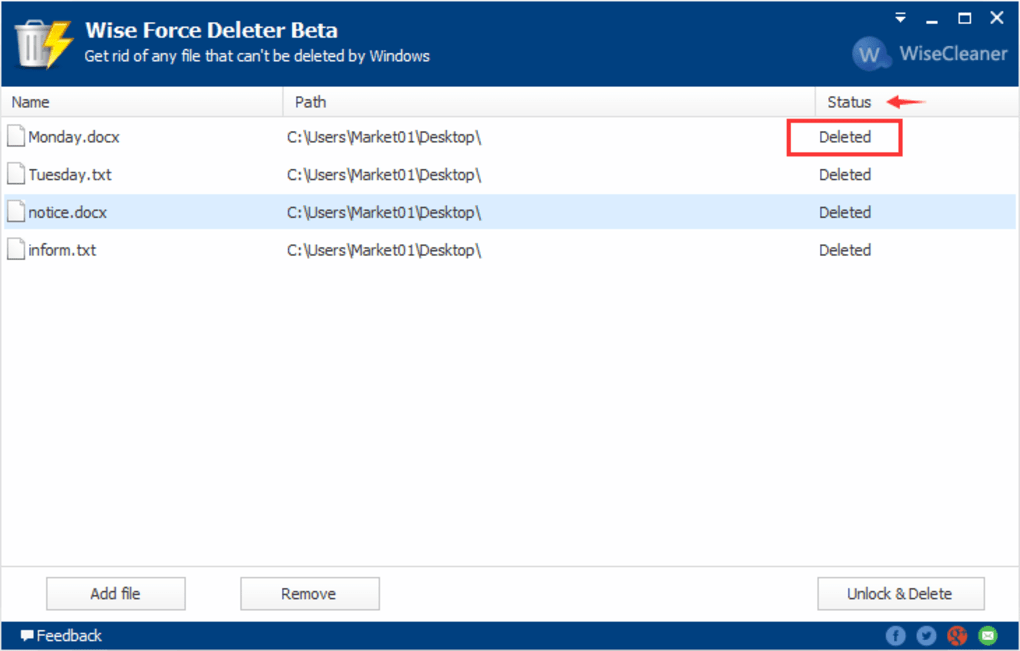
Wise Force Deleter is a free utility designed to address the challenges of deleting locked or in-use files. It provides a simple yet robust interface that allows users of all technical skill levels to overcome common file deletion obstacles. The software operates by intelligently identifying the processes locking the target file(s) and safely terminating them, creating a window of opportunity to securely delete the file. This process minimizes the risk of system instability and ensures a clean removal without compromising system integrity.
The software’s key features include:
-
Force Deletion: The core functionality of Wise Force Deleter lies in its ability to forcefully delete files that resist standard deletion methods. This feature is particularly useful for dealing with stubborn files locked by applications or system processes.
-
User-Friendly Interface: The intuitive design ensures ease of use, even for beginners. The process of selecting and deleting files is streamlined, requiring minimal technical expertise.
-
Safe and Reliable: Wise Force Deleter prioritizes the safety of your system. The software employs mechanisms to ensure that the process of unlocking and deleting files does not cause system instability or data corruption.
-
Comprehensive File Handling: The program can handle a wide range of file types and sizes, making it a versatile solution for various file deletion needs. This broad compatibility eliminates the need for multiple tools to handle different file types.
-
Free and Portable: The software is available free of charge and doesn’t require installation. This makes it highly convenient for quick use and ideal for those who prefer not to install additional software on their systems.
How Wise Force Deleter Works: A Step-by-Step Guide
The process of using Wise Force Deleter is incredibly straightforward. Here’s a step-by-step guide:
-
Download and Run: Download the Wise Force Deleter executable from a trusted source (like the official website). No installation is required; simply run the executable.
-
Select Files: Browse to the location of the files you wish to delete. Select the files or folders by clicking on them. Multiple selections are supported, allowing you to delete multiple stubborn files simultaneously.
-
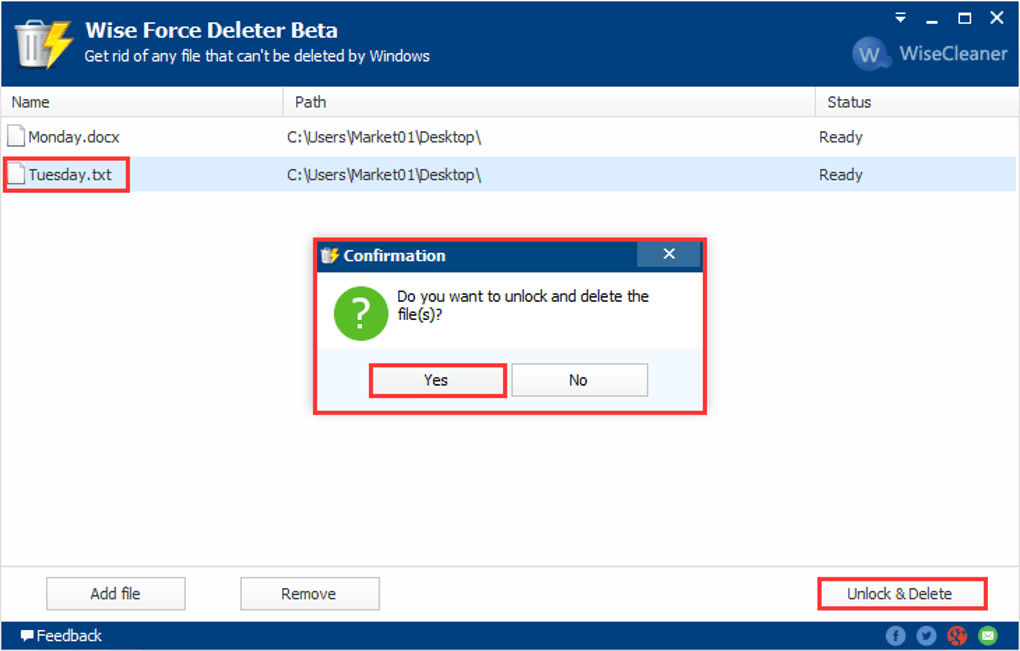
Initiate Deletion: After selecting the files, click the “Delete” button. The software will then begin the process of identifying and terminating any processes that might be locking the selected files.
-
Confirmation: Once the processes are closed, Wise Force Deleter will prompt you to confirm the deletion. This additional step ensures accidental deletions are prevented.
-
Deletion Complete: After confirmation, the selected files will be permanently deleted from your system.
Comparing Wise Force Deleter to Alternatives
While several other utilities offer similar functionality, Wise Force Deleter distinguishes itself through its combination of ease of use, reliability, and availability as a free, portable application. Some alternative software might require installation or offer a complex interface that can be daunting for less technically inclined users. Others might come with a price tag, making Wise Force Deleter a particularly attractive option for users seeking a free, effective solution.
Competitor software often focuses on more specialized tasks within the realm of file management, such as secure file deletion with data wiping capabilities to prevent recovery, or advanced uninstaller features. While these tools have their merits, Wise Force Deleter focuses specifically on resolving the common problem of deleting locked files, doing so efficiently and safely.
Conclusion: A Must-Have Utility for Every User
Wise Force Deleter provides a simple yet powerful solution to a common computing problem. Its user-friendly interface and reliable performance make it an invaluable tool for both novice and experienced users alike. The ability to safely and effectively delete locked files that resist standard deletion methods makes it a crucial addition to any user’s utility toolkit. By eliminating the frustration of encountering error messages and the complexities of manual process termination, Wise Force Deleter empowers users to maintain a clean and efficient system. The free and portable nature of the software further enhances its value, making it an indispensable tool for every computer user.
File Information
- License: “Free”
- Latest update: “July 3, 2025”
- Platform: “Windows”
- OS: “Windows 8”
- Language: “English”
- Downloads: “11.2K”
- Size: “3.65 MB”


